
- Agentforce
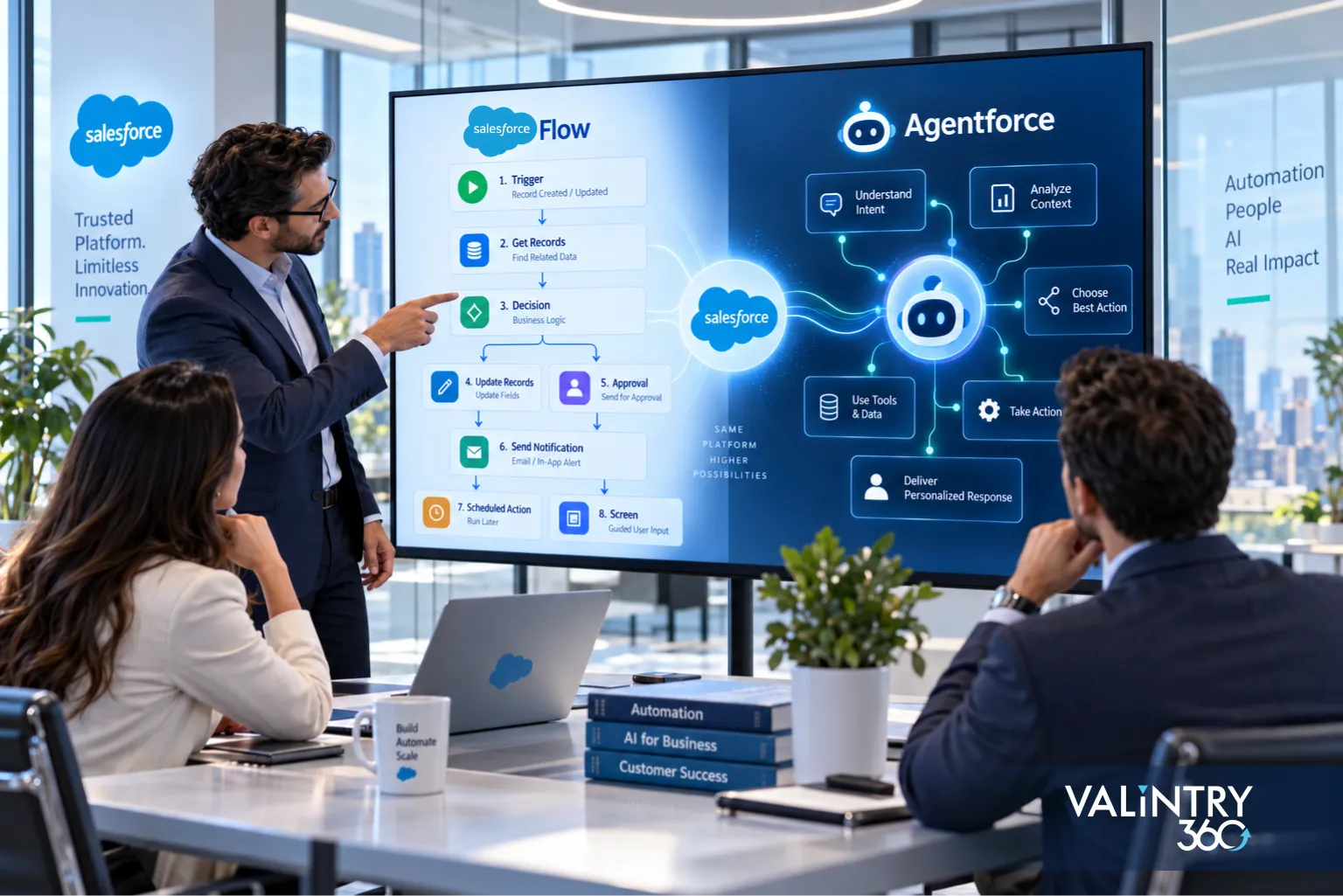
Your Salesforce org may already depend on Flow for record updates, approval routing, notifications, scheduled jobs, guided screens, and other repeatable processes. Each path is configured in advance, so the system follows the same rules whenever the same conditions appear.
Agentforce adds a different execution model. The agent reads a request, interprets the user’s intent, checks the available context, and selects from the actions you’ve permitted. The route can change depending on the request, retrieved information, conversation history, or the result returned by an earlier action.
That difference affects more than automation design. It changes how you think about testing, permissions, audit trails, transaction volume, latency, integrations, and operating cost. Some processes still belong entirely in Flow, while others need Agentforce to interpret what should happen before a Flow, Apex action, or API carries out the transaction.
This guide compares Agentforce vs Salesforce Flow across execution models, use cases, external integrations, testing, governance, performance, pricing, and production architecture. It also explains how Agentforce and Flow can work together, when an existing Flow should stay in place, where a bounded AI step may be enough, and how to evaluate a process using a practical decision checklist and real Salesforce case studies.
TL;DR
The choice comes down to how much of the execution path you can specify before the process runs. Most production architectures end up using both tools, with each one owning the part of the process it suits.
- Salesforce Flow owns defined execution. Where every branch, condition and action can be configured ahead of time, Flow gives you a path you can test, replay and audit.
- Agentforce owns contextual reasoning. Where the goal is clear but the route depends on user intent, retrieved data or conversation history, an agent decides which permitted action fits.
- Hybrid architecture handles most real processes. Agents can call Flows, Flows can call agents, and Flow can run a single bounded AI step without handing over the whole process.
- Volume, latency, testing and cost decide the edge cases. High-throughput synchronous work favors Flow. Metered agent actions, behavioral testing and reasoning traces all change what the design costs to run and govern.
What Is Salesforce Flow, and Where Does It Fit?
Salesforce Flow is the platform’s configured automation layer. You define what starts a process, which conditions select each branch, which actions run, and what happens at each outcome, all before anything executes.
Salesforce documents a wide set of flow types, including record-triggered flows in after-save, before-save and before-delete variants, schedule-triggered flows, screen flows, autolaunched flows, platform event-triggered flows, and external system change-triggered flows. Approvals get their own types too, with an Autolaunched Flow Approval Process and a Record-Triggered After Save Flow Approval Process, which matters because approval sequence is one of the strongest arguments for keeping a process in Flow.
Data 360 work runs through activation-triggered, segment and campaign flows, plus a Data Cloud Data Change Flow that launches when a Data 360 data model object or calculated insight changes and meets set conditions.
A typical path looks like this:
Record created → conditions evaluated → fields updated → routed for approval → owner notified
Every step in that sequence was decided at design time. That’s the property that makes Flow testable against expected outcomes and replayable when someone asks why a record changed.
One correction worth making early, because it shapes the cost conversation later. Flow Builder ships with Essentials, Pro Suite, Professional, Enterprise, Performance, Unlimited and Developer editions, but several connected capabilities carry their own requirements. Apex actions need an Apex license, Data 360 features need Data 360 users, Einstein generative AI needs the Einstein for Sales, Einstein for Service or Einstein Platform add-on, and MuleSoft RPA needs a MuleSoft Automation subscription.
For the wider 3-tool picture including where code belongs, the VALiNTRY360 Agentforce, Flow and Apex comparison covers that ground separately. Salesforce’s flow types reference lists the current set in full.
What Is Agentforce, and How Does Its Execution Model Differ?
Agentforce takes a request, interprets what’s being asked, and works toward the goal using actions you’ve granted it. Within an active subagent, the agent reads context, chooses an action, runs it, reads the result, and decides what comes next. (Salesforce renamed topics to subagents in April 2026, so older documentation describes the same mechanism under the previous name.)
Salesforce describes Agent Builder as connecting “to your data, channels, and existing Salesforce assets like Flows, Apex, MuleSoft APIs, and prompt templates.” Those connected assets become the actions the agent selects among.
Grounding is a separate question from actions. An agent reading Salesforce records and calling Flows needs no extra data platform, while Agentforce Data Library requires Data 360 because its index and retriever are built there. That distinction decides whether Data 360 enters your architecture at all.
The runtime shape differs from Flow in one specific way:
User request → agent interprets intent → selects a permitted action → Flow, Apex or API executes → result returns → agent decides the next step
The goal is fixed. The route through it depends on what the person asked and what the agent finds along the way. That variability is the feature, and it’s also the property that changes how you test, audit and budget for the process.
How the agent picks matters for design. The reasoning engine works from action names, descriptions, input and output definitions, and the active subagent’s instructions. Vague action descriptions produce vague selection, which is why agent quality often comes down to how precisely each action was described.
Scope does real work too. A subagent narrows the actions in play for a kind of request, reducing both wrong selections and the number of actions burned reaching an answer.
Our guide to how Agentforce works covers the reasoning loop in more depth, and Salesforce’s Agent Builder page documents the current build surface.
Agentforce vs Salesforce Flow at a Glance
Decision area | Salesforce Flow | Agentforce |
|---|---|---|
Execution model | Configured path | Runtime reasoning |
Input | Structured data or system event | Conversational or contextual |
Trigger | Record, schedule, event, screen, API | User interaction or context |
Path predictability | High | Varies by request |
Multi-turn conversation | Limited | Designed for it |
Business rules | Configured explicitly | Instructions plus permitted actions |
High-volume transactions | Strong fit | Assess latency and cost first |
Fixed action order | Strong fit | Use Flow, Apex or Agent Script for control |
External systems | Configured integration path | Runtime choice among permitted actions |
Testing | Path and assertion testing | Behavioral and action evaluation |
Audit evidence | Flow Trigger Explorer and debug output | Reasoning and action traces |
AI requirement | Optional | Central |
Consumption model | Edition and add-on licensing | Metered usage or agent licensing |
Best fit | A defined process | A contextual goal |
Read that table as a guide to the dominant execution model rather than a verdict. Most Salesforce Flow vs Agentforce debates get settled by 3 rows rather than 14, and plenty of production processes contain both kinds of work anyway.
Fixed action order is the row underestimated most, because natural-language instructions can suggest a sequence without guaranteeing it. Volume sets a ceiling no design work removes.
Audit evidence is usually decided in compliance, outside the architecture conversation, so ask early. Existing Salesforce Flow automation already clears that bar, which is part of why replacing it needs a real reason.
The remaining rows shift with the process. A conversational interface points toward an agent, but only if the actions behind it justify the reasoning step.
The Main Decision: How Predictable Is the Execution Path?
Salesforce’s architecture decision guide organizes this choice under a framework it calls Orchestration Density, measured across 3 dimensions: how specifically the execution path can be defined at design time, how much the goal’s outcomes vary, and what mix of input and output modalities the process handles.
That framing is more useful than a 2-way split, because it tells you where a process sits rather than which product wins.
Fully specified path
Choose Flow when every meaningful branch can be defined before runtime. Updating a record, applying routing criteria, requesting an approval, sending a notification, running a fixed calculation. You know the trigger, the conditions and the outcome in advance.
A useful test: if you can draw the process with every branch labeled, and the room agrees on what happens in each edge case, it’s a Flow.
Context-dependent path
Agentforce becomes relevant when the right next action depends on what the user means, what the conversation has covered, what was retrieved, what an earlier action returned, or what information is still missing.
That test fails here in a specific way. You can draw the goal and the available actions, but the arrows between them depend on the request, so the diagram becomes a set of options rather than a path.
Mixed path
Most substantial processes land here. Some steps need interpretation and others need transaction integrity, which is what Salesforce calls hybrid orchestration, and the 4 patterns for building it come later in this article.
Claims handling is the standard example. Classifying an unstructured description needs reasoning, while checking policy limits and writing the record needs a guaranteed sequence. Splitting the process along that seam usually costs less than routing every step through an agent.
The full spectrum runs:
Fixed rules → Flow with a bounded AI step → Flow calling Agentforce → Agentforce calling Flow or Apex → Agentforce with controlled agent logic
Placing a process on that line is the architecture decision itself, and it’s the question a Salesforce consulting review works through before any build starts. Salesforce’s decision guide sets out the full framework.
When Salesforce Flow Is the Better Fit

Record automation. Field updates, task creation, ownership changes and notifications where the trigger and the result are both known. Flow executes these in milliseconds inside the platform transaction.
Approval and compliance paths. Processes where the sequence is the control. An approval that must happen before a status change belongs in configured automation, where the order is guaranteed rather than inferred.
Scheduled and event-driven work. Recurring jobs, platform events and system-triggered automation. No interpretation is involved and the same logic runs every time, which is exactly the shape configured automation handles best.
High-volume transactions. Salesforce is direct about this one: “Agentforce is unsuitable for high-volume, synchronous record processing where latency is a primary constraint.” If thousands of records need the same treatment quickly, configured automation is the answer.
Guided user processes. Screen flows that walk someone through a defined set of steps, collecting structured input along the way. The person supplies the judgment and the Flow supplies the structure.
Fixed integration logic. Where Salesforce always calls the same external service under the same conditions, the integration path can be configured rather than chosen at runtime. Known target, known payload, known failure handling.
Anything already working. An existing Flow carrying correct business logic starts from a position of evidence, and a later section covers when that’s worth changing.
A Flow can still use AI at a single bounded step without an agent taking over the process. A prompt template that summarizes a case inside an otherwise fixed Flow keeps orchestration with Flow and gives the AI one job. That middle option gets skipped a lot, and it’s often the right answer.
The signal is simple. If you can name the 1 step needing judgment and everything around it is decided, you want a bounded AI step rather than an agent.
When Agentforce Is the Better Fit
Agentforce earns its place where the system has to interpret something before it can choose what to do.
Process characteristic | Why an agent fits |
|---|---|
Natural-language request | Intent has to be interpreted before any action is selected |
Incomplete input | The agent can ask for what’s missing instead of failing |
Several possible actions | Runtime context decides which one applies |
Multi-turn interaction | Earlier turns shape the next step |
Unstructured information | Reasoning and retrieval can work across content that has no schema |
State-dependent service | The right response depends on the customer or case situation |
Practical candidates include conversational service resolution, contextual sales assistance, multi-step information gathering, knowledge-driven employee support, and issue classification routing into different permitted actions.
Complexity on its own justifies nothing here. A complicated process with a knowable path is still a Flow problem, and a complicated process where only one step is ambiguous is a hybrid problem. Uncertainty about the route is what makes an agent the right call.
Two conditions strengthen the case. A long tail of request types needing dozens of configured branches, where an agent absorbs the variety instead. And content with no schema, such as free-text notes or email threads, where configured conditions can’t reach.
The clearest counter-signal is a process where someone can already write the rule. If a person can state the condition in a sentence, configure it and move on, an agent adds cost and variability without adding capability.
Customer-facing conversational work is where these conditions cluster most often, which is the territory Agentforce for service teams covers.
How Agentforce and Salesforce Flow Work Together
This is where most comparisons stop short. Salesforce supports traffic in both directions, and the pattern you choose changes cost, control and testing.
Agentforce calls Flow
User request → agent interprets intent → Flow action → controlled transaction
The agent decides what needs to happen. Flow carries it out with the validations, field updates and downstream processing already built and tested. Refunds, case escalations, account updates and order changes all fit this shape.
This is the pattern to reach for when the reasoning is genuinely uncertain but the execution must not be.
Flow calls Agentforce
Flow Builder includes a Run Agent element that invokes an agent from inside a Flow. Salesforce describes it as creating “an AI agent response for the specified user message.” It takes a user message and an optional Session ID, and returns an Agent Response, a Session ID, and a Structured Agent Response in version 1.1.0 and later.
Flow trigger → fixed steps → Run Agent → structured result → Flow continues
Use this where a known process has exactly 1 step that needs interpretation. A record is created, Flow validates the required fields, the agent reads an unstructured note, and Flow completes the defined business action with the result.
Two details matter before designing around it. The element is generally available in Enterprise, Performance, Unlimited and Developer editions, a narrower footprint than Flow Builder itself, so orgs on Professional or Pro Suite have Flow without this pattern. Salesforce also documents a second route through invocable actions: “Use invocable actions to call an Agentforce Service agent, Agentforce Employee agent, or Agentforce (Default) from a flow or Apex class.”
Flow uses a bounded AI step
A prompt template inside a Flow handles classification, extraction, summarization or generation as a single step. Flow keeps orchestration, the AI gets a narrow job, and nothing about the process becomes unpredictable.
Controlled agentic execution
Where a process needs reasoning but also needs guarantees, Agent Script imposes tighter execution control inside the agent, Flow and Apex hold any sequence that must stay fixed, and Agentforce Grid covers repetitive AI inference across existing record sets. Grid is an adjacent option rather than part of this comparison, but it’s worth knowing it exists before you build a loop or an agent for batch work.
Salesforce documents the Run Agent element and calling an agent from a Flow or Apex class as separate routes.
Scaling these patterns past a first use case changes the picture again, which the enterprise implementation guide covers. The architecture choice itself sits inside broader Salesforce AI solutions work.
Integration and External Systems: Who Controls the Path?
Both tools reach outside Salesforce, and current documentation is clear on that.
Flow connects to external systems through APIs, MuleSoft, HTTP callouts, external services and external system change-triggered patterns. Agentforce connects through Flows, Apex, MuleSoft APIs and external actions, with MuleSoft Agent Fabric and Agent Broker handling cross-enterprise agent coordination.
Both reach outside the platform. The difference is who picks the path.
Configured integration
Trigger → Flow → known API → result
Contextual integration
User intent → agent → selects a permitted integration action → API or Flow → result
In the first, you decided which system gets called. In the second, the agent decides at runtime from options you approved. That distinction drives your error handling, your credential design and your testing, far more than any question about reach.
Error handling changes the most. A Flow calling a known API handles that API’s failure modes, with retries written for one integration. An agent choosing among several needs sensible failure behavior for each, plus a defined response when a call returns nothing useful.
Credentials follow the same logic. The agent’s execution identity needs access to every integration action it might choose, which makes least-privilege design harder and more important at once.
Latency compounds it. An agent calling an external system mid-conversation adds that system’s response time to its own, and an API that performs fine in a nightly batch can feel slow in a live exchange.
Getting that connection layer reliable is its own workstream, and it sits at the center of Salesforce integration work.
Testing, Governance, Permissions, and Auditability
Operational control separates these tools more sharply than features do.
Flow testing
Salesforce supports automated tests for record-triggered, autolaunched and Data 360-triggered flows. You configure parameters and inputs once, and each run uses the same configuration. Salesforce recommends creating “a test for every path that the flow can take.”
The scope is bounded and honest about it: “a test can evaluate only whether a flow element ran and whether flow resource values are set as expected.” Assertions pass or fail against conditions you define. Add debug runs and runtime-context checks, since object and field access can differ depending on whether a flow runs in user or system context.
Agentforce access works differently and needs its own review. Permissions vary by agent type and by how each action is configured, so a custom action calling a Flow, an Apex class or a prompt template carries its own access requirements underneath the agent. Treating both tools as respecting one shared permission model is the mistake to avoid here.
Agentforce testing
Agent evaluation covers ground that path testing doesn’t reach. Whether the right subagent was recognized, whether the right action ran, whether retrieval pulled the correct content, and whether the response held up. Then the harder cases: ambiguous requests, invalid input, missing records, prompt-injection attempts and multi-turn conversations where an earlier turn changes the outcome.
As of Summer ’26, Salesforce states that “testing in Agentforce Testing Center is unmetered and doesn’t consume Einstein Requests or Flex Credits,” while “Data 360 queries from Agentforce Testing Center are still metered.” Confirm the current wording before you commit a testing figure, since this term has moved between releases.
Audit and control
Salesforce puts the difference plainly: “Traditional automation produces fully auditable execution trails through Flow Trigger Explorer and Apex logs. Agentforce-based end-to-end or hybrid patterns produce reasoning logs that provide transparency into agent decision making, but they require expertise to interpret.”
Both produce evidence. One replays a path, the other explains a decision, and your compliance team probably has a strong preference between those.
For sensitive work, the guidance is specific: “Agentic workflows operating at high density should incorporate explicit human approval or escalation gates for actions with irreversible consequences, such as financial transactions, regulatory submissions, or supplier commitments.” Approvals, Flow, Apex, Agent Script and human escalation are all available as the control layer.
The VALiNTRY360 Agentforce testing guide sets out what a full agent test plan contains, and an Agentforce readiness assessment is the usual starting point in a Flow-heavy org. Salesforce documents automated flow testing and Testing Center considerations separately.
Performance, Transaction Volume, Latency, and Cost
Performance and volume
Synchronous record-triggered flows complete inside the platform transaction in milliseconds. Agent inference time depends on reasoning depth and the modalities involved, so latency tolerance belongs in the decision alongside correctness.
The gap matters most where a user is waiting. A few seconds of reasoning is fine in a chat window, and it’s a problem behind a save button where someone expects the record to commit. Asking where the wait lands settles the question faster than any feature comparison.
Factor | Flow | Agentforce |
|---|---|---|
High transaction volume | Strong candidate | Assess whether reasoning is required |
Synchronous record updates | Strong candidate | Latency has to be acceptable |
AI consumption | Only where an AI feature is called | Applies to agent usage |
Unit of cost | Process elements and platform limits | Billable agent actions |
Maintenance | Flow and admin or developer effort | Agent, actions and monitoring |
Agentforce cost considerations
Salesforce currently lists Flex Credits at $500 per 100,000 credits, with a standard action consuming 20 credits and a voice action 30. At that rate a standard production action costs $0.10.
Conversations are $2, the Agentforce User License is $5 per user per month with Flex Credits required for metered usage, add-ons run $125 and $150 per user per month, and Agentforce 1 Editions start at $550 per user per month. Re-check these before you budget, since the terms move between releases.
Architecture affects the bill directly. An agent that interprets a request and calls 1 composite Flow consumes fewer billable actions than an agent that chains several separate actions to reach the same outcome. The saving comes from design, and the size of it depends entirely on your process, so model it rather than assuming a percentage.
Flow’s cost sits elsewhere. With no per-execution meter, the spend shows up as build and maintenance effort, the licenses connected features require, and the platform limits a high-volume design has to respect. Comparing a metered number against an unmetered one tends to flatter Flow in a way total project cost doesn’t support, so price the whole architecture: agent actions per request, the Flows underneath, the licenses both need, and the work of keeping each layer correct.
Our Agentforce pricing guide covers the product side in full, and Salesforce’s pricing page carries the current list rates.
Real Use Cases: Flow, Agentforce, or Hybrid?
Business process | Architecture to evaluate | Reason |
|---|---|---|
Record field update | Flow | Known trigger, known action |
Approval routing | Flow | Defined decision path with a required order |
Scheduled maintenance job | Flow | Repeatable event, no interpretation |
Ambiguous customer service question | Agentforce | Intent has to be interpreted first |
Guided issue resolution | Agentforce plus Flow | Reasoning, then a controlled transaction |
Sales inquiry qualification | Agentforce or hybrid | Context changes which action applies |
Case summary then fixed routing | Flow with a bounded AI step | 1 reasoning step inside a fixed process |
Refund request | Agentforce plus Flow and approval | Interpret the request, control the money |
Regulatory submission | Flow or Apex with approval gates | Execution control outweighs flexibility |
Bulk record classification | Agentforce Grid or bounded AI processing | Batch inference, not conversation |
External system update | Flow or hybrid | Depends on whether the target is known upfront |
Employee knowledge assistant | Agentforce | Conversational retrieval across content |
Where the 2 sections above sort work by category, the rows below name specific processes. The categories explain why a process leans one way, and the rows show where common ones usually land.
Treat these as starting points for evaluation. The same business process can land differently in 2 orgs depending on data quality, existing automation, compliance requirements and how much of the path is genuinely knowable in advance.
Read down the reason column rather than the process column, because that’s where the transferable logic sits. Rows resolving to Flow share a knowable trigger and a required order, while rows resolving to Agentforce share interpretation at the front.
Hybrid rows all have a seam where reasoning stops and execution has to be guaranteed. Finding that seam is the whole design exercise.
Two rows need extra care. Refunds and regulatory submissions both arrive in natural language and both carry consequences that shouldn’t sit behind a probabilistic decision, so the agent goes at the front for interpretation and a gated Flow or Apex action at the point of commitment.
Bulk classification is the other trap. It reads as an AI problem, which it is, but conversational agents are built for dialogue rather than throughput, so 40,000 records belong in a different pattern.
Should You Replace Existing Salesforce Flows With Agentforce?

Usually no, and the reason is architectural rather than sentimental.
Keep the Flow as it is when the path is still fully defined, the business logic is correct, the action order matters, execution volume is high, or auditability is a requirement. A working deterministic process is an asset, and rebuilding it as agent instructions trades a guarantee for a probability.
Reuse the Flow inside Agentforce when the agent needs to invoke a business process you already trust. Exposing a tested Flow as an agent action gives you reasoning at the front and proven transaction logic underneath, without rewriting either.
Introduce Agentforce around the Flow when users need a conversational entry point, when intent determines which Flow should run, or when context has to be interpreted before execution begins. The agent becomes the router and the Flows stay the engine.
One thing worth separating clearly: Agentforce for Flow refers to AI assistance that helps admins draft, summarize and modify flows using natural language. That’s a completely different thing from an agent executing a business process at runtime.
Its release status is currently inconsistent across Salesforce’s own documentation. Salesforce Help describes drafting a Flow with Agentforce as “a pilot or beta service,” while Salesforce’s Admins blog for Spring ’26 says the feature is generally available.
The documented drafting limits are worth knowing either way. Generated flows run to about 6 elements, and advanced formulas, record variables, Apex actions, invocable methods and custom fields on standard objects are unsupported. Review, debug and test anything it produces before activating.
Where this review points to a bounded first agent rather than a rebuild, that narrow scope is what an Agentforce Quickstart covers.
Agentforce vs Salesforce Flow Decision Checklist
This is the VALiNTRY360 Salesforce automation decision worksheet. Work through it against 1 specific process rather than your automation estate as a whole, and the answers point toward an architecture to evaluate.
Question | Flow signal | Agentforce signal |
|---|---|---|
Can every meaningful path be defined before runtime? | Yes | No |
Is the input mainly structured? | Yes | Mixed or unstructured |
Does the process need multi-turn conversation? | Rarely | Yes |
Must actions run in a fixed sequence? | Yes | Use a hybrid control layer |
Is transaction volume very high? | Strong signal | Evaluate latency carefully |
Is low latency mandatory? | Strong signal | Evaluate carefully |
Does context determine which action runs? | Limited | Strong signal |
Would 1 AI step be enough? | Flow with a prompt template | A full agent may be unnecessary |
Does a sensitive action need approval? | Flow with approval gates | Hybrid with a gate |
Can an existing Flow handle the transaction? | Reuse it | The agent can call it |
Is the work bulk AI inference? | Consider an alternative pattern | Consider Agentforce Grid |
Is runtime conversation the main interface? | Limited | Strong signal |
Mostly Flow signals means configured automation, with AI available at a bounded step if one helps. Mostly Agentforce signals means the route genuinely varies at runtime. A mix means hybrid, where most real processes land.
Run the worksheet per process rather than per department, because the answers change inside a single team. A service organization can hold a fixed escalation Flow, a conversational front door and a bulk classification job at the same time, and each one lands somewhere different on the spectrum.
The worksheet is also worth rerunning after a process changes. Adding a channel, a system or a regulatory requirement moves several answers at once, and an architecture that fit last year may sit in a different place now. Where the terminology raises questions, the Agentforce glossary covers the vocabulary used here.
Salesforce Automation Case Studies Worth Reading
Architecture decisions read differently against delivered projects than against a checklist. If you want to see what configured automation looks like carrying real production load, these 5 VALiNTRY360 implementations each demonstrate a factor this article weighs.
1. TrialSpark: 77% Faster Ticket Resolution Across Clinical Trials
TrialSpark manages clinical trial enrollment and patient support across multiple concurrent studies. The build used Service Cloud, Salesforce Shield, Marketing Cloud, Sales Cloud, Experience Cloud and Salesforce Flow together, with work queues organized by trial stage, omni-channel routing to qualified clinical agents, escalation flows directing complex cases to clinicians, and AWS Connect telephony integrated alongside an internal enrollment application. The results recorded were 85% patient engagement in the first month of a new trial deployment, a 77% reduction in time to resolve study-related support tickets, and 20 hours saved per participant enrolled.
Key takeaway: Routing, escalation and queue logic are exactly the work that belongs in configured automation, and this build shows the volume that model sustains before any reasoning layer is involved.
Read the full case study: TrialSpark Clinical Trial Patient Operations
2. Real California Milk: 500 Annual Hours Reduced to 4
Real California Milk moved from SugarCRM to Salesforce Sales Cloud, with an ETL tool and custom automations handling quarterly Account and Contact imports plus the reconciliation logic around them, alongside MailChimp and Zoom integrations and custom management dashboards. Annual labor hours spent manually updating data fell from 500 to 4.
Key takeaway: Reconciliation logic has to produce the same result every run, which is the clearest case for keeping a process in a defined execution path rather than a reasoning layer.
Read the full case study: Real California Milk SugarCRM to Salesforce Migration
3. BIC Graphic: 27% More Pipeline and 7 Minutes Off Handle Time
BIC Graphic had no CRM and customer data fragmented across sales, marketing and service. The implementation covered Sales Cloud and Service Cloud with an integration into the existing ERP for order and fulfillment data, plus workflow automation across field sales, inside sales and quoting. Average handle time fell by 7 minutes and new pipeline opportunities rose by more than 27%.
Key takeaway: Configured automation reaching an external ERP under known conditions is the pattern this article calls configured integration, where the target system and the payload are both decided in advance.
Read the full case study: BIC Graphic Sales and Service Cloud Implementation
4. AthenaPsych: Compliance Errors Down 75% After an EMR Replacement
AthenaPsych, a mental health provider operating across New York State, replaced its Electronic Medical Record system with a Salesforce build on Health Cloud, Scheduler, Shield and Experience Cloud, integrating Change Healthcare and Vonage. Automated administrative workflows and real-time clinical documentation were central to the design. Within 6 months of phase 1, 80% of patients were scheduled on the first call, 68% completed intake within 7 days, CPT coding errors fell 69% and clinical compliance errors fell 75%.
Key takeaway: Regulated work rewards a defined path with measurable compliance outcomes, which is the same reasoning behind putting approval gates around any irreversible action an agent might reach.
Read the full case study: AthenaPsych Health Cloud EMR Replacement
5. All American Solar: 16% Quarterly Growth From a Bounded Scope
All American Solar needed Salesforce running without a dedicated administrator. The Quick Start mapped lead and opportunity processes to the company’s actual sales workflow, configured record types and roles, set up Lightning for Gmail synchronization, built dashboards for installation and KPI tracking, and delivered 4 hours of on-site training. The company reported 16% quarterly growth year over year afterward.
Key takeaway: A deliberately narrow first scope is the cheapest route to a working system, and the same logic applies to scoping a first agent against 1 measurable process.
Read the full case study: All American Solar Sales Cloud Implementation
Each of these ran on a defined scope with a measurable outcome attached, which is the evidence base the decision checklist above is built to produce before a process gets rearchitected.
FAQs About Agentforce vs Salesforce Flow
What is the difference between Agentforce and Salesforce Flow?
Flow executes a path you configure before runtime. Agentforce interprets a request at runtime and selects from permitted actions based on context, so the goal is fixed while the route varies.
Is Agentforce replacing Salesforce Flow?
No. Salesforce’s current architecture guidance positions them as complementary, and Agentforce frequently calls Flows to carry out the actual transaction work.
When should I use Salesforce Flow instead of Agentforce?
When every branch can be defined in advance, action order must be guaranteed, volume is high, or low latency is a hard requirement.
When should I use Agentforce instead of Salesforce Flow?
When the next action depends on interpreting natural-language input, conversation history or retrieved content rather than on conditions you can configure upfront.
Can Agentforce call a Salesforce Flow?
Yes. A Flow can be exposed as an agent action, letting the agent handle reasoning while the Flow performs the controlled business process underneath.
Can Salesforce Flow call an Agentforce agent?
Yes. Flow Builder’s Run Agent element sends a user message to an agent and returns the response, including a structured response in version 1.1.0 and later. It’s available in Enterprise, Performance, Unlimited and Developer editions.
Can an existing Flow be reused as an Agentforce action?
Yes, and that’s usually the better move than rebuilding the logic as agent instructions, since the Flow already carries tested transaction behavior.
Is Agentforce more expensive than Salesforce Flow?
Agentforce carries metered usage that Flow doesn’t, though Flow’s connected features need their own licenses. Compare the total architecture rather than the 2 products in isolation.
Does Salesforce Flow require Data 360?
No. Flow runs without it, though specific Data 360 features inside Flow require Data 360 users.
Does Agentforce require Data 360?
It depends on the use case. Agentforce Data Library requires it, while an agent grounded only in Salesforce records and Flows may not.
Which is easier to test, Agentforce or Salesforce Flow?
Flow, because tests assert whether elements ran and values match expectations along a defined path. Agent testing evaluates behavior across many possible inputs, which takes more design work.
Which is better for high-volume Salesforce automation?
Flow. Salesforce’s own architecture guidance rules Agentforce out for high-volume synchronous record processing wherever latency is a binding constraint.
Which is better for regulated business processes?
Configured automation with explicit approval gates, because it replays a defined path. An agent can still front the process, with Flow or Apex controlling the irreversible action.
What is Agentforce for Flow?
AI assistance for admins building flows: drafting, summarizing and modifying them in natural language. Its status reads as beta in Salesforce Help and generally available in Salesforce’s Admins blog, so verify before relying on it.
When should I combine Agentforce and Salesforce Flow?
When part of the process needs interpretation and another part needs guaranteed execution, which describes most substantial service, sales and operations workflows.
Related Posts
- Agentforce
Agentforce Readiness Checklist: Is Your Salesforce Org Ready?
Agentforce reads whatever your Salesforce org already contains, and it acts through the automation you've already built. That inheritance is the whole readiness problem, in one sentence.An agent inherits your duplicate contact records, your too-wide permission sets, and that Flow…
- Agentforce
Agentforce Implementation Cost in 2026
Salesforce publishes a price for a credit, a conversation, a user license, and a resolved case. Those numbers price the meter.Your project is everything that happens before the meter starts running: defining the process, cleaning the records the agent will…
- Agentforce
Salesforce Consulting vs Implementation vs Managed Services
A company calls a firm and asks for "Salesforce consulting," expecting the team to configure the platform and go live in 6 weeks. Another buys an implementation and assumes the same people will keep fixing things a year later. A…