
Outlook Integration with Salesforce
Connect Salesforce and Microsoft Outlook so your sales and support teams can work faster, log activity accurately, and reduce CRM data gaps.


Turn Outlook into a Powerful Salesforce Productivity Hub
At VALiNTRY360, we help businesses set up and optimize Outlook Integration with Salesforce so teams can access CRM records, log emails, sync meetings, and manage customer activity directly from Microsoft Outlook. Our Salesforce Outlook Integration services support cleaner data, fewer manual updates, better team visibility, and faster follow-ups across sales, service, and customer-facing workflows. Whether you need the Salesforce Outlook add-in, Einstein Activity Capture setup, Microsoft 365 deployment, sync troubleshooting, or ongoing optimization, we help align Salesforce and Outlook around the way your team actually works.
Key Salesforce Outlook Integration Services We Provide
A successful Salesforce Outlook Integration is more than installing an add-in. It requires the right setup strategy, permission structure, sync rules, activity capture configuration, testing, training, and support. VALiNTRY360 helps businesses connect Salesforce and Outlook in a way that improves productivity without creating data quality or security issues.
Integration Strategy & Consulting
We review your sales, service, and communication workflows to identify where Outlook and Salesforce should connect. This includes defining user roles, permissions, sync needs, data access, governance requirements, and a phased rollout plan for smoother adoption.
Outlook Add-In Deployment
We deploy the Salesforce Outlook add-in through Microsoft 365 Admin Center or approved deployment methods. Each setup is configured by user group or role so teams can access the right Salesforce records directly inside Outlook.
Einstein Activity Capture Setup
We configure Einstein Activity Capture to sync relevant emails, calendar events, contacts, and activities between Outlook and Salesforce. Sharing rules, excluded domains, and capture settings are adjusted to protect sensitive data and support cleaner CRM activity tracking.
Data Sync & Conflict Management
We set up sync rules for contacts, emails, events, and calendars based on your business needs. Our team also helps identify duplicates, sync conflicts, missing activity logs, and data quality risks before they affect daily workflows.
Customization & Workflow Automation
We customize the Salesforce email application pane so users can see relevant records, opportunities, cases, and actions inside Outlook. We also automate tasks, follow-ups, record updates, and template access to make inbox-based CRM work easier.
Training, Support & Optimization
We provide role-based training for sales reps, service teams, Salesforce admins, and Microsoft 365 admins. After launch, we support troubleshooting, sync errors, missing emails, authentication issues, usage review, adoption improvements, and ongoing optimization.
Our Salesforce Outlook Integration Process

Requirement Analysis & Setup
- Review business needs, workflows, and sync requirements.
- Check Outlook versions, Salesforce editions, and licenses for compatibility.
- Prepare Microsoft 365 and Salesforce with correct permissions and domains.
Enabling Core Features
- Activate Outlook Integration and Einstein Activity Capture in Salesforce.
- Configure capture settings for emails, events, and tasks.
- Validate email domains to maintain security and compliance.
Add-In Deployment
- Deploy the Salesforce Outlook add-in via Microsoft 365 Admin Center or AppSource.
- Customize views per role to show relevant Salesforce data.
- Pilot test with select users before full rollout.
Sync & Authentication
- Enable two-way sync for contacts, emails, and calendars.
- Use Single Sign-On (SSO) and OAuth for secure authentication.
- Monitor sync performance to resolve conflicts and duplicates.
Testing & Validation
- Run end-to-end and module-level testing in a staging environment.
- Validate sync of emails, calendars, contacts, and activity capture for different roles.
- Use automated and manual testing to detect errors, data issues, and performance gaps.
Ongoing Support & Optimization
- Monitor system health with dashboards and error reports.
- Provide quick troubleshooting through dedicated support.
- Optimize configurations and add automation for higher ROI.
Benefits of Salesforce Outlook Integration
Integrating Outlook with Salesforce helps teams manage email, meetings, contacts, and CRM records in one connected workflow. Instead of switching between tools or manually updating Salesforce, users can work from Outlook while keeping CRM activity more complete and useful.
During the assessment, we review:
- Less context switching: Access Salesforce records directly inside Outlook.
- Cleaner activity history: Log emails, meetings, and customer interactions to the right Salesforce records.
- Better sales productivity: Help reps follow up faster, update records sooner, and stay focused on active opportunities.
- Improved data accuracy: Reduce manual entry errors, duplicate updates, and missing activity records.
- Stronger team visibility: Give sales, support, and leadership teams a clearer view of customer communication.
- More useful reporting: Improve CRM data quality for activity tracking, forecasting, and customer engagement analysis.
- Better customer experience: Help teams respond with more context, more speed, and more consistency.
Signs Your Team Needs Salesforce Outlook Integration
Your Team Switches Between Salesforce and Outlook All Day
If users constantly move between Salesforce and Outlook to check records, send emails, schedule meetings, or update activity, productivity drops. Integration helps users access CRM context directly inside Outlook.
Customer Records Are Missing Email or Meeting History
When emails and calendar events are not logged consistently, Salesforce records become incomplete. Outlook integration and Einstein Activity Capture can help teams maintain a fuller customer interaction history.
Reps Still Copy and Paste Data Manually
Manual copying of emails, contacts, meeting notes, and customer updates increases errors and wastes time. A connected workflow helps reduce manual CRM updates and keeps records cleaner.
Managers Lack Visibility Into Sales Activity
If leadership cannot easily see meetings, emails, follow-ups, or activity trends, forecasting and coaching become harder. Integration improves activity visibility across accounts, contacts, leads, opportunities, and cases.
Users Complain Salesforce Is Too Disconnected From Their Inbox
Adoption suffers when Salesforce feels separate from daily work. Bringing CRM access into Outlook makes Salesforce easier to use during normal communication workflows.
Your Current Sync Setup Creates Duplicates or Missing Records
If your team struggles with duplicate contacts, sync delays, missing emails, or calendar conflicts, the integration may need better configuration, rules, permissions, or support.
Who Needs Outlook Integration with Salesforce?
VALiNTRY360 supports businesses that rely on both Salesforce and Microsoft Outlook but struggle with disconnected communication, incomplete CRM records, or manual activity updates.
01
Sales Teams
Sales teams can access Salesforce records in Outlook, log emails faster, sync meetings, and follow up with better customer context.
02
Customer Support Teams
Support teams can connect Outlook communication with Salesforce cases, contacts, accounts, and activity history for better service visibility.
03
Revenue Operations Teams
RevOps teams can improve data quality, activity tracking, reporting inputs, and adoption across customer-facing teams.
04
Salesforce Admins
Admins can get expert support with Outlook Integration settings, Einstein Activity Capture, permissions, pane layouts, testing, and troubleshooting.
05
Microsoft 365 Admins
Microsoft admins can coordinate deployment, user access, security settings, authentication, and organization-wide rollout.
06
Leadership Teams
Leaders can gain better visibility into customer engagement, team activity, follow-up consistency, and pipeline communication.
Why Outlook Integration with Salesforce Is Valuable for Businesses
Outlook Integration with Salesforce helps businesses streamline communication, improve CRM accuracy, and boost team productivity by connecting emails, meetings, and customer data in one place. It enables faster collaboration, better visibility, and more efficient customer engagement across sales, service, and support teams.
Unified Communication & Sync
Outlook integration consolidates emails, contacts, and calendar events into Salesforce automatically. This removes repetitive data entry, keeps records accurate, and provides teams with a single, reliable source for every customer interaction.
Higher Sales Productivity
With Salesforce records accessible directly in Outlook, sales reps can log updates, track opportunities, and follow up faster. This smooth workflow reduces context switching, accelerates deal cycles, and improves responsiveness.
Stronger Customer Management
Automatic logging of meetings and emails builds a complete history of customer interactions. Teams gain the insights needed to personalize conversations, resolve issues quickly, and strengthen client trust and loyalty.
Real-Time CRM Visibility
Integration delivers up-to-date Salesforce insights directly within Outlook. Teams access account details, activity history, and opportunities instantly, improving decision-making and customer engagement without leaving the email platform.
Intelligent Activity Capture
Einstein Activity Capture records communications automatically, enriching Salesforce data without manual work. This provides accurate analytics, stronger forecasting, and strategic insights that guide business decisions at scale.
Secure, Enterprise-Ready Setup
Centralized deployment supports smooth rollout across organizations, while Microsoft and Salesforce security standards safeguard sensitive data. The result is a scalable, compliant, and reliable integration built for global teams.
What Affects Salesforce Outlook Integration Cost?
The cost of Salesforce Outlook Integration depends on the complexity of your setup, number of users, sync requirements, security needs, and post-launch support expectations.
Common cost factors include:
- Number of users and teams involved
- Salesforce edition and license requirements
- Microsoft 365 or Exchange environment complexity
- Outlook add-in deployment scope
- Einstein Activity Capture configuration needs
- Salesforce Inbox requirements, if needed
- Custom pane layouts or workflow automation
- Data quality and duplicate cleanup needs
How We Solve Common Challenges with Salesforce Outlook Integrations
Outlook Integration with Salesforce can create major productivity gains, but only when setup, permissions, sync rules, and user adoption are handled correctly. VALiNTRY360 helps businesses prevent common issues that lead to missing activity, duplicate records, authentication failures, and low adoption.
- 01
- Planning and Requirement Gathering
Salesforce-Outlook integration can involve Salesforce settings, Microsoft 365 permissions, Outlook add-in deployment, Exchange settings, user access, and security controls. We review both environments before configuration to reduce rollout risk.
- 02
- Data Duplication and Sync Conflicts
Duplicate contacts, conflicting sync rules, and inconsistent data mapping can create confusion. We help define sync rules, deduplication practices, and monitoring processes to keep Salesforce and Outlook data more reliable.
- 03
- Einstein Activity Capture Configuration Issues
Poorly configured EAC can lead to missing emails, irrelevant activity capture, or unclear visibility. We configure sharing settings, excluded domains, sync options, and user access based on business requirements.
- 03
- Authentication and Access Errors
OAuth, SSO, token, and Microsoft 365 permission issues can stop users from connecting Salesforce and Outlook. We help review authentication flows and coordinate Salesforce and Microsoft admin requirements.
- 04
- Reporting Gaps
Some teams expect every captured activity to behave like a standard Salesforce activity record. The page should clearly explain what reporting is available, what may require additional setup, and when Salesforce Inbox or other reporting approaches may be needed.
- 06
- User Adoption Problems
Even a technically correct integration can fail if users do not understand how to log emails, view Salesforce records, or use the Outlook panel. We support training, documentation, and post-launch optimization.
Why Choose VALiNTRY360 for Outlook Integration with Salesforce
Choosing the right Salesforce Outlook Integration partner matters because this setup affects daily sales productivity, CRM data quality, user adoption, and customer visibility. VALiNTRY360 helps organizations connect Salesforce and Outlook with a structured approach that covers strategy, configuration, deployment, security, training, and optimization.
- Who We Are
VALiNTRY360 is a trusted Salesforce partner focused on Salesforce–Outlook integrations that improve collaboration, optimize sales processes, and maintain data consistency, all while supporting scalable growth and operational efficiency.
- Certified Experts
Our team’s certifications and real-world experience allow us to deliver accurate, secure, and effective integration solutions. We customize each setup to make the most of Einstein Activity Capture, Outlook add-ins, and sync features for higher ROI.
- Training & Ongoing Support
Beyond integration, we provide structured training and responsive support so teams adopt the connected Salesforce Outlook system with confidence. This approach helps users apply features effectively in their day-to-day work.
- Security & Performance
VALiNTRY360 applies strict security measures and system reliability standards. Our integration solutions unify data, strengthen workflows, and support faster, smarter decision-making in a compliant environment.

Explore Our Client Results
See how we help organizations improve service delivery, strengthen team productivity, simplify workflows, and gain better visibility across their operations.
Outlook Integration with Salesforce
Outlook and Salesforce, Configured Right by Certified Admins
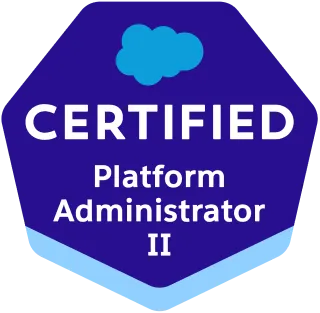
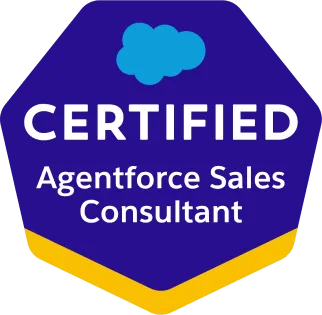
Reps shouldn't have to choose between working their inbox and updating Salesforce. VALiNTRY360's team holds Platform Administrator, Platform Administrator II, and Agentforce Sales Consultant certifications, so we configure the Outlook integration and activity capture to log emails, meetings, and contacts automatically, with the right privacy and sharing controls. Your pipeline data gets richer while reps stay in the tools they already use, from a Salesforce-Branded Partner since 2018.
Salesforce Credential Deck
3 Core Specializations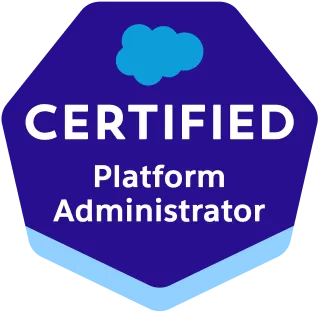
Outlook Integration with Salesforce FAQ by VALiNTRY360
Salesforce Outlook Integration lets your team view Salesforce records, create new leads and contacts, and log emails or calendar events automatically — all within Outlook. This reduces manual data entry, saves time, and minimizes errors.
Einstein Activity Capture automatically syncs emails, contacts, and meetings between Outlook and Salesforce. This keeps customer interactions logged accurately and provides better data for analytics, forecasting, and reporting.
You need a compatible Outlook version (Office 365 is recommended), Salesforce Lightning experience activated, and admin rights in both Salesforce and Microsoft 365. VALiNTRY360 helps review and prepare these prerequisites.
Yes, centralized deployment through Microsoft 365 Admin Center allows controlled rollout to every user. VALiNTRY360 manages deployment carefully, reduces user disruption, and provides configuration support for smooth operation.
The integration follows strong security protocols such as OAuth 2.0 and Single Sign-On, protecting data during transfer and storage. VALiNTRY360 applies strict security measures to maintain compliance and protect business information.
No. Salesforce Inbox is not required for basic Outlook Integration. It is an optional add-on that adds advanced sales productivity features such as email tracking, scheduling, templates, and enhanced inbox workflows.
Yes. Salesforce allows custom Outlook email application panes using Lightning App Builder, so different users or teams can see the Salesforce records, components, and actions most relevant to their role.
Common reasons include missing permissions, incomplete Einstein Activity Capture setup, unsupported Outlook versions, blocked domains, incorrect sharing settings, sync delays, or conflicts between multiple sync tools. A configuration audit can identify the root cause before users lose confidence in CRM data.
Yes. Einstein Activity Capture settings can be configured to control what emails and events are captured. Businesses often exclude internal domains, sensitive contacts, or irrelevant communication to reduce noise and support privacy requirements.
Enhanced Email allows logged Outlook emails to be stored as Salesforce email records instead of older task-style activity records. This improves email visibility, reporting, and how messages appear on related Salesforce records. Trailhead specifically recommends enabling Enhanced Email during Outlook Integration setup.
A successful rollout usually involves a Salesforce admin, Microsoft 365 or Exchange admin, sales operations leader, security or compliance stakeholder, and a small pilot group of end users. Salesforce’s implementation guide notes that setup requires Salesforce administration, Exchange server knowledge, and user-side Outlook setup.
No. Salesforce for Outlook is the older legacy product, while Outlook Integration and Einstein Activity Capture are Salesforce’s newer recommended products for connecting Outlook and Salesforce. Businesses using legacy Salesforce for Outlook should review migration options.
Yes. Salesforce supports Exchange Online with Microsoft 365 and supported on-premises Exchange versions. Hybrid Exchange environments can also be supported, but each user’s Outlook client and Exchange setup must meet Salesforce requirements.
A basic setup can be completed quickly when Salesforce, Microsoft 365, permissions, and supported Outlook versions are already in place. Larger rollouts with Einstein Activity Capture, SSO, compliance review, custom panes, and pilot testing usually take longer and should be phased to avoid sync issues.
A consultant is helpful when you have complex permissions, multiple Outlook versions, hybrid Exchange, Salesforce Inbox, Einstein Activity Capture, duplicate data issues, strict compliance requirements, or a large sales team rollout. Expert setup helps reduce sync errors, adoption problems, and data-quality risks.