
Zendesk Salesforce integration
Zendesk Salesforce Integration for unified data and automation
Zendesk Salesforce integration connects Zendesk Support with Salesforce so teams can sync customer, ticket, case, account, contact, lead, organization, and activity data between both platforms. This helps sales, support, and customer success teams reduce manual updates, avoid duplicate records, improve visibility into customer issues, and make better decisions from unified reporting. For growing teams, the value is not just connecting two systems. It is designing the right sync rules, field mappings, automation, permissions, testing process, and support model so Salesforce and Zendesk work together reliably as business needs evolve.
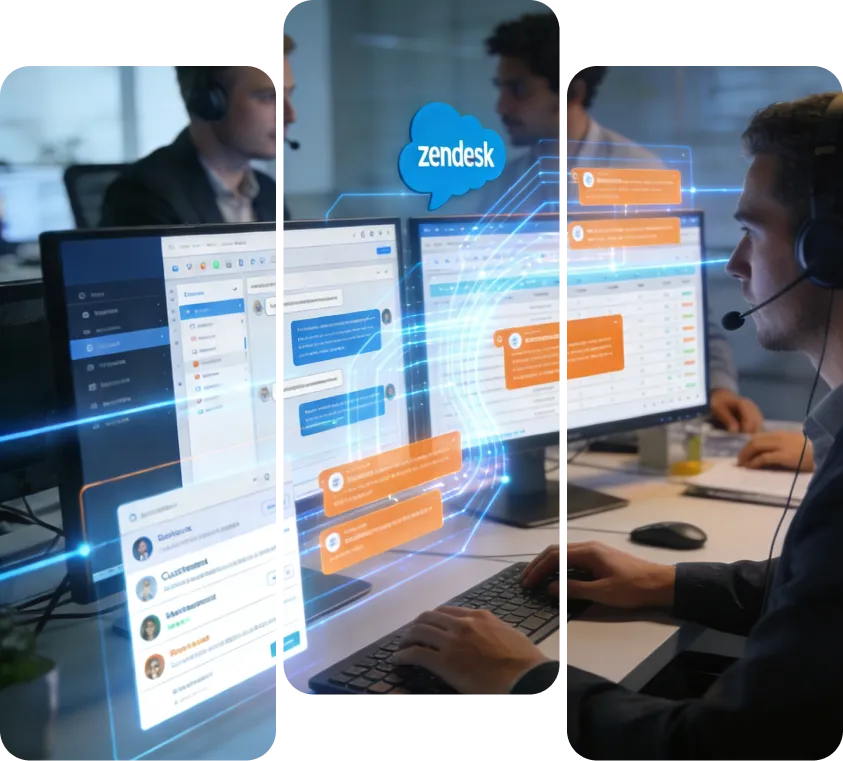

Comprehensive Integration Setup and Configuration
1/6- Establish secure API connectivity and authentication between Zendesk and Salesforce
- Configure user roles, permissions, and data access settings for both platforms
- Define the integration scope, including objects and data to be synchronized
Data Synchronization and Field Mapping
2/6- Map Zendesk tickets, users, and organizations to Salesforce cases, contacts, and accounts
- Set up real-time or scheduled synchronization for consistent, up-to-date records
- Customize field mappings to accurately transfer status, priority, and custom attributes
Workflow Automation and Process Optimization
3/6- Automate ticket creation in Zendesk from new Salesforce cases and vice versa
- Define escalation rules, status updates, and cross-platform notifications
- Synchronize SLA timelines and priority changes to improve response efficiency
Industry-Specific Customizations and Compliance
4/6- Build HIPAA-compliant workflows for healthcare organizations using Salesforce Health Cloud
- Customize ticket and case management for manufacturing warranty and service tracking
- Enable omnichannel support synchronization for retail and eCommerce businesses
Migration, Testing, and Quality Assurance
5/6- Execute secure data migration from legacy systems or across Zendesk and Salesforce environments
- Perform end-to-end testing covering sync accuracy, conflict resolution, and error handling
- Validate integration performance with pilot groups before enterprise-wide rollout
Continuous Support, Monitoring, and Enhancement
6/6- Deliver ongoing managed services including monitoring, troubleshooting, and upgrades
- Provide training sessions and updated documentation to drive user adoption
- Implement iterative improvements based on feedback and evolving business needs
VALiNTRY360's Zendesk Salesforce Integration Services
Our Zendesk Salesforce integration services are designed to connect customer support, sales, and service operations with accurate data synchronization, reliable automation, and scalable workflows.
What Data Can Be Synced Between Zendesk and Salesforce?
A successful Zendesk Salesforce integration starts with clear data mapping. Before configuration begins, your team should define which records need to sync, which platform owns each field, and how updates should be handled when data changes in both systems.
| Zendesk data | Salesforce data | Common purpose |
|---|---|---|
| Zendesk tickets | Salesforce cases | Give sales and service teams visibility into customer support issues. |
| Zendesk users | Salesforce contacts or leads | Connect support requesters with CRM records. |
| Zendesk organizations | Salesforce accounts | Align company-level support activity with account records. |
| Ticket comments and notes | Case comments, activities, or related records | Preserve customer interaction history. |
| Ticket status and priority | Case status, priority, or custom fields | Keep service workflows aligned across platforms. |
| Tags and custom fields | Salesforce custom fields or custom objects | Support reporting, segmentation, routing, and automation. |
| SLA-related details | Salesforce fields or reports | Help teams track response expectations and service performance. |
| Attachments or files | Salesforce files or related records where supported | Improve access to relevant customer documents or issue details. |
Our Salesforce Zendesk Integration Process: From Data Mapping to Go-Live
01
Discovery and Integration Planning
We begin by reviewing your Zendesk setup, Salesforce org, user roles, support workflows, sales processes, reporting needs, automation rules, and data ownership requirements. This helps us define the right integration scope before configuration begins.
02
Data Model and Field Mapping
We map Zendesk tickets, users, organizations, comments, tags, priorities, statuses, and custom fields to Salesforce cases, contacts, leads, accounts, activities, files, and custom objects where needed. We also define source-of-truth rules to prevent duplicate records and conflicting updates.
03
Integration Method Selection
We determine whether your business should use the native Zendesk Salesforce connector, an API-based integration, middleware/iPaaS, or a custom Salesforce Zendesk integration. The recommendation depends on sync direction, data complexity, workflow needs, security requirements, and scalability.
04
Sandbox Configuration and Security Review
Before production deployment, we configure and test the integration in a controlled environment. This includes authentication, permissions, field-level security, role-based access, record visibility, sync rules, and data handling requirements.
05
Workflow Automation and Reporting Setup
We configure automation for ticket creation, case updates, escalations, notifications, SLA-related workflows, status changes, and reporting. This helps sales and support teams act on shared customer data without unnecessary manual work.
06
Testing, Deployment, and Post-Launch Optimization
Before go-live, we test field mapping, record sync, duplicate handling, error scenarios, reporting, user workflows, and performance. After deployment, we monitor the integration, troubleshoot issues, train users, and optimize workflows as your business needs evolve.
Business Benefits of Connecting Zendesk and Salesforce
Integrating Zendesk with Salesforce helps sales, support, and customer success teams work from the same customer context. Instead of switching between disconnected systems, teams have access to relevant ticket, case, account, contact, and support history in the workflows they already use.
Unified Customer View
Connect Zendesk ticket activity with Salesforce CRM records so teams can understand customer history, open issues, account context, and service interactions from a more complete view.
Reduced Manual Data Entry
Automated synchronization reduces duplicate updates between Zendesk and Salesforce, helping teams spend less time copying data and more time resolving customer issues.
Improved Sales and Support Collaboration
Sales teams can see support risks before renewal or upsell conversations, while support teams can access CRM context that helps them respond with better accuracy.
Better Reporting and Decision-Making
Connected data allows leadership to analyze support trends, customer issues, account health, and service performance with stronger visibility across Salesforce and Zendesk.
More Reliable Workflows at Scale
A well-planned integration supports higher ticket volumes, custom field mapping, automation rules, sync controls, and evolving operational needs.
Stronger Customer Experience
When agents and sales teams have shared context, customers do not need to repeat information across departments. This improves response quality, personalization, and continuity.

Growing Support Complexity
If customer support volume is increasing and teams are managing requests across disconnected systems, Zendesk Salesforce integration can centralize ticket, case, and customer data so teams can respond faster and with better context.
Sales and Support Teams Working in Silos
When sales teams cannot see open support issues or support teams lack Salesforce account context, customer conversations become fragmented. Integrating Zendesk and Salesforce helps both teams work from shared customer information.
Manual Data Entry and Duplicate Records
If teams are manually copying ticket, case, account, or contact details between platforms, the risk of errors and duplicate records increases. Integration helps automate updates and improve data reliability.
Need for Zendesk Tickets in Salesforce
If sales, account management, or customer success teams need visibility into support tickets before renewal, upsell, onboarding, or escalation conversations, Zendesk ticket sync with Salesforce becomes valuable.
Need for Salesforce Data in Zendesk
If support agents need access to account details, contact information, customer status, or service context from Salesforce, integration can make CRM data easier to use inside support workflows.
Need for Better Reporting
If leadership needs combined reporting across sales activity, customer issues, case volume, support trends, and account health, a connected Salesforce Zendesk integration can improve reporting accuracy.
Native Zendesk Salesforce Connector vs Custom Integration
| Integration approach | Best for | Considerations |
|---|---|---|
| Native Zendesk Salesforce connector | Standard use cases, basic CRM/support visibility, faster setup | May be limited for complex workflows, custom objects, or advanced sync logic. |
| Custom API-based integration | Advanced field mapping, custom workflows, complex business rules, unique data models | Requires stronger planning, development, testing, and support. |
| Middleware or iPaaS integration | Teams with multiple systems, higher data volume, or more complex routing requirements | Requires governance around data flow, sync timing, and platform limits. |
| Lightweight automation tools | Simple task automation between Salesforce and Zendesk | Usually best for limited workflows, not complex enterprise integrations. |
Why Should Businesses Consider Zendesk Salesforce Integration?
Connecting Zendesk and Salesforce gives sales, support, and customer success teams a shared view of every customer, eliminating the silos that slow response times and hurt renewal conversations.
- Real-Time Data Synchronization
Integration delivers real-time syncing of tickets, cases, and customer data between Zendesk and Salesforce. As a result, teams always have accurate and current information accessible across platforms, enabling timely and informed customer interactions.
- Automated Support and Sales Workflows
By eliminating redundant tasks such as manual ticket creation or case updates, automation speeds up resolution. In addition, priorities, escalations, and notifications stay aligned between platforms without requiring user intervention.
- Reliable Data and Reporting
Automated bi-directional syncing minimizes duplication and inconsistencies. Therefore, businesses can rely on comprehensive reports that combine insights from both sales and support, improving strategic decision-making.
- Scalable and Customizable Setup
The integration supports scalable workflows and custom mappings tailored to industry needs or compliance standards. In turn, organizations scale reliably with fewer disruptions as their operations grow.
Common Zendesk Salesforce Integration Challenges We Solve
Integrating Zendesk with Salesforce can create issues if field mappings, sync rules, permissions, API usage, and data ownership are not planned carefully. VALiNTRY360 helps teams design integrations that reduce risk and keep customer data accurate across both systems.
| Challenge | How We Address It |
|---|---|
| Data sync issues | We define precise sync rules for tickets, cases, contacts, accounts, users, organizations, custom fields, statuses, and priorities. |
| Duplicate records | We configure deduplication logic, matching rules, and source-of-truth guidelines to reduce duplicate contacts, accounts, tickets, or cases. |
| Sync conflicts | We define conflict-resolution rules for situations where Zendesk and Salesforce records are updated at the same time. |
| API limits | We design batching, throttling, scheduling, and queueing strategies to reduce failed syncs during high-volume data exchange. |
| Permission issues | We review Zendesk and Salesforce roles, profiles, field-level security, and record access so the right users can view and update the right data. |
| Incomplete field mapping | We map standard and custom fields carefully so status, priority, SLA, comments, and customer details move accurately between systems. |
| Compliance and security concerns | We support secure authentication, encrypted transmission, permission controls, and privacy-conscious workflows based on business requirements. |
| Failed sync visibility | We help teams monitor sync logs, identify failed jobs, and resolve integration issues before they disrupt operations. |
Why Choose VALiNTRY360 as Your Zendesk Salesforce Integration Partner?
- Salesforce Integration Expertise
Our U.S.-based consultants bring Salesforce integration experience and 100+ Salesforce certifications across the team. This helps us design integrations that align with Salesforce architecture, automation, reporting, and user adoption needs.
- Certified Specialists
Our Salesforce and Zendesk certified experts combine deep technical skills with hands-on project experience. This means we deliver precise, secure integrations that unify customer data and service workflows within the Salesforce ecosystem.
- Support and Training
Our role doesn’t end at deployment. Instead, we provide role-based training and responsive support, enabling teams to confidently adopt the integration and maximize its value across departments.
- Security and Performance
Every integration is designed with strict security controls and built for scale. Therefore, we protect sensitive customer data, optimize workflows, and give leadership faster access to data-driven insights for better decisions.

See Our Case Studies
See how VALiNTRY360 has helped businesses reduce resolution times, improve case visibility, and align sales and support teams around a single source of customer truth.
Zendesk Integration with Salesforce
Zendesk and Salesforce Integration Led by Certified Service Experts
When support and sales see different versions of the customer, renewals and upsells slip through the cracks. VALiNTRY360's team holds Agentforce Service Consultant, Platform Developer, and Platform Data Architect certifications, so we design ticket syncing, account matching, and case visibility around how your service team really works. Reps walk into every conversation fully informed, and support stays connected to revenue, with a Salesforce-Branded Partner since 2018.
Salesforce Credential Deck
4 Core Specializations
- CERTIFIEDPlatform Developer
Zendesk Salesforce integration FAQ by VALiNTRY360
The integration enables real-time synchronization of customer data, tickets, and cases between Zendesk and Salesforce. As a result, sales and support teams share a unified view, allowing them to respond faster and more accurately.
Automation includes syncing ticket creation, case updates, priority escalations, and notifications. This reduces manual effort and accelerates resolution times, leading to more efficient customer service.
Predefined conflict resolution rules manage simultaneous updates. This ensures records stay accurate and consistent across both platforms, even in high-volume environments.
Standard configurations require Salesforce and Zendesk admin access. VALiNTRY360 handles advanced customization for complex workflows, custom objects, and compliance requirements.
Continuous monitoring and role-based training maintain integration health and optimize workflows. With this approach, VALiNTRY360 helps organizations maximize their investment and team efficiency.
The native Zendesk Salesforce connector may work for standard use cases, while a custom integration is better for advanced field mapping, custom objects, complex workflows, high-volume syncing, strict security requirements, or unique automation needs.native Zendesk Salesforce connector, custom integrationHigh
A custom integration may be needed if your business uses custom Salesforce objects, complex approval processes, unique ticket routing rules, advanced reporting, multiple systems, or specific compliance and security requirements that standard connectors cannot fully support.custom Salesforce Zendesk integrationHigh
Field mapping defines how data from Zendesk fields connects to Salesforce fields. For example, Zendesk ticket priority may map to Salesforce case priority, while Zendesk organizations may map to Salesforce accounts. Proper mapping helps avoid sync errors and reporting gaps.Zendesk Salesforce field mappingHigh
Duplicate records can be reduced by setting clear matching rules, defining source-of-truth logic, validating existing data, mapping fields correctly, and testing how contacts, accounts, users, tickets, and cases sync between Zendesk and Salesforce.duplicate records Zendesk SalesforceHigh
Most integrations require the right Salesforce admin access, API permissions, object permissions, field-level security, record access, and integration user setup. Zendesk admin access is also typically needed to configure authentication and sync settings.Salesforce permissions for Zendesk integrationMedium
The timeline depends on your sync requirements, data complexity, custom fields, automation needs, testing requirements, and whether you use a native connector, middleware, or custom API-based integration. A field mapping and workflow review helps estimate the timeline accurately.Zendesk Salesforce integration timelineMedium
Yes. Custom fields and custom objects can often be supported, but the setup depends on your Salesforce data model, Zendesk configuration, integration method, sync rules, and reporting requirements. These areas should be reviewed before implementation.Zendesk Salesforce custom fields, custom objectsHigh
Yes. By connecting support activity with CRM data, businesses can create better reporting around ticket trends, case volume, customer issues, account health, response performance, and sales-support collaboration.Zendesk Salesforce reportingMedium
Before starting, prepare your Zendesk and Salesforce admin access, object list, field mapping needs, automation requirements, reporting goals, user roles, security requirements, sample records, and known sync issues. This helps speed up discovery and reduce implementation risk.