
Integrate Shopify with Salesforce
Connect Shopify with Salesforce to sync orders, customers, products, inventory, and e-commerce activity across your CRM.
Integrate Shopify with Salesforce to create a reliable flow of e-commerce and CRM data across sales, marketing, support, and operations. VALiNTRY360 helps Shopify and Shopify Plus teams connect store data with Salesforce so orders, customers, products, inventory, payments, fulfillment status, and custom fields stay accurate across systems. Our certified Salesforce team delivers the integration fully in-house, including field mapping, secure authentication, real-time or scheduled sync logic, automation, testing, monitoring, and post-launch support. The result is cleaner data, fewer manual updates, better customer 360 visibility, and more reliable reporting across your e-commerce and CRM stack.


What Does It Mean to Integrate Shopify With Salesforce?
Integrating Shopify with Salesforce means connecting e-commerce data from Shopify with Salesforce CRM records and workflows. This can include syncing Shopify customers, orders, products, inventory, payment status, fulfillment updates, refunds, returns, tags, metafields, and custom fields into Salesforce objects such as Leads, Contacts, Accounts, Person Accounts, Opportunities, Orders, Cases, Campaigns, or custom objects. For growing e-commerce teams, this integration helps replace manual exports, duplicate data entry, and disconnected reporting with governed data flow, automation, and shared visibility across sales, support, marketing, finance, and operations.
Shopify and Salesforce Integration Services We Provide
Real-Time Data Sync
Enable real-time Shopify Salesforce sync for customers, orders, products, inventory, payments, fulfillment updates, refunds, and selected custom fields. VALiNTRY360 configures real-time, near-real-time, or scheduled sync using field mapping, upsert logic, duplicate checks, retry rules, and monitoring.
Custom Integration Build
Build a custom Shopify Salesforce integration using API integration, middleware, connectors, or hybrid architecture based on your business rules. VALiNTRY360 maps Shopify fields, metafields, tags, order states, product data, and inventory values to the right Salesforce objects.
Order Automation
Automate Shopify order sync to Salesforce for new, updated, paid, fulfilled, cancelled, refunded, and returned orders. VALiNTRY360 routes order events to Salesforce Orders, Opportunities, Cases, or custom objects so teams can track fulfillment status without switching systems.
Customer 360 in CRM
Create a complete Customer 360 view by syncing Shopify customer profiles, purchase history, support activity, consent data, and marketing behavior into Salesforce. VALiNTRY360 uses identity logic, matching rules, and duplicate prevention to keep Contacts, Accounts, or Person Accounts clean.
Analytics & Reporting
Improve Shopify Salesforce reporting with dashboards that combine ecommerce revenue, repeat purchases, inventory movement, refunds, returns, and pipeline data. VALiNTRY360 defines reporting fields, data lineage, and dashboard logic so teams can trust insights for planning and forecasting.
Support & Maintenance
Maintain long-term integration reliability with monitoring for sync jobs, error queues, API usage, latency, failed records, and webhook events. VALiNTRY360 updates mappings, workflows, connector logic, documentation, training, and troubleshooting as your Shopify store or Salesforce org evolves.
Best Ways to Integrate Shopify With Salesforce
There are several ways to integrate Shopify with Salesforce. The right method depends on your data volume, customization needs, Salesforce architecture, sync frequency, security requirements, and internal support capacity.
| Integration method | Best fit | Limitations | When VALiNTRY360 helps |
|---|---|---|---|
| Shopify app or Salesforce AppExchange connector | Standard customer, order, product, and inventory sync | May be limited for custom objects, complex workflows, or advanced mapping | Connector evaluation, configuration, extension, testing, and support |
| Zapier or no-code automation | Simple trigger-based workflows | May not fit high-volume, bidirectional, or governed enterprise sync | Decide whether no-code is enough or if a stronger architecture is needed |
| Middleware or iPaaS | Multi-system workflows and reusable data pipelines | Requires planning, governance, and monitoring | Architecture, mapping, testing, and support |
| Custom API integration | Complex Shopify Plus, custom Salesforce objects, or advanced automation | Requires development and maintenance | Full discovery, build, QA, deployment, and optimization |
| Manual CSV import | One-time data movement or temporary migration | Not suitable for real-time operations | Data cleanup, migration planning, and transition to automation |
Our Shopify Salesforce Integration Implementation Process
At VALiNTRY360, we help organizations bridge eCommerce and CRM ecosystems to create a unified operational flow. The focus is on designing reliable connectivity, ensuring governed data movement, and enabling smarter business execution through connected systems that support growth and efficiency.
01
Discovery & Requirements
- Conduct detailed stakeholder interviews to understand business goals and workflows.
- Evaluate existing Shopify and Salesforce systems for key sync points and data flow.
- Define integration scope, objectives, and success criteria with clear timelines.
02
Integration Strategy & Planning
- Choose the optimal method: custom API, third-party connectors, or hybrid solutions.
- Map Shopify data fields precisely to corresponding Salesforce objects and fields.
- We develop a comprehensive project plan addressing customization, testing, and rollout.
03
Secure Authentication Setup
- Establish OAuth or API token-based authentication for secure data exchange.
- Configure Salesforce Named Credentials and Shopify API access permissions.
- Implement data encryption and compliance checks for regulatory adherence.
04
Development & Configuration
- Build custom workflows, triggers, and Apex code to handle data sync logic.
- Configure connectors or middleware to automate order, customer, and product sync.
- Create error handling, retry mechanisms, and logging frameworks for reliability.
05
Testing & Quality Assurance
- Conduct sandbox environment tests simulating real Shopify transactions and updates.
- Validate data accuracy, sync latency, and workflow automation across platforms.
- Perform user acceptance testing with client teams for feedback and refinement.
06
Deployment & Ongoing Support
- Launch integration with real-time monitoring, alerts, and performance dashboards.
- Provide hands-on training and clear documentation for smooth adoption.
- Offer continuous maintenance, updates, and troubleshooting as business evolves.
Key Business Benefits of Shopify Salesforce Integration
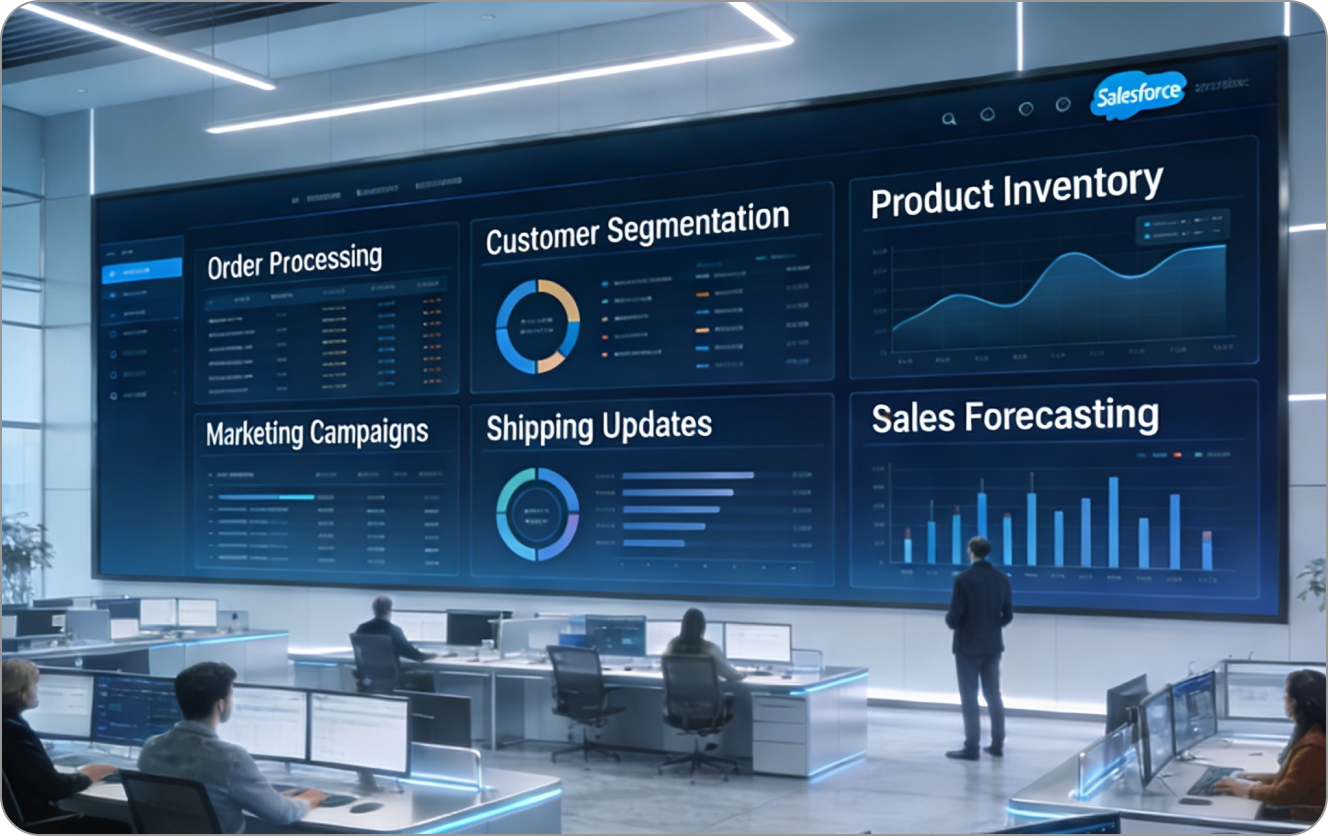
VALiNTRY360 integrates Shopify with Salesforce to help ecommerce teams reduce manual work, improve data accuracy, and give every team a shared view of customer and order activity. With the right integration, sales, marketing, service, finance, and operations can work from cleaner data, faster updates, and more reliable reporting.
Unified customer profiles
Combine Shopify orders, purchase history, support activity, and marketing context inside Salesforce.
Less manual data entry
Automate customer, order, product, inventory, payment, and fulfillment updates.
Cleaner reporting
Use Salesforce dashboards to track revenue, repeat purchases, inventory movement, refunds, returns, and pipeline impact.
Better service handoffs
Give support teams current order status, shipping details, refund history, and customer context.
Smarter marketing
Use purchase history, segments, consent data, and behavior signals to improve campaign relevance.
Scalable operations
Use field mapping, duplicate rules, retry logic, and monitoring to support higher order volumes and new stores.
What Data Can Sync Between Shopify and Salesforce?
A Shopify Salesforce integration can sync standard and custom ecommerce data depending on your business process, Salesforce data model, and integration method.
| Shopify data | Salesforce destination examples | Common use |
|---|---|---|
| Customers | Leads, Contacts, Accounts, Person Accounts | Customer profiles, segmentation, support context |
| Orders | Orders, Opportunities, Cases, custom objects | Sales visibility, support, fulfillment, reporting |
| Products | Products, Price Books, custom objects | Catalog visibility and reporting |
| Inventory | Product records, custom inventory objects, dashboards | Stock visibility and planning |
| Payments | Orders, Opportunities, custom payment fields | Revenue tracking and finance handoff |
| Fulfillment status | Orders, Cases, custom status fields | Support and operations visibility |
| Refunds and returns | Cases, Orders, custom objects | Customer service and financial reporting |
| Tags and metafields | Custom fields or custom objects | Segmentation, loyalty data, business-specific workflows |
| Marketing consent | Contact fields, Campaigns, Marketing Cloud | Compliant segmentation and outreach |
When Should You Integrate Shopify With Salesforce?
- Rapid Business Growth
Choose Shopify Salesforce integration when rising order volume makes manual entry, spreadsheet exports, and ad-hoc updates unreliable. Integration automates customer creation, order capture, inventory updates, and fulfillment visibility so growth does not create duplicate records, delayed reporting, or support bottlenecks.
- Unified Customer Insights
Choose integration when Shopify and Salesforce hold separate versions of the customer. By syncing purchase history, contact data, support activity, consent fields, and marketing behavior into Salesforce, teams can improve segmentation, account planning, campaign personalization, and customer service.
- Operational Efficiency
Choose integration when disconnected workflows create mismatched inventory, duplicate contacts, delayed order handoffs, or manual updates between ecommerce, sales, finance, support, and fulfillment teams. A governed integration can standardize statuses, automate updates, and reduce exceptions.
- Data-Driven Decisions
Choose integration when reporting is delayed because ecommerce and CRM data live in separate systems. Salesforce dashboards can combine Shopify revenue, order activity, customer segments, returns, inventory movement, and pipeline data so leaders make faster decisions.
Business Outcomes You Can Expect from Shopify Salesforce Integration
Businesses invest in Shopify Salesforce integration when disconnected ecommerce and CRM data begin affecting customer experience, team productivity, reporting accuracy, and revenue operations. A well-planned integration gives teams better visibility, cleaner workflows, and more reliable data for day-to-day decisions.
Better Customer Experience
Unifying Shopify purchase history and interactions with Salesforce builds complete profiles, so teams act with context. Personalized offers, timely service, and consistent messaging follow, improving satisfaction and repeat purchases while reducing confusion across email, chat, and post-purchase touchpoints.
Customized Operational Efficiency
Automated sync keeps orders, customers, products, and inventory aligned across systems. Idempotent upserts, status mapping, and webhook retries cut duplicates and delays, while clear error queues speed fixes. As a result, fulfillment moves faster and exceptions stop blocking downstream work.
Sales Acceleration
Connecting Shopify events to Salesforce opportunities gives reps timely signals for intent. Prioritization improves, next steps stay consistent with history, and handoffs to service or finance stay clear, reducing cycle time while lifting win rates across key segments and channels.
Marketing Precision
Integrated segments and behaviors feed Salesforce marketing tools for accurate targeting and consented outreach. Abandoned cart recovery, upsell rules, and post-purchase flows use current data, increasing relevance and revenue while keeping frequency, suppression, and audience governance under tight control.
Analytics & Reporting
Sales, service, and ecommerce signals converge in Salesforce dashboards, giving leaders timely metrics on revenue, cohorts, returns, and inventory turns. Teams spot anomalies earlier, compare channels, and adjust plans with confidence because data lineage and definitions are clearly documented.
Future-Proof Scalability
Configuration-first design supports rising volumes without chaos. Field mapping, deduping, and retry logic protect data integrity, while monitoring and least-privilege access keep operations stable. In addition, new stores and catalogs slot in without rework or code rewrites.
Common Shopify Salesforce Integration Challenges and How We Solve Them
Integrating Shopify with Salesforce can create challenges when data models, sync rules, order statuses, customer identities, API limits, and security requirements are not planned carefully. VALiNTRY360 addresses these risks with field mapping, source-of-truth decisions, duplicate prevention, retry logic, monitoring, secure authentication, and post-launch support.
Shopify Salesforce Integration Cost and Timeline Factors
Shopify Salesforce integration cost and timeline depend on the scope of data, integration method, customization level, testing needs, and post-launch support requirements. VALiNTRY360 scopes each project based on the actual systems, workflows, and business outcomes involved.
Common factors include:
- Number of Shopify stores and Salesforce orgs.
- Sync direction: one-way or bidirectional.
- Objects involved like customers, orders, products, inventory, refunds, returns, payments, and custom fields.
- Salesforce architecture includes Leads, Contacts, Accounts, Person Accounts, Opportunities, Orders, Cases, Campaigns, or custom objects.
- Integration methods like connector, middleware, custom API, or hybrid solution.
- Data cleanup, deduplication, and migration requirements.
- Security, compliance, logging, and access control needs.
- Testing, training, documentation, and ongoing support.
Why Choose VALiNTRY360 to Integrate Shopify with Salesforce
VALiNTRY360 helps ecommerce and CRM teams integrate Shopify with Salesforce using a practical, secure, and scalable implementation approach. Our team supports discovery, architecture, field mapping, configuration, custom development, testing, deployment, documentation, training, and ongoing optimization.
- Who We Are
VALiNTRY360 is a Salesforce integration consultancy focused on Shopify–Salesforce. We unify ecommerce and CRM data to simplify operations, improve customer experiences, and support scale; in addition, we deliver every phase in-house with clear ownership and accountability.
- Certified Experts
Certified Salesforce consultants and Shopify specialists design field mappings, API policies, and workflows around your processes. We configure idempotent upserts, webhook retries, and status normalization, so orders, products, and customers sync reliably across environments.
- Training & Ongoing Support
Post-go-live, we provide admin and user training, practical SOPs, and runbooks. We monitor jobs, tune performance, and manage change requests; therefore, adoption stays high and teams receive timely help as needs expand.
- Security & Performance
Security and reliability stay front and center. We use OAuth with token rotation, encrypt data in transit and at rest, and enforce least-privilege access; meanwhile, dashboards and alerts track throughput, errors, and latency for rapid investigation and action.

Explore Our Results
See how VALiNTRY360 has helped ecommerce teams connect Shopify stores with Salesforce, automate order and customer sync, and build complete Customer 360 visibility across sales, service, and marketing
Shopify Integration with Salesforce
Shopify and Salesforce, Connected by Certified Experts
Your Shopify store knows what customers buy. Salesforce knows who they are. VALiNTRY360 brings the two together with a team certified as Platform Data Architects, Platform Developers, Data 360 Consultants, and Marketing Cloud Engagement Specialists. We sync orders, products, and customers accurately, then put that data to work in service and personalized marketing. Every team sees the full customer story, from first purchase to repeat loyalty, with a Salesforce-Branded Partner since 2018.
Salesforce Credential Deck
4 Core Specializations
- CERTIFIEDPlatform Developer


Integrate Shopify with Salesforce FAQ by VALiNTRY360
Prebuilt connectors from Shopify App Store and Salesforce AppExchange offer no-code or low-code setup. They handle field mapping and webhooks, so orders, customers, and inventory sync in real time while you keep custom work and risk to a minimum.
Yes. Event-driven webhooks, bulk APIs, and queued retries process high volumes reliably, while backoff policies respect rate limits. This approach keeps orders, payments, and customer records current even during peaks like sales, launches, and holidays.
API-based solutions or middleware let you map fields, transform payloads, and route by rules, while Flows, Apex, and Platform Events orchestrate logic. As a result, syncing can match approval paths, tax handling, and fulfillment steps already used by your teams.
OAuth 2.0 with scoped tokens, encryption in transit and at rest, and least-privilege access protect sensitive data. Centralized audit logs, key rotation, and policy reviews support GDPR and CCPA, so investigations finish faster and exposure risk stays low.
Yes. Shopify customer data can be mapped to Salesforce Leads, Contacts, Accounts, Person Accounts, or custom objects. The right structure depends on whether you sell B2B, B2C, or both.
A connector can work well for standard Shopify to Salesforce sync. A custom or hybrid integration is better when you need complex field mapping, Shopify metafields, multiple stores, custom Salesforce objects, advanced automation, or strict reporting requirements.
Zapier can work for simple trigger-based automations. For high-volume ecommerce, bidirectional sync, complex data mapping, custom objects, API-limit handling, or governed enterprise workflows, a connector, middleware, custom API, or hybrid solution may be a better fit.
Yes. A bidirectional Shopify Salesforce integration can sync selected data from Shopify to Salesforce and from Salesforce back to Shopify. This may include customer updates, tags, product data, inventory, custom fields, or account-related information, depending on governance rules.
Yes. Multiple Shopify stores can connect to one Salesforce org when store identifiers, source-of-truth rules, duplicate prevention, object mapping, and reporting segments are planned correctly.
Duplicate records can be reduced with matching rules, unique identifiers, upsert logic, validation rules, deduplication checks, and clear source-of-truth decisions before launch.
Failed syncs should be logged, monitored, and retried. A reliable integration includes error queues, alerts, retry logic, backoff policies, and reporting so teams can quickly identify and resolve failed records.
Yes. Refunds, returns, cancellations, payment status, and fulfillment updates can be mapped into Salesforce Orders, Cases, Opportunities, or custom objects so support, finance, and operations teams have current order visibility.
Yes. Shopify metafields, tags, and custom ecommerce data can be mapped to Salesforce custom fields or custom objects when the integration is planned around your data model and reporting needs.
Before launch, test new orders, customer updates, refunds, cancelled orders, inventory changes, duplicate records, field mapping, sync latency, API permissions, automation rules, dashboards, and error handling.
Shopify Salesforce integration is especially useful for growing ecommerce brands, Shopify Plus businesses, B2B commerce teams, multi-store retailers, companies with high order volume, and teams that need unified customer, order, inventory, and reporting data inside Salesforce.