
Integrate Slack with Salesforce
Connect Salesforce records, alerts, approvals, and customer workflows directly inside Slack
Integrate Slack with Salesforce to bring CRM records, alerts, approvals, and customer conversations into the Slack channels where your sales, service, and operations teams already work. VALiNTRY360 helps organizations design secure Salesforce Slack integration workflows that connect users, records, channels, notifications, and automation without adding unnecessary complexity. Our consultants configure Salesforce org linking, user mapping, Salesforce Flow, Slack alerts, record access, and governance controls such as OAuth, SSO, role-based access, audit logs, and retention policies. The result is a connected Slack-Salesforce workspace where teams can act faster, reduce app switching, and keep customer data aligned.
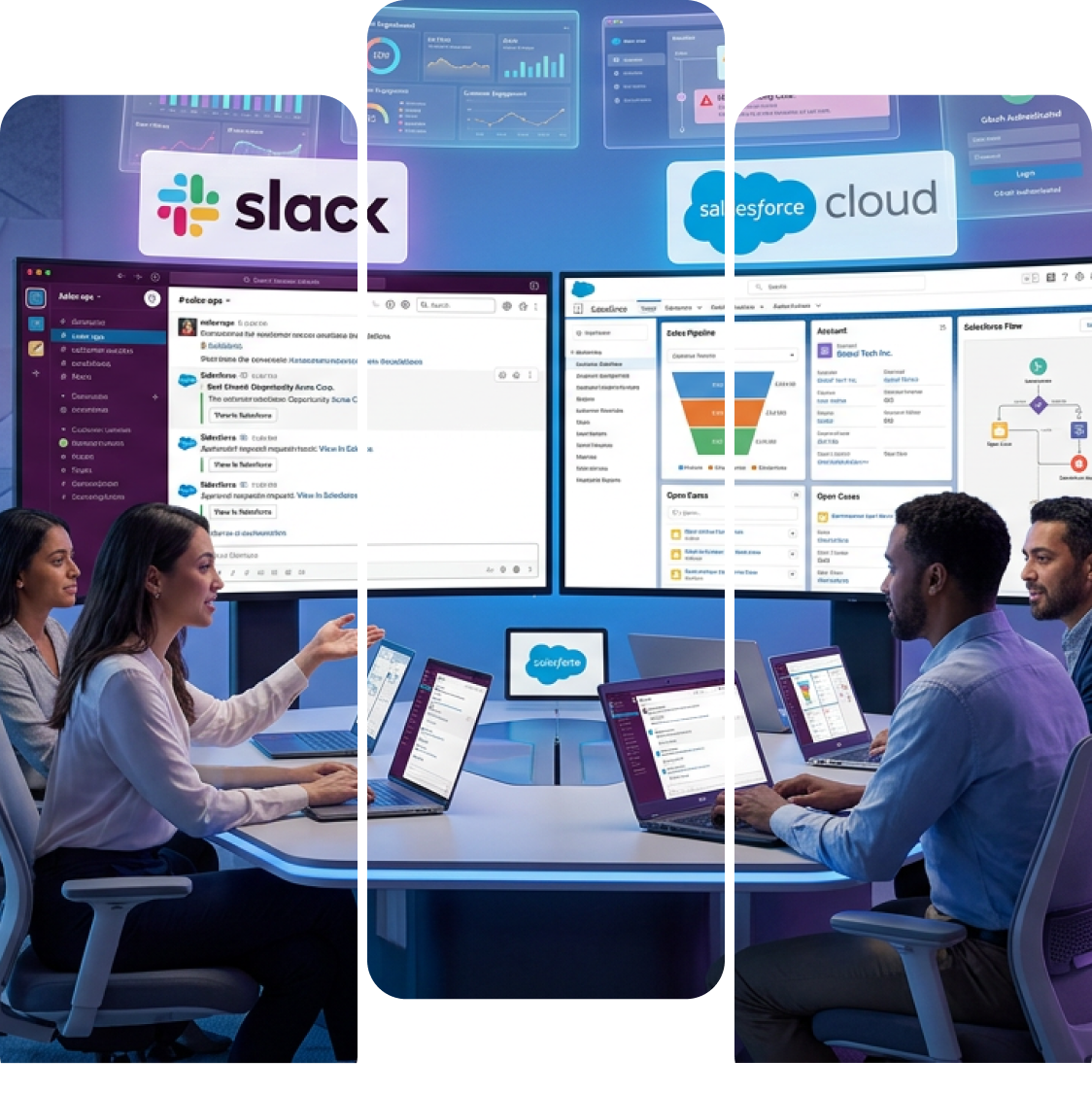

How Does Salesforce Slack Integration Work?
Salesforce Slack integration connects your Salesforce org with Slack so users can search, share, update, and discuss Salesforce records from Slack. A typical setup includes connecting the Salesforce org, mapping Slack users to Salesforce users, enabling the right Salesforce for Slack apps, configuring objects and fields, setting Slack alert rules, and using Salesforce Flow or Slack Workflow Builder to automate record updates, approvals, reminders, and notifications. VALiNTRY360 supports both standard Salesforce-Slack setup and more advanced workflows for sales, service, RevOps, reporting, compliance, and custom objects.
Salesforce Slack Integration Services We Configure
01
Real-Time Notifications & Alerts
- Configure Salesforce event triggers for leads, opportunities, and cases.
- Send instant Slack alerts to channels and direct messages.
- Filter notifications by priority, owner, or thresholds to reduce noise.
02
In-Channel Record Access & Updates
- View key Salesforce fields and recent activity inside Slack.
- Update records with message actions or simple slash commands.
- Open deep links to full Salesforce records for detailed work.
03
Workflow Automation & Task Control
- Route new leads, create tasks, and post reminders from Slack.
- Run approvals and status changes via commands and message actions.
- Sync task states across Slack and Salesforce to avoid double entry.
04
Deal & Case Collaboration Channels
- Create record-linked Slack channels for each deal or case.
- Share notes, files, and field changes to keep context clear.
- Mention owners and specialists to secure quick support.
05
Analytics & Reporting in Slack
- Push Salesforce dashboards and reports into team channels.
- Schedule KPI posts for pipeline, SLAs, and regular reviews.
- Summarize trends with Einstein insights to guide next steps.
06
Custom Integrations & Governance
- Build custom flows for referrals, inventory alerts, and service queues.
- Combine Slack Workflow Builder with Salesforce Flow for logic.
- Apply access rules, retention, and audit logs to match policy.
Slack and Salesforce Integration Options to Consider
Salesforce and Slack integration can be configured in different ways depending on your Salesforce products, Slack workspace structure, users, and business goals. Before implementation, VALiNTRY360 helps identify which option fits your org.
| Integration Option | Best Fit | What It Supports |
|---|---|---|
| Salesforce for Slack app | Teams that need standard Salesforce access in Slack | Search, share, and work with Salesforce records from Slack. |
| Salesforce-built Slack integrations | Organizations planning a long-term Slack-Salesforce roadmap | Centralized access to Salesforce tools and apps inside Slack. |
| Slack Sales Elevate | Sales and revenue teams | Pipeline visibility, deal collaboration, and sales workflows in Slack. |
| Salesforce Channels | Account, opportunity, case, or project collaboration | Slack channels connected to Salesforce workstreams and records. |
| Salesforce Flow + Slack Workflow Builder | Custom process automation | Alerts, approvals, reminders, routing, and conditional workflow logic. |
| Custom Slack-Salesforce integration | Complex enterprise workflows | Custom objects, advanced permissions, multi-system workflows, and governance-heavy requirements. |
| Agentforce in Slack | AI-assisted Salesforce workflows | Bringing Salesforce-connected AI support into Slack where teams work. |
How to Integrate Slack With Salesforce: Step-by-Step Implementation Process
- 01
- Planning and Requirement Gathering
- Identify business processes and Salesforce objects to sync with Slack.
- Define Slack workspaces and channels for updates and alerts.
- Set user roles, permissions, and compliance rules for strong data control.
- 02
- Slack and Salesforce Setup
- Install the Salesforce app in Slack from the App Directory with admin rights.
- Install the Slack managed package in Salesforce via AppExchange (start in sandbox).
- Verify both installs and prepare the org link.
- 03
- Linking Salesforce and Slack Accounts
- Start the org link from Slack and approve with Salesforce OAuth.
- Complete OAuth to allow two-way data and in-chat actions.
- Confirm link status and map users for clean access in Slack.
- 04
- Integration Setup and Customization
- Configure which objects and events post into Slack channels.
- Use Slack commands to create or update Salesforce records from chat.
- Adapt flows with Salesforce Flow and Slack Workflow Builder for each industry.
- 05
- Testing and Validation
- Test in a Salesforce sandbox and a Slack test space for sync, roles, and alerts.
- Simulate common cases like new leads and active case updates.
- Collect feedback and refine settings before go-live.
- 06
- Deployment and Training Support
- Train users and admins with VALiNTRY360 guides and short sessions.
- Deploy to production with a phased rollout and live monitoring.
- Support the build with tuning, updates, and quick issue fixes.
Business Benefits of Salesforce Slack Integration
Integrating Slack with Salesforce helps teams move from scattered conversations to connected CRM action. Instead of switching between Salesforce, Slack, email, and spreadsheets, sales, service, and operations teams can work from live Salesforce context inside Slack.
- Unified Slack-Salesforce Workflow: Update Salesforce records from Slack without switching apps.
- Record-Linked Collaboration: Collaborate around opportunities, accounts, cases, and projects with Salesforce context available in Slack.
- Faster Sales Follow-Up: Receive Slack alerts when leads are assigned, opportunities change stage, deals need attention, or approvals are ready.
- Improved Case Response: Bring case details, SLA updates, escalation alerts, and support discussions into the right Slack channels.
- Cleaner Automation: Use Salesforce Flow and Slack Workflow Builder to reduce manual task creation, routing, reminders, and status updates.
- Better Visibility for Managers: Share dashboards, reports, pipeline alerts, and KPI updates in channels where leaders already collaborate.
When Your Business Needs to Integrate Slack with Salesforce
Your business may need Slack Salesforce integration when teams are already using Slack for daily work but still depend on Salesforce as the source of truth for customer, sales, and service data.
- Slack Salesforce Workflow Delays
If reps, managers, or support teams discuss work in Slack but update records later in Salesforce, important context gets delayed or lost. Integrating Slack with Salesforce keeps conversations and CRM actions closer together.
- Important Salesforce Updates Are Missed
Sales teams may miss opportunity changes, support teams may miss escalations, and managers may wait for manual updates. Salesforce Slack alerts can notify the right channel when a record, stage, owner, SLA, or approval status changes.
- Sales and Service Handoffs Are Slow
When sales, marketing, service, and operations teams work from different tools, customer handoffs become unclear. Record-linked Slack channels help teams collaborate around the same opportunity, account, or case.
- Standard Setup Is Not Enough
Some organizations need custom objects, advanced Salesforce Flow logic, approval workflows, role-based access, or multi-team Slack routing. That is where a Salesforce Slack consultant can help design a secure, scalable implementation.
Best Use Cases for Salesforce Slack Integration
- Sales Teams
Sales teams can receive Slack alerts for lead assignment, opportunity stage changes, high-value deal movement, quote approvals, renewal risk, and closed-won updates. Reps can collaborate in deal channels and keep Salesforce records easier to update.
- Service Teams
Support teams can use Slack channels for case swarming, escalations, SLA alerts, and faster internal collaboration. Case details and updates can be shared with the right specialists without losing Salesforce context.
- RevOps and Sales Operations
Operations teams can standardize alert rules, automate task creation, improve handoff workflows, and reduce manual updates between Slack and Salesforce.
- Managers and Executives
Leaders can receive scheduled Salesforce report updates, dashboard summaries, pipeline movement alerts, and SLA trend notifications inside Slack channels.
- Salesforce Admins and IT Teams
Admins can manage user mapping, object permissions, Slack alert rules, automation logic, field visibility, and security settings so collaboration stays governed as adoption grows.
Common Slack-Salesforce Integration Challenges and How VALiNTRY360 Solves Them
Salesforce Slack integration is powerful, but setup issues can create noisy channels, broken automations, incomplete record access, and security concerns. VALiNTRY360 helps design and tune the integration so teams get useful Salesforce context in Slack without losing data control.
| Challenge | How VALiNTRY360 Solves It |
|---|---|
| Too many Slack alerts | We configure filters by object, owner, stage, priority, amount, SLA status, or team so only useful Salesforce alerts reach Slack. |
| User mapping problems | We review Salesforce and Slack user identity, email or SSO mapping, permissions, and access requirements before rollout. |
| Missing Salesforce fields in Slack | We define which fields should be visible for records, alerts, and Slack previews while respecting Salesforce field-level security. |
| Custom object limitations | We review which custom objects need Slack access, what fields should display, and which alert rules are required. |
| Security and compliance concerns | We align the integration with OAuth, SSO, role-based access, retention, audit logs, eDiscovery, EKM, and internal policies. |
| Low adoption after launch | We provide admin guidance, user training, phased rollout, alert tuning, and post-launch support. |
Prepare Slack-Salesforce Workflows for Agentforce and AI Search
As Salesforce and Slack workflows become more AI-assisted, clean integration design matters. Teams need accurate records, consistent field access, clear channel structure, and well-governed automation before adding AI-powered workflows.
VALiNTRY360 helps prepare Slack-Salesforce environments by improving record context, user mapping, automation logic, data governance, and workflow clarity. This creates a stronger foundation for future Agentforce, Salesforce AI, and Slack-based productivity use cases.

Why Choose VALiNTRY360 for Slack-Salesforce Integration
VALiNTRY360 helps organizations plan, configure, secure, and optimize Salesforce Slack integration based on their actual CRM workflows. Our team supports Salesforce integration planning, Slack-Salesforce org connection, user mapping, Salesforce Flow automation, alert configuration, governance, testing, deployment, and post-launch support.
- Who We Are
VALiNTRY360 focuses on Slack–Salesforce integrations that raise team coordination, reduce app switching for sales and service, and keep data consistent across systems built to support growth without adding complexity.
- Certified Experts
Our consultants hold multiple Salesforce credentials and deep delivery experience. We configure Slack Alerts, Salesforce Flow, and Einstein Activity Capture with clear guidelines, so setups are precise, secure, and built for real-world use.
- Ongoing Support and Training
We apply role-based access, encryption at rest/in transit, and monitored logging, then align retention and eDiscovery with policy. As a result, data stays protected while users act quickly with reliable, high-availability patterns.
- Security and Performance
After go-live, we monitor signal quality, trim noisy alerts, and tune flows as needs change. Moreover, responsive support, admin runbooks, and regular reviews keep the integration current and ROI strong over time.

Explore Client Outcomes
See how VALiNTRY360 has helped businesses reduce alert noise, accelerate deal velocity, and give sales and service teams real-time Salesforce context inside Slack.
Slack Integration with Salesforce
Slack and Salesforce, Integrated by Certified Experts
Deals and cases move faster when updates reach the right people instantly. VALiNTRY360's team holds Platform Administrator II, Platform App Builder, and Agentforce Specialist certifications, so we configure record alerts, deal and case channels, and Agentforce in Slack around how your teams actually collaborate. You get less app switching, faster decisions, and Salesforce data that's always one message away, from a Salesforce-Branded Partner since 2018.
Salesforce Credential Deck
4 Core Specializations
Integrate Slack with Salesforce FAQ by VALiNTRY360
Slack–Salesforce integration posts real-time updates, opens records in-channel, and supports quick actions. Consequently, sellers cut tab switching, spot changes faster, and move deals forward with fewer delays and clearer handoffs.
Admins configure object-specific alerts (leads, opportunities, cases) with filters for stage, owner, or value. Moreover, routing by team or channel reduces noise, so the right people receive timely signals and act quickly.
The link uses OAuth and optional SSO, plus role-based access, field-level limits, and encryption in transit and at rest. Additionally, audit logs, retention rules, and EKM support strict policies without slowing collaboration.
Yes—slash commands and message actions trigger tasks, route leads, and advance approvals while Salesforce Flow handles logic. As a result, routine steps take fewer clicks, errors drop, and operational throughput improves.
Yes, depending on the configuration and user permissions. Teams can use Slack actions, shortcuts, slash commands, or Salesforce app features to update records, add notes, create tasks, or open Salesforce records from Slack.
Yes. Salesforce Flow can be used to automate Slack notifications, approvals, reminders, routing, task creation, and record-based updates. This is useful when standard Slack alerts are not enough for your business process.
Yes, custom Salesforce objects can be included when supported by the setup. Admins need to define which custom objects, fields, notifications, and actions should be available in Slack while maintaining proper access control.
Common Salesforce records shared in Slack include leads, accounts, contacts, opportunities, cases, tasks, reports, dashboards, and selected custom objects. The exact records depend on your Salesforce configuration and user permissions.
Slack channels can be connected to Salesforce workstreams such as opportunities, accounts, cases, or projects. This helps teams discuss customer work in one place while keeping Salesforce context close to the conversation.
Alert overload can be reduced by filtering notifications by object, owner, stage, priority, value, SLA status, team, or channel. VALiNTRY360 also recommends post-launch alert tuning to remove low-value notifications.
Yes. Sales teams can use Slack Salesforce integration to receive lead alerts, track opportunity updates, collaborate in deal rooms, speed up approvals, review pipeline changes, and keep Salesforce records updated faster.
Yes. Support teams can use it for case swarming, escalation alerts, SLA updates, customer issue collaboration, and faster handoffs between support, account management, and technical teams.
The timeline depends on your Salesforce org complexity, Slack workspace structure, objects, permissions, automation needs, and security requirements. A basic setup is faster, while custom Salesforce Flow automation, custom objects, and enterprise governance require more planning and testing.
You should consider hiring a consultant when your integration involves custom objects, Salesforce Flow automation, complex permissions, multiple teams, security requirements, alert tuning, user training, or post-launch support. A consultant helps prevent misconfiguration and improves adoption.