
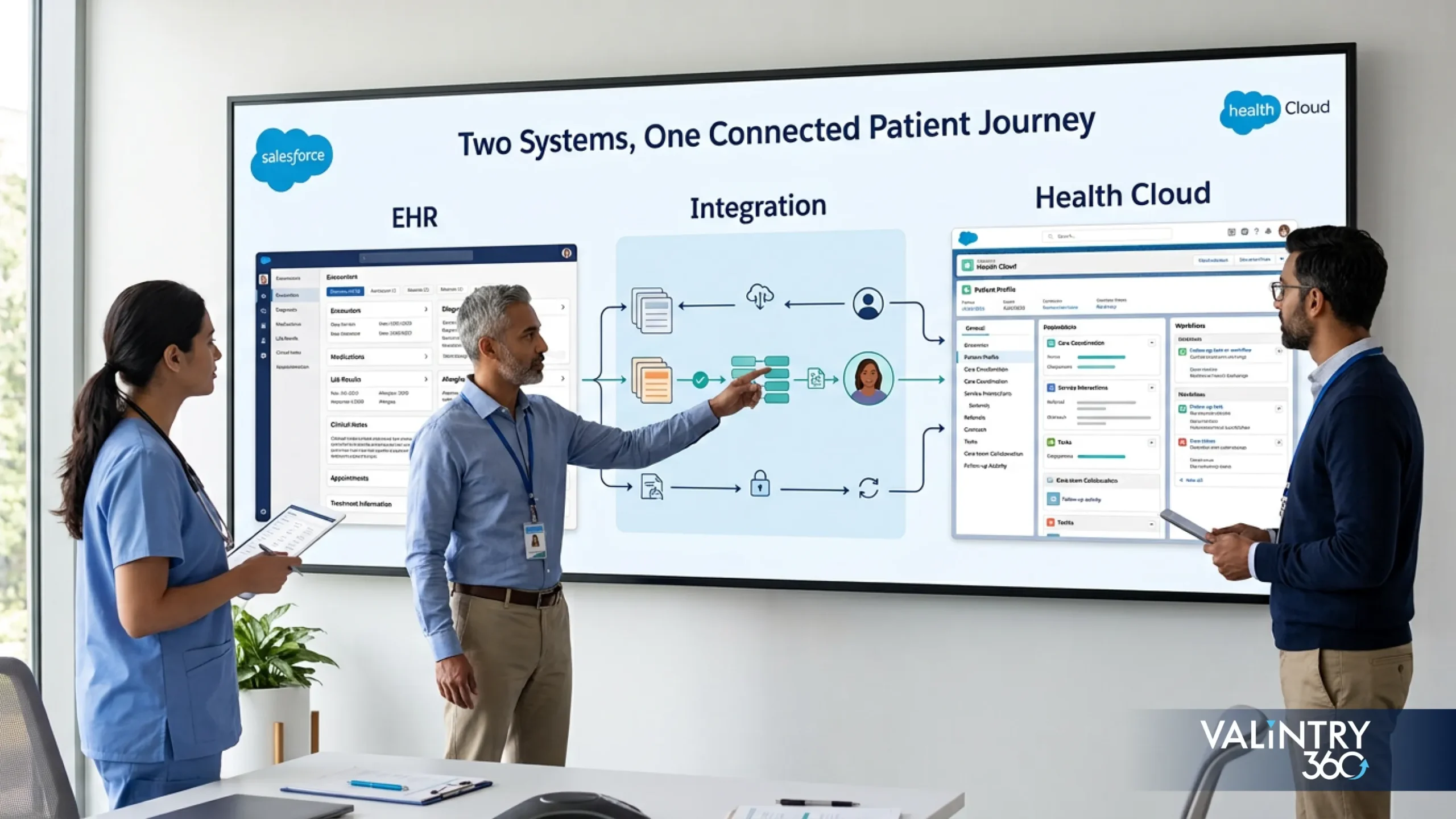
- Salesforce Health Cloud
Introduction
Most hospitals, health systems, and physician practices already run an EHR. For most of them, the real question is how Salesforce Health Cloud fits around the clinical system they already depend on. Health Cloud sits in a different part of the healthcare technology stack. It’s built for healthcare CRM work, care coordination, patient and member service, and connected engagement, while clinical charting and prescribing stay firmly inside the EHR.
Salesforce now documents this platform under the name Agentforce Health, though Health Cloud still appears throughout Salesforce applications and search behavior, and it remains the term most healthcare buyers use when researching this decision. This comparison walks through how clinical records, care workflows, patient engagement, interoperability, cost, and system architecture divide between an EHR and Salesforce Health Cloud, so healthcare teams evaluating both can decide how the two systems should work together. That decision is almost always about connecting two systems well, more than swapping one for the other.
TL;DR
TL;DR: An EHR remains the system of record for clinical documentation, orders, prescribing, and the longitudinal patient chart. Salesforce Health Cloud works around that record, adding healthcare CRM, service, engagement, and coordination capabilities that most EHRs don’t attempt to cover. Health Cloud typically retrieves or ingests EHR data without replacing it, and most healthcare organizations end up evaluating how the two systems connect more than which one to pick.
- EHR systems stay central to clinical records and clinical-care workflows.
- Health Cloud focuses on healthcare CRM, engagement, service, and coordination work.
- Health Cloud can retrieve or ingest EHR information through FHIR-based APIs.
- Most organizations focus on how the two systems connect, more than on choosing one over the other.
What Salesforce Health Cloud and an EHR Actually Do
Salesforce Health Cloud
Salesforce Health Cloud is a healthcare CRM built on the Salesforce platform. Its center of gravity is patient and member context: care-management workflows, patient and member service cases, provider relationship tracking, and connected data views that pull information from multiple systems into one workspace. Clinical charting itself stays outside its scope. Teams evaluating Salesforce consulting for health and life sciences typically start here, because Health Cloud’s role depends on how it will sit alongside the systems already running clinical operations. Salesforce now documents this platform under the Agentforce Health name, reflecting its growing set of AI-assisted healthcare workflows, though Health Cloud remains the term most healthcare buyers search for and the one this article uses throughout.
EHR
An EHR is the longitudinal digital record a care team builds over time. It typically covers clinical documentation, physician orders, prescribing, lab and diagnostic results, encounters, and clinical decision support, along with the information-exchange capabilities required for certified health IT. This is the system clinicians chart in, and the one regulators and payers expect to hold the official record of care. Because it carries certification obligations, an EHR’s functional scope is defined in more detail than most CRM platforms ever need to be: a point that matters once organizations start deciding which system should own which piece of patient information.
EHR vs. EMR: the terms often get used interchangeably, but EMR technically describes a single practice’s digital chart, while EHR describes a record built to move and be shared across organizations. For more on what an EHR includes, ONC’s overview is a useful starting point.
Salesforce Health Cloud vs EHR at a Glance
| Area | EHR | Salesforce Health Cloud |
|---|---|---|
| Core purpose | Clinical documentation and the official patient record | Healthcare CRM, engagement, and coordination |
| Main users | Physicians, nurses, clinical staff | Service, care coordination, and patient-facing teams |
| Clinical documentation | Primary system | Not the primary system |
| Clinical record ownership | Source of truth | Consumes or references EHR data |
| Orders | Entered and tracked | Not typically entered here |
| Prescribing | Primary system | Not a prescribing system |
| Patient/member service | Limited to portal features | Core strength |
| Care coordination | Basic care-team tools | Built for cross-team coordination |
| Patient engagement | Portal, messaging | Multi-channel outreach and case history |
| Contact center | Rarely a focus | Purpose-built workflows |
| Provider relationships | Limited | Dedicated provider-relationship tracking |
| Clinical data | Full clinical detail | Selected clinical data via mapping |
| CRM activity | Not a CRM | Native CRM capability |
| FHIR/API use | Certified EHR APIs required | Consumes FHIR APIs to retrieve or ingest data |
| Workflow customization | Vendor-dependent, often limited | Highly configurable |
| AI use | Vendor-specific clinical AI | Agentforce Health assisted workflows |
| Data aggregation | Primarily its own clinical data | Can aggregate across systems via Data 360 |
| Typical role in architecture | System of record | System of engagement |
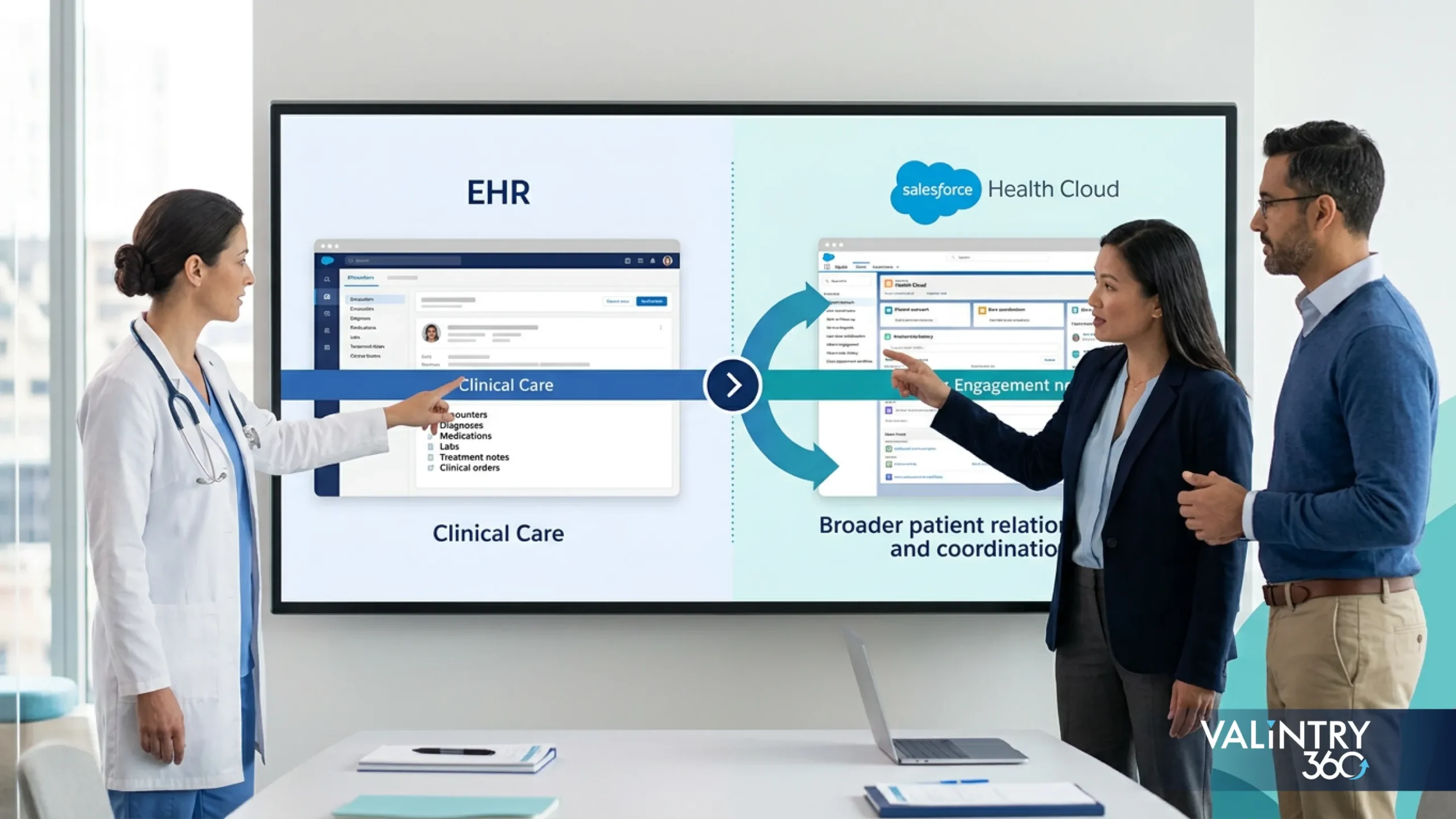
Comparing Salesforce Health Cloud and an EHR as direct substitutes misses the question most healthcare organizations actually face. The two systems solve different problems: an EHR anchors the clinical record, while Health Cloud extends what a care team, service center, or coordination program can do around that record. The more useful question is architectural: which data needs to live where, who is responsible for it, and how the two systems should connect. A feature-by-feature scorecard rarely settles that.
Reading the table row by row also reveals a pattern worth noticing: almost every EHR-favored row involves clinical documentation or certification, while almost every Health Cloud-favored row involves service, relationship, or engagement activity. That split is the real story behind most of these comparisons, and it’s the reason later sections of this article treat “which system owns this?” as a more useful question than “which system is better?”
Which System Should Own the Clinical Record
Ownership questions rarely stop at the clinical chart itself. The matrix below covers clinical-record ownership alongside the engagement and coordination data that usually gets discussed in the same planning conversation, so the full picture sits in one place.
| Data or Activity | Typical Primary System |
|---|---|
| Physician notes | EHR |
| Orders | EHR |
| Medication prescribing | EHR |
| Lab results | EHR or clinical system |
| Clinical history | EHR |
| Outreach activity | Health Cloud |
| Contact-center interactions | Health Cloud |
| Care coordination tasks | Health Cloud |
| Patient/member service cases | Health Cloud |
| Provider relationship activity | Health Cloud |
| Cross-system engagement profile | Health Cloud/Data 360 |
| Claims data | Architecture-dependent |
| Social needs information | Architecture-dependent |
This matrix reflects VALiNTRY360’s own analysis of how each product is typically used in practice. It isn’t a research study or survey finding, so treat it as a starting point for internal discussion, and adjust it to match how a specific organization’s systems and workflows actually operate.
Source-of-truth ownership matters because clinical and engagement data behave differently. A physician’s note or a medication order needs one authoritative home, usually the EHR, while outreach history, service cases, and coordination tasks suit a CRM built for that kind of work. Ownership also affects how quickly a record can be trusted: the fewer systems that claim authority over the same fact, the easier it is for staff to know which version is current.
Copying every EHR record into Salesforce is rarely the right answer. It multiplies the places a fact about a patient can live, raises the chance that two systems disagree, and adds ongoing synchronization work that doesn’t serve any actual workflow. It also complicates duplicate-patient resolution, since more copies of the same record mean more opportunities for a matching error to surface downstream. Teams that define ownership before integration begins, deciding which system is authoritative for which data and which one only needs to reference it, avoid most of the rework that shows up later in a Health Cloud and EHR project.
Where EHR Systems Remain Strongest
The comparison table and ownership matrix above show where EHR responsibility sits at a glance. This section goes further, since comparison pages often understate what a modern EHR actually covers, and that gap is worth closing before looking at what Health Cloud adds next.
Clinical Charting and Physician Documentation
The EHR is where clinicians document the encounter itself: history, exam findings, assessment, and plan. This remains the system of record for the clinical narrative, and it’s the record clinicians, auditors, and downstream care teams return to when they need the authoritative account of what happened during a visit. No CRM layer changes that responsibility.
Computerized Provider Order Entry
Orders for labs, imaging, medications, and referrals are entered and tracked inside the EHR, with built-in checks that reduce transcription errors compared with paper or verbal orders. Order status, results routing, and closed-loop tracking all depend on this system staying the single place orders originate, so splitting order entry across two systems would break that chain.
Electronic Prescribing
E-prescribing, medication history, and drug-interaction checking sit inside the EHR’s clinical workflow, tightly connected to the patient’s chart and active medication list. Pharmacies, formulary checks, and controlled-substance requirements all route through this same clinical system as the primary tool of record.
Lab and Diagnostic Results
Results routing, provider review, and result-based follow-up run through the EHR, which links each result directly back to the ordering encounter and the patient’s longitudinal record. This traceability is part of why lab data is rarely a good candidate for full duplication elsewhere, even when a service team also needs to see it.
Clinical Decision Support
Alerts, order sets, and evidence-based prompts built into the EHR support clinicians at the point of care, drawing on the same clinical data the EHR already holds. These prompts work because they sit directly inside the charting and ordering workflow, at the exact moment a decision is being made, inside the same window a clinician is already using.
Certified EHR Requirements and Quality Reporting
Certified EHR technology carries specific functional and reporting obligations, and adoption is already close to universal: 95% of office-based physicians reported using an EHR in 2024, and 91% of them a certified EHR, according to ONC’s adoption research. ONC’s separate hospital-focused data puts certified-EHR adoption at 99% among non-federal acute care hospitals that same year. That scale is why this comparison treats the EHR as the established foundation for clinical care, with Health Cloud extending what happens around it instead of competing for the same ground.
What Health Cloud Adds Around an Existing EHR
With the EHR’s strengths established, here’s the mirror image: the specific, recurring work that tends to move to Health Cloud once an organization outgrows what the EHR’s own tools were built to handle.
Patient and Member Service
Health Cloud gives service and member-facing teams a place to manage cases, requests, and inquiries, with a service history the EHR was never built to hold. Case management for healthcare providers sits at the center of this work, connecting every request a patient or member raises to a single, trackable record.
Care Coordination
Care teams use Health Cloud for tasks, follow-up, and the broader care journey spanning multiple providers, departments, or programs. That work stretches beyond what a single encounter in the EHR captures. A closer look at Health Cloud care coordination shows how these cross-team workflows typically get structured in practice.
Patient Engagement
Outreach and interaction history across channels, including calls, messages, portals, and campaigns, live in Health Cloud, giving service and outreach teams a single, continuous view of how a patient has been engaged over time, instead of piecing that history together from separate tools.
Provider Relationships
Provider information, network status, and relationship history give outreach and network teams a structured way to manage provider-facing workflows, separate from clinical credentialing systems that live elsewhere in the organization’s technology stack.
Connected Patient Context
Health Cloud brings clinical and nonclinical information together into one usable view, so a service agent or care coordinator can understand who they’re talking to without switching between systems mid-conversation. That view can combine a mapped clinical summary with open cases, program enrollment, communication preferences, and social or household details a clinical system was never designed to hold, giving the person handling the interaction context an EHR screen alone wouldn’t show.
Workflow Automation
Processes involving Salesforce users, such as service teams, care coordinators, or outreach staff, can be automated inside Health Cloud, without touching the clinical workflows that stay inside the EHR. This keeps automation scoped to the teams actually working in Salesforce and away from clinical processes it was never designed to manage.
How Patient Engagement Differs Between Health Cloud and an EHR
Patient Checks a Lab Result
This is mostly EHR or patient-portal territory. The result, the ordering context, and the physician’s interpretation all live inside the clinical record, and most patients access it through the portal tied to that EHR, without a service agent or Health Cloud workflow entering the picture at all.
Patient Needs an Appointment or Care Follow-Up
Scheduling can start in the EHR, but broader follow-up, such as reminders, care-gap outreach, or coordination across departments, often runs through Health Cloud’s engagement tools alongside it, especially once more than one team needs visibility into whether the follow-up happened.
Patient Calls a Service Center
This is where Health Cloud becomes more relevant. A service agent handling a call benefits from clinical context plus a full service history, case notes, and prior interactions: the combined view Health Cloud is built to surface in one screen instead of several.
Care Team Runs Ongoing Outreach
Longer engagement programs, such as chronic-condition check-ins, post-discharge outreach, or enrollment campaigns, depend on tracking interactions over weeks or months across channels, which is a Health Cloud strength precisely because it treats engagement as a continuing relationship, with every touch connected to the ones before it.
Modern EHR systems already support patient portals, secure messaging, and self-scheduling, so both systems come with real engagement tools. The difference is scope: EHR-side engagement tends to stay tied to a single encounter or record, while Health Cloud tracks engagement, including portals, messaging, scheduling, outreach, cases, follow-up, and cross-channel history, as one continuous relationship.
How Health Cloud and EHR Integration Actually Works
Avoid thinking of this as one connection that syncs everything at once. In practice, EHR and Health Cloud integration relies on a handful of distinct patterns, often used together within the same architecture.
Pattern 1: Retrieve EHR Data When Needed
Health Cloud can call a certified EHR’s FHIR APIs in real time or near real time, pulling demographic, clinical, or administrative information at the moment a workflow needs it. Nothing is stored permanently in Salesforce; the record stays owned by the EHR, and access is limited to the users and processes that need it for that specific workflow.
Pattern 2: Copy Selected Clinical Data Into Health Cloud
Specific clinical objects, such as conditions, medications, encounters, immunizations, and procedures, can be mapped from the EHR into Health Cloud’s clinical data model, as covered in Salesforce’s clinical data documentation. This data does live in Salesforce, so it needs the same access controls, retention rules, and ownership clarity as any other copied clinical information. The EHR remains the source of truth even after the copy exists.
Pattern 3: Move Larger Datasets Into Data 360
For population health, risk scoring, or cohort analysis, larger volumes of EHR data can move into Salesforce Data 360 in bulk. This pattern trades real-time accuracy for scale, so it suits analytical use cases more than point-of-care decisions, and it requires its own governance around identity matching and retention.
Pattern 4: Send Selected Workflow Information Back
Where properly designed and supported, information can also move from Salesforce back toward the EHR, for example registration or coordination updates generated in a Health Cloud workflow. This direction needs the most careful design, since it changes data the EHR treats as authoritative.
Whichever pattern applies, the same five questions decide the design: what data moves, why it needs to move, whether Salesforce stores it, who needs access to it, and which system remains the source of truth once the data has moved. Integration built this way is an ongoing responsibility, which is why teams handling this kind of project typically lean on dedicated Salesforce integration services instead of a one-time setup engagement.
FHIR APIs and Healthcare Interoperability
FHIR (Fast Healthcare Interoperability Resources) is an open standard for exchanging healthcare information between systems. Instead of custom, one-off interfaces, FHIR defines a consistent set of data structures and APIs that any compliant system can use to request or send clinical information.
Salesforce’s Health Cloud clinical data model maps closely to FHIR R4, specifically version 4.0.1, documented in Salesforce’s FHIR and clinical data model reference. Several pieces work together in a real deployment: certified EHR APIs that expose the source data, SMART on FHIR for authenticated app access where relevant, C-CDA as a separate document-exchange format for broader clinical summaries, and middleware that handles transformation and routing between systems. Identity matching sits underneath all of it, since a FHIR connection is only useful if both systems agree on which patient record they’re discussing.
Simple Architecture Flow
EHR → FHIR/API layer → integration layer → Health Cloud/Data 360 → care or service workflowThe actual architecture varies by organization: some steps collapse into a single middleware platform, and others split across several tools. Even so, this flow captures the general path data takes from the clinical system into a Salesforce workflow.
Federal policy keeps pushing this architecture forward. The CMS Interoperability and Prior Authorization Final Rule, finalized in 2024, requires FHIR-based API access for patients, providers, payers, and prior-authorization data. A related proposed rule issued in April 2026 would extend these requirements further; its public comment period closed in June 2026. None of this makes FHIR optional for organizations planning EHR and Health Cloud connectivity going forward.
That integration layer is also where Agentforce Health’s agent actions plug in, since every retrieval or write an agent performs still has to travel through the same FHIR APIs described above. Agentforce integration services typically handle that connection, keeping agent-driven access consistent with however the rest of the architecture is built.
Live Retrieval, Copied Records, or Data 360: Which Data Approach Fits
| Approach | Good Fit | Main Consideration |
|---|---|---|
| Live retrieval | Data needed during a specific workflow | Availability, latency, and permissions |
| Selected copy | Frequently used clinical records | Synchronization and ownership |
| Data 360 ingestion | Larger cross-system datasets | Identity, storage, and governance |
| Bidirectional exchange | Shared workflows across systems | Conflict handling and auditability |
The right approach usually comes down to six questions. Does the information actually need to live inside Salesforce, or does retrieving it on demand solve the problem? How current does it need to be? Is a few hours of lag acceptable, or does the workflow require real-time data? Who owns the record once a copy exists in both systems? How often does the underlying data change, since frequently updated records are harder to keep synchronized? Does Salesforce need the complete clinical record, or only the fields a specific workflow uses? And what happens procedurally when the two systems disagree about a value?
None of these questions has a universally correct answer. A contact-center workflow that only needs a patient’s current medication list might be perfectly served by live retrieval, while a population-health program analyzing thousands of records over time is a much better fit for Data 360 ingestion. The common mistake is applying one pattern everywhere regardless of what each individual workflow actually requires, when matching the pattern to the specific need in front of the team takes little extra effort.
Answering these questions before implementation starts prevents a common failure mode: building a broad, always-on sync because it seemed simpler than scoping the actual requirement, then discovering it created more governance work than the workflow ever needed.
How Agentforce Can Work With EHR Information
Agentforce Health’s capabilities in this space stay tightly connected to the comparison at hand: what an agent can retrieve, verify, or act on when EHR information is involved.
Patient Data Management
An agent can retrieve permitted demographic, clinical, or administrative information from a connected clinical system through FHIR-based APIs, surfacing it inside a service or care workflow without requiring a user to log into a separate system.
Eligibility and Benefits Verification
Agents can check coverage and benefits information alongside the patient’s demographic and encounter details already retrieved from the connected EHR, reducing manual lookup work for service and intake teams handling payer-related questions.
Member Query Management
Agents can handle routine member or patient queries that draw on EHR-sourced demographic, appointment, or clinical-summary information, escalating anything outside their permitted scope to a human team member. This is typically the fastest-scaling use case, since a large share of inbound questions follow predictable, low-risk patterns.
These capabilities sit within Salesforce’s broader AI solutions, and Agentforce for healthcare specifically. None of them function as a general-purpose EHR replacement. Every one of them depends on governance: which systems an agent can reach, what data it can retrieve versus write, when a human has to review its output, and how access is logged and audited. Access should also be reviewed on the same cadence as any other integration that touches ePHI, since an agent connected to EHR data carries the same governance obligations as a human user with equivalent permissions. The value comes from scoped, permissioned actions tied to a specific workflow, with human oversight built into the process from the start.
HIPAA Security and Data-Governance Questions
| Question | Why It Matters |
|---|---|
| Who can access ePHI? | Permission design |
| Where is data stored? | Governance and system ownership |
| How is data transmitted? | Interface security |
| Which actions are logged? | Auditability |
| How are identities matched? | Record accuracy |
| How long is data retained? | Governance policy |
| Which vendors handle ePHI? | Contract and business-associate considerations |
The HHS HIPAA Security Rule requires regulated entities to apply administrative, physical, and technical safeguards that protect the confidentiality, integrity, and availability of electronic protected health information, including access controls, audit controls, authentication, and transmission security.
Compliance depends on how the architecture is configured: who has access, how data moves between systems, how identities are matched and audited, how long information is retained, and how business-associate relationships with every vendor touching ePHI are documented. Choosing Salesforce Health Cloud or a particular EHR is only one input into that picture; the surrounding access controls, audit practices, and operating procedures carry most of the actual compliance weight. An integration between an EHR and Health Cloud adds surface area to all of these questions, which is exactly why they belong in the design phase, well before data starts flowing. Reviewing them alongside the architecture checklist later in this article keeps security decisions tied to the same planning process as the rest of the integration.
What Salesforce Health Cloud and EHR Integration Costs
Health Cloud Pricing
As of this writing, Salesforce’s published Health Cloud pricing lists five editions, billed annually and subject to change:
| Edition | List Price |
|---|---|
| Sales & Service Core | $350 per user, per month |
| Sales & Service Advanced | $525 per user, per month |
| Service Max | $700 per user, per month |
| Sales Max | $700 per user, per month |
| Sales & Service Max | $725 per user, per month |
Confirm current figures directly on Salesforce’s pricing page before budgeting, since list prices and edition names do change over time.
EHR Cost
There’s no single responsible EHR price to place opposite that table. Cost depends on the vendor, the number of clinicians, which clinical modules are licensed, billing-system scope, hosting model, required interfaces, data migration, training, and ongoing support. Two organizations of similar size can land on very different total costs depending on how many of those factors apply, which is why this article compares cost structure instead of inventing an average EHR price that wouldn’t hold up for any specific organization.
Integration Cost Drivers
Beyond licensing, an EHR and Health Cloud integration carries its own cost drivers: API and FHIR development work, middleware, data mapping, Data 360 ingestion where used, identity matching, security controls, testing, custom Salesforce development, any Agentforce configuration, and ongoing support after go-live. Organizations often work with Salesforce development services for the build phase and Salesforce managed services to support the environment afterward, since integration cost rarely ends at go-live. No credible estimate exists for a generic project without knowing the specific EHR, the number of integration points, and the scope of data involved.
When an EHR Alone Is Enough and When Health Cloud Adds Value
Scenario 1: Ambulatory Practice Focused Mainly on Clinical Care
A smaller practice whose main needs are charting, ordering, prescribing, and basic patient communication may already have everything it needs inside its EHR. Adding a healthcare CRM makes sense once service, outreach, or coordination work starts outgrowing what the EHR’s portal and messaging tools were built for. It rarely makes sense as a default first step.
Scenario 2: Hospital With Complex Patient-Service Workflows
Hospitals fielding high call volumes, multi-department requests, and cross-team service cases often find that EHR-side tools weren’t designed for that workload. This is where Health Cloud’s case management and service tools typically enter the architecture, giving service teams a dedicated system built around that volume, so the EHR’s portal never has to stretch beyond what it was designed to handle.
Scenario 3: Health System Coordinating Care Across Multiple Teams
When care spans several providers, departments, or facilities, coordination tasks and shared care plans need a system built for cross-team collaboration. Health Cloud’s care-coordination tools address this directly, working alongside whichever EHR each team already uses, so coordination doesn’t depend on every team sharing the same clinical system.
Scenario 4: Enterprise Patient-Engagement Program
Organizations running structured outreach, such as chronic-condition programs, enrollment campaigns, or post-discharge follow-up, need to track engagement as an ongoing relationship across channels, which goes beyond what most EHR portals are built to manage.
Scenario 5: Payer or Provider Network
Payer and provider-network use cases, such as member service, eligibility questions, and provider relationship management, often fall outside traditional EHR scope entirely, making Health Cloud relevant even where clinical documentation isn’t the primary concern.
Scenario 6: Organization Already Running Salesforce
An organization with existing Salesforce data, service teams, and integrations has a head start: adding Health Cloud extends infrastructure and processes it already maintains. That’s a shorter path than introducing an entirely new platform alongside the EHR.
There’s no universal winner among these scenarios. They’re meant to help a reader recognize which problem they’re actually solving, since that answer, more than any feature comparison, determines whether Health Cloud belongs in the architecture at all.
Health Cloud and EHR Implementation Checklist
Architecture Checklist
- Identify the current EHR and its available integration capabilities.
- Document which workflows must stay inside the EHR.
- List which teams and roles will use Health Cloud.
- Define the source-of-truth system for every relevant data type.
- Identify the specific clinical data Health Cloud users actually need.
- Decide between retrieval and storage for each data type.
- Document the FHIR APIs the EHR actually exposes.
- Define how patient identity will be matched across systems.
- Specify synchronization direction for any data that moves both ways.
- Set latency requirements for each workflow that touches EHR data.
- Review who needs access to ePHI once integration is live.
- Define data ownership and stewardship as an ongoing responsibility that continues well after go-live.
Common Mistakes to Avoid
- Copying more clinical data into Salesforce than any workflow actually uses.
- Leaving data ownership undefined until problems surface after go-live.
- Treating integration as a one-time interface instead of an ongoing responsibility.
- Ignoring duplicate-patient resolution until records start conflicting.
- Building the integration around workflows that are already outdated.
- Giving AI agents or service users broader system access than their workflow requires.
Most of these mistakes share a root cause: skipping the architecture questions above because the project felt urgent enough to start building before the answers were settled. Revisiting the checklist at intervals throughout the project, beyond just the kickoff review, catches gaps that only become visible once real users and real data are involved.
Working through this checklist early is where an architecture assessment pays for itself. VALiNTRY360 typically starts EHR and Health Cloud implementation planning with exactly this list, then scopes implementation services and a build plan around whatever gaps it surfaces. Teams wanting a deeper walkthrough of the build process can also review this Health Cloud implementation guide.
Real Health Cloud Implementations From VALiNTRY360
If you want to see how these architecture questions play out for a real healthcare organization, here’s a closer look at two VALiNTRY360 case studies directly relevant to this comparison.
1. AthenaPsych: Replacing an EMR With a Custom Salesforce Health Cloud Platform
AthenaPsych, a mental health services provider across New York State, needed scheduling, intake, documentation, and billing to scale without compromising clinical quality or clinician time. Its existing EMR couldn’t support that growth, so VALiNTRY360 built a complete Salesforce Health Cloud platform to replace it, combining Health Cloud, Salesforce Scheduler, Salesforce Shield, and Experience Cloud with supporting integrations. Within six months of the first phase, 80% of patients were scheduled on the first call, and CPT coding errors dropped 69%.
Key takeaway: Full EMR replacement with Health Cloud can work, but it fit here because the practice’s needs centered on scheduling, documentation, and care coordination rather than the certified functional requirements a hospital or complex ambulatory practice typically depends on.
Read the full case study: AthenaPsych Salesforce Health Cloud EMR Replacement
2. Tri-County Hearing Services: Extending Patient Engagement With Health Cloud
Tri-County Hearing Services, a medical audiology practice, was losing prospective patients during a decision process that often stretched for weeks because follow-up depended on staff memory rather than a structured system. VALiNTRY360 deployed a configuration-based Salesforce Health Cloud implementation through its Quick Start program, adding Patient Relationship Management tailored to the audiology vertical, High Velocity Sales for structured follow-up cadences, and automatic lead routing to Care Coordinators. Patients now receive up to seven touchpoints within 60 days of their initial inquiry.
Key takeaway: Health Cloud’s value here came entirely from structured, automated follow-up built around the clinical relationship. The practice’s clinical documentation system stayed untouched throughout.
Read the full case study: Tri-County Hearing Services Salesforce Health Cloud Implementation
Only these two of VALiNTRY360’s published case studies are closely tied to the Health Cloud and EHR decision this article covers, so this section holds two rather than a fixed larger number, to avoid stretching in a case study that doesn’t actually fit the topic.
Frequently Asked Questions About Salesforce Health Cloud vs EHR
1. What is the difference between Salesforce Health Cloud and an EHR?
An EHR is the clinical record system used for charting, orders, and prescribing. Salesforce Health Cloud is a healthcare CRM that handles patient and member service, care coordination, and engagement work built around that record.
2. Is Salesforce Health Cloud an EHR?
No. Health Cloud can store selected clinical data mapped from an EHR, but it isn’t built for clinical charting, order entry, or prescribing, and it doesn’t carry certified EHR functional requirements.
3. Can Salesforce Health Cloud replace an EHR?
Generally no, though exceptions exist. Most healthcare organizations run Health Cloud alongside an existing EHR, since clinical documentation, orders, and prescribing normally stay inside the EHR’s certified functionality; full replacement can fit smaller practices with simpler clinical workflows, as this article’s case-study section shows.
4. Does Health Cloud integrate with EHR systems?
Yes. Health Cloud connects to EHR systems through FHIR-based APIs, retrieving data in real time, receiving mapped clinical records, or ingesting larger datasets into Data 360, depending on what a specific workflow needs.
5. How does Salesforce Health Cloud connect to an EHR?
The specific connection method depends on how current the data needs to be, who should own it long-term, and how much of the record a given workflow actually requires. There’s no single fixed way to wire the two systems together.
6. Does Salesforce Health Cloud support FHIR?
Yes. Health Cloud’s clinical data model maps to FHIR R4, specifically version 4.0.1, which Salesforce documents as the standard supporting EHR connections, data mapping, and broader healthcare interoperability work.
7. Can Health Cloud retrieve patient data directly from an EHR?
Yes, Health Cloud can retrieve patient data directly from a connected EHR through FHIR-based APIs, often in real time during a workflow, without necessarily storing a permanent copy in Salesforce.
8. Should clinical data be stored in Health Cloud or the EHR?
It depends on how often a workflow needs that data and how current it has to be. Frequently used records are often worth mapping into Health Cloud for speed, but a copy never changes which system owns the record.
9. Which system should be the source of truth for clinical records?
The EHR, in almost every architecture. Health Cloud can reference or copy selected clinical information, but the EHR remains responsible for the official, longitudinal clinical record and its certification requirements.
10. How is Health Cloud different from an EMR?
An EMR is a single practice’s digital chart. Health Cloud is a CRM that connects to EMRs and EHRs, supporting service, coordination, and engagement work built around whichever clinical record system a practice uses.
11. What patient engagement capabilities does Health Cloud add?
Health Cloud tracks outreach, messaging, scheduling support, and service cases as one continuous view across channels, complementing the portal and messaging tools most EHRs already provide for individual encounters.
12. Can hospitals use Health Cloud with an existing EHR?
Yes. Hospitals commonly run Health Cloud alongside an existing EHR, using it for patient service, care coordination, and engagement workflows, while clinical documentation and orders continue inside the EHR itself.
13. How much does Salesforce Health Cloud cost?
Salesforce’s published editions currently range from $350 to $725 per user, per month, billed annually. Confirm current pricing directly with Salesforce, since list prices and available editions can change.
14. Does using Health Cloud automatically make an organization HIPAA compliant?
No single product creates HIPAA compliance automatically. Compliance depends on access controls, data governance, audit practices, and how the overall architecture, including any EHR integration, is configured and operated.
15. What should healthcare organizations check before integrating Health Cloud with an EHR?
Confirm available FHIR APIs, define data ownership, plan identity matching, set latency needs, and review ePHI access. The implementation checklist earlier in this article covers each of these in more detail.