
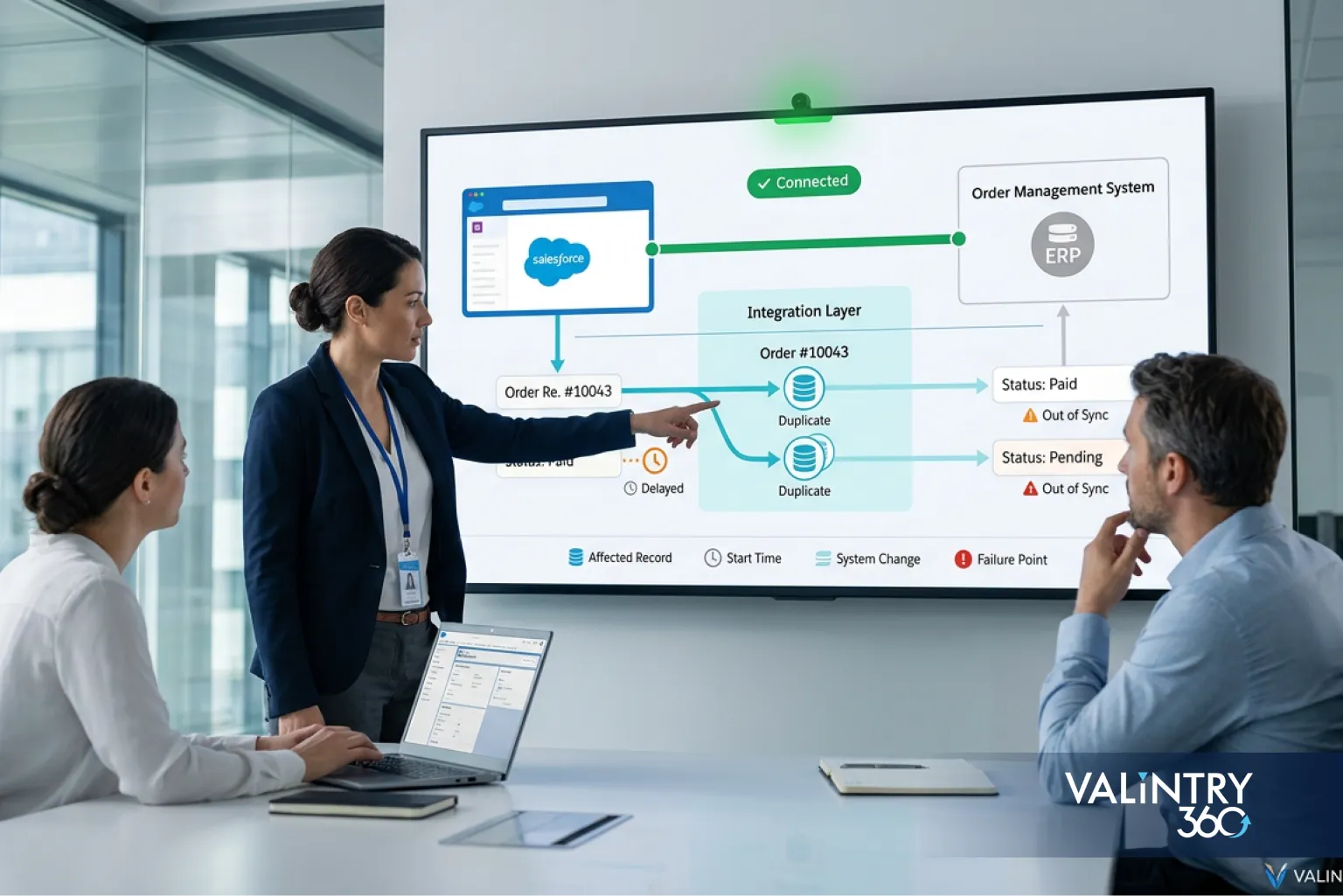
- Salesforce Consulting Services
Introduction: When an Integration Stays Online but the Business Process Breaks
A Salesforce integration can pass every technical check and still fail the business that depends on it. The connection authenticates and the API returns success, while records still arrive late, duplicate themselves, or drift out of sync with the system on the other side. The question worth asking before any fix: where did the business transaction stop behaving as intended?
Hard failures, a rejected login, a failed call, are the easy half to catch. Data divergence is harder, since it can run for weeks before anyone notices a mismatch, and a patch on the visible symptom often just buries the design problem underneath it.
VALiNTRY360 sees this pattern across integrations built years apart: the failure is rarely the connection itself, it’s usually something the connection was never designed to handle.
Before changing anything, record:
- What failed?
- Which records are affected?
- When did the problem begin?
- What Salesforce or external-system change happened near that time?
That list takes 10 minutes to fill in and saves hours of guessing later, since every section below assumes you already know the answers.
What Counts as a Salesforce Integration Failure?
A technical connection can stay online while the business process running through it has already broken. Sorting failures by type makes that gap visible.
Failure type | What it looks like |
|---|---|
Hard failure | Authentication or API request is rejected |
Partial failure | Some records or fields complete while others fail |
Delayed processing | Records eventually arrive but miss the required business window |
Duplicate processing | A repeated transaction creates duplicate business data |
Silent divergence | Salesforce and another system continue operating with conflicting data |
Only hard failures reliably throw an error someone notices right away; the other 4 types can run for days without tripping an alert, like an order status mismatch between the ERP and Salesforce or a retried call that creates a duplicate transaction nobody asked for. Treating “the API responded” as proof the integration is healthy misses most of what actually goes wrong: an integration failure is a business-process failure first and a technical error second, if it’s an error at all. Most Salesforce integration failures fall into these last 3 categories, and none require a broken connection to happen.
Warning Signs Your Salesforce Integration Has a Deeper Problem
These 12 signs point to something upstream of a single Connected App setting.
- Records stop syncing, and nobody can say exactly when it started.
- Some fields stay stale while everything else on the record updates fine.
- Duplicate Accounts, Contacts, orders, or cases start showing up in reports.
- API errors spike specifically during peak business hours.
- Authentication fails right after a security or credential change.
- Requests time out more often than they used to, with no code change to explain it.
- REQUEST_LIMIT_EXCEEDED shows up in logs or error emails.
- UNABLE_TO_LOCK_ROW appears during write operations, usually inside batch jobs.
- A message queue keeps growing instead of draining.
- Salesforce and the connected application disagree about a record’s status.
- A Salesforce release, or a release on the other system, breaks the connection without warning.
- Business users report the problem before any monitoring dashboard does.
Any one of these on its own might be a one-off. 3 or 4 together, recurring on a pattern, are among the clearest Salesforce Integration Challenges a team can see, and none of them get fixed by a restart or a retry button.
Write down which of these 12 you’ve actually seen, and when. That short list, kept over a few weeks, is usually enough to point straight at the root cause of Salesforce Integration Failures before a single line of the diagnostic work below even starts.
Trace One Failed Transaction Before Changing the Architecture
Before touching the architecture, trace a single failed transaction end to end. That tells you what’s actually broken instead of what merely looks broken. A trace costs 20 minutes; a wrong architectural change costs a rebuild.
Symptom | First checks | Likely investigation area |
|---|---|---|
401 or 403 | OAuth configuration, user, scope, permissions | Identity |
REQUEST_LIMIT_EXCEEDED | Call volume, polling, scheduled jobs | API capacity |
Duplicate records | Retry behavior, matching, external IDs | Idempotency |
Missing records | Validation, mapping, rejected writes | Data/process |
Stale data | Queue lag, missed job, event consumer | Delivery |
UNABLE_TO_LOCK_ROW | Batch concurrency, shared parent, automation | Record locking |
Timeout | Request duration, payload, external latency | Pattern/performance |
One field stops syncing | Mapping or schema change | Contract drift |
Work the trace in order:
- Pick one known failed business transaction.
- Capture its timestamps and request identifiers.
- Trace it through Salesforce, middleware, and the remote system.
- Compare it against one transaction that succeeded.
- Check recent releases, configuration changes, and schema changes near the failure time.
This sequence exists to stop a common mistake: repairing the visible error, a timeout, a lock exception, while the mechanism that actually caused it, a mapping gap or a capacity ceiling, stays exactly as it was.
One traced transaction is worth more than a dozen assumptions. It’s tempting to skip straight to a fix once a symptom looks familiar, but a symptom that looks like REQUEST_LIMIT_EXCEEDED from a distance can just as easily be a runaway retry loop consuming its own allocation, and 2 integrations can throw the identical error code for entirely different reasons. The trace is what tells them apart before any code changes.
Check Whether the Integration Pattern Still Fits the Workload
Architecture should follow latency, volume, ownership, and delivery requirements, not whatever pattern was easiest to build first. A Salesforce Integration Services review against this list is often the fastest way to see whether the current pattern still fits. Plenty of failing integrations were the right choice in year 1 and the wrong one by year 3, once volume and requirements changed underneath them.
Integration approach | Suitable condition |
|---|---|
REST or SOAP request-response | Immediate response is required and volume is manageable |
Bulk API 2.0 | Large asynchronous record operations |
Platform Events or Pub/Sub | Systems need event-based communication |
Change Data Capture | External systems react to Salesforce record changes |
Middleware orchestration | Several systems need routing, transformation, or workflow control |
Salesforce Connect / external objects | Users need external information without storing a full Salesforce copy |
Questions that should decide the pattern
These questions matter whether the current setup runs on custom code or a Data Integration Solutions platform:
- Does the business process need an immediate response?
- What is normal and peak transaction volume?
- Can processing happen asynchronously?
- Does Salesforce need to store the data?
- Does message order matter?
- Can transactions be replayed?
- How much delay can the business tolerate?
- Which system owns the final state?
Running this list before touching code usually surfaces the mismatch in under an hour. The harder part is accepting that the answer means rebuilding the connection, not patching it again.
Middleware orchestration is where a lot of integrations quietly become permanent monitoring headaches, because it’s easier to add one more routing rule to an existing MuleSoft instance than to ask whether the pattern still fits. That’s not a knock on middleware itself. Every additional rule is one more thing that has to keep working exactly the way it did on day one.
The pattern chosen during the original Salesforce Implementation Services engagement was almost certainly right for the volume and requirements at the time. Salesforce Integration Challenges tend to show up later, once transaction volume, system count, or latency expectations move past what that original design was ever built to handle.
Fix System Ownership Before Fixing Synchronization Logic
Sync logic can’t resolve a conflict that ownership never settled, and that gap is where a lot of Salesforce Data Integration work quietly goes wrong. This is the part no amount of code fixes.
Define the source of truth
For every important field or data domain, document:
- The system that creates it
- Its authoritative owner
- The sync direction
- The allowed update source
- The conflict rule when 2 systems disagree
Define lifecycle behavior
Answer these before writing another line of mapping logic:
- Who creates the record?
- Who can update it?
- What happens when it’s deleted?
- Can an archived record come back?
- Which system wins during simultaneous updates?
A short ownership matrix answers all 5 at once, for every data element that matters:
Data element | System of record | Allowed writer | Conflict rule |
|---|---|---|---|
Account status | Salesforce | Salesforce, ERP (status field only) | Salesforce wins |
Order status | ERP | ERP | ERP wins |
Contact email | Salesforce | Salesforce | Salesforce wins |
Case status | Salesforce | Salesforce, support system | Most recent timestamp wins |
This matters most for objects with more than one legitimate writer. Account and Opportunity records touched by both a Salesforce Sales Cloud Implementation and an external order system are a common place ownership assumptions quietly drift, since both systems have a reasonable claim to being right.
Once a matrix like this exists, mapping and duplicate prevention stop being guesswork and start being enforcement.
Repair Field Mapping, Identifiers, and Duplicate Processing
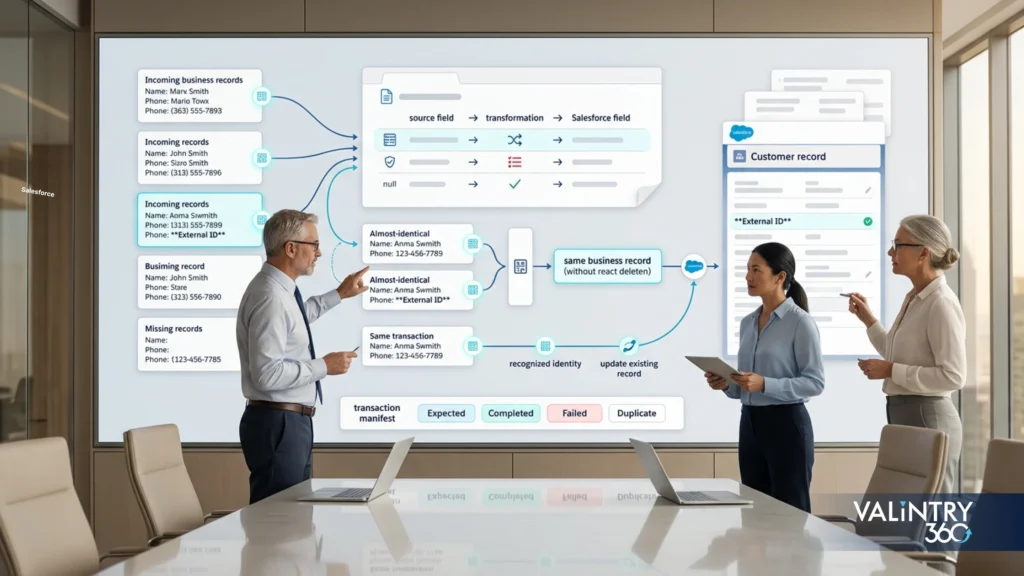
This is where most Salesforce Data Integration problems actually get fixed, one contract and one identifier at a time.
Establish a mapping contract
Document, for every mapped field: source field, Salesforce field, data type, transformation, allowed values, whether it’s required or optional, and null behavior.
A contract this specific belongs in Salesforce Data Governance Services work, not buried in a middleware config that only one person on the team still remembers how to read. Once that contract exists on paper, a schema change on either side shows up as a documented conflict to resolve, not a mystery field that quietly stopped populating.
Use dependable record identifiers
Cover external IDs, unique transaction IDs, matching logic, and upsert behavior. Without a reliable identifier, “duplicate” becomes a judgment call instead of a query. 2 records with the same customer name and a slightly different phone number shouldn’t need a human to decide whether they’re the same account.
Make retries safe
Idempotency, in practical terms, means a repeated request can be recognized as the same transaction, not a new one, wherever the business requires that guarantee. That usually means checking an external ID or transaction identifier before the insert, not after, so a retry updates the record that already exists instead of creating a second one next to it.
Reconcile afterward
Reconciliation is the last mile of any Salesforce Data Integration project, and the step most likely to get skipped once the connection technically works. Compare 4 counts on a schedule: expected transactions, completed transactions, failed transactions, and duplicate transactions. A Salesforce Data Migration Services engagement that skips this step usually learns about drift from an angry business user, not a dashboard.
Repair Authentication and Integration-User Failures
Treat authentication failures as a security checklist, not a single setting to reset and hope. This is routine Salesforce API Integration work, and skipping a step here is one of the more common reasons a connection that used to work suddenly stops.
Check the integration identity
Review the active user, its API access, permission sets, object and field permissions, and any IP or session restrictions attached to it.
Check the OAuth configuration
Review the client configuration, the OAuth flow in use, scopes granted, token lifecycle, and how secrets or certificates are stored and rotated.
Check app architecture
Salesforce is moving new connections toward External Client Apps, while existing Connected Apps still run a large share of production integrations. Know which model each of your connections actually uses before troubleshooting it as if it were the other one.
Use dedicated integration identities
A separate integration user, instead of a shared login, helps with access isolation, transaction attribution, revocation, and incident investigation. When something breaks, you want the logs pointing at one integration, not at every user who happened to touch the org that day.
Salesforce’s own API-only integration user guidance recommends exactly this: a dedicated user scoped to API access only, never a shared login borrowed from whoever set up the connection first. That one change makes almost every later investigation faster, because the audit trail already points at the right place.
Custom API authentication work through Salesforce Development Services should start from this checklist, not from the error message alone.
Fix API Limits, Volume Spikes, Timeouts, and Record Locking
4 separate failure classes get lumped together as “API problems.” Each needs a different fix.
Excessive API consumption
Check polling frequency, calls made per record, scheduled jobs, and whether other integrations are sharing the same API allocation without anyone tracking it. The Limits resource reports current usage and remaining allocation for the org, which is the first place to look before assuming one specific integration caused the spike.
High-volume data movement
If a job moves thousands of records through synchronous calls, that’s usually the actual problem, not the record count itself. Batch the work or move it to a bulk-oriented approach built for volume.
Slow synchronous work
Check payload size, query complexity, remote-system latency, and how much work happens inside the Salesforce transaction itself before it returns a response.
Record locking
For UNABLE_TO_LOCK_ROW, inspect parallel writes, batch size, shared parent records, triggers, Flows, and any other job updating the same records at the same time. Fixing concurrent-write collisions is one of the more mechanical parts of Salesforce API Integration work, once you can actually see which processes are colliding.
Peak-load behavior
Test the workload at realistic volume. A connection that passes every sandbox test with 10 sample records tells you almost nothing about how it behaves at 10,000.
Salesforce API Integration work that only gets tested at small scale is one of the more common reasons a connection looks fine in staging and falls over on the first real peak. An ERP Integration with Salesforce handling month-end order volume is a typical place this shows up first.
None of these 4 are exotic problems. They’re Salesforce Integration Challenges that show up in almost every org running more than 1 or 2 integrations against the same API allocation, and Salesforce’s own API troubleshooting documentation is a reasonable starting point for the general failure categories, even though it won’t name every specific error code your own logs show.
Check Salesforce Automation and Schema Changes After Unexplained Failures
An integration can fail without a single line of its own code changing. Something upstream moved instead.
Review recent Salesforce changes
Check these before assuming the integration’s own code is the problem:
- Validation rules
- Flows
- Required fields
- Picklist values
- Field-level access
- Triggers
- Duplicate rules
- Record types
Validation rules and Flows run against API-driven changes the same way they run against changes made in the UI, a detail Salesforce’s own data integration decision guidance calls out directly, and one that trips up teams who assume API writes bypass automation.
Review external-system changes
Check these on the other side of the connection:
- Field names
- Data types
- The API contract
- Required values
- Authentication
- Endpoint versions
Add a change-impact rule
Any release that touches a field, object, validation rule, Flow, or permission an integration depends on should trigger integration regression testing alongside user-facing testing. Skipping this is how a routine Salesforce release quietly turns into an integration incident 3 days later.
This needs a named owner. A policy on a wiki page alone won’t catch it, and without one the gap reopens the next time someone reorganizes the team. Someone should maintain the list of fields, objects, and automation each integration actually touches, so a release review can check that list in minutes instead of hoping someone remembers which flow feeds the API.
Build Retry and Recovery Logic That Does Not Create Another Failure
Good recovery logic follows one sequence: detect, classify, retry where safe, isolate what’s permanently broken, then reconcile.
Classify failures first
Separate temporary service failures, rate-limit errors, authentication failures, validation failures, and invalid business data. Each needs a different response, and retrying all of them the same way is how a rate limit turns into an outage. A validation failure retried on a timer just fails the same way every time until someone fixes the underlying data; only the genuinely temporary failures belong in a retry loop at all.
Retry temporary failures carefully
Use a limited number of retry attempts, increasing wait periods between them, and replay behavior that’s genuinely safe to run twice.
Prevent duplicate business transactions
Connect retry handling to idempotency and transaction identifiers directly. A retry that never checks for its own earlier attempt is a duplicate-record generator with a delay built in.
Isolate permanent failures
Keep failed records available for investigation instead of silently discarding them. A failure that disappears from the queue looks solved, but it isn’t.
A dead-letter list you can query beats a log line that scrolled past 3,000 other log lines an hour ago.
Reconcile after recovery
Verify that expected business records reached the target exactly once, not zero times and not twice. Run that check on a schedule, not only after an incident, since a recovery chain that works fine during testing can still drift once it’s handling real volume.
Keep this practical. The goal is a recovery chain a support engineer can read and act on at 2 a.m., not a distributed-systems thesis.
Salesforce’s own integration patterns guidance covers this same idempotency and retry logic in more architectural depth, and it’s worth reading once, if only to confirm the recovery chain matches a documented pattern rather than something improvised under pressure during the last incident.
Monitor Technical Health and Business Reconciliation Together
Technical monitoring alone misses the failures that matter most, the ones where every system reports success and the business data on both sides still doesn’t match.
Technical monitoring
Track:
- Error rate
- Latency
- Timeout rate
- Queue depth
- API consumption
- Authentication failures
- Retry volume
Business monitoring
Track:
- Expected transactions against completed ones
- The oldest unprocessed item in the queue
- Record mismatch count
- Duplicate count
- Failed business events
Logging fields
Capture, where practical:
- Transaction or request ID
- Endpoint
- Record identifier
- Timestamp
- Response status
- Duration
- Error category
Without these, tracing a single failed transaction takes hours instead of minutes.
Alert ownership
Every important alert needs:
- An owner
- A threshold
- A response action
- An escalation path
An alert nobody owns is just noise with good intentions attached. Teams running Salesforce Managed Services usually assign this ownership by default, since it’s built into how they run monitoring for every client integration.
Salesforce’s own Well-Architected reliability guidance sets a useful bar: under 1% error rate and under 0.1% timeout rate for a healthy integration. Anything consistently worse than that isn’t a monitoring gap so much as a design problem wearing a monitoring gap as a disguise.
Route the alerts somewhere your team actually sees them. A Teams Integration with Salesforce channel dedicated to integration health, separate from general notifications, keeps a failing connection from getting lost in the same feed as routine record updates. Teams that build both monitoring layers in from the start, following the same Salesforce Integration Best Practices outlined here, avoid retrofitting business-level monitoring onto a connection already in production, which is a much bigger job than it looks from the outside.
Review Salesforce Integration Lifecycle Changes Before They Become Incidents
Integrations age even when nobody touches them. Nothing on this list requires a code change to matter; time alone is enough to move each item out of date. This table is worth revisiting on a schedule, before something breaks rather than after.
Item to inventory | Why it matters |
|---|---|
API version | Older versions eventually lose support |
Authentication method | Platform security requirements change |
Integration application | The connection model may need updating |
Integration user | Permissions and ownership must stay current |
External system version | Vendor changes can break contracts |
Schema dependency | Field/object changes can break mappings |
Review date | Prevents forgotten connections from aging unnoticed |
2 changes worth tracking directly right now: Salesforce’s Spring ’26 release tightens how new Connected Apps get created and connected, and the REST API end-of-life policy has already retired versions 21.0 through 30.0 and deprecated versions 31.0 through 40.0. If an old integration is still pinned to one of those versions, that’s not a future problem. It’s a current one.
Keeping up with this table is unglamorous Salesforce API Integration maintenance, but it costs far less than the incident it prevents. A quarterly 10-minute review per integration is a small line item against the hours an unplanned outage burns through investigation, reprocessing, and an emergency release.
Calculate What Repeated Salesforce Integration Failures Cost
Generic market benchmarks don’t help here. A company-specific model does.
Cost category | Calculation |
|---|---|
Investigation | Technical hours × loaded hourly cost |
Reprocessing | Failed transactions × average handling time |
Manual workaround | Staff hours × affected employees |
Data correction | Cleanup hours × loaded cost |
Reconciliation | Ops/Finance/IT comparison time |
Support | Integration tickets × handling time |
Emergency release | Testing + deployment + after-hours support |
Annual failure cost = investigation + reprocessing + manual work + data correction + reconciliation + support + emergency repair
Keep 4 categories separate from that total, and only add them in when there’s real evidence behind the number: lost revenue, SLA penalties, regulatory exposure, and customer loss. Estimating these without evidence turns a defensible cost model into a guess that’s easy to dismiss in the room where budget actually gets decided.
Left unaddressed, repeated Salesforce integration failures rarely stay flat. The cost compounds as more of the business quietly routes around the broken parts instead of through them.
This model also gives finance and IT a shared number to argue from. A cost built out of hours, rates, and transaction counts is harder to wave away in a budget review than a vague sense that “the integration has been flaky lately.” It also makes the case for prevention on its own terms: a rebuild that costs less than a year of accumulated failure cost is not a hard sell once that number is on the table.
Run a Salesforce Integration Root-Cause Audit
Run these 7 passes in order, on any integration you’re not fully confident in, to find the root cause behind Salesforce Integration Failures before they repeat.
1. Business transaction
Define exactly what the connection is expected to accomplish, in plain business terms, not API calls.
2. Ownership
Document the system of record for each important data domain.
3. Pattern and capacity
Review architecture, API choice, volume, peak load, and latency requirement.
4. Identity and security
Review the integration user, OAuth setup, application configuration, permission scope, and credentials.
5. Data and recovery
Review mapping, external IDs, retry rules, idempotency, and reconciliation.
6. Runtime evidence
Inspect logs, latency, queues, limits, failed transactions, and record locking.
7. Change history
Compare failure timing against Salesforce releases, external releases, Flow changes, validation rules, field changes, and API-version changes.
Record every finding the same way:
Field | Meaning |
|---|---|
Symptom | What users or monitoring saw |
Evidence | Logs or affected records |
Root cause | Failure mechanism |
Business impact | Process affected |
Repair | Required correction |
Owner | Responsible team |
Validation test | How the repair will be proven |
This is the audit format Salesforce Consulting Services engagements run on integrations flagged for Salesforce Remediation Services, because “we fixed it” only means something once the validation test in that last row actually passes.
Run this audit on every integration in the org, starting well before the one that just broke. A connection that hasn’t failed yet often shares the same architecture, the same shared integration user, or the same unmonitored API allocation as one that has, and finding that overlap before it fails is far cheaper than finding it afterward.
Run consistently, this same 7-pass audit turns every Salesforce integration failure the team encounters into a repeatable process instead of tribal knowledge that lives with whoever handled the last incident. Written down once, that process survives staff turnover, a rebuilt integration, and the day nobody on the team remembers exactly how the original connection was supposed to work.
Keep Repaired Salesforce Integrations From Failing Again
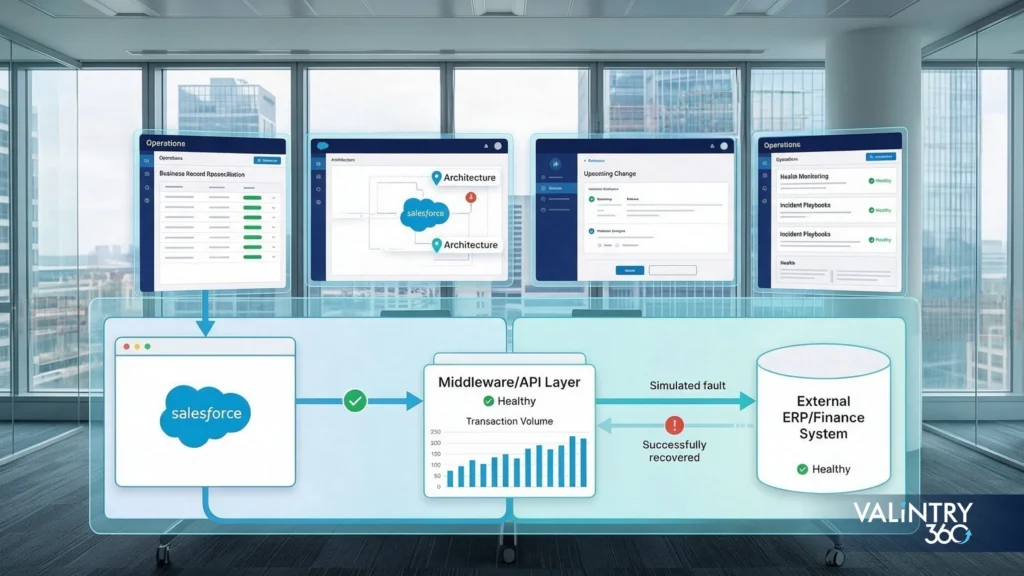
A repair that isn’t backed by ongoing controls tends to fail the same way again, usually within a year.
Architecture controls
Keep integration diagrams current, document system ownership, record architecture decisions, and review transaction growth on a schedule.
Release controls
Regression-test Salesforce changes, test external-system releases, track API versions, and review authentication changes before they ship.
Operating controls
Monitor integration health, reconcile business records, test recovery procedures, and maintain written incident instructions instead of relying on whoever debugged it last time.
Ownership model
Assign a named owner for the business process, the Salesforce configuration, the external application, and the integration or middleware layer. 4 owners, not one generalist covering all of it alone.
None of this is exotic. It’s Salesforce Integration Best Practices applied consistently instead of once, right after the last incident, when everyone still remembers what broke. Teams that skip this step tend to see the same Salesforce Integration Challenges resurface within a year, just wearing a different symptom.
Put a review date on the calendar for every integration, including the ones causing no problems right now. A connection that’s been quietly stable for 2 years is exactly the kind that nobody checks, right up until an unrelated release breaks it and nobody remembers how it was originally built.
The integrations that stay fixed are the ones treated as permanent infrastructure with an owner and a review cadence, not as a one-time project that ended the day it went live.
See Related VALiNTRY360 Case Studies
These 5 VALiNTRY360 case studies each show a root cause, a fix, or both, playing out on a real integration.
How a SugarCRM to Salesforce Migration Cut Real California Milk’s Manual Data Work From 500 Hours a Year to 4 shows what fixing data ownership and mapping looks like in practice: an ETL process replaced manual imports, and integrations with MailChimp and Zoom were rebuilt on dependable identifiers instead of manual matching.
How a Salesforce Sales Cloud and Service Cloud Implementation Cut BIC Graphic’s Average Handle Time by 7 Minutes is a direct example of system-ownership work: a fully integrated connection between Salesforce and BIC Graphic’s ERP synchronized order and fulfillment data so both systems stopped disagreeing about status.
How a Salesforce Implementation for Higher Education Gave AdventHealth University a 360 View of Every Alumnus pairs a full ETL data migration with an Outlook integration, the same combination of clean mapping and dependable identifiers a root-cause audit checks for.
How a Salesforce Health Cloud EMR Replacement Helped AthenaPsych Schedule 80% of Patients on the First Call connects Salesforce to Change Healthcare and Vonage, an external-integration pattern close to the authentication and integration-user checks that matter most on any external connection.
How Salesforce for Clinical Trial Patient Operations Helped TrialSpark Reach 85% Patient Engagement in the First Month connects AWS Connect and Marketing Cloud into a single Service Cloud workspace, the kind of multi-system architecture a pattern-fit review is built to evaluate.
FAQs About Salesforce Integration Failures
Why do Salesforce integrations fail?
Most Salesforce integration failures trace back to one of 6 areas: architecture mismatch, authentication, data mapping, API limits, concurrency, or an unrelated release that changed a field, Flow, or validation rule the integration depended on. The fix always starts with tracing one failed transaction, not guessing.
What are the most common Salesforce integration failures?
The most common patterns are hard failures (rejected requests), partial failures (some records succeed, others don’t), delayed processing, duplicate records from unsafe retries, and silent divergence, where both systems keep running with data that quietly disagrees.
How do I find the root cause of a Salesforce integration error?
Trace a single failed transaction end to end. Capture its timestamps and identifiers, follow it through Salesforce, middleware, and the remote system, then compare it against a transaction that succeeded around the same time.
How do API limits cause Salesforce integration failures?
Every org has a fixed request allocation. Aggressive polling, unnecessary calls per record, and scheduled jobs sharing that allocation with other integrations can exhaust it, triggering REQUEST_LIMIT_EXCEEDED and stalling every integration on the same API budget.
What does REQUEST_LIMIT_EXCEEDED mean in Salesforce?
It means the org has hit its API request allocation for the current window. First checks are call volume, polling frequency, and scheduled jobs; the Limits resource reports current usage and remaining allocation, so you can see exactly what’s consuming it.
Why does Salesforce return UNABLE_TO_LOCK_ROW?
2 processes are trying to update the same record, or its shared parent, at the same time. Batch jobs, triggers, and Flows updating related records concurrently are the usual cause; smaller batch sizes and serialized writes are the usual fix.
How can retries create duplicate Salesforce records?
A retry that doesn’t check whether its original request actually succeeded will resubmit the same transaction as a new one. Without a stable identifier to recognize the repeat, Salesforce has no way to tell it apart from a genuinely new record.
What is idempotency in Salesforce integration?
Idempotency means a repeated request produces the same result as the first one, instead of creating a duplicate. In practice, that means using external IDs or transaction identifiers so a retried call updates the existing record rather than inserting another.
When should an integration use Bulk API 2.0?
Use it for large, asynchronous record operations, typically batch loads, nightly syncs, or bulk updates involving thousands of records. It’s built for volume, not speed; a workflow that needs an immediate response should use a synchronous API instead.
When should I use REST API, events, or middleware?
REST fits immediate, moderate-volume requests. Platform Events or Pub/Sub fit systems that need to react to changes as they happen. Middleware fits situations where several systems need routing, transformation, or orchestration that no single API call can handle alone.
Why can a Salesforce integration break after a release?
A release doesn’t have to touch the integration’s own code to break it. A new validation rule, an updated Flow, a changed picklist value, or a tightened field permission can all silently block a write the integration has always made successfully.
How should Salesforce integrations be monitored?
Following Salesforce Integration Best Practices means monitoring on 2 layers. Technical monitoring covers error rate, latency, timeouts, and API consumption. Business monitoring covers whether expected transactions actually completed, since a connection can report zero errors while the business data on both sides quietly stops matching.
How do Salesforce authentication changes affect integrations?
Authentication changes, like new Connected App restrictions or updated permission requirements, can silently disable an integration that was working the day before. Reviewing the integration user, OAuth configuration, and app architecture on a schedule catches this before it becomes an outage.
Can a Salesforce integration failure corrupt or duplicate data?
Yes. Partial failures leave some records updated and others not, retries without idempotency create duplicates, and mapping errors can write the wrong value to the right field. None of these throw an obvious error, which is why they tend to last the longest.
When should a failing Salesforce integration be rebuilt instead of repaired?
When the pattern itself doesn’t fit the workload anymore, when repairs keep addressing symptoms without touching the underlying architecture, or when the ongoing cost of patching it exceeds what a properly scoped rebuild would cost across a year.
Related Posts
- Salesforce Consulting Services
Salesforce Architecture for SaaS Companies From $10M to…
Experience Cloud, CPQ, and a clean Sales Cloud data model can carry a SaaS company a long way. But the setup that worked when your team was smaller starts to strain once pricing models expand, renewals pile up, product usage…
- Salesforce Consulting Services
Why Salesforce Reports Can’t Be Trusted
A VP of Sales opens the pipeline dashboard on Monday and sees $4.2M. RevOps runs the saved pipeline report an hour later and gets $3.8M. Finance walks into the forecast meeting carrying $3.1M.All 3 numbers came out of the same…
- Salesforce Consulting Services
How to Fix a Failed Salesforce Implementation Without…
Your Salesforce org probably already holds customer history, working automation, integrations, reports, custom code, and months of project effort. That’s exactly why a troubled implementation deserves a recovery decision based on evidence, not a reflex to tear it down.A Salesforce…