
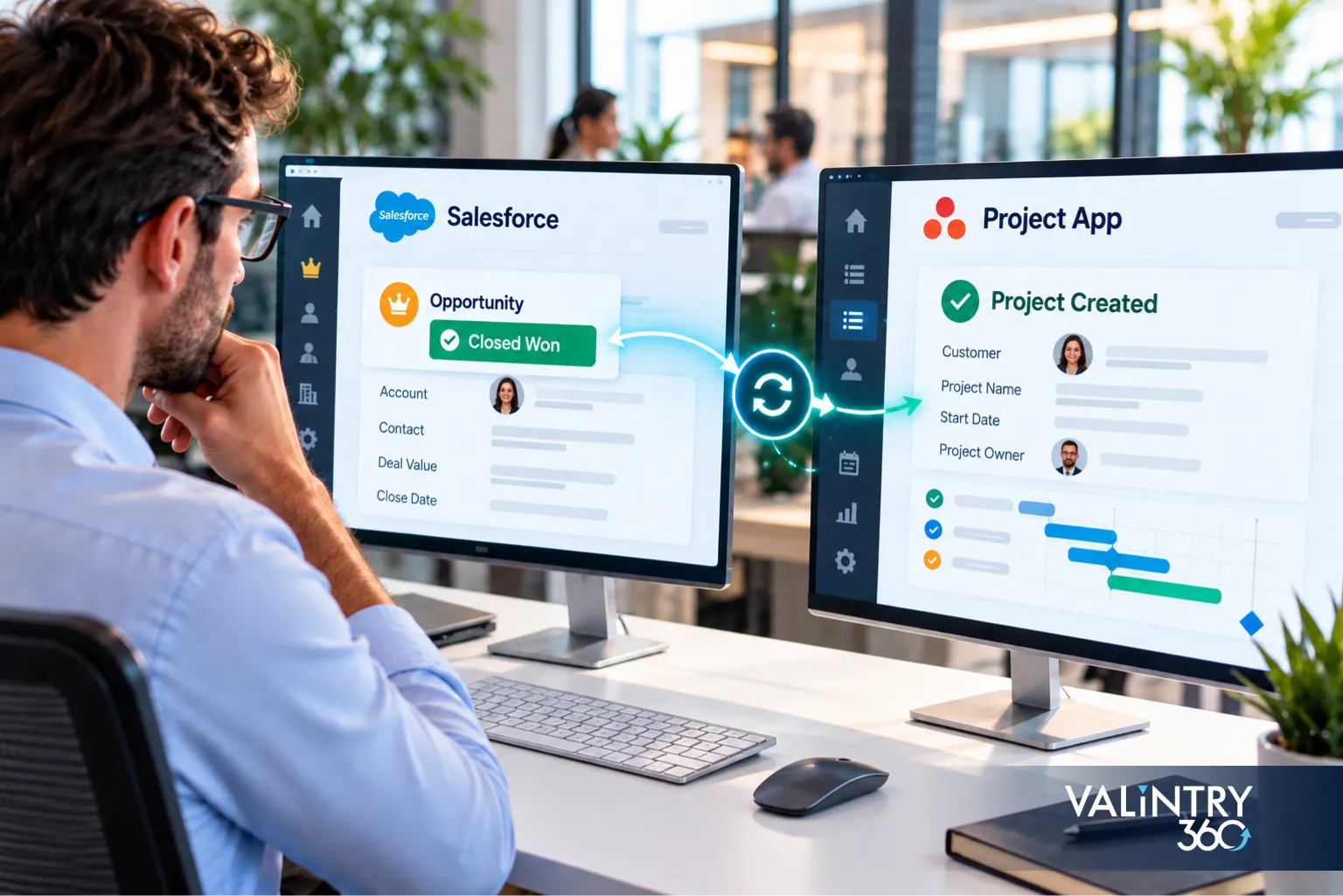
If you run sales in Salesforce and projects somewhere else, you have probably watched the same thing happen more than once. A deal closes, someone copies the details into a project tool by hand, and three weeks later the delivery team is working from a version of the truth that sales stopped believing a week ago. The question “can Salesforce be integrated with project management software” is really a question about whether that handoff can be made automatic and trustworthy.
The short answer: Yes. Salesforce integrates with most major project management tools through its open APIs and the AgentExchange marketplace (formerly AppExchange). Teams use these integrations to sync sales data, create projects automatically when deals close, and connect delivery work to customer accounts. Options fall into two groups: standalone tools connected to Salesforce, and apps built natively on the Salesforce platform.
Here is the nuance most comparisons bury. Core Salesforce does not include a full project management product. Sales Cloud and Service Cloud ship with Tasks, Activities and custom objects, not Gantt charts, resource planning or time tracking. So the real decision is not “can it integrate” but “which integration model fits your team,” and that depends on who does the project work, where the data should live, and who will own the connection when it breaks.
VALiNTRY360 is a U.S.-based Salesforce consulting partner with 100+ certified professionals that designs, builds, and supports Salesforce integrations, automation, Agentforce, and Data 360 solutions. We have connected Salesforce to every tool in this guide, and we have also talked clients out of several of them. That vendor-neutral view is what this article is built on.
Key Takeaways
- Salesforce has no built-in project management product; every option is either a connected standalone tool or a native app installed into your org.
- Connected tools (Asana, monday.com, Jira, Smartsheet, and Wrike) keep project users off Salesforce licenses but introduce sync direction, field mapping and maintenance questions.
- Native apps (TaskRay, Mission Control, Inspire Planner, Certinia and others) inherit Salesforce permissions and reporting but typically require a Salesforce license for every project user.
- Integrations work through three methods: marketplace connectors, iPaaS or middleware, and custom APIs, with MCP and AI agents now emerging as a fourth layer.
- Our 5-Point Integration Fit Check (License, Location, Direction, Objects, Ownership) resolves most native-versus-integrated debates in a single discovery session.
- The most common failures are duplicate project creation, API limit exhaustion, field mapping drift and sync loops, and all of them are preventable.
Does Salesforce Have Built-In Project Management?
No. Salesforce includes task and activity tracking, but it does not ship with a dedicated project management product, which is why nearly every team either installs an app or connects an external tool.
What you get out of the box is useful but thin. Tasks and Events let a rep log follow-ups against a record. Custom objects let an admin build a Project object with child Milestone and Task records, add status fields, and report on them. Flow can automate creation when an opportunity closes. For a five-person team tracking simple onboarding steps, that can be enough.
Salesforce Labs also publishes a free Project Management Tool (PMT) on the marketplace. It is still listed as of October 2026, requires Enterprise edition or above, and needs Chatter enabled. It is worth knowing about, with one caveat: Salesforce Labs apps are community-built and not officially supported, so you own any fixes.
Most teams outgrow the DIY approach within a year. The breaking points are predictable: no dependencies or critical path, no resource capacity view, no time tracking, no templates that stamp out a standard project in one click, and no way for non-Salesforce users to collaborate without a license. When those gaps start costing delivery time, it is time to pick an integration model.
Category 1: Standalone Project Management Software Connected to Salesforce
Standalone tools run on their own cloud platforms and connect to Salesforce through a vendor-built connector, an API, or middleware. They are the right choice when most project users will never need to log into Salesforce.
A quick definition before we go tool by tool. A connector is a prebuilt, configuration-based integration, usually published by the project management vendor or a marketplace partner, that moves specific records between Salesforce and the other tool without custom code.
For each tool below we cover the same points in the same order: how the connection works, sync direction, objects supported, plan and edition requirements, a concrete workflow, where it falls short, and who it fits.
Asana
How it connects. Asana retired its AppExchange-listed app and now routes everything through Salesforce in Asana, an extension of Asana’s Rules engine. A rule fires on the trigger “Salesforce record created or updated,” with conditions based on object type and field values, and then creates or updates work in Asana.
Sync direction. One-way, Salesforce to Asana. Rules do not write Asana changes back to Salesforce. Stage-specific field sync requires two rules rather than the preset action.
Objects supported. Standard objects such as Opportunities, Accounts and Cases.
Plan requirements. Asana Enterprise or Enterprise+ (legacy Business plans also qualify) plus Salesforce Enterprise or Unlimited edition.
Workflow example. An opportunity moves to Closed Won. A rule creates an onboarding project in Asana from a template, names it after the account, and populates custom fields with the deal value and close date. The customer success manager starts work without touching Salesforce.
Where it falls short. Because Rules are one-way, the account team in Salesforce cannot see onboarding progress unless you add Zapier, Unito, Exalate or a custom callout for the return trip. “Rules-based” also means coverage is limited to the triggers and actions Asana exposes, not the full object model.
Who it fits. Marketing, operations and customer success teams that already live in Asana and need Salesforce to push work in, not pull status out.
At VALiNTRY360, we configure and harden connectors like these with a dedicated integration user, least-privilege field access and duplicate checks, so a stage change never creates two projects for one deal. Our Salesforce integration services cover connector setup through ongoing monitoring.
monday.com
How it connects. monday.com publishes a Salesforce Two-way sync app. A Salesforce admin installs a package in the org, a monday.com admin authorizes the connection, and you map Salesforce fields to board columns with a defined sync scope for incoming and outgoing data.
Sync direction. Two-way, using a polling mechanism. Some column types are excluded: formulas, connected boards and mirror columns do not sync to Salesforce, and Salesforce formula fields arrive as read-only text.
Objects supported. Standard objects such as Leads, Opportunities and Accounts. Confirm custom object coverage against the current help documentation before you design around it.
Plan requirements. The two-way sync app is listed as available on monday.com’s Enterprise plan. On the Salesforce side you need Enterprise or Unlimited edition with API access. Depending on your contract, the Salesforce integration may be sold as a separate add-on, so check your order form.
Workflow example. Opportunities above a value threshold sync to a delivery board. When the PM moves an item to “Kickoff Scheduled,” the mapped status field updates on the opportunity, and the account executive sees it on the record page.
Where it falls short. Polling means minutes, not seconds, of latency. Two-way sync also raises the risk of loops if the same field is mapped in both directions without a rule for which system wins.
Who it fits. Delivery teams that want live pipeline data on their boards and are willing to pay for monday.com Enterprise to get a supported two-way connection.
Jira
How it connects. This is the one buyers most often get wrong. Atlassian does not publish a first-party Salesforce integration. Connections run through Atlassian Marketplace and AgentExchange apps built by partners. Exalate runs as a Forge app with scripted sync rules. Peeklogic installs a native package inside Salesforce with a companion Jira app, surfaces Jira issues on Salesforce record pages, and exposes Flow actions. Appfire, Getint, Unito, zAgile and Sinergify are other established options.
Sync direction. Two-way for Exalate, Peeklogic, Appfire, Getint and Unito. Peeklogic also offers a free one-way tier (Salesforce to Jira only).
Objects supported. Varies by connector. Peeklogic and Appfire support standard and custom Salesforce objects. Exalate maps Cases, Contacts, Opportunities, Accounts, Tasks and Products to Jira work items.
Plan requirements. Jira Cloud on the Atlassian side. Pricing and field coverage depend on the connector’s tier, and the vendors update these regularly, so quote against the current listing.
Workflow example. A support rep escalates a Case. A Flow action creates a Jira bug with the case number, priority and customer tier. When engineering moves the bug to “Done,” the case status and a comment sync back, and the rep closes the loop with the customer.
Where it falls short. Because the connector is a third-party product, support and release cadence depend on that vendor, not Atlassian or Salesforce. When either platform ships an API change, you are waiting on a smaller company to patch it. Budget for that in your ownership plan.
Who it fits. Software and product companies where support and account teams need development status without a Jira license.
For a full walkthrough of the setup options, see our Jira Salesforce integration guide.
Smartsheet
How it connects. The Smartsheet Salesforce Connector is a paid premium offering on Smartsheet Business and Enterprise plans. A Smartsheet System Admin who is also a Salesforce admin establishes the connection, and then designated users build workflows between a Salesforce object and a sheet.
Sync direction. Configurable per workflow and per field: one-way in either direction, or two-way, including creation of new records on either side.
Objects supported. All standard and custom objects in the Sales and Service modules, with fields from related objects when the relationship resolves to a single record.
Plan requirements. Smartsheet Business or Enterprise with the connector purchased. On the Salesforce side, any edition with API access. Only the people who create the connection and workflows need a Salesforce license; everyone else works with the data inside Smartsheet without one.
Workflow example. Opportunity records sync to a sheet where the implementation team tracks phases, resources and approvals. A checkbox column controls which rows push status back to Salesforce, so only finished milestones update the CRM.
Where it falls short. Spreadsheet-style tracking struggles with dependency-heavy project plans, and the change history on synced sheets attributes edits to the workflow owner rather than the person who made them.
Who it fits. Operations and PMO teams that run on Smartsheet’s grids, dashboards and Control Center, especially where many collaborators need visibility but not Salesforce access.
Wrike
How it connects. Wrike for Salesforce installs a package that places a Wrike widget on the record pages of objects you enable. A Wrike account admin sets it up, chooses which record types get the widget, and can set a destination folder and template for new work.
Sync direction. The widget surfaces Wrike project and task status inside Salesforce. Automated creation of projects from Salesforce records runs through built-in templates or Wrike Integrate, Wrike’s automation layer, which supports record-triggered workflows in both directions.
Objects supported. Leads, Opportunities, Accounts, Subscriptions and custom objects, selected per object when you enable the integration.
Plan requirements. Wrike Business or Enterprise plus Salesforce Enterprise or Unlimited. Wrike Integrate is priced separately.
Workflow example. Each Account record carries a Wrike widget showing the active client project, its phases and open tasks. The account manager checks delivery status before a renewal call without opening Wrike.
Where it falls short. The widget is a window, not a sync. If you need Salesforce fields updated from Wrike data, you are into Wrike Integrate or a middleware tool, which adds cost and configuration.
Who it fits. Agencies and professional services teams that manage client work in Wrike and want customer-facing staff to see project status from inside Salesforce.
Other tools buyers ask about
ClickUp, Microsoft Planner and Project, Zoho Projects and Trello all connect to Salesforce, mostly through Zapier, Make, Workato or native automation features rather than deep two-way connectors. ClickUp offers a native Salesforce integration on its higher plans that creates tasks from Salesforce records. Microsoft Planner is usually connected through Power Automate. Trello relies on Power-Ups or automation platforms. For any of these, apply the same fit check we describe below, and treat “integrates with Salesforce” on a pricing page as the start of your due diligence, not the end.
Category 2: Salesforce-Native Project Management Apps
Native apps run inside your Salesforce org, store projects as Salesforce records, and inherit your permissions, sharing rules and reporting. They are the right choice when the people doing project work already have, or should have, Salesforce seats.
A native app is an application installed as a managed package into your Salesforce org, so its data lives in Salesforce objects and is governed by Salesforce security and reporting.
The benefits are real. There are no sync delays because there is no sync. One permission model covers CRM and project data. Standard reports and dashboards work on project records out of the box. Deal context carries straight into delivery because the project is a child of the account or opportunity. The trade-off is just as real: every project user typically needs a Salesforce license, which is the license math point that decides many of these evaluations.
TaskRay
TaskRay is a 100% native project management and customer onboarding app built for post-sale delivery. It runs across Sales Cloud, CPQ, Service Cloud and Experience Cloud, which is its differentiator: onboarding templates can be triggered from a closed opportunity or a CPQ order, and client-facing views can be exposed through an Experience Cloud site. It includes templates, automated task creation, resource views and native reporting. It fits SaaS and services companies whose core project type is repeatable customer onboarding. Where it is weaker is heavy project accounting, which is PSA territory rather than TaskRay’s focus.
Mission Control
Mission Control is a native project management and professional services automation (PSA) app developed and still owned by Aprika Business Solutions, an Australian Salesforce ISV founded in 2010. It covers task and resource management, time capture, budgets, Gantt and Kanban views, role forecasting and capacity planning, alongside CRM data. In October 2026 Aprika added Slack, Microsoft Teams and MCP add-ons so teams can reach project records from chat tools and AI agents while the records stay in Salesforce. It fits consulting and services firms that need delivery and resource management inside the CRM without a full finance suite.
Inspire Planner
Inspire Planner is a native app known for its interactive Gantt chart with drag-and-drop scheduling, dependencies, critical path and baselines, plus Kanban boards, time tracking and templates. It links natively to Opportunities, Opportunity Products, Accounts, Cases, Orders and Chatter, and includes an external project portal so collaborators without Salesforce licenses can view and update work. It is often described as a native alternative to Microsoft Project and fits teams that want traditional schedule-driven planning inside Salesforce at a mid-range price point.
Other native options
Cloud Coach is a native PSA and project portfolio management app with onboarding, capacity planning and portfolio views, positioned for enterprise delivery organizations. Milestones PM+ from Passage Technology is a native project, program and portfolio app with Gantt charts and templates, and its first five users are free, which makes it a low-risk pilot.
For services firms that need billing, revenue recognition and project accounting, the PSA tier is the right category. Certinia PS Cloud (formerly FinancialForce) is a native PSA and ERP platform covering services quoting, resource management, time and expense, billing and financial planning. Kantata SX and Klient PSA are also native managed packages on the marketplace. Each adds financial depth that pure project tools do not have, at a correspondingly higher price and implementation effort.
PSA (professional services automation) software manages the full services lifecycle, from quoting and resourcing through time capture, billing and revenue recognition, rather than project tasks alone.
Our team at VALiNTRY360 implements and customizes native apps like these, then extends them with Flow automation and Lightning components so project data triggers the downstream actions your business needs. Our Salesforce automation services page describes how we approach that build.
How Salesforce Project Management Integration Actually Works

Every Salesforce project management integration uses one of three methods: a marketplace connector, an automation or iPaaS platform, or custom API development. A fourth, AI agents using MCP, is emerging on top of them.
Marketplace connectors
Connectors are vendor-published apps listed on AgentExchange or the vendor’s own marketplace. Since April 2026, AgentExchange is the single Salesforce marketplace for apps, agents, Slack apps and MCP servers; AppExchange and the Slack Marketplace were folded into it, and the old appexchange.salesforce.com address redirects there.
Installation usually means a managed package in Salesforce plus an authorization step on the vendor side. Configuration is field mapping: which Salesforce object and fields correspond to which project, task or column. Before go-live, admins should test record creation in both directions (if two-way), updates to mapped fields, deletion and merge behavior, picklist value mismatches, and what happens when a required field on one side is blank on the other.
Automation and iPaaS platforms
Zapier, Make, Workato, MuleSoft and Boomi sit between the systems and translate data based on triggers. The classic recipe is “when an opportunity becomes Closed Won, create a project.”
iPaaS (integration platform as a service) is a cloud platform that connects applications through prebuilt connectors and configurable workflows instead of custom code.
Lightweight tools such as Zapier and Make are fine for low volumes, simple mappings and teams that can tolerate occasional retries. Enterprise middleware such as MuleSoft or Boomi becomes the safer choice when volume climbs, when you need guaranteed delivery and error queues, when multiple systems must be orchestrated in one transaction, or when security and audit requirements rule out consumer-grade tools. We explain that line in more detail in our articles on MuleSoft integration services and Zapier Salesforce integration security.
Custom REST APIs and event-driven patterns
For complex data architecture, developers build the sync logic themselves using Salesforce’s REST and Bulk APIs, Platform Events, Change Data Capture (CDC), and Flow-triggered HTTP callouts. CDC publishes a change event whenever a record changes, which lets an external service react without polling. Platform Events let Salesforce and the project tool exchange messages asynchronously.
Two things matter more than anything else in custom builds. First, API limits: an Enterprise edition org gets 100,000 API requests per rolling 24 hours plus 1,000 per full user license, and Bulk API draws from a separate allocation of 15,000 batches per day. A chatty integration that polls every minute will burn through that. Second, idempotency: every create call should carry an external ID so a retried request updates rather than duplicates. Pair that with structured error handling, logging and alerting, or you will find out about failures from an angry account manager.
Emerging: AI agents and MCP
Model Context Protocol (MCP) is an open standard that lets AI agents call tools exposed by other systems. Salesforce Hosted MCP Servers reached general availability in April 2026 for Enterprise edition orgs and above, exposing flows, Apex actions and standard platform capabilities to any MCP-compatible client. Agentforce can also act as an MCP client and call servers published by other vendors, and AgentExchange now lists MCP servers from partners. On the project tool side, Mission Control shipped an MCP add-on in October 2026.
What this means in practice: an Agentforce agent can read a project’s status from a native app or an MCP-enabled external tool and summarize it on the account, or create a task when a case is escalated. It is early. Permission scoping, action approval and audit trails for agent-initiated writes are still maturing, so we recommend starting agents in read-mostly mode. Our guide to agent-first architecture covers the design patterns.
At VALiNTRY360, we deliver MuleSoft, iPaaS and custom API integrations through our Salesforce integration services, and we choose the method based on volume, security and ownership rather than habit.
Comparing the three main integration methods
Criteria | Marketplace connector | iPaaS / middleware | Custom API |
Setup time | Days | Days to weeks | Weeks to months |
Cost profile | Subscription, often tied to PM tool tier | Platform fee plus task or connection volume | Development time plus ongoing maintenance |
Flexibility | Limited to vendor’s mappings and triggers | High for supported apps, moderate for edge cases | Unlimited |
Maintenance burden | Low, vendor patches | Moderate, you own the recipes | High, you own everything |
Skills required | Admin | Admin or integration analyst (MuleSoft needs developers) | Salesforce developer plus API skills |
Best for | Single tool, standard objects, modest volume | Multi-system workflows, moderate volume | Complex rules, high volume, strict security |
Native vs. Integrated: The 5-Point Integration Fit Check
Native beats integrated when project users already hold Salesforce licenses and need one permission model; integrated beats native when most project users sit outside Salesforce. Everything else is detail, and this framework handles the detail.
The 5-Point Integration Fit Check is VALiNTRY360’s decision framework for Salesforce project management integration. It scores any option on five questions: License (who works on the project and do they have Salesforce seats), Location (where should project data live), Direction (one-way or two-way sync), Objects (which standard and custom objects must move), and Ownership (who maintains the connection when it breaks).
Here is how to apply it.
- License. Count the people who will create, update or view project work. If most already have Salesforce seats, native is cheaper than it looks. If most do not, a native app means buying seats for them, and a connected tool or an Experience Cloud portal starts winning.
- Location. Decide which system is the source of truth for project data. Reporting, audit and AI grounding all follow the data. If leadership wants project margin next to pipeline in one dashboard, keeping the data in Salesforce is simpler.
- Direction. One-way is cheap and safe. Two-way is where the value is and where the risk is. Only choose two-way for fields that truly need it, and name the winning system per field.
- Objects. List every object that must move: Opportunity, Account, Case, Order, Contract and any custom object. Then check each candidate’s object support. Several connectors handle standard objects only.
- Ownership. Name the person or team who will fix the integration at 9 a.m. on a Monday when it stops. If the answer is “the vendor,” read their support SLA. If the answer is “nobody,” pick a simpler option.
We run this fit check in the first discovery session of every project at VALiNTRY360, and it usually settles the native-versus-connected question before anyone has to argue about features. For the governance side of that decision, our note on integration governance is a useful companion.
Master comparison: connected tools
Tool | Type | Sync direction | Object coverage | Salesforce license for project users | Edition / plan requirements | AI capabilities | Best fit | Main limitation |
Asana | Connected | One-way (SF to Asana) via Rules | Standard objects | No | Asana Enterprise/Enterprise+; SF Enterprise/Unlimited | Asana AI on Asana side; no SF agent hooks | Teams living in Asana that need work pushed in | No native write-back to Salesforce |
monday.com | Connected | Two-way (polling) | Standard objects; some column types excluded | No | monday.com Enterprise (may be add-on); SF Enterprise/Unlimited | monday AI on board side | Delivery boards that need live pipeline data | Latency and loop risk on two-way fields |
Jira (via connectors) | Connected | Two-way (Exalate, Peeklogic, Appfire, Getint, Unito) | Standard and custom (connector-dependent) | No | Jira Cloud plus connector tier | Connector-dependent; Peeklogic exposes Flow actions | Support and product teams needing dev status | Depends on third-party vendor support |
Smartsheet | Connected | One-way or two-way, per field | Standard and custom (Sales and Service) | Only for connection and workflow creators | Smartsheet Business/Enterprise with paid connector; any SF edition with API | Smartsheet AI on sheet side | PMO and ops teams with many non-SF collaborators | Weak for dependency-heavy plans |
Wrike | Connected | Widget view in SF; automation via Wrike Integrate | Leads, Opportunities, Accounts, Subscriptions, custom | No | Wrike Business/Enterprise; SF Enterprise/Unlimited | Wrike AI on Wrike side | Agencies showing project status on account records | Deeper sync needs Wrike Integrate |
Master comparison: native apps
Tool | Type | Sync direction | Object coverage | Salesforce license for project users | Edition / plan requirements | AI capabilities | Best fit | Main limitation |
TaskRay | Native | None needed | All Salesforce objects | Yes | Managed package; per-user pricing | Native to Salesforce, works with Agentforce via standard objects | Repeatable customer onboarding | Not a full PSA |
Mission Control (Aprika) | Native | None needed | All Salesforce objects | Yes | Managed package; per-user pricing with minimum seats | MCP add-on (Oct 2026), Slack and Teams apps | Services delivery and resource planning | Delivery-first, no general ledger |
Inspire Planner | Native | None needed; external portal for non-SF users | All Salesforce objects | Yes (portal for externals) | Managed package; per-user pricing | Native to Salesforce | Gantt-driven planning inside SF | Lighter resource and financial features |
Cloud Coach | Native | None needed | All Salesforce objects | Yes | Managed package | Native to Salesforce | Enterprise PSA and portfolio | Steeper setup |
Milestones PM+ | Native | None needed | All Salesforce objects | Yes | Managed package; first 5 users free | Native to Salesforce | Low-risk pilot, IT and admin projects | Fewer PSA features |
Certinia / Kantata / Klient | Native PSA | None needed | All Salesforce objects | Yes | Managed packages; enterprise pricing | Certinia lists Agentforce integration | Services firms needing billing and rev rec | Cost and implementation effort |
Common Salesforce Project Management Integration Workflows
The five workflows below cover most of what clients ask us to build, and each one maps cleanly to a trigger, a set of objects and an outcome.
- Closed Won to project. Trigger: Opportunity stage changes to Closed Won. Objects: Opportunity, Account, Opportunity Products. Outcome: a project is created from a template matched to the product line, named after the account, assigned to the delivery lead, with the external ID stored on the opportunity so a second trigger updates rather than duplicates.
- Case to Jira issue. Trigger: Case escalated or a custom “Needs Engineering” checkbox set. Objects: Case, Contact, Account. Outcome: a Jira issue is created with case details and customer tier; status and resolution comments sync back to the case; the rep sees development progress on the record.
- Project status back to Account. Trigger: project phase or health changes in the project tool. Objects: Account, custom Project Status fields. Outcome: account health, next milestone and go-live date update on the account, feeding renewal dashboards and Agentforce context.
- Time entries to billing. Trigger: approved timesheet in the PSA or project tool. Objects: Opportunity, Order or Contract, custom Billing Line. Outcome: billable hours flow to the invoicing system or to Salesforce Billing, with rate card applied; this is the workflow that most often justifies a native PSA.
- Delivery signals to renewal and expansion. Trigger: project completion, milestone slip, or scope-change request. Objects: Account, Opportunity (renewal), Task. Outcome: a renewal opportunity is created or re-forecast, an expansion task is assigned to the account executive, and the signal is logged for Data 360 reporting.
What Breaks in Salesforce Project Management Integrations, and How to Prevent It
Most integration failures trace back to seven causes, and every one of them has a known fix. In VALiNTRY360’s integration audits, the most common failure we see is a Closed Won trigger with no duplicate check, which creates two projects for one deal the moment someone edits the opportunity after close.
API limit exhaustion. Polling integrations and bulk resyncs quietly consume the daily allocation, and every other integration in the org fails with them. Fix: use CDC or Platform Events instead of polling, batch updates, monitor the API usage entitlement, and give each integration its own user so you can see who is spending the budget.
Duplicate project creation. Triggers fire on every update, not just the first. Fix: store an external ID on the Salesforce record, use upsert semantics, and add an entry condition that checks the ID is blank before creating.
Field mapping drift. Someone renames a picklist value or adds a required field, and the integration starts failing silently. Fix: document the data contract, put mapped fields under change control, and build a test that creates a record end to end after every release.
Permission mismatches. The integration user cannot see a record type or field, so records sync partially. Fix: assign a dedicated permission set, test with that user, and review it whenever sharing rules change.
Sync loops. System A updates B, B’s update triggers A, and the record ping-pongs. Fix: define a winning system per field, add a “last modified by integration” flag, and suppress the trigger when the source is the integration itself.
Deleted and merged records. The project tool still references a Salesforce ID that no longer exists. Fix: decide the delete policy up front (orphan, archive or cascade), handle merge events explicitly, and log unresolved references.
Connector vendor support gaps. A platform release breaks a third-party connector and the vendor takes weeks to patch. Fix: check the vendor’s release cadence before buying, keep a fallback export, and include the connector in your sandbox release testing.
Our longer piece on why Salesforce integrations fail walks through diagnosing each of these in a live org. When a client brings us a broken connection, our team at VALiNTRY360 audits the integration user, mappings, logs and limits first, then repairs the root cause rather than restarting the sync.
Security and Governance for Integrations
Treat every integration as a user with its own identity, its own minimum permissions and its own audit trail, because that is exactly what it is.
Start with a dedicated integration user per connection. Salesforce sells a Salesforce Integration user license designed for API-only access, which is cheaper than a full seat and keeps integration activity separate from human activity in logs. Grant access through a permission set scoped to the objects and fields the integration touches, nothing more.
Authenticate with OAuth through an External Client App (Salesforce’s successor to connected apps) using the narrowest scopes that work. Rotate secrets, and never embed a human user’s credentials in a Zap or recipe. Enable field history and event monitoring on the objects involved so you can answer “who changed this and when” with an integration in the mix.
Finally, inventory your automation tools. Unmanaged Zapier accounts created by individual employees are the most common shadow integration we find, and they often hold admin-level tokens. Our Zapier Salesforce integration security checklist covers what to review.
Total Cost of Ownership
The sticker price of a connector is rarely the biggest number; licensing, middleware fees and admin time usually are, so model all six before you choose.
Cost component | Connected tool | Native app |
PM tool subscription | Required, often at a higher tier to unlock the Salesforce connector | None (app replaces it) |
Connector or add-on | Sometimes bundled, sometimes a paid add-on | Included in app license |
Salesforce edition | Most vendor connectors require Enterprise or Unlimited | Enterprise or above for most managed packages |
Salesforce licenses for project users | Not required for most users | Required for every project user; this is the license math |
Middleware fees | Zapier/Make task volume or MuleSoft/Boomi platform fees if used | Rarely needed |
Admin and developer time | Setup, mapping, monitoring, release testing | Setup, customization, release testing |
Two levers change the math. Experience Cloud portals let clients and external collaborators see and update project status without full Salesforce licenses, which can make a native app affordable for client-facing delivery. And the Smartsheet model, where only connection creators need Salesforce seats, is worth remembering when a large team needs visibility but little interaction.
Step-by-Step Implementation Plan
A well-run integration project moves through nine steps, and the timelines below are typical ranges we see rather than promises.
- Discovery and use cases. Interview sales, delivery and finance. Write down the three to five workflows that matter and the metrics they should move.
- Choose the model. Run the 5-Point Integration Fit Check and select native, connected or a hybrid.
- Define the data contract and field mapping. For every field: source system, target field, direction, winning system on conflict, and transformation rules.
- Set up the integration user and security. Integration license, permission set, External Client App, logging.
- Build. Install and configure the connector, build the recipes, or develop the API layer with idempotent writes and error queues.
- Test with real records. Use sandbox copies of live data, including messy records, merges and deletions.
- Pilot. Run one team or one region for two to four weeks and measure duplicate rate, sync latency and failed records.
- Roll out. Expand with training and a named owner.
- Monitor. Dashboards for API usage, failed syncs and record counts on both sides, reviewed weekly for the first quarter.
Typical ranges by approach: a single-tool connector with standard objects runs two to four weeks; an iPaaS build connecting two or three systems runs four to eight weeks; a MuleSoft or custom API program with two-way sync and multiple objects runs eight to sixteen weeks; a native PSA implementation runs eight to twenty weeks depending on billing scope.
At VALiNTRY360, we deliver each of these phases with a named integration lead and a fixed data contract agreed before the build starts, which is why our timelines hold. Our Salesforce dashboards for project reporting guide shows what the monitoring layer looks like.
The Data Layer: Unifying Project and CRM Data With Data 360

You do not have to force every team into one tool to get one view of the business; Salesforce Data 360 can unify project, delivery and CRM data for reporting and for grounding Agentforce while each team keeps the tool it works in.
Data 360 (formerly Data Cloud) ingests data from Salesforce and external systems, maps it to a common model, and resolves it into unified profiles. For project data, that means delivery milestones from Jira or Asana can sit alongside pipeline and support data on one account profile, feed calculated insights such as account health, and give an Agentforce agent the context to answer “what is the status of this customer’s implementation” accurately and with the right permissions. Where a project tool exposes a warehouse or a supported connector, zero copy access keeps the data in place rather than duplicating it.
Our team at VALiNTRY360 uses Salesforce Data 360 services to unify project and CRM data for reporting and Agentforce grounding, starting from the Salesforce data strategy and architecture work that decides which sources stay external and which need real-time data access in Salesforce.
Recommendations by Use Case
Match the integration model to the team doing the work, because the same tool that is perfect for one team type is the wrong answer for another.
Team type | Recommended model | Example tools | Why |
Professional services firms | Native PSA | Certinia, Mission Control, Kantata, Klient | Time, billing and revenue recognition need to live with the opportunity |
SaaS customer onboarding | Native onboarding app | TaskRay, Cloud Coach | Closed Won to templated project, visible to CSMs in the CRM |
Software development teams | Connected via marketplace connector | Jira with Exalate, Peeklogic or Appfire | Engineers stay in Jira; support and account teams see status in Salesforce |
Marketing and creative agencies | Connected tool | Asana, Wrike, monday.com | Most users never need a Salesforce seat |
Construction and field projects | Native with field service, or Smartsheet | Inspire Planner, Smartsheet connector | Schedule-driven plans and many non-Salesforce collaborators |
Regulated industries (healthcare, financial services) | Native app | TaskRay, Mission Control, Inspire Planner | One permission model, one audit trail, no data leaving the platform |
Many non-Salesforce collaborators | Native app plus Experience Cloud portal, or Smartsheet | Any native app with a portal; Smartsheet | Visibility without full licenses |
For clients who need project visibility without buying seats, we build Salesforce Experience Cloud portals that expose native project records to customers and partners with role-based access.
Choosing an Integration Partner and How We Help
The right integration partner is the one that can tell you when not to integrate, and you can test for that in the first conversation.
Here is what to evaluate. Platform depth across both Salesforce and the project tools you use, because a partner who only knows one side will design around their blind spot. Integration method range, meaning real delivery experience with connectors, MuleSoft or iPaaS, and custom APIs, not just one. A named framework for the native-versus-connected decision, so the recommendation is defensible. Security practice: dedicated integration users, least privilege, OAuth, audit trails as defaults rather than extras. A monitoring and repair offering for after go-live. Industry experience where compliance applies. And access to dedicated developers when your own team is short.
Here is how we meet those criteria. VALiNTRY360 is a U.S.-based team of 100+ certified Salesforce professionals, including Agentforce Specialist, AI Associate, Data 360 Consultant, Experience Cloud Consultant, Platform App Builder and Platform Developer credentials, and a Salesforce partner since 2018 with more than 450 completed projects and a 4.85 out of 5 rating on the AppExchange. We deliver all three integration methods through our Salesforce integration services, MuleSoft integration services and Salesforce automation services, and we run the 5-Point Integration Fit Check in discovery so the model is chosen before the build. Security defaults are built into every engagement: a dedicated integration user, least-privilege permission sets, OAuth through an External Client App, and audit logging from day one. After launch, our Salesforce managed services team monitors API usage, failed syncs and record counts, and repairs root causes rather than restarting syncs. We serve healthcare and life sciences, financial services, insurance, manufacturing, logistics, SaaS and other industries.
When you need more hands, VALiNTRY360 provides dedicated Salesforce developers who work as an extension of your team, and our sister company VALiNTRY helps you hire certified Salesforce developers on contract, contract-to-hire or permanent terms. If you are weighing those options, our managed services vs staff augmentation framework will help.
Conclusion
Salesforce integrates with nearly every project management tool on the market, so the question that actually decides your outcome is which model fits your team: a native app when project users already live in Salesforce, a connected tool when they do not, and Data 360 on top when leadership needs one view of pipeline and delivery either way. Run the 5-Point Integration Fit Check, decide direction and ownership before you buy, and most of the failures in this article never happen.
VALiNTRY360 designs, builds and supports Salesforce project management integrations through Salesforce integration services, MuleSoft integration services, Salesforce automation services, Agentforce integration services, Salesforce Data 360 services and Salesforce managed services, delivered by a U.S.-based team of 100+ certified Salesforce professionals.
If your sales and delivery teams are still working from two versions of the truth, talk to our integration team about a fit check for your stack.
FAQs
Can Salesforce be integrated with project management software?
Yes. Salesforce connects to Asana, monday.com, Jira, Smartsheet, Wrike and many other tools through vendor connectors, iPaaS platforms such as Zapier, Workato and MuleSoft, or custom API development. You can also install native project management apps such as TaskRay, Mission Control or Inspire Planner directly into your Salesforce org.
Does Salesforce have its own project management tool?
Not as a core product. Salesforce includes Tasks, Activities and custom objects, and Salesforce Labs publishes a free, unsupported Project Management Tool on the marketplace. Most teams running real delivery either install a native app from AgentExchange or connect an external tool.
What is the difference between a native app and an integrated tool?
A native app is installed into your Salesforce org and stores projects as Salesforce records, inheriting your permissions and reporting. An integrated tool runs on its own platform and syncs selected data with Salesforce. Native means no sync but a license for every user; integrated means no extra licenses but a connection to maintain.
Can Salesforce create a project automatically when a deal closes?
Yes. A Closed Won opportunity can trigger project creation through a Flow in a native app, a connector rule such as Asana’s, an iPaaS recipe, or a custom API call. Store an external ID on the opportunity so later edits update the project instead of creating a duplicate.
Does Asana integrate with Salesforce?
Yes, through the Salesforce in Asana integration, which uses Asana’s Rules engine. It is one-way, from Salesforce to Asana, works with standard objects such as Opportunities and Accounts, and requires an Asana Enterprise or Enterprise+ plan plus Salesforce Enterprise or Unlimited edition. Write-back to Salesforce needs a separate tool.
Does monday.com have a two-way sync with Salesforce?
Yes. monday.com’s Salesforce Two-way sync app, available on its Enterprise plan, installs a package in Salesforce and maps fields to board columns in both directions using polling. Formula, mirror and connected-board columns do not sync back to Salesforce, and you need Salesforce Enterprise or Unlimited edition.
Does Jira have an official Salesforce integration?
No. Atlassian does not publish a first-party Salesforce connector. Teams use Atlassian Marketplace and AgentExchange apps such as Exalate, Peeklogic, Appfire, Getint or Unito, most of which support two-way sync. Because these are third-party products, check the vendor’s support terms and release cadence before buying.
Do project team members need Salesforce licenses?
It depends on the model. Native apps such as TaskRay or Mission Control typically require a Salesforce license for every project user. Connected tools do not, and Smartsheet only requires licenses for the people who create the connection. Experience Cloud portals are a middle path that gives external collaborators project visibility without full seats.
Which is better for Salesforce project management: native or integrated?
Native wins when project users already hold Salesforce seats and you want one permission model and native reporting. Integrated wins when most project users sit outside Salesforce. Run the 5-Point Integration Fit Check (License, Location, Direction, Objects, Ownership) and the answer is usually clear in one session.
What is Salesforce PSA and when do you need it?
PSA, or professional services automation, covers the full services lifecycle: quoting, resourcing, time and expense, billing and revenue recognition. Native PSA options on Salesforce include Certinia, Mission Control, Kantata and Klient. You need PSA when billable hours and project margin must live with the opportunity, not just tasks and milestones.
What are the Salesforce API limits for integrations?
An Enterprise edition org gets 100,000 API requests per rolling 24 hours plus 1,000 per full user license, and Unlimited edition adds 5,000 per license. Bulk API has a separate allocation of 15,000 batches per day. Polling integrations can exhaust these limits, so use Change Data Capture or Platform Events where possible and monitor usage.
Why do Salesforce project management integrations break?
The most common causes are duplicate project creation from triggers without an external ID check, API limit exhaustion, field mapping drift after picklist or required-field changes, permission mismatches on the integration user, sync loops on two-way fields, deleted or merged records, and connector vendors lagging behind platform releases. All are preventable with a documented data contract and monitoring.
Is AppExchange now called AgentExchange?
Yes. In April 2026 Salesforce merged AppExchange, the Slack Marketplace and the Agentforce ecosystem into a single marketplace called AgentExchange. Existing listings and reviews carried over, and the old AppExchange URL redirects to it.
Can Agentforce or AI agents access project data through MCP?
Yes, with limits. Salesforce Hosted MCP Servers reached general availability in April 2026 for Enterprise edition and above, and Agentforce can call external MCP servers. Project tools are starting to publish their own, such as Mission Control’s October 2026 MCP add-on. Start agents in read-mostly mode while permission scoping and action approval mature.
How long does a Salesforce project management integration take?
Typical ranges: a single-tool connector with standard objects takes two to four weeks; an iPaaS build connecting two or three systems takes four to eight weeks; a MuleSoft or custom API program with two-way sync takes eight to sixteen weeks; and a native PSA implementation takes eight to twenty weeks depending on billing scope.
Do you need a Salesforce partner to integrate project management software?
Not always. A single connector with standard objects is a reasonable admin project. A partner pays off when you need two-way sync, custom objects, middleware, strict security, or a native PSA with billing. VALiNTRY360 provides Salesforce integration services, MuleSoft integration services and ongoing managed support for exactly those cases.
How do you hire a Salesforce integration developer?
You can engage a consulting partner, add a dedicated developer through staff augmentation, or hire directly. VALiNTRY360 provides dedicated Salesforce integration developers for project and ongoing work, and our sister company VALiNTRY places certified Salesforce talent on contract, contract-to-hire and permanent terms. Ask candidates about live two-way integrations they have supported, not just built.