
- Salesforce Partner
A Salesforce partner change touches more than a vendor name on an invoice. Production access, integrations, source code, sandboxes, deployment tooling, vendor accounts, documentation, and ongoing support all move at the same time, and each one can break quietly if the transition isn’t sequenced correctly. Most companies find this out mid-transition, when an integration user gets disabled before anyone confirms what depends on it, or when a repository turns out to be months behind what’s actually running in production.
This guide gives you a structured handover process instead of a general list of good intentions. It walks through what to prepare before notice is given, how to secure company-controlled access, what technical assets need a verified inventory, how to handle a transition mid-implementation, what the incoming partner should validate before taking on ownership, what the change typically costs, and what has to be true before you can call the Salesforce partner handover complete.
It’s written for the person coordinating the change, not just the developer inheriting the code. That usually means a platform owner, an IT or RevOps leader, or a program manager who has to answer for the transition’s outcome, whether or not they personally touch the org.
What a Salesforce Partner Transition Includes
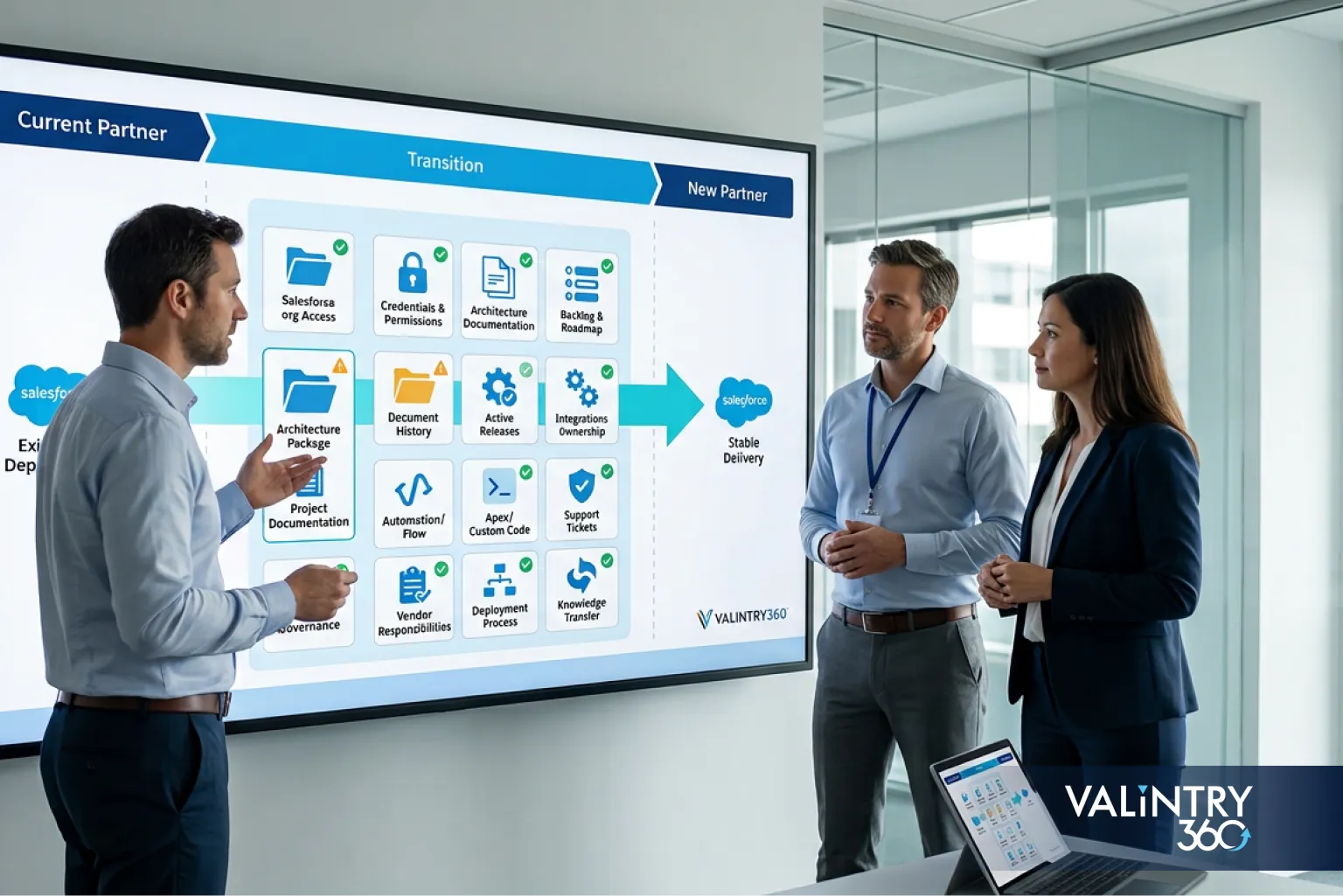
A Salesforce partner transition is the controlled transfer of technical, operational, and project responsibility from one consulting team to another. It’s broader than changing who answers support tickets. Five areas move together:
- Salesforce org access. Administrator accounts, permission sets, and the identities tied to daily operation of the org.
- Technical assets and development. Source repositories, sandboxes, deployment tooling, and the code and configuration behind them.
- Integrations and credentials. Connected apps, named credentials, external credentials, and the API users that keep other systems talking to Salesforce.
- Project and business knowledge. Architecture decisions, process maps, and the reasoning behind configuration choices that aren’t visible in the metadata itself.
- Production support ownership. Who monitors the org, who responds to incidents, and who approves the next release.
A transition can happen after an implementation wraps, in the middle of an active project, during ongoing managed support, or as part of consolidating several vendors into one. The circumstances differ, but the same five areas need a verified owner in every case.
Partner selection matters, but it’s secondary to this question: what has to move, and who verifies that it moved correctly? That’s the actual job of a Salesforce consulting services engagement during a transition: confirm what needs to transfer and prove it transferred correctly, before anything else gets decided.
Should You Reset the Current Engagement or Change Salesforce Partners?
Not every frustration with a Salesforce partner means it’s time to switch Salesforce consulting partners. Some problems are fixed just as effectively by resetting expectations with the firm you already have.
Situation | Practical response |
|---|---|
Scope changed but delivery is still controlled | Rescope the engagement |
Roles or governance are unclear | Reset responsibilities and acceptance criteria |
Required expertise is missing | Add specialist support or assess another partner |
Ownership cannot be established | Prepare a formal transition |
Production or security risk exists | Begin controlled recovery and handover |
Contract has ended | Plan an orderly transition |
Both planned and problem-driven transitions belong in this decision. Contract expiration, a shift toward different support needs, and internal staffing changes are planned reasons that have nothing to do with the current partner’s performance. Missing technical expertise, an acquisition, delayed work, poor documentation, and repeated production issues push toward a more deliberate change, sometimes through Salesforce remediation services rather than a full partner swap.
Treat this as a genuine decision point, not a formality on the way to a predetermined answer. A single missed deadline or one disagreement about scope isn’t, by itself, a reason to replace a consulting firm. Walking through the table above with your own leadership team, honestly, usually settles the question faster than another round of vendor meetings does.
How to Plan the Salesforce Partner Transition From Notice to Takeover
A transition goes better when it follows a defined sequence instead of running as a series of ad hoc requests to the outgoing team.
Phase 1: Prepare internally
Identify who owns the transition internally, gather current contracts, list active work, flag known risks, and set the dates the transition needs to hit.
Phase 2: Secure company access
Confirm administrative access and ownership of every external system before any accounts change. This has to happen before notice creates urgency around it.
Phase 3: Inventory technical assets
Review repositories, environments, integrations, packages, certificates, documentation, and deployment tooling against what’s actually running in production.
Phase 4: Transfer knowledge
Run structured technical and business handover sessions with the outgoing team while their knowledge of recent decisions is still fresh. This is also the natural point for an overlap period, where the outgoing and incoming partners work in parallel long enough for the new team to ask questions against a live system instead of a static document.
Phase 5: Incoming-partner validation
Have the new team independently verify the current state rather than accepting the outgoing team’s account of it. Overlap is only useful when the incoming partner uses it to check claims directly against the live org, instead of collecting a verbal summary and moving on.
Phase 6: Cutover and acceptance
Remove or reduce outgoing access, activate support ownership with the incoming team, and complete formal sign-off.
Access removal timing follows the technical dependencies uncovered during Phase 3, never a fixed calendar date. Plan the sequence this way and you sidestep the two failure modes that show up most often: cutting access too early and breaking a live connection, or leaving it open too long after ownership has already changed hands. It’s the kind of sequencing a Salesforce implementation consulting partner builds into the plan from day one.
VALiNTRY360 Salesforce Partner Transition Readiness Matrix
The following is a VALiNTRY360 editorial transition framework, built from the technical controls covered throughout this guide, not a published Salesforce survey or standard. Use it to score where your organization actually stands before the outgoing partner’s final day.
Score each area using one of four statuses: Verified, Needs update, Missing, or Unknown.
Readiness area | What must be checked |
|---|---|
Company access | Admin accounts and ownership confirmed under company control |
Development assets | Repository, metadata, branches, and deployment path documented |
System connections | Integrations, users, apps, credentials, and certificates inventoried |
Data protection | Data backup and metadata recovery method confirmed |
Documentation | Architecture, processes, runbooks, and decision history captured |
Active work | Scope, defects, releases, backlog, and dependencies current |
Third parties | Packages, vendors, licenses, and renewals accounted for |
Production support | Incidents, monitoring, escalation, and ownership assigned |
An “Unknown” status is different from a “Missing” one. Missing means the business knows the gap exists. Unknown means nobody has checked yet, and that’s usually where the most expensive surprises come from during a transition.
In practice, the areas that come back “Unknown” most often are system connections and third parties. Integration users and connected apps tend to accumulate quietly over years, often set up by a developer who’s no longer on the account, and nobody owns the job of periodically re-verifying them. Documentation and active work are more likely to come back “Needs update” than fully missing, since some record usually exists, just not one that matches what’s actually running today.
Run this matrix before finalizing the transition timeline, never during the final week. Scoring an area “Unknown” isn’t a failure of the exercise. It’s the exercise working, because it tells you exactly where the incoming partner needs to spend discovery time before making any commitments. Walk into an engagement with a completed matrix already in hand, and the first weeks look completely different: less time spent discovering what you inherited, more time spent actually stabilizing and improving it. That’s the difference a Salesforce managed support services team notices immediately.
Secure Salesforce Access and Company Ownership Before Handover
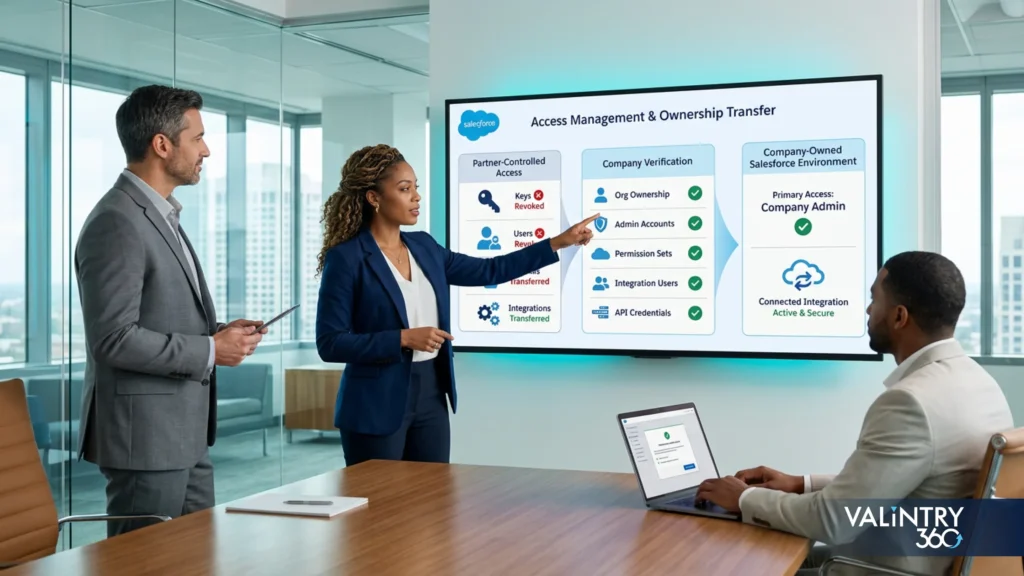
Access is the first control to lock down, and it needs its own sequence rather than a single “remove the old team” step.
- Verify company-controlled System Administrator access.
- Inventory outgoing consultant users.
- Review permission sets and elevated access.
- Identify integration users.
- Review connected apps.
- Identify active OAuth access.
- Review external credentials and named credentials.
- Check repository and deployment-platform accounts.
- Identify shared accounts that need replacement.
- Create an access-removal sequence.
Some of these accounts can’t be disabled the moment notice is given. A named credential or connected app tied to an outgoing consultant’s identity may still be authenticating a live integration, and revoking it without a replacement in place stops that connection cold. Refresh tokens tied to a connected app’s OAuth policy can also remain usable until they’re explicitly revoked, so “the contract ended” isn’t the same as “the access is gone.” An admin can revoke a token directly from a user’s detail page or from the OAuth Connected Apps Usage page in Setup, but that step should come after the dependency is understood, not before.
Named users deserve the same discipline. A departing consultant’s individual login is easy to deactivate, but a shared or generic admin account used across the whole engagement is harder to retire cleanly, since disabling it can silently break whatever automation or integration was quietly authenticating through it. Flag every shared account explicitly during the inventory step rather than assuming it belongs to one person.
The correct order is to identify dependencies first, establish replacement ownership for each one, test the affected process with the new ownership in place, and only then perform the agreed access cutover. Skipping straight to cutover is the fastest way to turn a routine transition into an incident.
Audit Integrations, Credentials, Certificates, and Installed Packages
This is where partner transitions most often lose track of something. Build a register that captures each asset alongside its business purpose, authentication method, owner, dependencies, and the action required before cutover.
Asset | Business purpose | Authentication | Owner | Dependency | Action required |
|---|---|---|---|---|---|
Billing integration | Sync invoices to Salesforce | Named credential | Finance systems owner | Nightly batch job | Confirm new owner, rotate credential |
SSO connected app | Employee login to Salesforce | Certificate-based | IT security | Company-wide authentication | Verify certificate ownership before any change |
Marketing platform sync | Push leads into Salesforce | OAuth connected app | RevOps | Lead-routing automation | Test after ownership transfer |
Integrations
Cover every connected system: ERP, billing, marketing, support, identity, middleware, data platforms, and custom APIs. Each one needs a documented business purpose, direction, and owner, beyond a name sitting in a setup menu. Before anyone proposes changing a single one of these connections, a Salesforce integration services partner should already have every one of them mapped.
Credentials
Integration users, named credentials, external credentials, secrets, and API access all need a confirmed owner. Salesforce’s external credentials guidance ties access to profiles or permission sets and recommends limiting each principal to the access level its work actually requires, which is a useful standard to re-apply during a transition rather than just carrying forward whatever access already exists.
Certificates
Record each certificate’s purpose, expiration date, SSO use, callout dependency, and the person or team responsible for renewal. Deleting a certificate that’s still tied to single sign-on or an Apex callout can break authentication without warning, so dependencies need confirmation before any certificate is touched.
Installed packages
Capture publisher, version, licensing, primary contact, support contact, dependencies, and renewal information for every installed package. Salesforce lets an admin become the primary contact on a package when the current contact needs to change, which matters here specifically: an outgoing consultant can otherwise stay the operational contact for software the client still depends on.
Removing a certificate or credential before its dependency is identified is the single most common way a transition causes an outage that had nothing to do with the actual handover plan.
Reconcile Source Control, Sandboxes, and the Deployment Process
Possessing a repository doesn’t prove it matches what’s running in production. That has to be verified directly.
Work through this sequence: production, metadata comparison, source repository, branches, sandboxes, deployment tooling, release approval.
The incoming team should be able to answer:
- Which repository is authoritative
- Which branch represents production
- Whether production contains changes missing from source control
- What’s in each currently open branch
- Each sandbox’s purpose and current status
- The current deployment method
- Which automated tests actually run
- Who approves a production release
- Whether a documented rollback process exists
- Who owns the CI/CD pipeline
- Whether configuration drift is being tracked
Salesforce’s own Operational Excellence guidance treats source-driven development, version-controlled metadata, CI/CD, and scheduled drift detection as standard practice, not optional extras, which makes it a reasonable bar for judging what you’re inheriting. That guidance also recommends comparing production configuration against source control on a regular cadence, so ask the outgoing team when drift was last checked, not just whether a repository exists.
For sandboxes specifically, source tracking is only available in Developer and Developer Pro sandboxes, so a Partial Copy or Full sandbox won’t show the same change history and needs a different verification approach. A refresh also resets the sandbox’s org ID and, depending on type, pulls in fresh metadata or fresh metadata plus data from production, so a sandbox that hasn’t been refreshed in months may no longer resemble the org it’s supposed to represent.
Record each sandbox’s name, type, last refresh date, current active work, and role in the deployment path directly in the handover documentation, because a sandbox labeled “UAT” can just as easily be carrying stale metadata or someone else’s active development. This reconciliation has to happen before anyone commits to anything about the codebase. That’s exactly how a Salesforce development services team should treat it: as a precondition, never an afterthought.
Protect Salesforce Data, Metadata, and Audit Evidence Before Cutover
Three separate things need protection before major transition changes begin, and they don’t all use the same recovery method.
Data protection
Confirm the current backup method for records, files, and business information, and confirm who’s responsible for recovery if something goes wrong during the transition itself.
Metadata protection
Objects, fields, automation, permissions, layouts, and Apex configuration need their own protection separate from data. Source-controlled metadata is the strongest version of this; without it, a transition has no reliable way to reconstruct configuration if something breaks mid-handover. A recent metadata export, even outside a full CI/CD pipeline, is far better than nothing, since it gives the incoming team a known-good state to compare against if something is missing or misconfigured after cutover.
Audit evidence
Capture relevant Setup Audit Trail history while the outgoing team’s recent activity is still identifiable. The Setup Audit Trail page itself displays the 20 most recent setup changes on screen, but authorized users can download the org’s complete setup history for the past 180 days, which is the more useful export to pull before the transition closes out and that history starts aging past the retention window.
Schedule a pre-cutover backup deliberately, before any major access, deployment, or configuration change the transition plan calls for. Leaving it to whatever the last routine backup happened to catch is how gaps go unnoticed. Salesforce’s own backup guidance and its Setup Audit Trail documentation both treat this as standard practice, worth doing on every org regardless of a transition. Data protection and metadata protection tend to get evaluated together anyway, which makes a Salesforce data governance services review a natural place to fold this step into.
Build a Salesforce Knowledge-Transfer Package the New Partner Can Use
A meeting is weak handover evidence on its own. It needs to produce artifacts the incoming partner can reference after the outgoing team is gone.
None of this has to be built from scratch. Most of it already exists somewhere, in a project plan, a support ticket, an old diagram drawn for a different purpose, and the job during a transition is to collect it into one place rather than generate it fresh. The four categories below group what typically gets lost first, not because a formal deliverable requires it, but because it’s the material a departing team carries in their heads and rarely writes down unless someone specifically asks.
Architecture
- Current architecture diagram
- Data model notes
- Automation inventory
- System-connection map
- Security model
Delivery
- Repository guide
- Environment map
- Release procedure
- Test process
- Deployment runbook
Operations
- Known incidents
- Support process
- Monitoring setup
- Vendor list
- Renewal calendar
Business context
- Business-process maps
- Reporting dependencies
- Roadmap
- Technical-debt register
- Decision history
Assign each artifact an owner and one of the four readiness statuses from the matrix above. Recording a document as “Missing” is more useful to the incoming team than pretending it exists. An honest gap list gives a Salesforce managed services partner something real to plan around. An optimistic status report just delays the discovery, usually until production. Tie the deadline for this package to the outgoing team’s last active day, because verbal knowledge gets much harder to recover once the people who held it are gone.
How to Transition Salesforce Partners During an Active Implementation
A transition that happens mid-project needs its own baseline, established from evidence rather than from whatever completion percentage shows up in a status report.
Area | What the incoming partner verifies |
|---|---|
Contracted scope | What was originally committed |
Requirements | What the business still needs |
Configuration | What currently exists |
Code | What has been built |
Testing | What has passed |
UAT | What users have accepted |
Deployment | What has reached production |
Defects | What remains open |
Dependencies | What is blocking delivery |
Backlog | What still has business priority |
Commercial status | What has been accepted or disputed |
A reported completion percentage can quietly combine finished work, partially tested work, requirements nobody has revisited in months, and items that no longer matter to the business at all. None of that shows up in a single number.
Establishing this baseline usually takes longer than either side expects going in, sometimes a full week or more on a complex build, and that time is worth protecting in the transition timeline rather than compressing it to hit an arbitrary go-live date. Rushing this step is how a new partner ends up recommitting to a delivery date built on the same unverified assumptions that caused the original transition.
The incoming partner’s job is to rebuild the baseline from what’s verifiably true today. Every new delivery commitment gets built on that baseline, never the prior estimate. Salesforce implementation services and Salesforce remediation services work overlap most right here: stabilizing a half-finished build and continuing it forward are often the same engagement. Stakeholders should expect a revised estimate once the baseline exercise wraps, and even a later date is more trustworthy than a number nobody has re-checked.
How to Choose the Incoming Salesforce Partner for a Takeover

Selecting a replacement partner is its own piece of due diligence, and a takeover project needs different evidence than a greenfield implementation does. Ask the firm you’re evaluating to show:
- Relevant Salesforce products
- Similar takeover or remediation work
- Named team members
- Current-state assessment process
- Source-control review method
- Integration experience
- Security review capability
- Documentation process
- Support model
- First-release plan
The right scope depends on what’s actually broken. A full consulting engagement makes sense when governance, architecture, and delivery process all need rebuilding at once. When the gap is narrower, a specific integration, a stalled release, a security review, it can make more sense to hire a Salesforce consultant directly rather than re-staffing an entire program. Match the engagement size to the actual scope of what needs fixing, not to whatever model the outgoing partner used.
Use Salesforce Partner Finder alongside current partner-program information to verify public credentials before you rely on them; its underlying data refreshes on a 1-to-2-week cycle, so it’s close to current but not necessarily same-day accurate. Treat what you find there as a starting point for verification, not a substitute for it. Confirm active certifications and named specializations directly with the firm, since a public profile can lag behind staff changes that happened in just the last few weeks.
A large certification count is weak evidence on its own for a takeover project. What matters more is the named delivery team you’ll actually work with and a concrete method for understanding an inherited org, rather than building one from scratch. VALiNTRY360’s own takeover engagements start with the readiness matrix above precisely because it forces that method into the open before any commitments get made. Ask specifically who on the team will be doing the discovery work, not just who signs the statement of work, since the two aren’t always the same people.
What Does a Salesforce Partner Transition Cost?
There’s no dependable public price for changing Salesforce consulting partners, and any number presented as universal should be treated with suspicion. What’s worth discussing instead is what drives the cost up or down.
Cost area | What may create work |
|---|---|
Current-state assessment | Org and architecture review |
Knowledge-transfer overlap | Time from both consulting teams |
Access transition | Accounts, credentials, and security work |
Source reconciliation | Missing or stale repository content |
Integration investigation | Undocumented system dependencies |
Regression testing | Verification before new releases |
Documentation reconstruction | Missing technical and business records |
Production repair | Existing defects or unstable processes |
Backlog reset | Requirements and priority review |
Support onboarding | Monitoring, incidents, and escalation setup |
Current documentation, controlled source, clearly defined owners, known system connections, and a well-understood project state all make a transition faster and cheaper to execute. Each gap in that list adds discovery work before the incoming partner can commit to anything with confidence.
Ask any firm quoting a transition for a cost breakdown by phase, current-state assessment, stabilization, and ongoing support, rather than a single bundled number. A bundled figure makes it hard to tell whether you’re paying for genuine discovery work or for time spent repeating assessments a previous vendor should have already documented. A phased quote also gives you a natural checkpoint to pause after the assessment if the findings change your plans.
The Incoming Partner’s First 30 Days and Transition Sign-Off
The first 30 days set the tone for the entire relationship, and they work best as three distinct stages rather than one long onboarding period.
First stage: validate
The incoming team verifies access, architecture, source, integrations, open incidents, deployment process, and active projects against what was documented during handover. Where the documentation and the live org disagree, the live org wins, and the discrepancy gets logged rather than quietly overwritten. This stage typically surfaces a handful of small surprises, an environment variable nobody flagged, a workflow rule that behaves differently than described, and catching them now costs far less than catching them during the first real release.
Second stage: stabilize
Address anything that can affect production, security, deployment, or business continuity before taking on new commitments.
Third stage: assume ownership
The incoming team formally takes responsibility for support, releases, backlog governance, and the Salesforce work agreed to in the transition plan.
Transition acceptance checklist
Sign off only after verifying:
- Company-controlled administrative access
- Incoming access approved
- Outgoing access handled according to the cutover plan
- Connected-app access reviewed
- Integration ownership documented
- Source reconciled with production
- Deployment route verified
- Sandboxes documented
- Backup approach confirmed
- Package and vendor contacts transferred
- Incidents assigned
- Backlog re-baselined
- Required documentation accepted
- Support escalation active
- First operational task or controlled release completed
That last item matters more than it looks. A transition that’s “complete” on paper but hasn’t yet survived a real release or a real incident hasn’t actually been tested. The real proof is the first successful release under new ownership, not the signed handover document, and that’s the bar a Salesforce managed support services team should hold itself to.
Related VALiNTRY360 Salesforce Case Studies
Every principle in this checklist plays out in real engagements, most of them takeovers, migrations, or fixes to a system a previous team left behind. If you want to see how that works in practice, here are five VALiNTRY360 case studies worth a look.
- Real California Milk: From Manual Reconciliation to a Single Source of Truth
Real California Milk was running constituent and partner relationships on SugarCRM, with data arriving in batches that required manual reconciliation before anyone could trust a report. VALiNTRY360 migrated Accounts and Contacts into Salesforce Sales Cloud, built an ETL tool with custom automations for the quarterly import cycle, and connected MailChimp and Zoom so activity tracking stayed in one place instead of scattered across systems.
Key takeaway: Annual labor spent manually updating data fell from 500 hours to 4, and Salesforce became the organization’s single source of truth, the same standard a partner transition should hold any inherited system to.
Read the full case study: Real California Milk: SugarCRM to Salesforce Migration
- AthenaPsych: Replacing an EMR Without Losing Clinical Continuity
AthenaPsych, a New York State mental health provider, had outgrown its existing EMR and needed a platform that could scale intake and care delivery without sacrificing accuracy. VALiNTRY360 built a replacement on Salesforce Health Cloud, adding Scheduler, Shield, and Experience Cloud alongside integrations with Change Healthcare and Vonage, then handed off a system the clinical team could run day to day.
Key takeaway: Within six months, 80% of patients were scheduled on the first call, CPT coding errors dropped 69%, and clinical compliance errors dropped 75%, evidence that a well-documented replacement can outperform the system it replaced almost immediately.
Read the full case study: AthenaPsych Salesforce Health Cloud EMR Replacement
- Ravago: Taking Over and Rebuilding an Underused Marketing Cloud Instance
Ravago’s existing Marketing Cloud instance had been built for its core B2B distribution business and couldn’t segment or message the direct-to-consumer audience the company wanted to reach. Rather than starting over, VALiNTRY360 reengineered the data architecture and automations inside the existing instance, redesigned the customer journeys, and added a loyalty program and SMS channel on top of what was already there.
Key takeaway: The rebuilt instance generated $500,000 in new revenue within three months, a reminder that a takeover engagement is often about making an inherited system do a job it was never built for, not replacing it outright.
Read the full case study: Ravago Salesforce Marketing Cloud Optimization
- BIC Graphic: Unifying Fragmented Ownership Across Sales, Marketing, and Service
BIC Graphic had no CRM at all, and sales, marketing, and service teams each kept their own version of what had happened with a customer, exactly the kind of fragmented ownership a partner transition has to untangle. VALiNTRY360 implemented Sales Cloud and Service Cloud together, integrated the existing ERP, and automated the workflows connecting field sales, inside sales, and quoting into one record per customer.
Key takeaway: Average handle time dropped by seven minutes and new pipeline opportunities increased more than 27%, results that came from consolidating ownership, not from adding new tools.
Read the full case study: BIC Graphic Salesforce Sales Cloud and Service Cloud Implementation
- AdventHealth University: Migrating 25 Years of Records Into One Usable System
AdventHealth University had 25 years of alumni records spread across disconnected systems that four separate departments relied on without being able to act on the data. VALiNTRY360 ran a full ETL migration into a single Salesforce org, configured Opportunity Management for fundraising, and connected daily workflows through Outlook so the university finally had one record per alumnus instead of four partial ones.
Key takeaway: A quarter-century of legacy data moved into a working system without losing history, the same bar a knowledge-transfer package should clear during any partner handover.
Read the full case study: AdventHealth University Salesforce Implementation
Frequently Asked Questions
What is a Salesforce partner transition?
It’s the controlled transfer of Salesforce access, technical assets, integrations, project knowledge, and support ownership from one consulting partner to another.
When should a company change its Salesforce partner?
When ownership, delivery, or expertise gaps can’t be resolved by resetting the current engagement, or when a planned event like contract expiration or vendor consolidation makes a change the more sensible option.
Can you change Salesforce partners during an active implementation?
Yes. The incoming partner needs to rebuild the project baseline from verified evidence rather than accepting a reported completion percentage at face value.
What should you collect before your current Salesforce partner leaves?
Company-controlled access, a technical asset inventory, source and deployment documentation, integration and credential details, and a completed knowledge-transfer package.
Who should own Salesforce administrator access during a partner transition?
The client company, verified and confirmed before the transition begins, not assumed based on who originally set up the org.
How do you transfer Salesforce source code and deployment ownership?
Confirm which repository and branch represent production, reconcile any gaps against the live org, and document the deployment path, testing, and release approval process.
How should integration accounts and credentials be handled during handover?
Inventory every integration user, connected app, and credential, confirm its owner and dependency, and replace ownership before revoking any access.
When should the outgoing partner’s Salesforce access be removed?
After dependencies are identified and replacement ownership is tested, not automatically on the day the contract ends.
What should you do when Salesforce documentation is incomplete?
Record it as missing rather than guessing, and treat reconstruction as part of the transition scope instead of a surprise the incoming partner absorbs later.
Should the outgoing and incoming Salesforce partners overlap?
An overlap period earns its cost when the incoming partner uses it to test claims against the live org directly, rather than receiving a walkthrough from the outgoing team and taking it at face value.
What should a new Salesforce partner review first?
Company access, source-to-production reconciliation, and active integrations, since those three areas carry the most risk if something is wrong.
How long does a Salesforce partner transition take?
It depends on documentation quality, system complexity, and how many gaps the readiness matrix turns up, so a fixed timeline shouldn’t be assumed before that assessment happens.
What affects the cost of changing Salesforce partners?
Documentation quality, source-control accuracy, integration complexity, and the state of the active project or backlog all directly affect how much discovery work the transition requires.
How do you verify a replacement Salesforce consulting partner?
Check relevant product and industry experience, named team members, and their process for assessing an inherited org, using Salesforce Partner Finder and direct reference conversations.
How do you know a Salesforce partner transition is complete?
When access, source, integrations, backups, documentation, and support ownership are all verified, and the incoming team has completed a real release or operational task successfully.
Related Posts
- Salesforce Partner
Salesforce Partner Transition Checklist
A Salesforce partner change touches more than a vendor name on an invoice. Production access, integrations, source code, sandboxes, deployment tooling, vendor accounts, documentation, and ongoing support all move at the same time, and each one can break quietly if…
- Salesforce Partner
Best Salesforce Service Cloud Consulting Partners 2026
Most companies searching for a Salesforce Service Cloud consulting partner aren't choosing between an obviously good firm and an obviously bad one. They're staring at 10 websites that all say roughly the same thing: certified, experienced, customer-obsessed.This guide skips the…
- Salesforce Partner
Do You Still Need a Salesforce Partner for…
For most organizations, yes. Salesforce reports that its partner ecosystem leads roughly 70% of Agentforce implementations, and the company has spent the past eighteen months building its own thousand-person team of forward-deployed engineers specifically because customers were signing up for…