
Virtual Salesforce Admin Services
Your Salesforce queue keeps moving, even the week your only admin leaves.

A Certified Admin on Call, With Every Term in Writing First

Virtual Salesforce admin services give your org a certified administrator on call, working remotely inside your instance, without a hire to recruit or a ramp-up quarter to sit through. Admins add users, triage requests, fix broken automations and test releases.
Salesforce admin work doesn’t pause when your only admin leaves or moves to a project. Salesforce ships 3 releases a year, and Workflow Rules and Process Builder lost vendor support on December 31, 2025.
A virtual admin owns the queue for all of it and reads your live org first. VALiNTRY360 runs virtual Salesforce admin services on agreed monthly hours, with weekly ticket summaries and a monthly org-health report.
Scope, hours, access and exit terms go into a written statement of work before anyone logs in to your org, and the work runs through a ticket queue with named accounts. You see the cost of those hours next to a full-time hire, with the arithmetic shown, before you commit.
What Virtual Salesforce Admin Services Cover, From Daily Requests to Release Work
Salesforce admin as a service means one request queue for the work below, run remotely by certified admins.
Our Salesforce administration services cover 6 areas, and each area runs against a documented Salesforce limit.
Area
What Your Virtual Admin Handles
Limit That Shapes the Work
Users and access
Onboarding, deactivation, license checks and permission set groups
A frozen user still holds a license until the account is deactivated.
Data quality
Imports, duplicate rules, merges and owner or status clean-up
Mass Transfer moves 250 records at a time, so bigger owner changes use Data Loader.
Flows and automation
Flow builds, flow fixes and the move off legacy automation tools
Active flow counts are capped by edition, so we plan builds around that cap.
Reports and dashboards
Report types, dashboards, scheduled subscriptions and folder sharing
Custom report types cap at 300 on Enterprise and 50 on Professional.
Security and monitoring
MFA checks, session settings, audit trail exports and Health Check scores
Health Check weighs High-Risk settings most, so those get fixed first.
Releases and sandboxes
Release-notes review, preview testing, change sets and sandbox refreshes
A change set is limited to 10,000 files, so large releases get split.
VALiNTRY360 admins take basic requests, such as a user deactivation, and advanced work, such as a flow rebuild, through one queue, so virtual Salesforce admin services scale with your org.
Why Teams Bring In a Virtual Salesforce Administrator
Virtual Salesforce admin services fit best in the 6 situations below, and each one maps to a task the desk takes over.
Your only admin leaves. Requests pile up and no one holds the permission map, so a virtual admin reads the org, rebuilds the picture and picks up the queue.
Flow migration is overdue. Workflow Rules and Process Builder still run, but no one at Salesforce will fix them when one breaks, so the rebuild falls to you.
Releases outrun your hours. Each of the 3 yearly releases needs release-notes review and sandbox testing, and that work lands before your users see changes.
An integration hits a retirement. Winter ’27 enforces the retirement of the OAuth username-password flow, so every integration still using it breaks until it moves to a new flow.
Requests don’t fill a full week. A new hire is more than the backlog needs, so on-demand Salesforce admin hours match the load you actually have.
A launch left a clean-up list. Unused fields, old flows and permission gaps pile up after a rollout and need steady attention from someone who knows the org.
If you also need response targets by severity across several clouds, our Salesforce managed services cover that scope, and the virtual admin desk stays on admin work.
How Virtual Salesforce Admin Services Run From Day One
Virtual Salesforce admin services follow the same 6 steps on every engagement, from the scoping call to the first monthly report.
Scope the work.
We ask for your edition, user count, clouds and open requests, then agree on monthly hours, priority levels and the day each report arrives.
Set up access.
You create a named user account for each remote Salesforce administrator on the desk, assign the permission sets the work needs and keep MFA on.
Review the org.
We read your automations, permission sets, reports and open items, then record what we find in org documentation that you keep.
Open the queue.
Requests enter your ticketing tool or ours, and each one carries a category so tickets can be sorted and reported by type.
Clear the backlog.
The oldest and highest-priority tickets close first, and each change is tested in a sandbox before it reaches your production org.
Report each week and month.
You receive weekly ticket summaries and a monthly org-health report that covers the tickets closed and what comes next.
VALiNTRY360 uses steps 1 to 4 only to read, document and organize your org, so no change reaches production before step 5.
What a Month of Virtual Admin Coverage Looks Like
A month of virtual Salesforce admin services follows 3 rhythms, and each one produces something you can read and act on.

Every week, tickets are triaged by priority and the oldest requests in each priority close first, then you receive a summary of what closed, what’s still open and what’s waiting on your team.
Every blocked item names the person we need an answer from, so a stalled request always has an owner on your side or ours.
Every month, the org-health report covers tickets closed, users added and deactivated, automation errors and anything the audit trail flagged.
It also compares active users with licenses held, so unused seats show up before a renewal.
We then agree on next month’s priorities with your org owner, and the same call is where you add hours for a busy release month.
Every release, you receive a short note that names the release changes touching your org and any that break something, written before production updates arrive.
Fixes for anything that breaks go to the top of the queue.
The note also lists what we changed in your sandbox, so your team can see each fix before it reaches production.
Advanced Admin Work in Flow, Data and Reporting
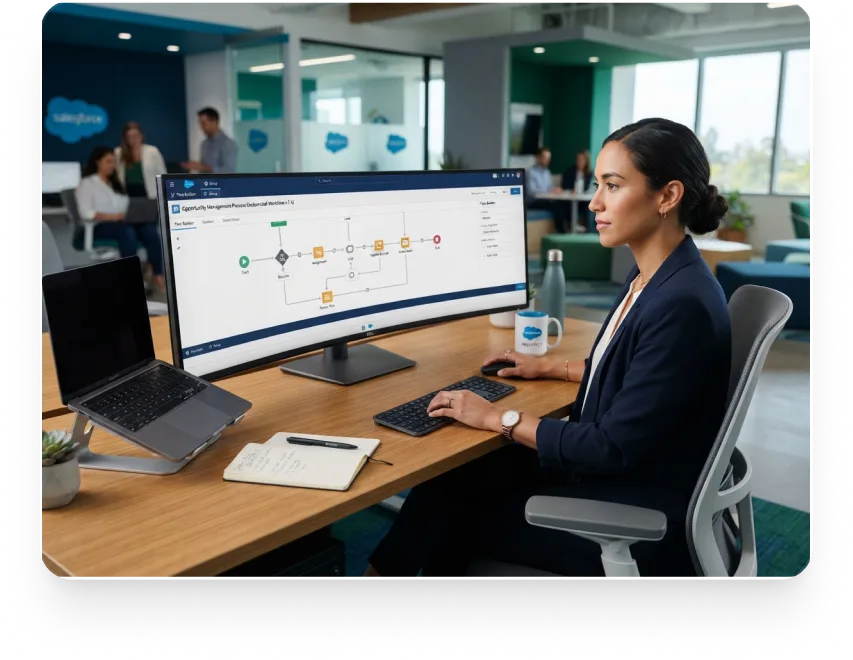
Flow Automation and Legacy Rule Cleanup
We start with an inventory of every active Workflow Rule and Process Builder process, because the list shows which ones to rebuild first.
Each one is then rebuilt as a Flow, tested in a sandbox and retired.
Rules with tasks or related-record fields get a manual rebuild because the Migrate to Flow tool handles only record-triggered processes, and larger builds go to our Salesforce automation services team.

Data Quality, Imports and Duplicate Rules
Data Import Wizard loads up to 50,000 records at a time, and Data Loader takes larger files, so big clean-ups run as scheduled loads and small fixes go through the wizard.
We map each file before loading, keep the source ID for rollback, and set up to 5 active duplicate rules per object so repeats get caught on save.
Deleted records stay restorable in the Recycle Bin for 15 days, so large deletions are scheduled with that window in mind.
Reports and Dashboards That Stay Usable
A report displays 2,000 rows, and a dashboard holds 25 widgets, of which 20 can be charts and tables.
We build reports on report types that match how your team asks questions, schedule subscriptions and share folders by role.
Dashboards get trimmed before they reach those caps, so users keep opening them.

Release Readiness and Sandbox Practice Across Every Salesforce Release
Salesforce ships Spring in February, Summer in June and Winter in October, and preview sandboxes open about 4 to 6 weeks before most production waves.
VALiNTRY360 refreshes a preview sandbox as soon as the preview window opens, tests your top flows, permission sets and integrations, and flags breaks while there’s still time to fix them.
Orgs that have never had a release review start with our Salesforce health check services.

Release
Sandbox Preview Begins
Production Waves
Spring ’26
Jan 9, 2026
Jan 16, Feb 13 and Feb 20
Summer ’26
May 8, 2026
May 15, Jun 5, Jun 12 and Jun 13
Winter ’27
Aug 28, 2026
Sep 4, Oct 2 and Oct 9
Sandbox type sets the test plan:
Developer and Developer Pro sandboxes refresh daily and hold metadata only.
Partial Copy sandboxes refresh every 5 days with up to 5 GB of sample data.
Full sandboxes refresh every 29 days with all your data, so Full refreshes get booked early.
The table shows the 2026 cycle, where the earliest wave of each release lands 1 week after preview opens, and your instance’s exact production date sits on the Salesforce Trust maintenance calendar.
We read the release notes, which Salesforce calls the authoritative source for changes, against your org’s flows, fields and permissions.
Access, Security and Handover Terms for Virtual Salesforce Admin Services
Remote access raises one question: who can change what in your org?
These 5 terms answer it.

Named accounts.
Each admin logs in with a named user and never a shared login, so every Setup Audit Trail entry has a person attached and a ticket to match.
Permission sets.
Admins work through permission sets and permission set groups, which Salesforce still recommends over editing profiles, and you decide which objects are in scope.
MFA on every login.
Salesforce has required MFA in its customer contract since February 1, 2022, and our admins sign in with it every time they open your org.
Audit history.
Setup Audit Trail shows 20 recent changes on screen and 180 days in a download, so we export it each month to keep your record longer.
Handover and exit.
Org documentation, the automation inventory and the open ticket list stay yours, and access ends on the exit date in the statement of work.
VALiNTRY360 signs an NDA before any admin gets access, and the documentation grows with each ticket, so a handover is a file transfer.
Login History keeps up to 20,000 sign-ins from the past 6 months, so a sign-in question has an answer on file, and these terms go into every statement of work.
In-House vs Outsourced Salesforce Admin: Where Each Fits
The table compares in-house hiring with outsourced Salesforce administration on the points buyers raise most.
Factor
In-House Hire
Virtual Admin Desk
Start time
Recruiting, hiring and ramp-up come before the first ticket
Work starts within days of a signed NDA and statement of work
Coverage
Gaps appear during leave, vacations and after a resignation
The team behind the desk keeps the queue moving through absences
Skill range
One person’s certifications and experience
Admin skills, with developer and consultant escalation
Business context
Deepest, built over years of daily use in your org
Built during onboarding and kept in org documentation
Workload fit
Steady daily volume, 100+ users or several clouds
Variable volume, typically under 100 users, with hours banked
Day-to-day control
Direct, with the admin sitting in your meetings
Through the ticket queue, weekly summaries and monthly review
Stay in-house when daily volume fills a full week or your org spans several clouds, and see our page to hire a Salesforce administrator if you want one named person.
Go hybrid to settle the in-house vs outsourced Salesforce admin question without picking a side: you keep approvals and data decisions, and the virtual admin handles builds and upkeep.
Salesforce Admin Cost and How Monthly Hours Add Up
Salesforce admin cost with VALiNTRY360 is quoted after a scoping call, because your org decides the hours.
Our indicative hours for ongoing support, as listed on our Salesforce support page, run:
Under 50 users:
10 to 20 hours a month
50 to 200 users:
20 to 60 hours a month
200 to 750 users:
60 to 120 hours a month
$81,537
average base pay on Payscale, updated March 2026
$90,724
average base pay on Indeed, updated October 2026
$155
an hour, the average fractional Salesforce admin rate one marketplace publishes
44 to 49 hours
a month, what those two base pay averages buy at $155 an hour
Base pay is only part of an in-house cost, since benefits, tools and recruiting time sit on top of it. Divided by 12, those two averages equal about 44 to 49 hours a month of fractional Salesforce admin time at $155 an hour.
At that marketplace rate, hours below that line cost less than base pay alone, and above it a full-time hire starts to make sense.
VALiNTRY360 doesn’t publish a price list, because ticket volume, clouds and integrations move the hours more than any rate does.
A fractional Salesforce admin model suits an org below the break-even line, and a free Salesforce audit turns your org’s size into a first hours estimate.
What Provider Pages Publish and What to Ask For
In October 2026 we read 15 provider pages that sell virtual Salesforce admin services, outsourced Salesforce administration or fractional help, and counted what each one publishes.
Item
Pages of 15
What to Ask Before You Sign
Own price or rate
4
A written rate and the hours it covers
Hours allowance
3
What each hours band buys in tickets and releases
Response time or SLA window
2
Severity targets and who sets them
Onboarding in steps
5
The first month laid out in steps
Limits or when not to use it
1
Which requests fall outside the monthly hours
Comparison with in-house hiring
11
Break-even hours against a full-time hire
Buyer checklist
3
What you must prepare before day one
Named case study with figures
0
A named client with published results
Counts come from our read of each page’s text, so prices shown only in images weren’t counted. Only 1 page states limits, 2 give response terms and none shows a named case study with figures, so VALiNTRY360 kept those parts of this page the most specific.
Get Hours, Response Terms and Exit Terms in Writing Before You Sign
Send us your user count, clouds and open requests, and we’ll scope your monthly hours and put response terms, access rules and exit terms in writing first.
Checklist Before Your Virtual Salesforce Admin Starts
Finish this list before the scoping call for virtual Salesforce admin services, because a filled-in list turns the first week into fixes instead of discovery.
Confirm your Salesforce edition, user count and the clouds your teams use every day.
List open requests and rank them by business impact, with the oldest items marked.
Name the person who approves changes and the person who owns data decisions.
Export Setup Audit Trail and Login History before older entries age out of the org.
Pick the ticketing tool and agree on categories and priority levels for requests.
Check that MFA is on for every user, including the accounts we will use for our admins.
Note your sandbox types, since a Full sandbox refreshes only once every 29 days.
List every Workflow Rule and Process Builder process that is still active in the org.
List connected apps and integrations, and flag any that use the username-password flow.
Agree on the monthly hours and the day of the month each report arrives.
Anything you leave blank becomes the first item we scope together on the call, and the finished list doubles as the start of your org documentation.
Case Studies Where Admin Work Kept the Org Easy to Run
Both projects below were VALiNTRY360 implementations, and neither was a virtual Salesforce admin services engagement. Each shows an outcome admin buyers ask about: an org a small team can run, and a recurring task that stopped eating hours.

All American Solar: A CRM Built to Run Without a Full-Time Admin
The solar panel distributor and installer needed a CRM easy enough to maintain without a full-time administrator. We delivered a Sales Cloud Quick Start with standard dashboards instead of custom development, and finished with 4 hours of on-site training.
Results:
The company recorded 16% quarterly growth year over year after implementation, and reporting on opportunities and sales metrics became easier and more efficient.
FinancialForce: Territory Assignment Without a Spreadsheet
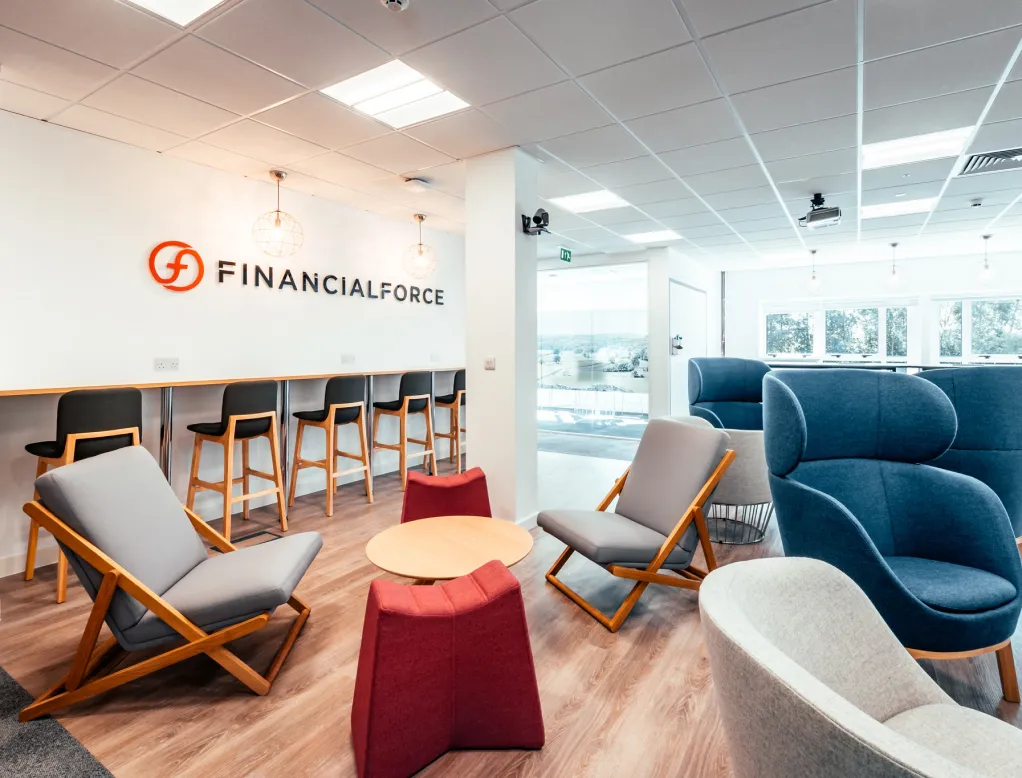
The financial software company planned account territories in spreadsheets across North America, Latin America, EMEA and APAC, and account distribution kept coming back as a recurring problem. We implemented Enterprise Territory Management and built assignment rules that place accounts in territories automatically.
Results:
Labor hours on territory planning fell 75%, and we eliminated the spreadsheet from account planning and distribution entirely.
Client Feedback on Support, Guidance, Responsiveness and Value
The four excerpts below come from client feedback published on our site.
They describe support and responsiveness on other Salesforce projects, and none mentions virtual Salesforce admin services.
Kevin Reiser
President, Tri-County Hearing Services
Support
“Would definitely recommend them as they were really nice, easy to work with, offered support, and enabled us to get the most out of our Salesforce instance.”
Christine Spencer
General Manager, All American Solar
Guidance
“They tailored Salesforce to fit our needs and wants and walked us through every step of the process. We could not be happier with the result!”
Erin Yeagley
Director Sales and Marketing, Academy Leadership
Responsiveness
“Since partnering with them, we’ve seen significant improvements in our sales and marketing processes, leading to increased efficiency and revenue. Their professionalism and responsive service make them an invaluable partner.”
Kelly Hicks,
CFO, BlueShift Cybersecurity
Value
“Their deep knowledge of Salesforce and industry best practices have enabled us to streamline our order-to-cash process and track key pipeline conversion metrics. They are thoughtful, easy to work with and budget conscious.”
Jeremy McPeak
@jwmcpeak
I just received an invite to @reflectnotes, and holy crap! It is well thought out, and I can see this being my note- taking platform going forward. Well done! I’m looking forward to seeing how the app progresses.
Jonathan Simcoe
@jdsimcoe
All righty. I have to give a massive shout-out to @maccaw for pioneering @reflectnotes. It has already matured to a point where it is a daily driver for me. The speed, focus, and attention to detail (especially perfect bits of structured data) is superb.
Certified Salesforce Administrators Behind Your Virtual Admin Desk
The certified professionals behind this desk are VALiNTRY360’s own implementation, customization and managed services team, and the administrators on your desk are part of it. The call below puts you in front of one of them, and you can learn more about VALiNTRY360 and the certified professionals behind our virtual Salesforce admin services on our About Us page.
2018
marks the year we became a Salesforce-branded partner
Winter Park, Florida
is home to our U.S.-based team
Salesforce Certified Platform Administrator
is the baseline credential for every admin
1 maintenance badge a year
keeps each certification valid
Senior admins add Platform Administrator II, Platform App Builder or a cloud consultant credential beyond that baseline.
Because credentials lapse without that badge, you can check on Trailhead that every one is current.
We share certification details for each admin so you can verify them there.
Talk to a Certified Salesforce Admin Before You Commit Hours
Tell us your edition, user count and biggest backlog, and a certified admin will walk through the scope, the monthly hours and the first tickets with you.
Virtual Salesforce Admin Services
FAQ by VALiNTRY 360
A virtual Salesforce admin is a certified administrator who works remotely in your org for agreed monthly hours. A fractional Salesforce admin is the same idea described by time share, so both cover users, automation, data, reports and releases without a full-time hire. The label changes with the vendor, and the scope sits in your statement of work.
Virtual admin services focus on admin work such as users, automation, data, reports and releases, billed on agreed hours. Managed services add severity-based response targets, wider coverage across clouds and developer work under one plan. You can start with admin hours and move to managed services as the org and the ticket volume grow, with the same org documentation as the starting point.
Yes, because each edition sets its own caps: Pro Suite and Professional: 5 active flows, plus 100 custom fields and 20 active validation rules per object. Enterprise: 2,000 active flows, plus 500 custom fields and 100 active validation rules per object. Unlimited: 2,000 active flows, plus 800 custom fields and 500 active validation rules per object. We plan automation and data models around the caps your edition sets.
We support Sales Cloud, Service Cloud, Marketing Cloud and Experience Cloud, and the same admin skills carry across them. Marketing Cloud and Experience Cloud work often adds cloud-specific setup, so we confirm the clouds on your scoping call and read each cloud's limits first. Agentforce support runs through a separate managed services plan with its own scope.
Tickets are logged in your ticketing tool and picked up at the start of the next business day by priority. Extended coverage for go-lives or teams in other time zones goes into the statement of work. Agreeing the priority levels up front tells everyone what counts as urgent before the first ticket arrives, and the same levels set the order of the queue.
Yes. If your last admin left notes, we compare them with the live org and log every gap as a ticket. Open requests, active flows and unused permission sets get an owner on our side or yours, so nothing sits unassigned. The first month becomes a mapping exercise, and we flag the departing admin's user for deactivation once the handover is done.
Apex development, large data migrations, integration builds and new cloud rollouts are scoped as separate projects, and our developers and consultants pick them up through the same queue. The admin desk stays on users, automation, data, reports and releases. Any request that needs code gets a written scope and an estimate before work starts, so the admin queue never waits on it.
Yes. User enablement runs through the ticket queue, so a question about a report or a record type becomes a ticket with a written answer you can reuse. We keep org documentation current, including the automation inventory and permission map. Both belong to you, and both stay in your hands if the engagement ends, so a new hire can pick them up.
Yes. Hours are agreed in the statement of work and can change with your workload. A fixed schedule of 40 or 80 hours a month is the part-time model for a named admin, and an hourly bank covers smaller or occasional work without a monthly commitment. A busy release month can carry more hours than a quiet one, and each change is agreed in writing.
Yes. Admins work inside your ticketing tool, or ours if you don't have one, and every request carries a category and a priority level. You get weekly ticket summaries and a monthly org-health report either way, so reporting looks the same in both setups. Keeping the queue in your tool means your team can see every request without learning a new system.