Hire Salesforce Administrator
Hire a Salesforce administrator from VALiNTRY360 and give your users an admin who answers today, not next week. Our U.S.-based, certified Salesforce administrators keep your org clean, your users unblocked and your reports trusted on a full-time, part-time or hourly basis, working within our Salesforce managed services practice, a Salesforce partner since 2018. Our Hire Salesforce Administrator service covers the daily ownership of the org: users and permissions, Flows, data quality, reports and dashboards, release readiness and the ticket queue, with a developer one escalation away when a request needs code.
When to Hire a Salesforce Administrator
A Salesforce administrator is the day-to-day owner of your org. Without one, admin work lands on a sales-ops lead or a developer: expensive in one case, neglected in the other. You are ready to hire a Salesforce administrator when several of these are true:

Tickets pile up. Password resets, report requests and permission changes wait days.

Data you do not trust. Duplicates, blank fields and dashboards that disagree with finance.

Automation nobody understands. legacy Workflow Rules and Process Builder still running alongside Flows.

Releases catch you off guard. features switch on, something breaks, nobody was watching.

Your only admin resigned. went part-time or now covers three other systems.

If the need is process design or a new cloud, you want a consultant; if it is Apex or integrations, a developer. We tell you which on the first call, and many clients pair a dedicated Salesforce admin with a part-time consultant.
| Question in front of you | Salesforce administrator | Consultant | Developer |
|---|---|---|---|
| Who owns it | Daily operation of the org | Process and solution design | Custom code and integrations |
| Typical work | Users, permissions, Flows, reports, data, releases | Discovery, data model, rollouts | Apex, LWC, APIs |
| Hire when | The org exists and needs a steady owner | Something new must be designed | Configuration cannot meet the requirement |
What Our Salesforce Administrators Deliver
Every Hire Salesforce Administrator engagement is scoped in the statement of work with ticket categories and priority levels agreed up front, and most cover six areas.

User and security management
Onboarding and offboarding, permission sets and permission set groups, profile clean-up, login policies and MFA compliance, so the right people see the right records and nobody else does.

Automation upkeep
Flow builds and fixes, migration of Workflow Rules and Process Builder to Flow, and assignment and escalation rules that route leads and cases without manual triage.

Reports and dashboards
Role-based dashboards, custom report types, scheduled reports for leadership and documented KPI definitions, so sales, service and finance stop arguing about whose number is right.
Data quality
Duplicate rules, validation rules, mass updates, Data Loader imports and exports, and field usage audits, aligned to our Salesforce data governance practice so the clean-up holds.

Release management
Release notes review, sandbox testing of new features, adoption of the updates that matter and change communication to users before each of Salesforce's three annual releases.

User support and enablement
Ownership of the ticket queue, how-to guides, in-app prompts and short training sessions, so users stop building workarounds and adoption stops slipping.

Salesforce Clouds and Apps Our Administrators Support
Our certified Salesforce administrators support the clouds and connected apps most orgs run:

Sales Cloud: lead routing, opportunity stages, forecasting setup and territory maintenance through our Salesforce Sales Cloud support practice.

Service Cloud: case assignment, queues, entitlements, knowledge and omnichannel routing through our Salesforce Service Cloud support practice.

Experience Cloud: portal users, sharing sets and member permissions.

Marketing Cloud and Account Engagement (Pardot): sync users, campaign fields and consent settings on the CRM side.

Revenue Cloud and CPQ: price book and product maintenance, quote template updates.

Agentforce and Data 360: user access, permission sets and data readiness checks for AI features.

AppExchange and connected apps: DocuSign, Conga, ZoomInfo, Gong, LinkedIn Sales Navigator, Slack, Teams and Zendesk administration.

Not Sure How Many Admin Hours You
Need? Start with a Free Salesforce Audit
Before you hire a Salesforce admin, let us size the job. Our free Salesforce audit reviews security, data quality, automation, architecture, licenses and adoption in five business days with read-only access, and returns a scored report and a prioritized 90-day plan, including whether part-time cover is enough.
Skills and Certifications of Our Salesforce Administrators
A certified Salesforce administrator should hold Salesforce Certified Administrator as the baseline, with senior admins adding Advanced Administrator, Platform App Builder and the cloud credentials your org runs on. We share certification details with every profile so you can verify them on Trailhead.
| Skill you need | Credential that proves it |
|---|---|
|
|
Salesforce Certified Administrator |
|
|
Advanced Administrator; Platform App Builder |
|
Security model, sharing rules, permission sets, login and MFA policies
|
Advanced Administrator |
|
|
Salesforce Certified Administrator |
|
|
Sales Cloud Consultant; Service Cloud Consultant (senior admins) |
|
|
Marketing Cloud Administrator; CPQ Specialist |

Beyond credentials, every admin we place is comfortable in Data Loader, sandboxes and change sets, common ticketing tools such as Jira, ServiceNow and Zendesk, and plain-English communication with users. Our U.S.-based team holds 50+ Salesforce certifications across the clouds we support.
Migrating Workflow Rules and Process Builder to Flow
Salesforce is retiring Workflow Rules and Process Builder in favor of Flow, and legacy automation running alongside new Flows is the most common source of “why did that field change” tickets. Migration to Flow is one of the first backlog items our administrators clear:
Inventory.
List every active Workflow Rule, Process Builder and Flow, with the object, trigger and owner.

Rebuild.
Recreate the logic in record-triggered or scheduled Flows, consolidating overlapping automation per object.

Test.
Run the new Flows in a sandbox against real records and confirm results with the process owner.

Retire.
Deactivate the legacy rules, document what replaced them and add the change to the automation register.
Release Management and Org Documentation
Our Admins Own
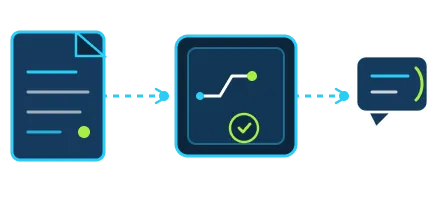
Salesforce ships three releases a year, and each one switches features on whether or not someone is watching. Our administrators review the release notes for your org, test relevant changes in a sandbox before they reach production, adopt the updates that help and communicate what changed to users.
Every engagement also builds toward documentation you keep: an org dictionary of objects and fields, an automation register and a record of decisions. Where the org has drifted, a periodic Salesforce health check gives the admin a scored baseline to work from.
Ticket Handling, Response Times and Escalation to Developers
Your administrator owns the ticket queue against response expectations agreed in the statement of work, by priority, through our Salesforce support framework:
| Ticket priority | What it covers | How it is handled |
|---|---|---|
| Urgent | Outages, login failures, broken automation blocking users | Immediate response within business hours, escalation path named |
| Standard | Report requests, permission changes, field updates | Same-business-day response, resolution scheduled |
| Enhancement | New Flows, dashboards, layout redesigns | Prioritized in the weekly backlog review |

When a ticket needs Apex, an integration fix or an architecture decision, it escalates to a developer or architect on the same team under the same point of contact, billed against your engagement or as a fixed-scope add-on. You receive weekly ticket summaries and a monthly org-health report covering tickets closed, automation changes, data-quality metrics and release readiness.
Ready to Hand Over the Ticket Queue? Request a
Salesforce Administrator Proposal
Share your user count, clouds, tools and last month’s ticket list, and we come back with an administrator profile, the recommended hours model and a start date. No commitment until you have interviewed the admin and agreed the scope.
Why Choose VALiNTRY360 to Hire a Salesforce Administrator
Four reasons clients hire Salesforce administrators from us rather than a freelance marketplace or an offshore bench:
Certified and supervised.
Every admin holds Salesforce Certified Administrator, verified on Trailhead, and is reviewed by senior admins and architects on the same team rather than working unsupervised in your org.
Escalation built in.
When a ticket needs code, an integration fix or a design decision, a developer or architect from the same bench picks it up under the same point of contact.
Release discipline and a documented org
We track release notes for every client org, test changes in a sandbox first, and leave you an org dictionary and automation register you own.
U.S.-based, on your hours.
Our administrators are U.S.-based and work your business hours inside your ticketing tools, backed by a support desk with response expectations written into the statement of work.
| Hiring factor | VALINTRY360 administrator | Freelance admin | In-house hire |
|---|---|---|---|
| Time to start | Days, after a scoping call | Variable | Two to four months |
| Part-time option | Yes, fixed weekly schedule | Sometimes | Rare |
| Developer escalation | Same team | No | Separate hire |
| Cover for leave | Bench replacement | None | Nobody |
Engagement Models to Hire a Salesforce Administrator
Choose the model that matches your user count and ticket volume, and change it as the org grows. All four are delivered by remote Salesforce administrators on U.S. business hours:
Full-time dedicated Salesforce admin
About 160 hours a month, your hours, your ticket queue
Part-time Salesforce admin
40 or 80 hours a month on a fixed weekly schedule
Hourly, on demand
A bank of hours for clean-ups, Flow migrations and release testing
Managed admin desk
Ticket-based support with response expectations, backed by our support team and an escalation path

One administrator can support several orgs or business units where volume allows; for larger estates we assign a small admin pod with a lead. If you prefer fully remote, on-demand coverage without a named hire, our virtual Salesforce admin services run on the same team.
How to Hire a Salesforce Administrator from Us in Four Steps
You see how the administrator works in a real org before you commit:
◌
Share your org
A short call on user count, clouds in play, monthly ticket volume, the ticketing and collaboration tools you use, and the hours model you have in mind.

◫
Review the administrator proposal
We propose one or more admin profiles with Trailhead certification links and summaries of comparable orgs, matched to your clouds, user count and start date.

▣
Interview and run a practical
You interview the admin directly. If you want it, we add a practical in a demo org, such as building a record-triggered Flow or fixing a sharing issue.

▣
Onboard and hand over the ticket queue
NDA and statement of work with ticket categories and response expectations, access under permission sets you control, then documentation of the current setup and handover of the queue.
Hire a Certified Salesforce Administrator
from VALiNTRY360 Today
Give your users a Salesforce admin who answers today. Share your org details, interview the administrator, agree the hours and response expectations, and start your Hire Salesforce Administrator engagement with a plan you can hold us to. Call 800-360-1407 or email info@VALiNTRY360.com to hire a Salesforce administrator from VALiNTRY360.
Hire Salesforce Administrator FAQ by VALiNTRY360
Cost depends on the hours model, the number of users and clouds, ticket volume and whether the org needs clean-up before steady-state support. We quote after a scoping call or audit, with scope, hours and response expectations named.
After a short call about your org we propose admin profiles with certification links and availability. You interview them directly, and once the NDA and statement of work are signed, the handover of your ticket queue starts in days.
Yes for almost every org. Administration happens inside Salesforce, your ticketing tool and your collaboration channels, all remote by design. Our administrators work U.S. business hours in your tools, so response is no slower than a desk nearby.
Yes. We start with a current-state review of objects, fields, automation, permissions and integrations, record what we find in an org dictionary and automation register, then stabilize before improving, so nothing is changed without knowing why it exists.
Hire a dedicated administrator when you want a named person owning your queue and org day to day. Choose a managed services plan when you want coverage and response expectations without a specific individual. Both come from the same team.
Yes. Many clients pair an in-house admin with ours to clear backlog, cover leave or add senior skills such as Flow migration and security clean-up. We agree who owns which tickets and objects so nothing is done twice.
Yes. License review is part of the audit and ongoing support: reclaiming licenses from departed users, matching license types to actual usage, retiring unused AppExchange apps and flagging renewals early, so you stop paying for seats nobody logs into.
Yes. The admin works through the Security Health Check findings: session settings, password and MFA policies, profile clean-up, permission set tightening and field-level security, prioritized by risk and tested in a sandbox before production.
Yes. The admin configures and monitors backup through Salesforce's native tools or your chosen backup app, documents the restore process and tests it, so a mass update or deletion can be reversed without a support case.
Yes. Changes are built and tested in a sandbox, approved by the owner you name, deployed through change sets or your release pipeline and logged in the automation register, with users told what changed before it reaches them.
Only where the work requires it. We work under permission sets you control, use a dedicated named login rather than a shared account, and limit System Administrator rights to tasks that need them, removing access when the engagement ends.
Login frequency, record completeness, report and dashboard usage, ticket volume by category and time to close are tracked in the monthly org-health report, so adoption is measured against a baseline rather than described.
Yes. Our admin can own day-to-day operations, user support and data quality while the implementation partner builds, then take over release management and the ticket queue at go-live with the documentation already in hand.
Full-time and part-time administrators are billed monthly, hourly banks carry no monthly commitment, and terms for scaling up or down are agreed once in the statement of work. Many clients start part-time and move to full-time as ticket volume grows.
Tickets are logged in your ticketing tool and picked up at the start of the next business day by priority. For go-lives or global teams needing extended coverage, we agree hours and escalation in the statement of work.