
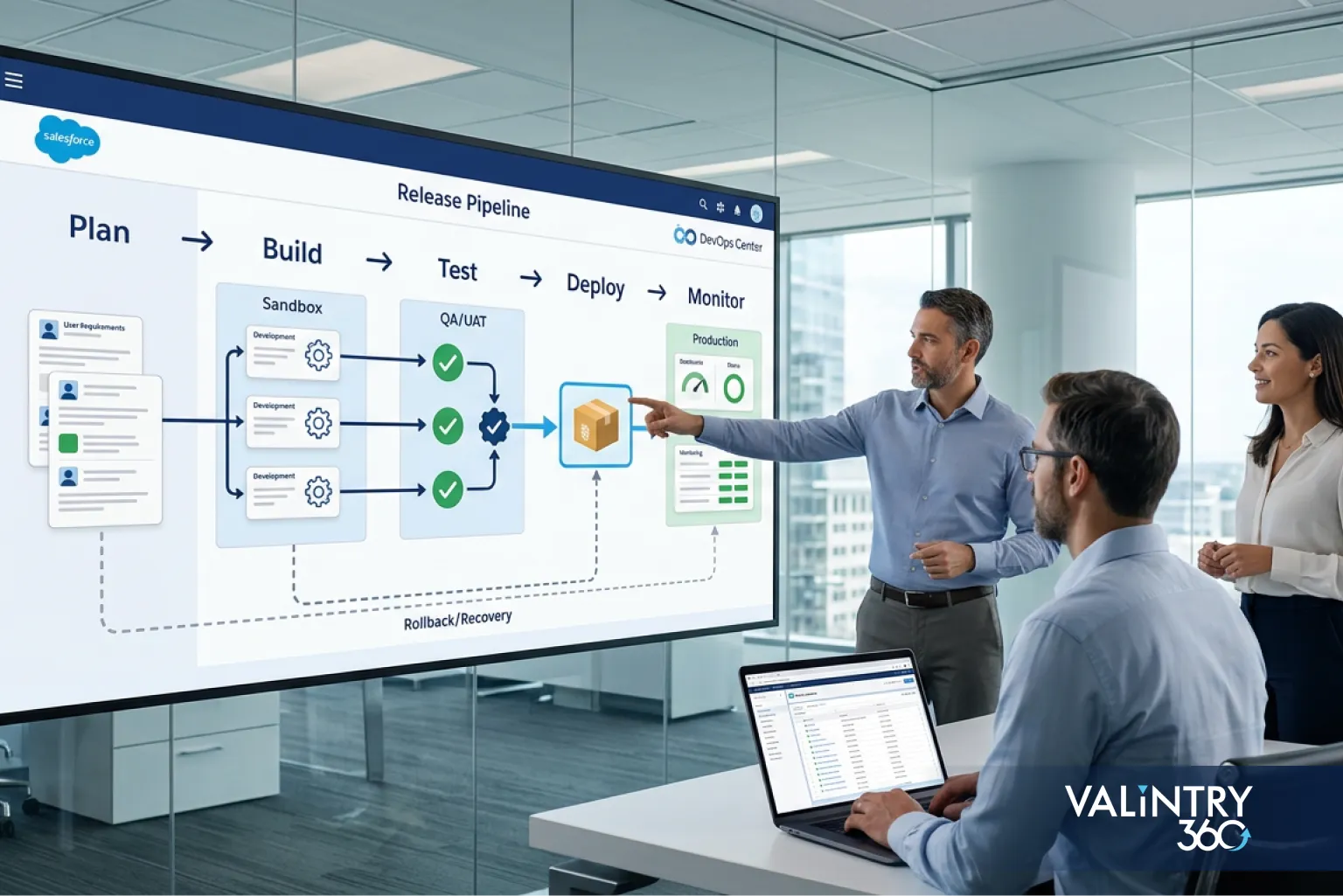
- Salesforce Development Services
Salesforce changes come from everywhere. Admins tweak page layouts. Developers ship Apex.
Integrations push metadata changes of their own.
A handful of other changes stack on top of that every week:
- Flows get rebuilt mid-quarter
- Permissions shift as teams reorganize
- Package updates land on their own schedule
- Business requests arrive that touch three clouds at once
Without a defined path, all of that collides in production, usually surfacing only after a user reports something broken.
A Salesforce release management framework gives every one of those changes a route from request to production, with the same checks applied every time. This guide covers release ownership, environments, Git, deployment methods, release paths, testing, approvals, production deployment, recovery, cost, and how Salesforce’s own seasonal releases fit into all of it.
Think of it as a practical map of Salesforce DevOps, grounded in what Salesforce’s own tooling actually supports in 2026. By the end, you’ll have a working model you can apply directly to your own org.
What Is a Salesforce Release Management Framework?
A Salesforce release management framework is the set of policies, roles, environments, source-control rules, test gates, approvals, deployment methods, and recovery steps a team uses to move Salesforce changes into production. A single tool can’t replace it, since it’s the system deciding how work enters the pipeline, where it gets built, and what has to happen before anything goes live.
Two orgs can run the exact same Salesforce edition and still have wildly different release outcomes. The framework built around the platform is what determines whether a deployment is routine or risky, more than the platform itself.
At a glance, the framework controls:
- How work enters the process, and who owns it
- Where changes get built and tested
- Who reviews and approves production release
- How deployment happens, and what gets checked afterward
The next section names all 8 controls in detail. This is only the quick version, enough to recognize the shape before the full breakdown.
Tool comparisons, like Change Sets versus DevOps Center versus the Salesforce CLI, come later in this guide. For now, treat the framework as the rulebook that sits above any one tool.
The tool changes as Salesforce’s own tooling evolves. The rulebook shouldn’t have to change with it, which is the main reason to design a Salesforce deployment process around principles first and a specific product second.
Why Salesforce Teams Need a Release Management Framework
Most orgs don’t set out to build chaos. It accumulates. Here’s where it comes from.
Parallel changes collide. Two admins edit related metadata the same week. One developer builds a Flow trigger that depends on a field another team is renaming. Neither finds out until a deployment fails.
A framework assigns ownership before work starts, so conflicts surface early instead of at deploy time.
Production becomes the working copy. Without a defined build environment, it’s tempting to configure directly in production because it’s faster. That’s also how untested changes ship to every user at once, with no record of what changed or why.
Testing differs between releases. A one-field label update doesn’t need the same testing as a change touching Apex, integrations, and permissions. Teams that don’t tie testing depth to release risk end up either over-testing trivial changes or under-testing the ones that matter.
Dependencies appear late. Flows, Apex, permissions, objects, integrations, packages, and data all connect in ways that aren’t obvious until something breaks. A framework builds dependency checks into the process instead of discovering them in production.
Recovery becomes improvised. A failed deployment without a known recovery path turns into a scramble. Teams that define recovery before the release window starts fix the problem in minutes. Teams that don’t spend hours figuring out what to do first.
Each one is a specific failure mode that shows up as a Salesforce org grows past one admin and one developer. The bigger the team gets, the more a defined Salesforce release management process matters.
Several of these breakdowns show up repeatedly across real client engagements, and the fix was rarely a new tool. A defined process, applied consistently, closed the gap instead.
The 8 Controls in a Salesforce Release Management Framework
This breaks a working Salesforce release management framework into 8 controls, drawn from Salesforce’s current delivery model and documentation rather than a single vendor’s playbook. It’s the pattern that shows up when a Salesforce release management process holds under real org growth.
Salesforce’s own guidance backs the direction here. The company’s DevOps Center overview steers teams toward next-generation DevOps Center as the starting point for anyone new to release tooling, and positions it as the modern alternative to change sets.
Salesforce has also retired the Ant Migration Tool, its older command-line deployment tool, and now points teams to the Salesforce CLI as the primary way to work with metadata. Both signals point the same direction: source-driven, structured release paths over ad hoc, manual ones.
The 8 controls:
- Change intake. Every production-bound change has an owner, a purpose, a defined scope, known dependencies, and a target release. No change enters the pipeline without these five things recorded somewhere.
- Risk classification. Changes get grouped by production risk before the team picks a test and approval path. A permission change and a data-model change don’t belong on the same track.
- Source control. Production-bound metadata lives in Git or another approved source-control system. This is what makes a release auditable after the fact.
- Environment path. The team defines exactly where development, QA, integration testing, UAT, and final validation happen, and which environment feeds the next one.
- Test gates. Required checks get assigned to specific stages instead of being left until the moment of production deployment, when there’s no time left to fix what testing finds.
- Release approval. The framework spells out who can approve each release type, so approval isn’t a verbal nod from whoever happens to be in the room.
- Deployment and recovery. Production promotion and recovery steps get documented before the release window opens, while there’s still time to think clearly about them.
- Post-release review. The team verifies production behavior after deployment and records anything that should change future release rules.
The rest of this guide expands on these 8 controls. Later sections apply them to specific decisions, roles, environments, and tools, but the controls themselves don’t change.
Who Owns a Salesforce Release: Roles, Approvals, and Release Calendar
| Role | Main release responsibility |
|---|---|
| Business owner | Confirms the business requirement and signs off on acceptance |
| Admin or developer | Builds the approved change |
| Technical lead or architect | Reviews dependencies and technical design |
| QA | Runs the functional and regression tests assigned to that release |
| Release manager | Controls scope, timing, approvals, and production promotion |
| Product owner | Confirms release priority against everything else in the queue |
| Security or compliance reviewer | Reviews changes when the release type requires it |
| Support owner | Monitors the system after release goes live |
Small teams often combine two or three of these roles in one person. That’s fine. What matters is that each responsibility has a named owner, even if one person wears multiple hats, so a release never stalls over an unclear call.
The release calendar sits on top of these roles. It needs to account for:
- Scheduled production windows
- Release cutoffs, the point after which no new changes get added to that release
- Freeze periods around high-traffic business events
- A path for emergency releases outside the normal schedule
- Salesforce’s own seasonal-release dates
- Any dependency on systems outside Salesforce that the release also touches
A calendar that only lives in one manager’s head breaks the first time that person is out. Publish it somewhere the whole team can see, and update it as part of the intake step, while the release date is still being set.
This kind of gap, a schedule that exists only in one person’s head, is usually the first thing that surfaces once a team formalizes its Salesforce consulting approach, since architecture and release planning tend to get structured together.
How to Design the Salesforce Environment Path
The environment question comes down to one thing: which environment belongs at each release stage, and how much does that environment cost you in refresh time.
Salesforce currently documents 4 sandbox types plus scratch orgs, each with a different job:
| Environment | Best release use | Data | Refresh cycle |
|---|---|---|---|
| Developer | Individual configuration and development | Limited (200 MB) | 1 day |
| Developer Pro | Development needing more test data | Limited (1 GB) | 1 day |
| Partial Copy | QA, integration testing, UAT | Selected production data (5 GB) | 5 days |
| Full | Final production-like testing | Full production copy | 29 days |
| Scratch org | Disposable source-driven development | Created as needed | Temporary |
A Typical Environment Path
A common path looks like this: developer environment, then integration or QA, then UAT, then staging or final validation, then production.
Not every release needs to touch every stage. A small configuration fix might skip straight from development to QA. A large Apex and integration change probably touches all 5, and that’s the point of tying environment depth to release risk instead of running every change through the same fixed pipeline.
Scratch orgs deserve a separate mention here, because they solve a different problem than sandboxes do. A sandbox copies something from production, whether that’s metadata alone or metadata plus data. A scratch org starts empty and gets built entirely from what’s in source control.
Scratch orgs end up being a strong fit for isolated, disposable development work, where a developer wants a clean environment for one change and doesn’t need production data to test it. They’re a weaker fit for UAT or performance testing, where production-like data and scale actually matter.
Source tracking is the detail most release-management guides skip. It’s always on in scratch orgs and can be enabled for Developer and Developer Pro sandboxes, but Salesforce doesn’t support it in production orgs, Partial Copy sandboxes, or Full sandboxes. That limitation shapes which environments can realistically anchor a source-driven Salesforce release management process and which ones stay dependent on manual comparison.
Preview and Non-Preview Sandboxes
Sandbox placement matters more than teams expect during Salesforce’s own seasonal upgrade window. Preview sandboxes upgrade to the new platform version weeks before production does.
During that window, a preview sandbox and a production-aligned sandbox can temporarily run different platform versions at the same time. Testing in the wrong one gives you results that don’t reflect what production will actually do once the upgrade lands there too. Teams that plan seasonal testing without accounting for this often end up re-testing work they thought was already done, simply because it ran against the wrong platform version the first time.
Source Control, Branching, and Release Artifacts
Once environments are defined, the next question is what becomes the system of record for a release.
Next-generation DevOps Center is built on connected source control, either a GitHub.com cloud plan or Bitbucket Cloud, combined with pipeline and release environments. That’s a deliberate shift.
It means the repository is what a team should treat as the record of what a release actually contains, ahead of any single org. If an org gets rebuilt, restored from backup, or handed to a new admin, the repository is what tells you what’s actually supposed to be there.
Source-control policy. Production-bound metadata should enter the repository through the team’s defined development path, with release branches getting updates only through that same path.
Branch policy. Feature branches for individual changes, release branches where the team’s release cadence calls for one, and merging that goes through a defined review step rather than a direct push.
Pull-request review. Reviewers should check for dependency conflicts, adherence to naming and metadata standards, and whether the change matches what was scoped at intake, alongside the usual check that the code compiles.
Release artifact. The team needs to know exactly what metadata, code, configuration, and manual steps belong to a given release. If a step can’t be automated, it still needs to be written down.
Dependency tracking. This includes related Flows, permission changes, object changes, Apex, Lightning web components, and integration dependencies. Missing one of these is the most common reason a deployment that passed every test still breaks something in production.
Getting this right takes a policy the team actually follows, more than any particular Git skill. It’s also one of the first things Salesforce development services engagements formalize, since ad hoc custom development is what breaks a release path fastest.
Change Sets vs DevOps Center vs Salesforce CLI vs Unlocked Packages
Every Salesforce deployment process eventually runs into this decision, and it’s one of the more visible Salesforce DevOps choices a team makes. All 4 methods work. They just fit different team shapes.
| Method | Suitable for | Source control | Automation potential | Main consideration |
|---|---|---|---|---|
| Change Sets | Smaller org-based workflows | Limited | Low | Manual handling grows with complexity |
| DevOps Center | Mixed admin and developer teams | Yes | Medium to high | Requires a defined source-control workflow |
| Salesforce CLI | Developer-led source workflows | Yes | High | Requires technical skills |
| Unlocked packages | Modular Salesforce development | Yes | High | Requires package-aware architecture |
2026 DevOps Center Note
This is worth its own callout because it changed recently, and a lot of existing guides haven’t caught up. Salesforce now steers teams that are new to DevOps Center toward the next-generation version, built directly on the Salesforce Platform.
As of April 2026, new downloads and installations of the older managed-package version of DevOps Center are no longer supported. Existing installations keep running, but Salesforce recommends migrating.
Next-generation DevOps Center is available by default in supported editions, including Professional (with API access), Enterprise, Performance, Unlimited, and Developer, and connects to source control and release environments out of the box, rather than requiring a separate managed package install. It also adds pipeline testing, work items to track individual changes, and activity history so a team can see what happened across a release without reconstructing it from memory.
One capability worth flagging before you build a process around it: DevOps Center Governance, the layer that applies security and compliance policy automatically, is currently labeled Developer Preview by Salesforce. That means it’s available to try, but it isn’t a production-ready control yet.
Watch it for now, and check back before you build a compliance program on top of it. Salesforce’s setup considerations for next-gen DevOps Center cover which editions and source-control providers it currently supports.
If your team is picking a Salesforce deployment process for the first time in 2026, next-generation DevOps Center is the version to evaluate. Some older guides still describe the managed-package version as the default; that guidance is stale.
How to Create Risk-Based Salesforce Release Paths
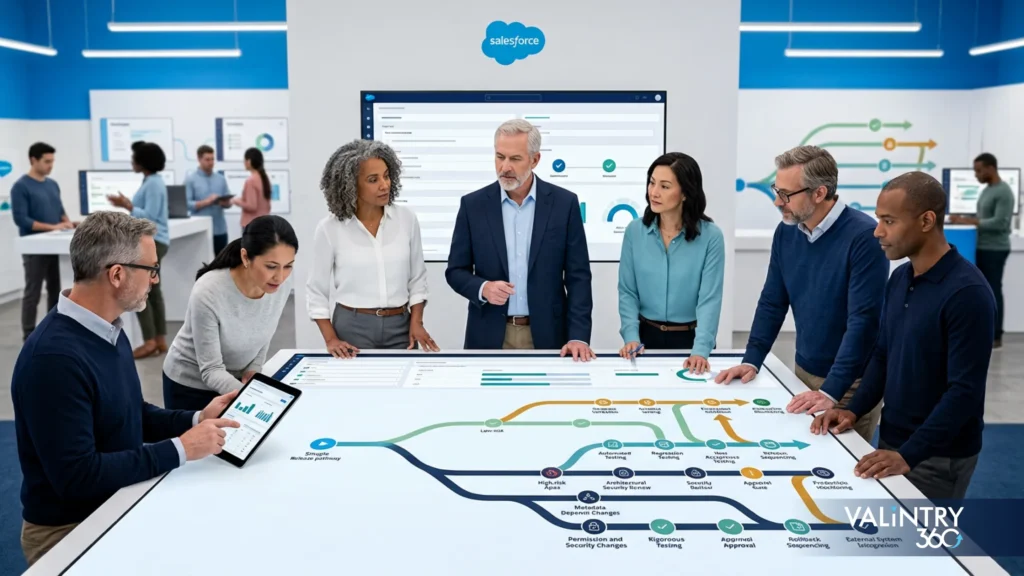
This is one of the clearest ways a Salesforce release management framework earns its keep. The same release path shouldn’t apply to a one-field label update and a large Apex-plus-integration change. Forcing both through identical testing and approval either slows down trivial work or under-tests the changes that can actually break something.
Release class | Example | Testing depth | Approval | Release window |
|---|---|---|---|---|
Low risk | Small configuration change | Targeted tests | Lightweight approval | Standard window |
Medium risk | Flow or permission change | Functional and regression checks | Technical and business approval | Scheduled |
High risk | Apex, integration, data model, major automation | Full assigned test path | Multi-role approval | Controlled window |
Emergency | Production defect or urgent security issue | Minimum safe emergency tests | Emergency authority | Immediate controlled path |
Teams define classification rules from a handful of inputs:
- The metadata type involved
- Which business process the change affects
- How many users touch that process
- Whether an integration depends on it
- The security impact
- The data impact
- How difficult a rollback would be if something goes wrong
These inputs don’t need a scoring algorithm. A short set of written rules, applied consistently at intake, is enough to sort most changes correctly, and the real value is making the classification decision once, before development starts, rather than arguing about it the night before a release.
Larger, multi-cloud implementations tend to generate more high-risk releases by default, which is one reason teams running a broader Salesforce implementation alongside ongoing releases often formalize risk tiers earlier than smaller single-cloud orgs do.
This classification step is the bridge between governance and testing, and it’s what keeps a Salesforce deployment process from treating every change the same way. Once a change has a risk tier, the next section’s testing and quality gates follow from it directly.
Testing and Quality Gates Before Production
Testing is where a lot of Salesforce release management best practices fall apart in practice, usually because the testing model hasn’t kept up with what Salesforce’s own tooling now supports. This is also where Salesforce DevOps has changed the most since older guides were written.
Test type | Main purpose | Typical stage |
|---|---|---|
Static analysis | Code and configuration issues | Early development |
Apex unit tests | Programmatic logic | Development and promotion |
Flow tests | Declarative automation behavior | Development and QA |
Integration tests | Connected-system behavior | QA |
Regression tests | Existing business processes | QA or staging |
UAT | Business acceptance | UAT |
Production validation | Confirm deployability | Before release |
Smoke tests | Confirm key production functions | After release |
Next-generation DevOps Center’s native testing and quality gates now support Apex tests, Flow tests, and Code Analyzer checks directly in the pipeline, with gates that can stop a work item from promoting when required criteria fail. A failed Apex test, code coverage that drops below the org’s threshold, or a critical security finding from Code Analyzer will each halt the pipeline automatically. That’s a meaningful shift from testing as a manual step someone remembers to run.
Quality Gates
Gate conditions should correspond to release risk rather than apply uniformly. The common categories are:
- Required tests passed
- Code review complete
- Critical static-analysis findings resolved
- UAT approved
- Security review complete, where the release type calls for it
- Production validation complete
A low-risk change might only need to clear 2 or 3 of these categories. A high-risk change should clear all of them, in order, with each one recorded so the release approval step in the 8-control framework has something concrete to check. The production release readiness checklist later in this guide turns these categories into a literal item-by-item sign-off; recording gate results consistently here is what makes that checklist trustworthy rather than a formality.
Integration-heavy releases raise the stakes here, since a passing unit test doesn’t guarantee a connected system still behaves correctly. A closer look at technical debt and security practices covers how governed releases and health monitoring fit into this picture. Teams working with Salesforce integration services typically build this kind of test coverage directly into the pipeline for exactly this reason.
Salesforce Release Management Process From Intake to Production
Here’s how the 8 controls and the risk-based paths above come together into an actual Salesforce release management process, start to finish. This is the Salesforce deployment process most of this guide has been building toward.
The controls define what has to be true at each stage. This section defines the order those things happen in for one specific release, from the moment a change is requested to the moment it’s confirmed working in production.
Step 1: Capture the change. Record the requirement, the owner, the reason for the change, known dependencies, affected components, and the intended release.
Step 2: Classify release risk. Assign the release path before development begins, using the risk categories from the previous section.
Step 3: Build in the assigned environment. Keep production out of routine development entirely. Every change gets built somewhere else first.
Step 4: Commit and review the change. Move the approved source through the team’s repository workflow, with review before it advances.
Step 5: Promote through test environments. Run the checks assigned to that specific release category.
Step 6: Obtain business and technical approval. Record the required sign-offs before anything touches production.
Step 7: Validate and deploy. Salesforce supports validating a deployment against the target org before actually applying it. Validation itself doesn’t save anything to the org. It just confirms the deployment is ready before the team commits it.
Where a team uses Quick Deploy, Salesforce requires the components to have passed validation against that target environment within the last 10 days, with required tests already passed and code coverage at 75% or higher. Miss that 10-day window, and the team has to re-validate before it can deploy, which is a good reason not to let a validated release sit unused for too long.
Step 8: Verify production. Run smoke tests, check integrations, monitor for errors, and record anything that needs follow-up work. This step feeds directly into the post-release review control from the framework above, so it belongs on the release itself, with a named owner and a deadline the same day.
For readers who want the execution-level detail behind steps 3 through 8, VALiNTRY360’s guide to moving Salesforce releases from sandbox to production goes deeper into the deployment mechanics. This guide focuses on the framework that decides when and how those steps get triggered.
Salesforce Production Release Readiness Checklist
Use this before any production window opens, once the risk classification, testing, and approval steps above are already done. Each item should take one honest yes or no. If an item can’t get a clean yes, that’s the signal to push the release rather than talk yourself past it, even under schedule pressure.
This is the final gate, so each line here maps back to a control or a test gate covered earlier in this guide, condensed into a single check you can run through in the minutes before a release ships.
This list reflects current Salesforce release management best practices, built specifically around how Salesforce deployments actually behave rather than a generic IT change-management form. Run through it the same way every time, whether the release is routine or high-stakes, so it catches gaps consistently instead of only when someone remembers to be careful.
- Release scope is locked
- Dependencies are recorded
- Source branch is current
- Peer review is complete
- Required static checks passed
- Apex tests passed where applicable
- Flow tests passed where applicable
- Integration testing is complete
- Regression testing is complete where required
- UAT approval is recorded
- Production deployment has been validated
- Manual deployment steps are documented
- Recovery procedure has been reviewed
- Production window is approved
- Post-release test owner is assigned
- Monitoring owner is assigned
Copy this straight into an internal release runbook. A checklist that lives only in someone’s head doesn’t survive that person being on vacation during a release window.
Recovery, Hotfixes, and Post-Release Verification
Most release-management guides spend a paragraph here. That’s a mistake, because this is where a Salesforce release management framework either holds up under pressure or falls apart. A team can get every other control right and still lose an entire release window to an unplanned recovery.
Recovery Plan
Before the production window opens, the team should already know:
- Who’s responsible for the go or no-go decision if something goes wrong
- What the decision point actually is
- Whether the fix is a deploy-back or a corrective change
- What data-recovery considerations apply
- Who gets told, and how
Write these down once and store them where the whole team can find them. The recovery plan belongs inside the release artifact itself, where the team will actually see it under pressure.
Emergency Hotfix Path
Emergency work still needs structure, just a faster version of it:
- A named owner
- A scope kept as narrow as possible
- Testing appropriate to the fix, even under time pressure
- Documented approval, even if that approval happens over chat instead of a meeting
- Source-control reconciliation afterward, so the emergency fix doesn’t get lost or overwritten by the next normal release
A fast path only holds up when it’s defined ahead of time. Set it now, while there’s no live production issue forcing the decision.
Post-Release Verification
After deployment, check:
- Smoke tests
- Scheduled jobs
- Flow failures
- API and integration errors
- User-critical processes
- Deployment logs
Record any incident for the post-release review step in the 8-control framework.
Ongoing release support, including sandbox testing before changes go live, is one of the standard scopes inside a Salesforce managed services engagement for teams that don’t run this in-house.
How Salesforce Seasonal Releases Affect Your Framework
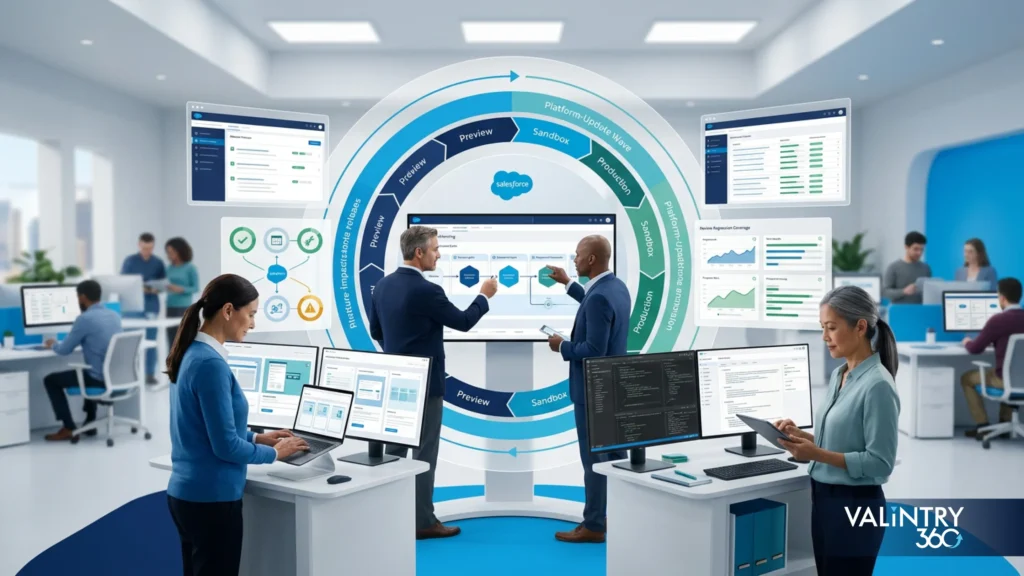
This is a distinction a lot of competing guides blur, and it causes real confusion. A company’s own Salesforce releases and Salesforce’s platform releases are two different processes that happen to intersect.
Salesforce currently ships 3 major platform releases a year: Spring in February, Summer in June, and Winter in October. Sandbox preview for each one typically starts about 4 to 5 weeks before the production upgrade.
Organizations can’t opt out of these upgrades or push them back indefinitely. They’re coming whether your internal release calendar is ready or not, so they belong on that calendar rather than getting handled as a surprise 3 times a year.
Before sandbox preview: review the release calendar and identify which business processes are critical enough to need testing before the upgrade hits.
During sandbox preview: test customizations, integrations, automation, and key user processes against the new platform version while you still have time to catch problems.
Before the production upgrade: record any issues found, along with required fixes and feature changes that affect how your org behaves.
After the production upgrade: confirm critical paths still work and check for any Salesforce-enforced changes that landed with the release.
Seasonal-release readiness belongs on the same internal release calendar as your own deployments. A team that treats it as a separate, unowned process is usually the one caught off guard when it lands.
What a Salesforce Release Management Framework Costs and How to Assess Maturity
Cost Drivers
Environment choice has a direct licensing cost. On Salesforce’s official sandbox pricing, a Developer Sandbox comes included with CRM licenses at no extra charge. Developer Pro runs 5% of net spend, Partial Copy runs 20%, and Full Copy runs 30%.
Salesforce states these figures are informational and subject to change, so confirm current numbers with your account team before budgeting. Scratch orgs are priced separately, on a different page, at $25 per org per month as a platform add-on for Enterprise and Unlimited editions, billed annually.
This split matters when building an environment budget: the 2 pricing sources don’t live on the same page, and treating scratch orgs as free because they’re not sandboxes is a common budgeting mistake.
Beyond environment licensing, the other cost areas worth budgeting for include:
- Sandbox licenses beyond what’s included
- The source-control platform itself
- CI/CD or release tooling
- Automated testing setup and maintenance
- Backup and recovery infrastructure
- Developer and QA time
- Release-management ownership, whether that’s a dedicated role or a shared responsibility
- Security scanning
- Integration-test environment setup
- Outside Salesforce support, if the team brings one in
There’s no honest single number for what a Salesforce release management framework costs. It depends on org size, team structure, existing licenses, environment needs, compliance requirements, and which toolchain the team picks.
Anyone quoting a flat figure without knowing those details is guessing. Treat that as one of the simpler Salesforce release management best practices: ask what’s driving the number before you accept it.
Release-Management Maturity Check
Here’s a way to see where your current process actually stands, across 6 areas. Score the process itself here, once, rather than scoring any single release the way the checklist above does.
Area | Early-stage signal | Mature signal |
|---|---|---|
Source of truth | Production org | Controlled source repository |
Release intake | Informal requests | Recorded release backlog |
Environments | Shared development | Defined environment path |
Testing | Late manual checks | Stage-based tests |
Approval | Verbal sign-off | Recorded gates |
Recovery | Fix after failure | Predefined recovery process |
Most teams land somewhere between the two columns, and that’s normal. What matters is picking the weakest row and fixing that one first, instead of buying tooling before the underlying Salesforce release management process is defined. A tool can’t fix a process that doesn’t exist yet.
More VALiNTRY360 Salesforce Case Studies Worth Reviewing
Everything above is a framework. If you want to see what a coordinated Salesforce release actually looks like once it ships, here are 5 VALiNTRY360 case studies worth reviewing, each involving the kind of multi-cloud coordination, migration control, or process redesign this framework is built to support.
- BIC Graphic: Coordinating Sales Cloud and Service Cloud in One Release
VALiNTRY360 built BIC Graphic a Sales Performance System spanning Sales Cloud and Service Cloud, integrated with the company’s existing ERP so field sales, inside sales, quoting, and service teams worked from one data set instead of separate handoffs. The rollout cut average handle time by 7 minutes per case and grew new pipeline by more than 27%.
Key takeaway: A multi-cloud rollout holds together only when the release path accounts for both clouds and the ERP integration moving in sync.
Read the full case study: BIC Graphic Sales Cloud and Service Cloud Case Study
- Real California Milk: Migrating Off SugarCRM Without Losing Control
VALiNTRY360 migrated Real California Milk from SugarCRM to Salesforce Sales Cloud, replacing manual reconciliation with an ETL-driven import process, automated MailChimp and Zoom integrations, and dashboards built on a single source of truth. Manual data-update work dropped from 500 hours a year to 4.
Key takeaway: A migration’s value shows up months later, in whether the destination org stays accurate on its own instead of needing manual patching every quarter.
Read the full case study: Real California Milk SugarCRM to Salesforce Migration Case Study
- AthenaPsych: Replacing an EMR Without Losing Patient Continuity
VALiNTRY360 replaced AthenaPsych’s legacy EMR with a custom Salesforce Health Cloud platform connected to Scheduler, Shield, Experience Cloud, and outside systems including Change Healthcare and Vonage. Within 6 months, 80% of patients were scheduled on the first call, clinical compliance errors dropped 75%, and CPT coding errors fell 69%.
Key takeaway: Replacing a system of record while the business keeps running calls for the same staged validation a release framework is built around, since a healthcare cutover has no room for an untested go-live.
Read the full case study: AthenaPsych Salesforce Health Cloud EMR Replacement Case Study
- TrialSpark: Coordinating 5 Products Under One Patient Operations Release
VALiNTRY360 combined Service Cloud, Salesforce Shield, Sales Cloud, Marketing Cloud, and Omnichannel routing into a single patient operations platform for TrialSpark’s clinical trials, backed by AWS Connect telephony and automated escalation flows. The result was 85% patient engagement in the first month of a new trial and a 77% cut in time to resolve support tickets.
Key takeaway: The more Salesforce products a release touches at once, the more dependency tracking and coordinated testing matter, and TrialSpark’s 5-product rollout shows that scale directly.
Read the full case study: TrialSpark Clinical Trial Patient Operations Case Study
- Tri-County Hearing Services: Replacing Memory-Based Follow-Up With a Repeatable Process
VALiNTRY360 configured Salesforce Health Cloud with Patient Relationship Management and High Velocity Sales cadences for Tri-County Hearing Services, replacing follow-up that depended on staff memory with automated lead routing and structured contact cycles. Patients now receive 7 touchpoints within 60 days, with no added developer work.
Key takeaway: A release that replaces an ad hoc process with a defined one keeps paying off long after the initial build. That durability is what a release management framework is meant to protect.
Read the full case study: Tri-County Hearing Services Salesforce Health Cloud Case Study
FAQs About Salesforce Release Management
What is a Salesforce release management framework?
It’s the combined set of policies, roles, environments, source-control rules, test gates, approvals, and recovery steps a team uses to move Salesforce changes into production safely and predictably.
What is the Salesforce release management process?
It’s the sequence a change follows from intake through production: capture, risk classification, build, review, testing, approval, validated deployment, and post-release verification.
Why does Salesforce need release management?
Because changes come from admins, developers, integrations, and business teams at once. Without a defined process, parallel changes collide and production becomes the default working environment.
What stages should a Salesforce release pipeline include?
Development, integration or QA testing, UAT, and a final validation or staging step before production, though not every release needs every stage.
How is Salesforce release management different from change management?
Change management covers the broader organizational process around a change, including business justification. Release management is the technical execution path that moves an approved change into production.
What is the role of Git in Salesforce release management?
Git, or another source-control system, becomes the record of what metadata and code belong to a release, replacing the org itself as the source of truth for production-bound work.
What is Salesforce DevOps Center?
It’s Salesforce’s native release-management tool. The current next-generation version runs on the Salesforce Platform and connects to source control, pipelines, testing, and quality gates.
Is DevOps Center replacing Salesforce Change Sets?
Salesforce positions DevOps Center as an alternative to change sets rather than a forced replacement. Change sets still work, but Salesforce steers new users toward DevOps Center.
Which Salesforce sandboxes should be used for release management?
Developer and Developer Pro for individual development, Partial Copy for QA and UAT with sample production data, and Full for final production-like validation before release.
When should a team use scratch orgs instead of sandboxes?
For disposable, source-driven development work where you don’t need production data and want a clean environment built directly from source control each time.
Which tests should run before a Salesforce production deployment?
Static analysis, Apex unit tests, Flow tests, integration tests, and regression tests where the release risk calls for them, followed by production validation before the deploy itself.
What are quality gates in Salesforce DevOps?
Checkpoints that block a release from advancing until conditions are met, such as passed tests, resolved static-analysis findings, and completed reviews.
How should a Salesforce team handle rollback and hotfixes?
With a predefined recovery plan that names a decision-maker, a corrective-change or deploy-back procedure, and a way to reconcile the emergency fix back into source control afterward.
How do Salesforce seasonal releases affect internal deployments?
They run on their own schedule, 3 times a year, and can’t be delayed. Teams need to fold sandbox-preview testing into their internal release calendar rather than treating it as a separate, unowned process.
How much does a Salesforce release management framework cost?
It depends on environment needs, tooling, and team structure. Sandbox costs run from included with CRM licenses up to 30% of net spend for a Full sandbox, with tooling and labor on top.
Related Posts
- Salesforce Development Services
Salesforce Release Management Framework
TL;DR Salesforce changes come from everywhere. Admins tweak page layouts and developers ship Apex. Integrations push metadata changes of their own.A handful of other changes stack on top of that every week. Flows get rebuilt mid-quarter, permissions shift as teams…
- Salesforce Development Services
Salesforce Headless 360: The Leader’s Guide to Headless…
IN SHORT Salesforce Headless 360 exposes your entire platform, including CRM, Agentforce, Data Cloud, and Slack, as APIs, MCP tools, and CLI commands. Instead of logging into a browser, AI agents built using headless code access data, trigger workflows, and…
- Salesforce Development Services
CRM Automation Made Smarter With Salesforce Customization Service
Are your CRM processes slowing down your team’s productivity? Salesforce Customization Services offer a practical option for businesses that need stronger automation, clearer workflows, and better daily output. Salesforce, as a CRM, provides a reliable cloud-based platform for managing customer…