
Agentforce For SDR Agent
VALiNTRY360 sets up the Agentforce SDR Agent on your Salesforce org, with clean lead data, approval controls and a measured pilot, so new leads get a reply in minutes and your reps get meetings, not busywork.
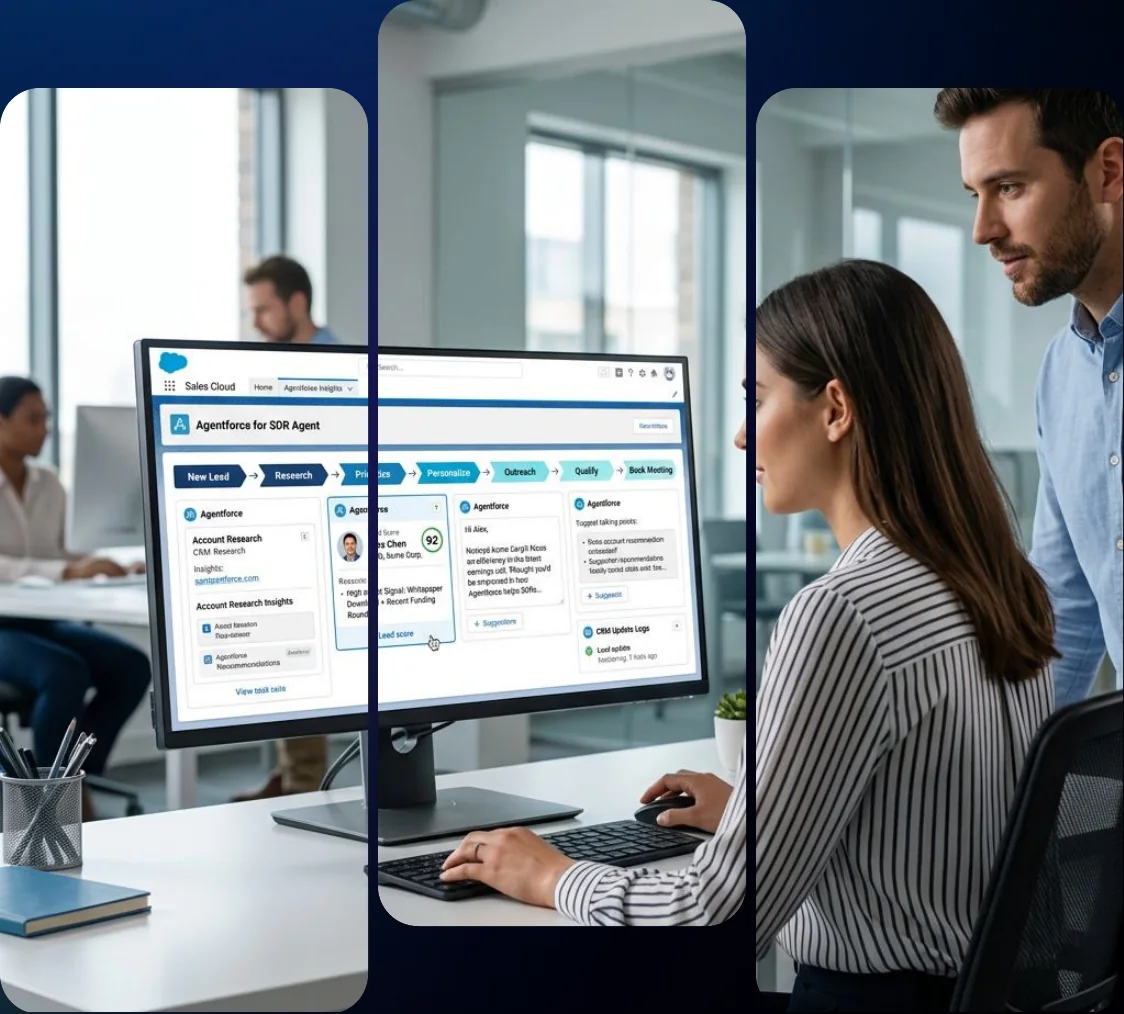
What Is the Agentforce SDR Agent?
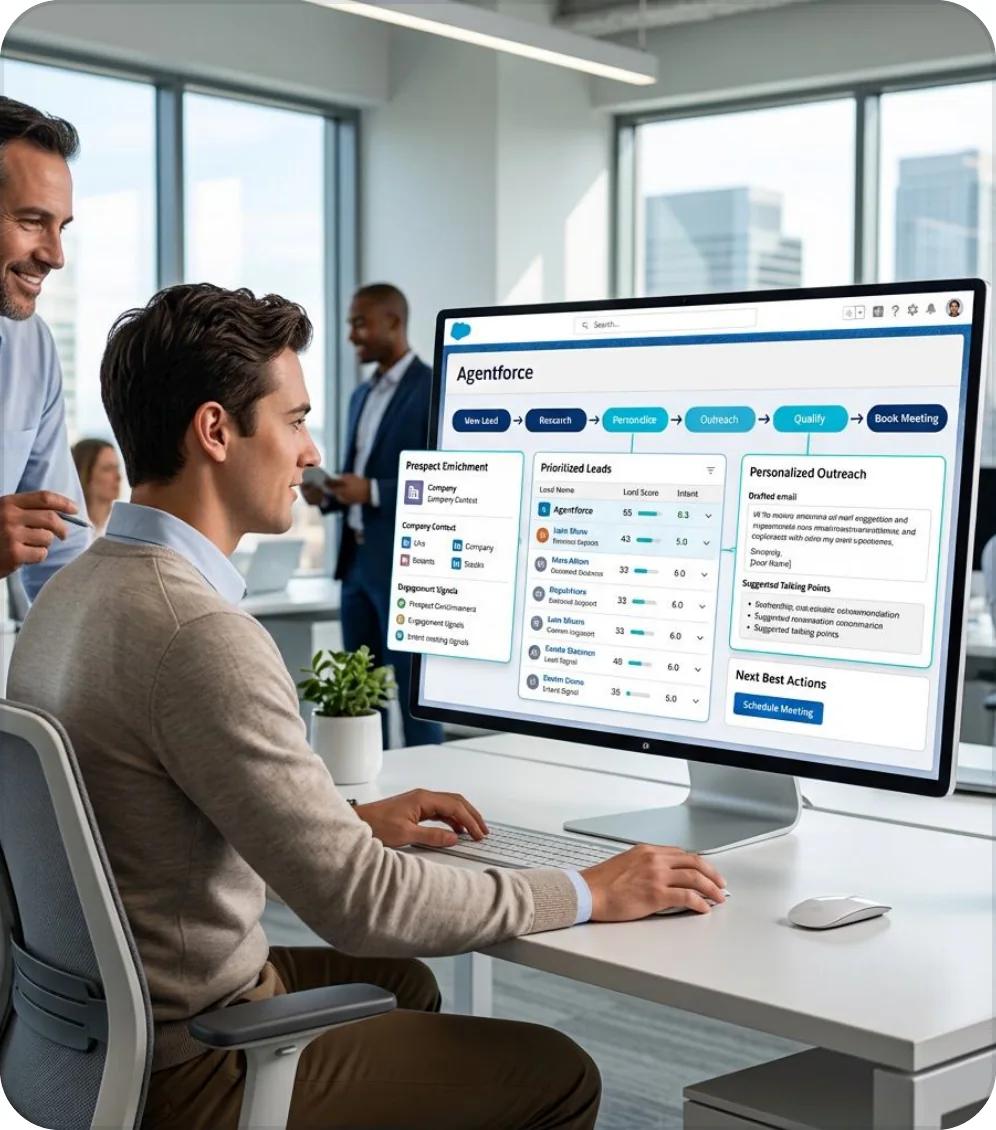
The Agentforce SDR Agent is Salesforce’s AI sales agent for top-of-funnel email engagement. Working inside Sales Cloud, it supports new and updated leads, contacts, and person accounts by sending personalized introductory emails and following up when prospects do not respond. It can answer common questions using your approved content, schedule meetings directly on sales representatives’ calendars, and hand interested prospects to a human rep for further conversations. This helps your SDR team spend less time on repetitive outreach while keeping lead engagement consistent. The agent is designed specifically for email conversations, making it important to define its role before implementation and set clear expectations for your team.
Salesforce has renamed this agent twice: it launched as Agentforce SDR, became Agentforce Lead Nurturing, and is now called Agentforce Engagement in current documentation. Older names still appear in setup menus and URLs, which is why we use all three throughout this page. Unlike website chat agents, Agentforce Engagement focuses on email; website conversations fall under the separate Agentforce Lead Generation agent. At VALiNTRY360, we help you choose eligible leads, connect email and calendars, configure answers from approved content, establish approval rules, and measure performance against your existing SDR metrics. Our approach builds on our Agentforce for Sales and Salesforce Sales Cloud implementation services.
What the Agentforce SDR Agent Does
These are the jobs the agent performs and how we configure each one. Salesforce ships the building blocks, and we tailor them to your leads, your reps and your policies.
Capability
What the Agent Does
How We Configure It
Intro Outreach
Writes and sends a first email using details from the lead record.
We set the voice, value proposition and proof points, and choose which segments qualify.
Follow-Up Nudges
Sends a follow-up when a prospect does not reply.
We set the number of attempts, the gap between them and the working hours.
Reply Handling
Answers questions using approved content and keeps the conversation moving toward a meeting.
We curate the content library and write topic instructions that keep answers on policy.
Meeting Booking
Proposes times and books a meeting on the rep’s calendar or a group calendar.
We connect calendars and test individual and group booking before launch.
Opt-Out Handling
Recognizes opt-out requests and stops outreach to that prospect.
We test opt-out phrases and confirm your suppression process fits the action.
Rep Handoff
Passes the prospect to the lead owner with the conversation attached.
We define what counts as qualified and what the rep sees at handoff.
Our Agentforce SDR Agent Services
We deliver the Agentforce SDR Agent as six connected services. You can start with an assessment, a single lead segment or a full rollout, and each service ends in a deliverable your team can review.
Agentforce SDR Readiness Assessment
We check whether your org meets the technical prerequisites and whether your lead data can support automated outreach. You get a written recommendation on which lead segments to start with and what to fix first.
- Edition, license and permission check against Salesforce requirements
- Lead, contact and owner field audit for the pilot segment
- Ranked list of lead sources by volume, quality and risk
Agentforce SDR Agent Setup and Configuration
We turn on the agent, create the agent user, assign permission sets and build the agent in Agentforce Builder. Our team tests it in a sandbox before any real prospect receives an email.
- Agent user, profile and permission set setup
- Company description, value proposition, tone and AI disclosure in Agentforce Builder
- Sandbox testing with test leads on a separate email domain
Email, Calendar and Sales Engagement Integration
We connect the agent’s mailbox, your reps’ mailboxes and their calendars so emails log correctly and meetings land on the right person. We also set the engagement rules that decide how often the agent writes.
- Einstein Activity Capture and email sync configuration
- Calendar connection for individual and group meeting booking
- Maximum attempts, delay between nudges and outreach schedule
Knowledge and Data Grounding
The agent is only as accurate as the content it reads. We load approved product, pricing and objection content and, where needed, connect Data 360 so answers rest on real records.
- Approved content library for product, pricing and FAQ answers
- Data 360 setup for external knowledge sources where justified
- Topic and instruction tuning against your sales policies
Governance and Human Approval
We decide which emails the agent can send alone and which a rep must approve first. Opt-outs, AI disclosure and escalation rules are set before launch and documented for your sales and legal teams.
- Manual approval and Send as Seller settings by segment
- Opt-out handling and escalation to the lead owner
- Monitoring plan using Control Center and Digital Wallet
Pilot, Measurement and Managed Support
We launch one segment, compare results with your baseline and expand only when the numbers support it. After launch, our Agentforce managed services team tunes the agent and supports your administrators.
- Pilot on a defined lead segment with baseline metrics
- Weekly review of replies, opt-outs and meetings booked
- Expand, adjust or stop recommendation based on measured results
How We Choose Which Leads the Agent Works
The agent performs best on a defined segment, not on every lead in your org. A good first segment is high in volume, low in deal size and clear in intent. We score each candidate before we recommend a start.
Criterion
What We Look For
Why It Matters
Volume
Enough leads each week to show a pattern within a few weeks
Small segments produce results too slowly to judge
Lead quality
Complete contact data and a valid owner
The agent cannot work a prospect without an owner
Deal size
Lower-value or early-stage leads
High-value accounts usually deserve a rep’s first touch
Clear intent
Form fills, demo requests or event leads
Intent gives the intro email something specific to say
Measurable baseline
Existing response time and meeting rates
Without a baseline, no one can prove the pilot worked
Inbound web leads and event follow-up usually score highest, so many rollouts start there. Aging leads that reps never reached are a strong second segment, because the agent cannot do worse than silence. Strategic accounts stay with people until the agent has earned trust.
What Clients Say About Working With VALiNTRY360
The Agentforce SDR Agent builds on Sales Cloud work we already deliver. Add a relevant sales client testimonial here that highlights VALiNTRY360’s Salesforce expertise, responsiveness, implementation quality or ongoing support.
Sean Rose
@seanrose
Really, really liking @reflectnotes so far. It’s just the right amount of simple/fast for a personal note taking app and does most of the hard work of organizing in the background.
Ryan Delk
@delk
Don’t take it from me: @reflectnotes is magic.
Demetria Giles
@drosewritings
Playing around with @reflectnotes. I’m back logging key thoughts, details and soundbites from episodes, books, meetings, articles, etc from the past week. So far, it’s a knowledge worker’s dream come true.
Fabrizio Rinaldi
@linuz90
I’m keeping @reflectnotes open *all* the time, and I’m using both for simple journaling, and long form writing. It’s rare to see a single app work so well for both.
Jeremy McPeak
@jwmcpeak
I just received an invite to @reflectnotes, and holy crap! It is well thought out, and I can see this being my note- taking platform going forward. Well done! I’m looking forward to seeing how the app progresses.
Jonathan Simcoe
@jdsimcoe
All righty. I have to give a massive shout-out to @maccaw for pioneering @reflectnotes. It has already matured to a point where it is a daily driver for me. The speed, focus, and attention to detail (especially perfect bits of structured data) is superb.
Include the client’s name, job title, company and the testimonial where approval is available.
Sales Challenges We Solve
Automated outreach fails in predictable ways. We name those failure points early and build controls for them before launch.
01Slow First Response to New Leads
A lead that waits hours for a reply is already talking to a competitor. Reps cannot answer every form fill the minute it arrives.
Our solution:
We assign new inbound leads to the agent by rule, so the first email goes out within an hour of assignment during your set outreach hours. We measure time to first touch before and after.
02Leads That Go Cold in the Queue
Marketing hands over leads that no rep has time to work. They sit untouched, and the cost of acquiring them is lost.
Our solution:
We route low-touch and aging leads to the agent and keep high-value accounts with reps. Each lead has an owner and a next step, and we report on what the agent revived.
03SDR Time Lost to Repeat Follow-Up
Reps rewrite the same nudge email all week. The work is necessary and also the first thing to slip.
Our solution:
The agent sends nudges on a schedule and logs every message to the activity timeline. Your reps step in when a prospect replies with real interest.
04AI Emails That Sound Wrong or Say Too Much
One off-brand or inaccurate email can cost a deal. Sales leaders hesitate because they cannot see what the agent will say.
Our solution:
We write instructions and content boundaries, test with realistic leads and start with manual approval on sensitive segments. Rep review stays in place until the evidence supports loosening it.
Agentforce SDR Agent vs Human SDRs and Third-Party AI SDR Tools
The agent does not replace a good SDR team. It covers the repeatable first touches so people can spend time on conversations that need judgment. Third-party AI SDR tools are a real alternative, and the right choice depends on where your data lives.
Factor
Agentforce SDR Agent
Human SDR
Third-Party AI SDR Tool
Data access
Reads and writes Salesforce records directly
Works from CRM and notes
Depends on its connector to Salesforce
Hours
Sends within your set outreach schedule
Working hours
Depends on the tool
Cost model
Consumption, per Conversation or Flex Credits
Salary and benefits
Usually a subscription
Judgment on complex deals
Hands off to a rep
Strong
Limited, tool dependent
Governance
Salesforce permissions, approvals and audit trail
Manager review
Varies by vendor
Best fit
Teams whose leads and activity already live in Salesforce
Strategic and high-value accounts
Teams that do not run on Salesforce
We recommend the agent when your leads, owners and activity history already sit in Sales Cloud. We say so plainly when another approach fits better, and we tell you what the agent will not do.
Our Agentforce SDR Agent Implementation Process
Our six-step process moves from assessment to a governed rollout. Each step has set activities, a deliverable and a decision point, so your team knows what happens next.
Step 1: Assess.
- We review your org, license position and lead data, then rank lead segments by value and risk.
- Interviews with sales, marketing, operations and IT
- Edition, license and permission review
- Written readiness score and starting segment recommendation
Step 2: Design.
- We define the agent’s job, voice, rules and success measures.
- Agent blueprint covering topics, tone and escalation paths
- Assignment rules and engagement settings agreed with sales leaders
- Baseline metrics captured for the pilot segment
Step 3: Connect.
- We link email, calendars, activity capture and knowledge sources.
- Agent mailbox and rep mailbox setup with Einstein Activity Capture
- Calendar connection for meeting booking
- Content library and Data 360 connections where needed
Step 4: Configure and Guard.
- We build the agent and the controls around it.
- Agent setup in Agentforce Builder with approved messaging
- Manual approval, Send as Seller and opt-out rules
- Testing against realistic leads in a sandbox
Step 5: Pilot.
- We launch one segment under close monitoring.
- Reps trained on handoffs and approval queues
- Daily review of the first 48 hours, then weekly review
- Comparison with baseline results
Step 6: Scale and Support.
- We expand when results justify it, then support the agent after launch.
- Expand, adjust or stop recommendation
- Runbooks and handover for your administrators
- Ongoing tuning through managed support
Timelines depend on how much of the prerequisite stack your org already has and how clean your lead data is. We give you a dated plan after the assessment instead of a generic estimate.
Agentforce SDR Agent Requirements and Prerequisites
Salesforce lists the agent for Lightning Experience in Enterprise, Performance and Unlimited editions, with Sales and Einstein for Sales. Several supporting features sit behind it, and missing one is the most common reason a first launch stalls.
Requirement
Why It Matters
What We Do
Qualifying edition and licenses
The agent is not available on lower editions
Confirm your edition and licenses during assessment
Einstein Agent user
The agent sends mail and logs activity as its own user
Create the user, assign the profile and permission set
Einstein Activity Capture
Logs agent emails and lets reps see them in the timeline
Connect the agent mailbox and rep mailboxes
Sales Engagement and Automated Actions
Power cadences and assignment
Enable and test before the pilot
Owner field populated
The agent cannot work a prospect without an owner
Audit and fix owners on leads, contacts and person accounts
Data 360 (recommended)
Grounds answers in unified customer data
Scope it for the first use case, not the whole company
Our AI readiness services and Data 360 services cover the data work behind these requirements. Our guide to setting up agents on Agentforce shows the general build pattern.
Limits and Guardrails We Plan Around
Salesforce publishes considerations for this agent that most partner pages skip. We plan for them in the design phase so they do not surprise you in production.
Limit or Setting
What Salesforce States
How We Plan For It
Daily send limits
1,800 emails per agent on Gmail and 9,800 on Microsoft Exchange, then the agent pauses until the next day
Size lead volume to the mailbox and split segments across agents if needed
Agent count
Default maximum of 20 sales agents per org
Plan agent design around the cap or request more from Salesforce
Manual approval
The record owner has 14 days to approve an email before it is canceled
Assign approvers who check the queue daily
AI disclosure
Each email starts with a disclosure by default, and you can remove it, though local rules may require it
Keep the disclosure unless your legal team says otherwise
Security filters
Tools such as Proofpoint can quarantine replies, so they do not log
Allowlist prospect domains and relax filters for the agent address
Header-only email capture
With it on, the agent cannot read email bodies to personalize replies
Choose the setting deliberately with your security team
Deployment method
Do not deploy agents with change sets or metadata
Build in each org through Agentforce Builder
Activity 360 Reporting
The agent does not work while it is turned on
Check this setting during the assessment
Two limits deserve extra attention. The agent’s mailbox cannot be shared with other apps or used for manual sending without risking the provider’s limits. And prospects who share your email domain count as internal, so the agent will not reply to them.
Agentforce SDR Agent Security, Approval and Human Oversight
Governance for the SDR agent comes down to who the agent speaks to, what it says and who checks it. Salesforce supports human review, an opt-out action and monitoring in Control Center. The rules around those controls are yours to set, and we configure them with you.
01
Approval Before Sending
We split segments by risk. Routine inbound leads can run on automatic sending after testing, while named accounts or sensitive segments stay on manual approval.
02
Send as Seller
When replies should look like they come from a rep, we use Send as Seller and make sure every rep has email connected to Inbox and Einstein Activity Capture. A missing connection makes emails fail.
03
Opt-Outs and Consent
The agent includes an opt-out action and recognizes opt-out requests. Your legal and compliance teams decide the consent rules that apply to each region, and we test that suppression works end to end.
04
Monitoring
We watch opted-out counts, meetings booked, bounces and replies in Control Center, and we review the first 48 hours closely. Salesforce’s Digital Wallet shows consumption so cost surprises appear early.
05
Data Access and Content Control
We limit the agent’s access to relevant lead, contact and account information. Responses use approved sales content, and we test permissions and answer accuracy before expanding outreach to new segments.
06
Human Handoff and Escalation
We define when the agent should transfer conversations to a sales representative. Pricing negotiations, complex questions and high-intent prospects follow clear escalation rules, with conversation history available for a smooth handoff.
For a deeper look at human control in AI sales, see our guide to human-in-the-loop AI sales automation.
What Does the Agentforce SDR Agent Cost?
Cost has several layers, and the agent’s usage meter is only one of them. Salesforce pricing and editions change, so we confirm the terms in your agreement before we estimate anything.
Cost Driver
Who Owns It
How We Manage It
Sales Cloud and Einstein for Sales licenses
Salesforce
Confirm your edition and which licenses you already hold
Agent usage
Salesforce
Forecast by lead volume and workflow, on Conversations or Flex Credits
Data 360 and add-ons
Salesforce
Scope connectors and data volume before build
VALiNTRY360 services
VALiNTRY360
Fixed phases with defined deliverables and change control
Sales Cloud Case Studies Behind Our Agentforce Work
The Agentforce SDR Agent works best on a well-configured Sales Cloud foundation. These client projects show how VALiNTRY360 improves lead management, sales workflows, CRM integrations and pipeline visibility.
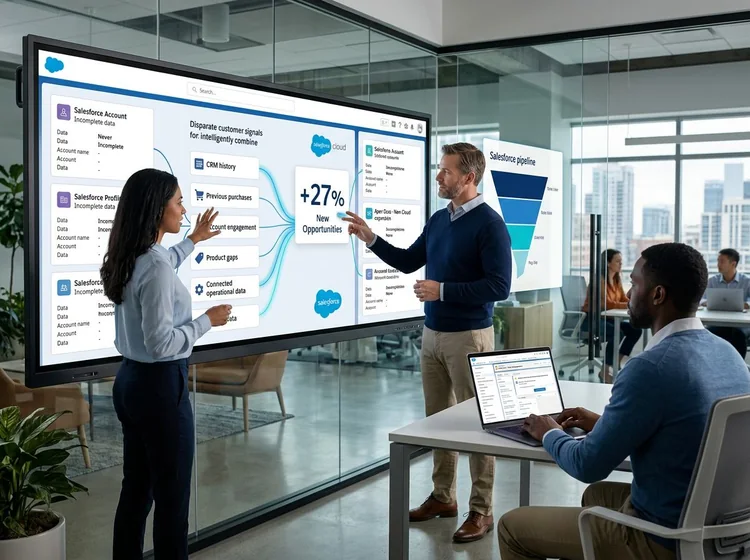
BIC Graphic: 27% Increase in New Pipeline Opportunities
VALiNTRY360 implemented Salesforce Sales Cloud and Service Cloud for BIC Graphic, connecting sales, marketing and service teams through a unified CRM integrated with its ERP system. Automated workflows improved sales efficiency, increased new pipeline opportunities by more than 27% and reduced average customer service handle time by 7 minutes.
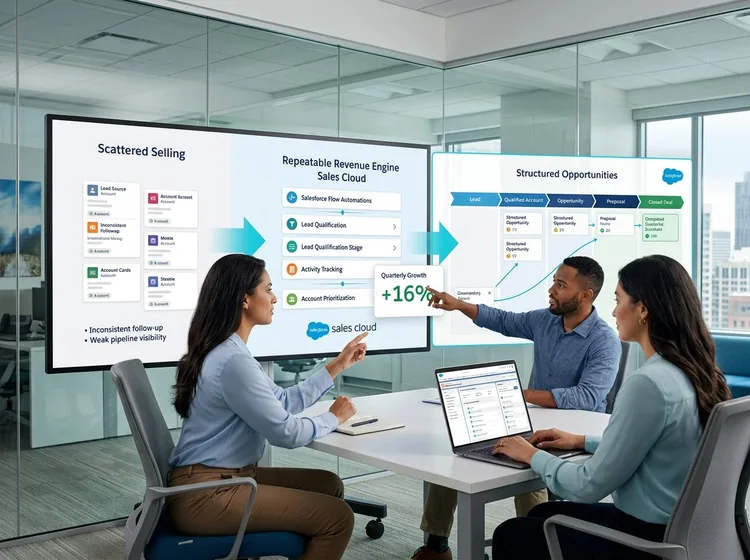
All American Solar: 16% Quarterly Growth With Sales Cloud
VALiNTRY360 implemented Salesforce Sales Cloud for All American Solar, configuring lead and opportunity management, Gmail synchronization and performance dashboards. The solution improved sales activity tracking, reporting and CRM visibility. Following implementation, the company reported 16% quarterly growth year over year, supported by more structured sales processes.
Agentforce for SDR Agent
Agentforce SDR Agents Designed by Certified Sales Experts
An SDR agent can engage every inbound lead quickly, but it has to qualify the way your best reps do. VALiNTRY360's team holds Agentforce Sales Consultant, Agentforce Specialist, Platform Administrator, and Business Analyst certifications, so we set lead rules, qualification criteria, outreach tone, and handoff triggers that fit your funnel. No lead goes cold, and your human reps receive meetings that are ready to move, from a Salesforce-Branded Partner since 2018.
Salesforce Credential Deck
4 Core Specializations

Why Choose VALiNTRY360 for the Agentforce SDR Agent?
The agent sits on Sales Cloud foundations we work in every day. Most rollout risk sits in the surrounding data, permissions and email setup, and that is where we spend our time.
Our team works across Sales Cloud, Sales Engagement, Data 360 and integrations, so you do not need separate vendors for the CRM cleanup, the email setup and the agent layer. One accountable team means fewer handoffs and a single owner when something needs to change.
01
Assessment before access
We find data, permission and mailbox blockers before the agent emails a real prospect.
02
Salesforce limits planned in
We design around send caps, approval windows and security filters from day one.
03
Governance built in
We set approval, disclosure and opt-out rules before the pilot begins.
04
Honest cost modeling
We forecast usage by lead segment and assign an owner for monthly cost review.
05
Defined phases
Each phase has activities, a deliverable and a decision point.
06
Administrator handover and support
We document the setup for your team and stay available through managed support.
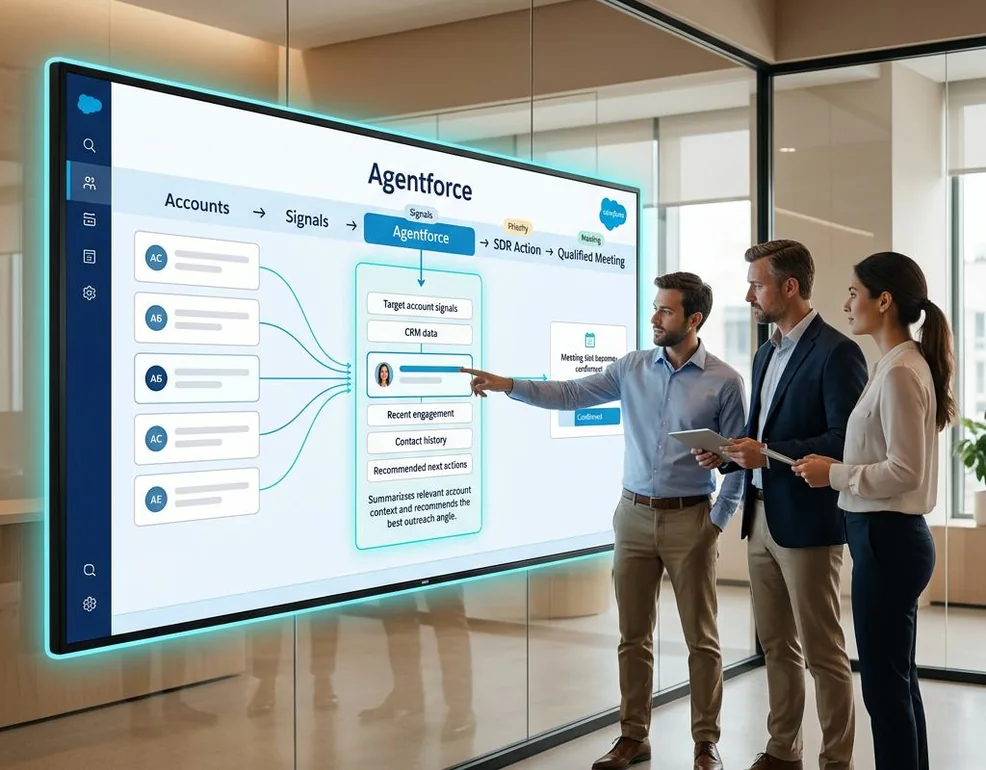
100+ Certified Professionals Supporting Your Agentforce Success
At VALiNTRY360, our team of 100+ certified professionals brings extensive Salesforce expertise to every implementation. From Agentforce SDR configuration and Sales Cloud integration to workflow automation, data management and security, our specialists understand what it takes to build reliable AI-powered sales processes. We combine technical knowledge with practical business experience to help organizations streamline lead engagement, improve sales productivity and get more value from their Salesforce investment. Whether you are implementing your first AI sales agent or expanding an existing Salesforce environment, our experts provide guidance, implementation support and ongoing optimization.
Agentforce For SDR Agent
FAQ by VALiNTRY 360
The Agentforce SDR Agent is Salesforce's AI sales agent for email outreach. It sends personalized intro emails, follows up, answers questions from approved content, books meetings and hands qualified prospects to a rep. It works on leads, contacts and person accounts in Sales Cloud.
Yes. Salesforce first called it Agentforce SDR, then Agentforce Lead Nurturing, and its current documentation uses Agentforce Engagement. Setup pages and URLs still show older names. Agentforce Lead Generation is a different agent that handles website chat.
Salesforce bills the agent through consumption. At US list price, a Conversation costs $2, and Flex Credits cost $500 per 100,000. The first email to a prospect consumes one Conversation. Your contract decides which model applies, so we confirm it before forecasting.
You need Lightning Experience on Enterprise, Performance or Unlimited edition, with Sales and Einstein for Sales. You also need an Einstein Agent user, Einstein Activity Capture, Sales Engagement and Automated Actions. Data 360 is recommended for grounding answers.
Salesforce documents the SDR agent as an email agent. Website chat belongs to the separate Lead Generation agent. We scope channels during the assessment so your pilot matches what Salesforce supports today.
Yes. It can book meetings with reps who have a connected email account and Inbox, or with a group of up to 15 users, where it shows combined availability and assigns one available member. Calendar free and busy access must be set up first.
Salesforce states a daily limit of 1,800 emails per agent on Gmail and 9,800 on Microsoft Exchange. The agent pauses when it reaches the limit and resumes the next day. We size lead volume to those limits.
We write instructions, load approved content and test with realistic leads before launch. Sensitive segments start on manual approval, and the record owner has 14 days to approve each email. We also review the first 48 hours of live activity.
An administrator can enable the agent, and a small team can run a basic pilot. A partner earns its fee when the work includes lead data cleanup, mailbox and calendar setup, content preparation, approval design and measurement. Those tasks decide whether the pilot reaches production.
No. The agent covers repeatable first touches and follow-ups. Your SDRs keep conversations that need judgment, named accounts and complex deals. Most teams measure success by meetings booked and rep hours freed, not by headcount.
Yes. We configure assignment rules based on lead or contact criteria, and your sales representatives can also assign prospects manually. VALiNTRY360 tests these conditions before activation to ensure the agent contacts only approved prospect segments.
Yes. Agentforce Builder allows us to configure email tone, follow-up frequency, outreach hours and messaging preferences. We align these settings with your sales process, review sample emails and test engagement sequences before enabling automated outreach.
When a prospect requests to unsubscribe, the agent can update the Email Opt Out field, stop further outreach and disengage. We also configure suppression rules and test opt-out handling to support your organization's email compliance requirements.
When a prospect requests a meeting, Agentforce can suggest available times and include the prospect owner in the conversation. The agent then disengages, allowing the sales representative to continue the relationship and handle further discussions.
We track records assigned, meetings booked, opt-outs and engagement activity through Salesforce Control Center. VALiNTRY360 also evaluates response rates, lead quality, SDR productivity and usage costs to measure performance against your existing sales development benchmarks.