
Zendesk to Salesforce Migration Services
Every ticket you’ve closed, still there the day you open Salesforce.
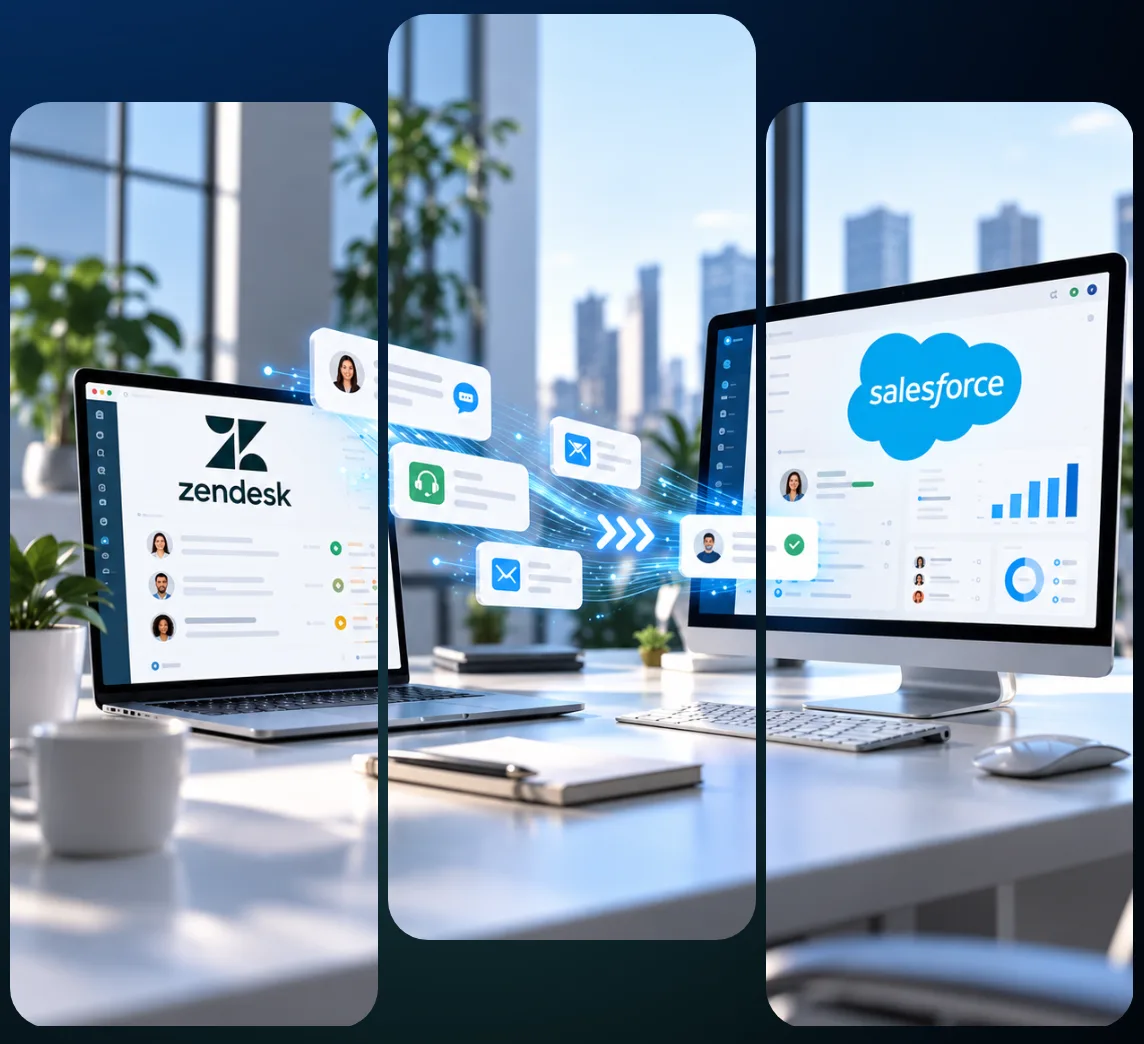
Where Your Zendesk Data Lands and the Counts We Need First

Zendesk to Salesforce migration moves your tickets, comments, files and Help Center articles into Service Cloud, with every mapping decision and load limit written down before we touch production. VALiNTRY360 plans each move around your Zendesk plan, your Salesforce edition and the ticket history you decide to keep.
The two systems store support data differently. A Zendesk ticket becomes a Salesforce case, an internal note becomes an unpublished case comment, and a Zendesk trigger becomes a Flow. Each step has a documented limit, such as the 4,000-byte case comment cap or the 10 requests a minute on Zendesk’s incremental export.
We start from five numbers: tickets, comments, files, Help Center articles and automations. Those counts set your extract time and storage needs, and they decide how many rehearsal cycles to plan. Send them over and we’ll size the work with you before you commit to a budget.
What Our Zendesk to Salesforce Migration Services Cover
VALiNTRY360 scopes every Zendesk to Salesforce migration before the first load, building on our Salesforce data migration services across six areas, each with a written mapping and a sign-off.
Tickets and comments
Tickets become cases with requester, assignee and status. Public replies and internal notes keep their visibility, the core of any Zendesk to Service Cloud migration.
People and organizations
Requesters map to contacts and organizations to accounts. Assignees become users and groups become queues, so every case keeps an owner.
Attachments and inline images
Files load as Salesforce Files, up to 2 GB each against Zendesk’s 50 MB limit. Inline images need their own API flag, so we plan for them early.
Help Center articles
Articles move into Lightning Knowledge with locale, draft state, labels, section and HTML body intact, and you choose which locales and drafts come over.
Rules, views, SLAs and schedules
We inventory every trigger, automation, macro, view, SLA policy and schedule, then rebuild each one. Nothing converts one for one.
Conversation and voice history
Messaging history comes from the Admin Center export or Sunshine Conversations API, and Talk recordings from the API, so we check your plan first.
Anything outside these six areas gets a written scope note before work begins.
Why Support Teams Leave Zendesk for Service Cloud
A Zendesk to Salesforce migration earns its cost when your customer records already live in Salesforce, or soon will. Six named Service Cloud features change how agents work after the move.
1
In a Zendesk to Salesforce Service Cloud migration, cases land in the same org as your accounts and contacts, so agents see sales history without a second tool.
2
Automation runs in Flow. Salesforce ended support for Workflow Rules and Process Builder on December 31, 2025, so new builds and rebuilt rules start there.
3
SLAs run on entitlements and entitlement processes, which tie units of support to accounts and contacts, so service terms sit on the account record.
4
Omni-Channel routes cases to queues, skills, agents or bots through routing configurations, so assignment follows rules you set once and change in one place.
5
Knowledge articles carry versions and publish status, and publish to internal, customer, partner or public channels. Experience Cloud adds case deflection.
6
Agentforce for Service sits on the same case data. Salesforce sells it as an add-on in Core and Advanced and includes it in Max, per its October 2026 pricing page.
If none of that matters to your agents, stay where you are, and read on to see when a connector fits better.
Do You Need a Full Migration, or Can Both Tools Stay?
Factor
Full migration
Keep both with a connector
Stay on Zendesk
Where agents work daily
Salesforce Service Cloud
Zendesk plus Salesforce
Zendesk, as today
Where ticket history lives
Salesforce case records
Zendesk, linked to Salesforce
Zendesk ticket records
Salesforce users see tickets
Yes, as Salesforce cases
Yes, through the link
No, tickets stay in Zendesk
Licenses you pay for
Salesforce Service only
Zendesk and Salesforce both
Zendesk agent licenses only
One-off project work
Extract, map, load, cut over
Connector setup and testing
No project work needed
When each option fits
Sales and service share one org
Salesforce users need tickets
Zendesk covers your needs
Migrate when your customer records and your service queue belong in one Salesforce org. If only your Salesforce users need to see tickets, a connector takes less project effort, and a Zendesk to Service Cloud migration can wait.
Zendesk’s own Salesforce connector links Zendesk tickets to Salesforce cases and syncs the people and organizations behind them. We cover keeping both tools connected on its own page.
Two questions frame the choice: do sales and service work from the same accounts, and when does your Zendesk contract renew? Your answers tell us whether to scope a full move, a connector or neither.
How a Zendesk Migration to Salesforce Runs, Step by Step
VALiNTRY360 runs every Zendesk to Salesforce migration services engagement in the same seven steps, and each one ends with a sign-off.
P1
PHASE 1
Assessment & Architecture
P2
PHASE 2
Configuration & Validation
P3
PHASE 3
Execution & Cutover
Assessment & Architecture
MILESTONE 01
Step 01 – Count and plan.
We count tickets, comments, files and articles, then check rate limits. Zendesk’s incremental export runs at 10 requests a minute.
MILESTONE 02
Step 02 – Set scope and cutoff.
You pick a history cutoff and what gets archived. Closed tickets can’t be reopened, so we cut by ticket status and archive the rest.
MILESTONE 03
Step 03 – Build the target org.
We configure queues, fields, users and permissions, the same work we deliver in our Service Cloud implementation projects.
Configuration & Validation
MILESTONE 04
Step 04 – Map fields.
Every Zendesk field gets a Salesforce home or a retirement note, as the next section shows, and you sign off the mapping first.
MILESTONE 05
Step 05 – Rehearse in a Full sandbox.
A full-volume dry run needs a Full sandbox, because a Partial sandbox caps data at 5 GB. It shows your real load rate.
Execution & Cutover
MILESTONE 06
Step 06 – Load and cut over.
We run the production load, then a delta load for tickets created in the meantime, and switch email routing once counts match.
MILESTONE 07
Step 07 – Run hypercare, then wind down.
We fix defects against exit criteria agreed at kickoff, and you retire Zendesk on a date you choose once counts hold.
Each sign-off is written down, so you always know which step your project is in.
Mapping Zendesk Tickets to Salesforce Cases, Object by Object
This is our starting map for Zendesk tickets to Salesforce cases. Notes that ask you to decide or agree are design choices we settle with you before the sandbox build.
Zendesk
Salesforce
Edge case
Ticket
Case
Ticket ID goes in an external ID field for lookups.
Status
Case Status
Zendesk has six values; you map hold and pending.
Requester, organization
Contact, Account
Decide a rule for users with no organization.
Assignee, group
Case Owner as user or queue
Groups become queues; target users must be active.
Priority, type
Picklists
Agree the Salesforce values before the load starts.
Custom fields
Custom fields
12 field types exist; multiselect and lookup need decisions.
Public reply, internal note
Case comment, published or internal
Zendesk allows 64 kB; case comments hold 4,000 bytes.
Email comments
Email message
Keep sender, date and message ID so replies thread.
CC’d users
Decide
Pick where the CC list lives, and agree it early.
Ticket form, brand
Record type or picklist
Forms exist on Enterprise only; brands need a value.
Merged ticket
Closed case with a parent link
Merge copied only the latest public comment over.
Attachments, inline images
Files
Loaded last, so each file finds its case on arrival.
You sign off this table, with your custom fields added row by row, before the sandbox build.
What We Rebuild in Service Cloud Instead of Moving
Automation and Routing
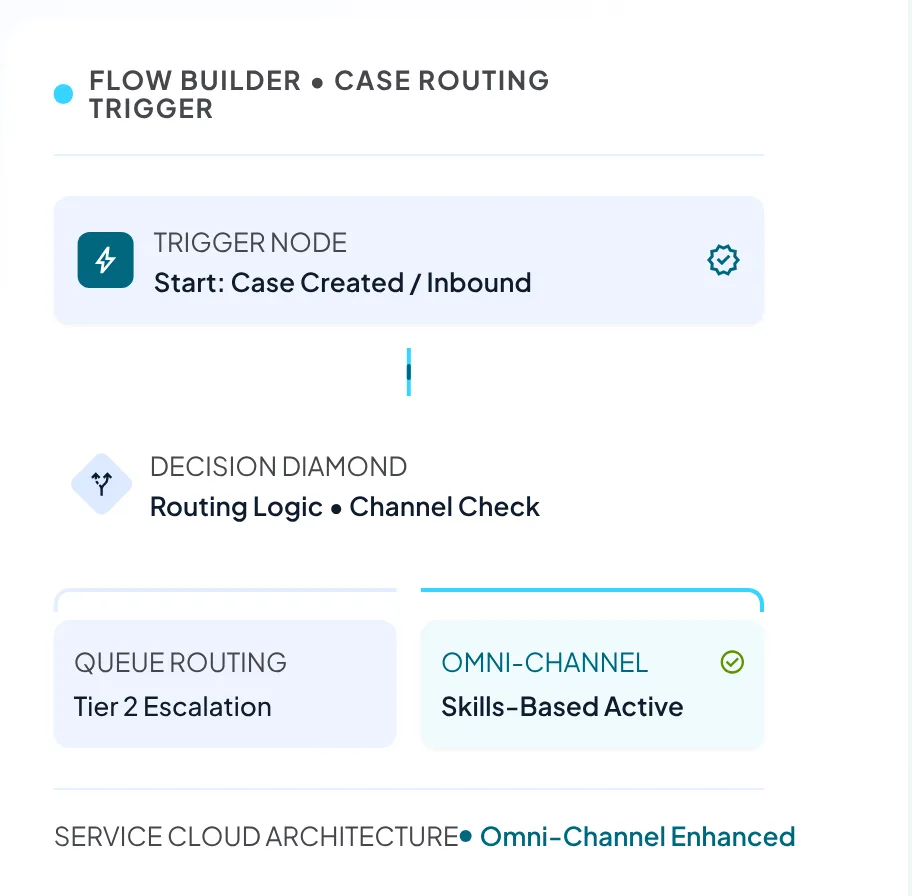
A Zendesk to Salesforce migration moves data; rules get rebuilt. Every trigger, automation, macro and view has a list endpoint in Zendesk, so we export each list for review, and views become list views. Flow takes over the automations, and Omni-Channel takes over routing now that Salesforce has retired the Standard version with Summer ’26. Our customer service automation team handles the build.
SLAs and Business Hours
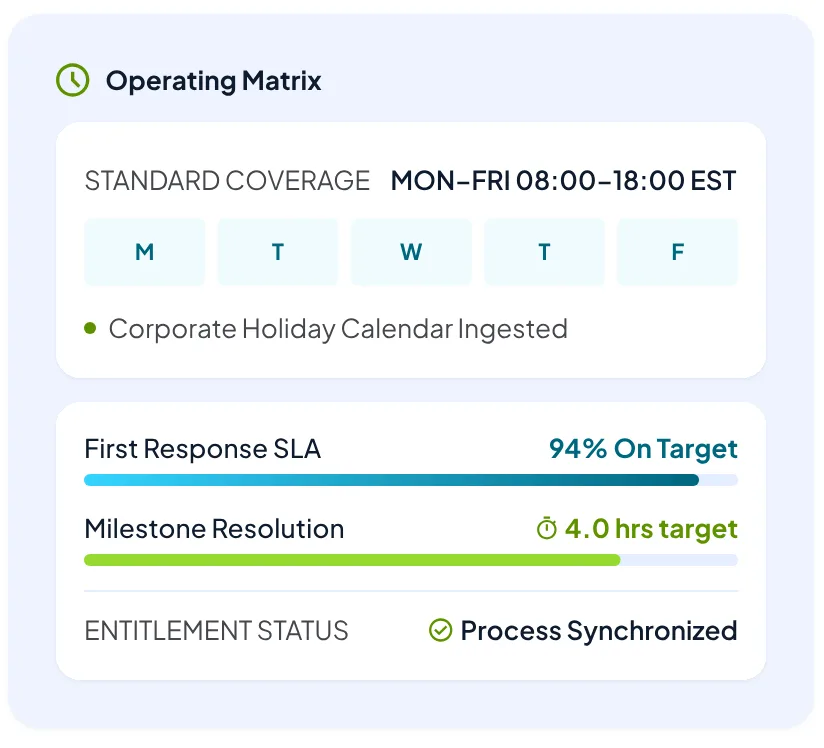
Zendesk SLA policies map to entitlement processes, and Zendesk schedules, which carry holidays and time zones, map to Salesforce business hours. SLA policies need Support Professional or Suite Growth and above, so we check your plan first. Historic breach records can’t be inserted through the API, because the milestone object accepts only start and completion date updates, so we export your old SLA reports.
Zendesk Help Center to Salesforce Knowledge
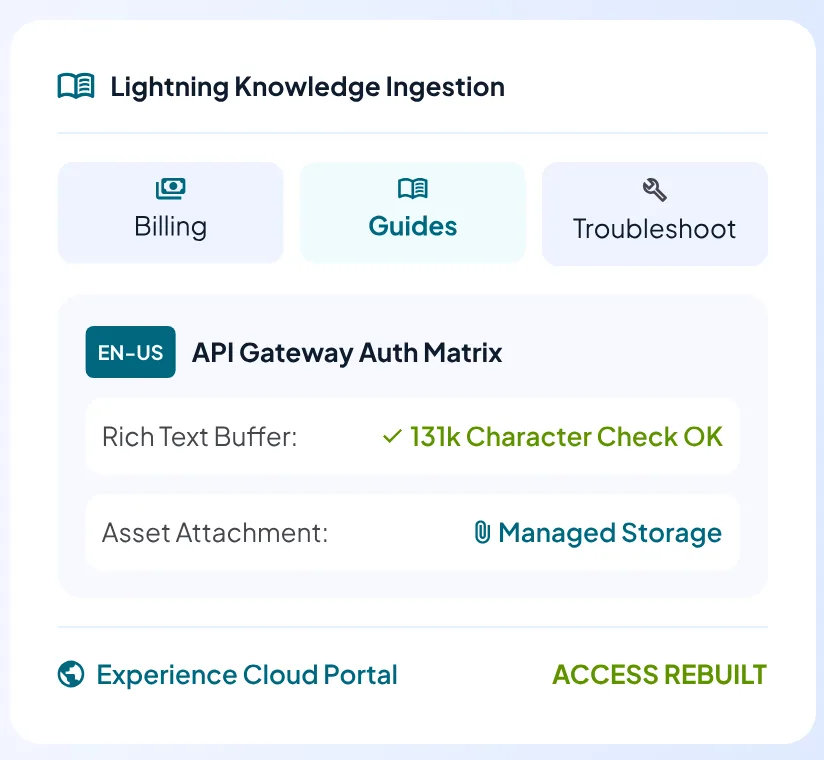
Articles import through a zipped CSV with HTML bodies and a properties file, and rich text holds up to 131,072 characters, so we check long articles first. Images count toward file storage. Per-article user segments exist only on Zendesk Enterprise, so we rebuild access rules in Salesforce, and Experience Cloud replaces the Help Center front end if customers read articles on a site.
Where a Zendesk to Salesforce Data Migration Fails, and the Fix for Each
Most failed loads trace back to a Salesforce setting that went unchecked. A Zendesk to Salesforce migration should rehearse all eight.
01
Inactive owners.
Salesforce rejects a case owned by a deactivated user. We reactivate or reassign owners before the first load.
02
Audit dates set once.
The Set Audit Fields permission sets dates at insert only, and email messages aren’t on its list. We test first.
03
Automation fires on loaded rows.
Validation rules, triggers and flows run on API saves. We bypass them for the load user, then restore them.
04
Customers get emails.
Deliverability and the comment notification flag can email contacts mid-load. We switch both off first.
05
Duplicate rules block rows.
Matching rules raise DUPLICATES_DETECTED errors. We de-duplicate in staging and bypass the rule.
06
Parallel loads lock records.
Batches on the same parent collide, so we order batches by parent record and watch for lock errors.
07
Bad values.
Text over a field’s length fails, and restricted picklists reject unknown values. We profile lengths and distinct values first.
08
Replies open new cases.
Email-to-Case matches a token or message ID, and no match creates a new case, so we load message IDs first.
Each fix gets rehearsed in a sandbox, so none of these surprises reach production.
What Ticket Volume Does to Your Timeline and Salesforce Storage
These figures are our own arithmetic from published limits, and we haven’t measured them, so your Zendesk to Salesforce data migration may differ. We assume 4 comments, 0.5 attachments and 6 Salesforce records per ticket, where the records are cases, comments, file versions and file links. We also assume one comment request per ticket, 0.5 MB per attachment, 2 KB per record, 25 licenses with 125,000 API calls a day, and a Zendesk plan at 400 requests a minute.
Metric
50,000 tickets
250,000 tickets
1,000,000 tickets
Ticket export in minutes
5
25
100
Comment pulls at 400 a minute, in hours
2.1
10.4
41.7
Salesforce records to load
300,000
1,500,000
6,000,000
Data storage used in GB
0.5
2.5
About 10
File storage at 0.5 MB each, in GB
12.5
62.5
250
API calls to load files, one per file
25,000
125,000
500,000
Share of one day’s API allocation
20%
100%
400%
At 2,500 requests a minute, 1,000,000 tickets pull in 6.7 hours. Salesforce publishes no rows-per-hour figure, so your Zendesk to Salesforce migration timeline comes from a Full sandbox rehearsal. Data storage counts cases and comments only, and a Partial sandbox caps data at 5 GB, below the 10 GB the top volume needs.
Turn These Volume Estimates Into Hours for Your Own Ticket Counts
Send us your ticket and file counts plus your Zendesk plan, and we’ll return the extract hours, record totals, storage needs and API load for your volume.
How We Validate the Data, Cut Over and Keep a Rollback Path
Before cutover.
We rehearse the full volume in a Full sandbox and reconcile counts: tickets against cases, comments against case comments and email messages, files against content versions, and totals per status. You agree the pass thresholds in writing, and we set the rollback trigger before the rehearsal ends. We check files by size as well as by count, and spot-check dates across time zones, since both systems store UTC.
At cutover.
We freeze Zendesk edits for a short window and run a delta load from a cursor-based incremental export, which returns only tickets changed since the last pull. Email routing switches over and automation comes back on with every owner active. Every loaded record carries its source ticket ID, so we can remove a bad batch by ID while Zendesk stays untouched. Agents move to Salesforce the moment routing switches.
After cutover.
A Zendesk to Salesforce Service Cloud migration finishes when hypercare closes, so VALiNTRY360 sets exit criteria before go-live. Retiring Zendesk is your call, so check your plan’s renewal date and notice terms first. Zendesk keeps archived closed tickets reachable through the API, and our guide to what a failed migration costs to fix shows what skipping this work costs.
Your Zendesk to Salesforce Migration Checklist for Kickoff
Work through this Zendesk to Salesforce migration checklist before kickoff, and your project starts with decisions already made.
Confirm your plan and Admin Center export status; it’s off by default and absent on Team plans.
Count tickets, comments, files and Help Center articles, plus your largest attachments.
Pick a history cutoff date and an archive route for tickets older than that date, in writing.
List custom fields by type and mark each keep, merge or retire before mapping starts.
Export your trigger, macro, automation, view and SLA lists for the rebuild review.
Decide where CSAT scores and CC lists go, and check whether you use side conversations.
Assign a Salesforce owner to every Zendesk group and confirm each target user is active.
Set scope for Zendesk Help Center to Salesforce Knowledge: published only or drafts, and locales.
Check data and file storage, daily API allocation and sandbox type against the table above.
Book Full sandbox time early and plan around its refresh window before the rehearsal.
List every automation and email that could reach customers during the load, and who turns it off.
Name who signs off the reconciliation counts and who approves the cutover date and time.
Gaps you find become questions we settle in the first workshop, before any estimate is final.

What Sets Zendesk to Salesforce Migration Cost, and How Long It Takes
Zendesk to Salesforce migration cost follows scope: ticket, comment and file volume, custom fields and objects, automations and SLA policies, Help Center size and locales, and the number of rehearsal and delta cycles. VALiNTRY360 sizes it from your kickoff counts, because the drivers differ for every Zendesk account. Salesforce storage you buy when data and files outgrow your allocation adds to the total.
Timeline is a formula: discovery, build, rehearsal cycles, extraction hours from the table above, load hours and hypercare. A Full sandbox refreshes every 29 days and a Partial every 5, so a rehearsal can wait on a refresh window, and each delta load adds its own extract and load time. Your Zendesk to Salesforce migration timeline therefore comes from your own counts.
List prices per user per month in October 2026: Zendesk Support Team is $19 and Suite Professional is $115. Salesforce lists Pro Suite at $100, Core at $195, Advanced at $395 and Max at $550, and 25 users on each plan above cost $5,700, $34,500, $30,000, $58,500, $118,500 and $165,000 a year, in the order listed. The tiers aren’t feature-equivalent, and both vendors can change list prices, so check both pricing pages and your billing terms on the day you budget.

TrialSpark: Service Cloud for Support Operations
We built Service Cloud with Shield, Omni-Channel routing, AWS Connect telephony in the agent workspace, an Experience Cloud community with Knowledge and case deflection, and Flow-based escalation to clinicians. Routing, Knowledge, escalation and the agent workspace carry over to a Zendesk move.
Results: 85% overall patient engagement in the first month, a 77% reduction in time to resolve study-related support tickets and 20 hours less time to enroll each participant.
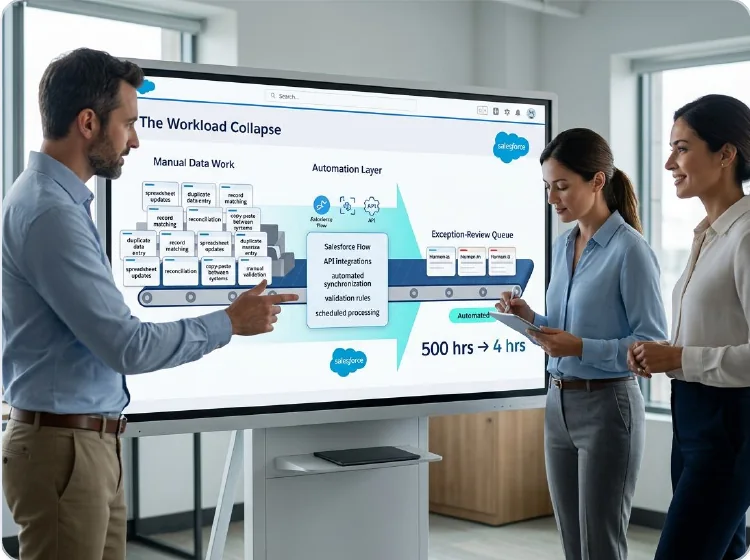
Real California Milk: SugarCRM to Salesforce Migration
We moved Accounts and Contacts and built an ETL tool with custom automations for quarterly imports and reconciliation. We also configured Sales Cloud and built KPI dashboards, with MailChimp and Zoom connected, and accounts and contacts now reconcile automatically. That reconciliation tooling is the part that carries over to a Zendesk load.
Results: Manual data work fell from 500 hours a year to 4, a saving of 496 hours a year.
VALIDATION & ADVISORY PROOF
What Clients Say About Working With Us
These quotes come from clients who worked with us on other Salesforce projects, so none mention Zendesk. Each one is an excerpt as published on our homepage. Together they cover four habits a migration depends on: listening, platform knowledge, delivery speed and turning ideas into working software.
LH
Lisa Hubbard
VP Sales and Marketing, The Vernon Company
“VALiNTRY360’s support is fantastic! They really listen to your needs and take the time to help you learn…”
Listening and support
NL
Nathan Louque
Director of Global Sales Operation, Aviat Networks
“They have a sharp team, really understand the platform, and take the time to understand our processes.”
Platform knowledge
DC
Dawn Creft
Director, Alumni Relations, AdventHealth University
“Exceptional team, project was completed in record time and it meets all of our needs.”
Delivery speed
DA
Dan Ausley
President, Southeast Drone
“VALiNTRY360 was great to work with. They listened to our ideas and helped to turn them into a functioning product.”
Turning ideas into working software
Those clients are among the 150+ customers we’ve served across 10 industries, from health and life sciences to manufacturing and logistics.
The Certified Salesforce Team That Works on Your Migration
VALiNTRY360 is a Salesforce consulting partner in Winter Park, Florida, delivering implementation, customization and managed services across 10 industries, including health and life sciences, financial services, manufacturing and logistics. To learn more about our team, visit our About Us page.
Salesforce-Branded Partner since 2018
100+ Salesforce certifications
450+ projects delivered
4.85/5 AppExchange rating
Each Salesforce certification is earned by passing a Salesforce exam, and certified Salesforce professionals handle the data work and the Service Cloud configuration on your Zendesk to Salesforce migration services engagement. Delivery runs from US locations out of our Winter Park office at 1201 South Orlando Avenue, Suite 440. Our Service Cloud work runs from implementation through support, so the team that migrates your tickets can also run the org afterward. To start, call 800-360-1407 or write to info@VALiNTRY360.com.

Plan Your Zendesk Migration With a Service Cloud Specialist
Tell us where your Zendesk data stands and we’ll map what moves and what stays behind, then walk you through the rehearsal and cutover plan in one call.
Zendesk to Salesforce Migration Services
FAQ by VALiNTRY 360
It depends on your counts, and we don't quote weeks before we've seen them. Ticket export alone runs about 5 minutes for 50,000 tickets and 100 minutes for 1,000,000, and comment pulls run 2.1 to 41.7 hours at 400 requests a minute. Load hours come from a Full sandbox rehearsal, which can wait on a 29-day refresh window.
Cost follows ticket, comment and file volume, custom fields, automations, Help Center size and the number of rehearsal cycles, so we quote after we see your counts. For licenses, Salesforce lists Core at $195 per user per month against $115 for Zendesk Suite Professional. Check both pricing pages before you budget.
Tickets, comments, requesters, organizations, attachments, inline images and Help Center articles all move, and triggers, macros, automations and SLA policies get rebuilt in Salesforce. Chat, messaging and Talk history depend on what your plan exports. The Admin Center CSV holds ticket fields only, so history comes through the API.
Only what documented limits force out, and we name each one before we load. Comments over 4,000 bytes need rerouting to email messages, and historic SLA breach records can't be inserted through the API. After each load we reconcile every object and show you the counts, so gaps surface before cutover.
Yes, until cutover. Agents keep working in Zendesk while we load and rehearse. At cutover we freeze edits for a short window and run a delta load from a cursor-based incremental export, which Zendesk recommends for tickets, so tickets created in the meantime arrive in Salesforce and agents switch together.
Usually, with a test first. The Set Audit Fields upon Record Creation permission lets API loads set created and modified dates at insert, for objects including cases and case comments. Email messages aren't on that list, and the case comment reference says to contact Salesforce, so we test in a sandbox before promising dates.
You can set a history cutoff and archive the rest. Zendesk archives closed tickets about 120 days after closing but keeps them reachable through the API, and 1,000,000 tickets use about 10 GB of Salesforce data storage by our estimate. For older tickets you can buy storage, delete data, use the Archive app or archive to big objects.
Zendesk doesn't state retention for chat, Talk or messaging data, so we confirm what exists before we plan. Legacy Chat API searches cap at 10,000 results, so we split by date, and Talk recordings come through the API on voice comments. Messaging history comes from the Admin Center export or the Sunshine Conversations API.
Yes. Zendesk's own Salesforce connector links tickets to cases and syncs the people and organizations behind them, so agents can stay in Zendesk while Salesforce users see ticket data. Migration makes sense when you want one helpdesk, one set of licenses and every ticket in Salesforce beside the account it belongs to.
They will if message IDs load with the history. Email-to-Case matches a 23-character token first, then the In-Reply-To header against stored message IDs, then References. A reply with no match opens a new case, and a sandbox refresh changes the org ID and breaks tokens tied to the old org, so we test replies before cutover.