
Freshdesk to Salesforce Migration Services
Seamless Support Migration. Complete Customer History. Smarter Service.
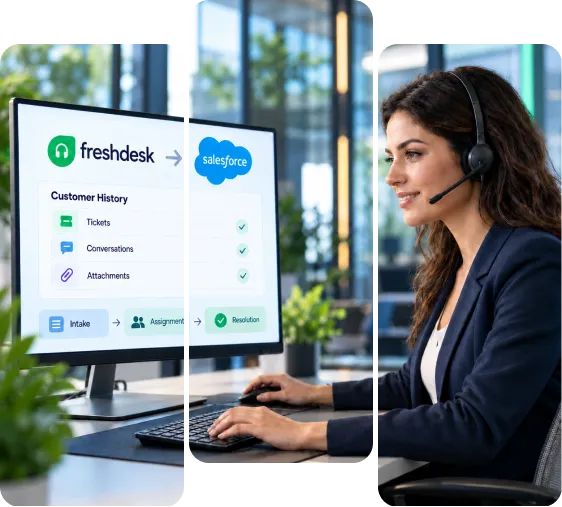

Freshdesk to Salesforce Migration Built Around Your Support Operations
Your agents need their ticket history in Salesforce on day one, and your business needs the workflows it already runs on. VALiNTRY360 plans and delivers your Freshdesk to Salesforce migration: data transfer, Service Cloud setup, integration changes, testing, training, and launch support. Once you’re live, agents see each customer’s full record in one place. Service reports sit beside sales and account activity, and every case follows one defined path, from intake through assignment to resolution, so handoffs between teams stop getting lost.
Before we recommend a scope, we audit your current Freshdesk setup. We list the tickets, contacts, conversations, attachments, and custom fields that need to move, the automation rules and SLA policies we’ll rebuild in Service Cloud, and the connected tools that need integration changes. You’ll see the effort and the risks before a single record moves. That gives your support team a cutover date it can plan around and a clear sense of what changes when agents first log in to Salesforce.
Make Salesforce Work for Your Support Team
Your migration should solve the problems that prompted the move. We start with the experience you want agents, customers, and service managers to have, then build the migration around those priorities.
Give Agents the Customer Context They Need
When support teams switch between tools to check account details, previous conversations, and commercial information, every response takes more effort. We configure Service Cloud to bring relevant customer information into the agent workspace, with connected systems supplying the details Salesforce does not already hold.
Bring Sales and Service Closer Together
An unresolved service issue can affect a renewal or an active opportunity. We connect Cases with the right customer records and design access around each team’s responsibilities, helping sales and service understand the relationship without relying on forwarded messages or duplicate notes.
Put Escalations and Ownership in Order
Growing teams need clear rules for who handles each request. We review your queues, priorities, service commitments, and handoffs, then configure assignment and escalation processes around the way your business operates. Exceptions receive an owner instead of disappearing between teams.
Make Service Performance Easier to Review
We define the measures your managers need before building reports. Backlog, response times, resolution trends, workload, and service commitments are reviewed against the available data, giving leaders a practical view of where work is slowing down and which changes deserve attention.
Our Freshdesk to Salesforce Migration Services
Choose a scope that matches your starting point. Whether Salesforce is already configured or you need a complete Service Cloud implementation, we bring the data, process, and adoption work into one coordinated engagement.
01
Migration Assessment and Scope
We assess your Freshdesk and Salesforce environments to identify migration requirements, data dependencies, and support priorities. The assessment defines a clear scope before implementation begins.
- Environment Review: Assess Freshdesk configurations, Salesforce readiness, and existing support processes.
- Data Assessment: Identify essential ticket history, customer records, custom fields, and attachments.
- Scope Definition: Document migration deliverables, responsibilities, dependencies, and exclusions.
- Migration Planning: Resolve data concerns, establish priorities, and agree on launch requirements.
02
Data Preparation and Transfer
We prepare and transfer your Freshdesk records into Salesforce through structured field mapping, data cleansing, and validation. Our Salesforce data migration services also support complex migrations involving multiple systems.
- Data Extraction: Collect approved tickets, contacts, conversations, notes, and attachments.
- Field Mapping: Align Freshdesk fields and relationships with Salesforce objects and fields.
- Data Cleansing: Address duplicate records, missing values, and inconsistent information.
- Data Validation: Reconcile transferred records, preserve source references, and review exceptions.
03
Service Cloud Configuration
We configure Salesforce Service Cloud to support your team’s case management, customer interactions, and daily operations. Our Service Cloud implementation services support additional platform requirements.
- Case Configuration: Set up Cases, record types, page layouts, and required fields.
- Agent Workspaces: Configure service consoles, navigation, and relevant customer information.
- Access Management: Establish user permissions, roles, and appropriate record visibility.
- Workflow Testing: Validate case handling and existing Salesforce processes before deployment.
04
Automation and Service Commitments
We rebuild approved Freshdesk automations and SLA requirements in Salesforce to maintain consistent support operations. Each workflow is reviewed and tested before launch.
- Case Routing: Configure assignment rules and queues for appropriate support teams.
- SLA Management: Rebuild approved service commitments using suitable Salesforce capabilities.
- Escalation Rules: Configure priority handling, notifications, and escalation requirements.
- Automation Testing: Validate reopened cases, priority changes, and after-hours requests.
05
Knowledge and Customer Self Service
We migrate approved Freshdesk knowledge articles into Salesforce Knowledge while maintaining content accuracy and accessibility. Self-service portals are configured separately when required.
- Article Migration: Transfer approved knowledge articles, categories, and supporting content.
- Content Review: Identify outdated articles, duplicates, and information requiring updates.
- Access Configuration: Define article visibility, permissions, and publishing requirements.
- Portal Planning: Assess customer access, case submission, and help center navigation.
06
Integrations and Reporting
We reconnect essential business applications and configure Salesforce reporting to support service operations. Each integration and report is tested for accuracy and reliability.
- Integration Assessment: Connected billing, telephony, messaging, and business applications.
- System Connectivity: Configure approved Salesforce integrations and required data exchanges.
- Reporting Setup: Build reports for case volumes, resolution times, SLAs, and agent performance.
- Performance Validation: Test integrations, reconcile reporting data, and establish new baselines.
What We Can Move and What We Rebuild
Your approved scope determines the records and processes included. We confirm availability, destination behavior, and any limitations through discovery and sample testing, rather than assuming every Freshdesk feature has an identical Salesforce equivalent.
Freshdesk item
Salesforce destination or treatment
Scope decision
Tickets and custom fields
Cases and agreed custom fields
Statuses, priorities, history window, and required values
Contacts and companies
Contacts and Accounts
Matching rules, duplicates, ownership, and relationships
Replies and private notes
Agreed email or comment records
Readability, authorship, dates, and internal visibility
Attachments and inline images
Salesforce Files or approved archive
File access, relationships, storage, and retention
Agents and groups
Configured users and queues
Licenses, membership, former agents, and permissions
Knowledge articles
Salesforce Knowledge
Structure, images, links, languages, and publishing access
Tags and ticket relationships
Agreed fields or relationships
Reporting needs and supported destination behavior
Automations and SLA policies
Rebuilt Salesforce processes
Routing, business hours, escalations, and service targets
Templates and canned responses
Recreated response resources
Wording, merge fields, ownership, and usage
Time entries and satisfaction data
Agreed reporting structure or archive
Business value, available source data, and added scope
You approve the mapping before the production transfer. Items outside the agreed migration remain visible in the scope document, with a decision to archive, rebuild later, or exclude. That makes the proposal easier to evaluate and the final result easier to accept.
Protect the Details Behind Every Support Conversation
Ticket totals are only one measure of migration quality. Your agents also need usable history, correct access, and the ability to continue serving customers. We focus validation on the details that affect real support work.
Private Notes That Remain Internal
Public replies and internal notes need separate handling. We test their visibility using the relevant agent and customer roles, including portal access where included. This checks the actual customer experience instead of assuming that a field mapping alone preserves confidentiality.
Dates and Ownership With Clear Meaning
We assess which original dates and authors can be preserved using supported Salesforce options. Where a source value cannot populate a standard destination field, we agree an alternative reference field or archive treatment. Former agents and inactive users receive an explicit ownership mapping.
Attachments That Open From the Right Record
Files must be accessible from the correct Case or related record. We review attachment volumes, permissions, and storage requirements, then check representative files after transfer. Inaccessible items appear in the exception report so their treatment can be agreed.
Historical Reports With Agreed Boundaries
Freshdesk and Salesforce may calculate service measures differently. We identify which reports can use migrated history reliably and which should start from the Salesforce launch date. Service leaders understand those boundaries before comparing performance across the two platforms.
Is Your Salesforce Environment Ready for Freshdesk Migration?
Before moving Freshdesk data, we check whether your Salesforce environment can support the records, workflows, and service channels your team needs. VALiNTRY360 identifies configuration gaps, access requirements, and potential blockers early, helping you prepare for a controlled migration.
READINESS AREA
WHAT WE CHECK
Salesforce Licenses and Access
Confirm Service Cloud access, user permissions, integration credentials, and required platform capabilities.
Customer Data Structure
Review Accounts, Contacts, Cases, custom fields, and relationships to determine how Freshdesk records will fit.
Ticket History and Storage
Assess conversation history, attachments, data volumes, and Salesforce storage requirements before transfer.
Support Channels and Workflows
Check email routing, case queues, service commitments, and automation requirements for launch readiness.
Integrations and Dependencies
Identify connected systems, data flows, and configuration dependencies that must be addressed before migration.
Testing and Launch Preparation
Confirm sandbox availability, test scenarios, acceptance criteria, and responsibilities for approving the production move.
VALIDATION & ADVISORY PROOF
What Clients Say About Working With VALiNTRY360
A successful Salesforce project requires more than technical expertise. It takes a team that understands your business processes, communicates clearly, and delivers solutions that support daily operations. Here’s what our clients say about their experience working with VALiNTRY360.
Sean Rose
@seanrose
Really, really liking @reflectnotes so far. It’s just the right amount of simple/fast for a personal note takingapp and does most of the hard work of organizing in the background.
Ryan Delk
@delk
Don’t take it from me: @reflectnotes is magic.
Demetria Giles
@drosewritings
Playing around with @reflectnotes. I’m back logging key thoughts, details and soundbites from episodes, books, meetings, articles, etc from the past week. So far, it’s a knowledge worker’s dream come true.
Fabrizio Rinaldi
@linuz90
I’m keeping @reflectnotes open all the time, and I’m using both for simple journaling, and long form writing. It’s rare to see a single app work so well for both.
Jeremy McPeak
@jwmcpeak
I just received an invite to @reflectnotes, and holy crap! It is well thought out, and I can see this being my note-taking platform going forward. Well done! I’m looking forward to seeing how the app progresses.
Jonathan Simcoe
@jdsimcoe
All righty. I have to give a massive shout-out to @maccaw for pioneering @reflectnotes. It has already matured to a point where it is a daily driver for me. The speed, focus, and attention to detail (especially perfect bits of structured data) is superb.
From Salesforce implementation and data migration to ongoing support, we focus on building solutions that meet real business needs. Our client relationships reflect our commitment to practical execution, collaboration, and long-term Salesforce success.
Choose the Migration Approach That Fits Your Operation
The right approach depends on your Salesforce readiness, service hours, renewal dates, and tolerance for operational change. We recommend an option after reviewing those constraints with your team.
Data Migration Into an Existing Salesforce Environment
This suits teams that already have an approved Service Cloud setup and mainly need their Freshdesk history transferred. We validate destination readiness, agree the mappings, rehearse the load, and coordinate the final transfer with your administrators.
Migration With a Complete Service Cloud Build
Choose this approach when Salesforce still needs the agent workspace, channels, queues, rules, and reports required for launch. The implementation and migration follow one plan, allowing your team to test the destination with representative data before production use.
A Phased Move Across Teams or Brands
For organizations with multiple support groups, a staged transition may make training and operational change more manageable. We define which system owns each queue or channel during every phase, and how temporary overlap will be reconciled.
Migration With Freshdesk and Salesforce Running in Parallel
This approach suits businesses that need to maintain customer support while gradually transitioning to Salesforce. We establish clear ownership for incoming tickets, synchronize essential customer information where feasible, and test workflows across both platforms.
If your immediate need is customer visibility while support remains in Freshdesk, integration may be worth assessing first. We help distinguish that requirement from a full platform replacement so the engagement addresses the decision your business actually faces.
A Migration Plan With Clear Approval Points
Our Freshdesk to Salesforce migration process gives your team defined opportunities to review scope, test working results, and approve launch readiness. You know what comes next and which decisions need your input.
Migration Phase
What We Do
Deliverables and Approval Points
1. Discover and Agree
Assess Freshdesk and Salesforce environments, identify stakeholders, review deadlines, and confirm the records and workflows to retain.
Agreed migration scope, responsibilities, dependencies, and launch requirements.
2. Design and Configure
Prepare data mappings, configure Salesforce processes, and review agent workspaces, permissions, and reporting requirements.
Approved field mappings, configuration design, and resolved implementation decisions.
3. Rehearse and Validate
Run test migrations and validate records, conversations, attachments, permissions, and support workflows using realistic scenarios.
Migration test results, exception reports, user acceptance testing, and approval to proceed.
4. Prepare and Launch
Confirm the cutover schedule, communication plan, final data transfer, and support channel changes before switching systems.
Approved launch checklist, acceptance criteria, and contingency plan for critical issues.
5. Stabilize and Hand Over
Monitor support workflows, resolve agreed post-launch issues, and prepare documentation for ongoing Salesforce operations.
Handover documentation, outstanding improvement priorities, and optional managed services plan.
Keep Customer Support Organized During the Switch
Your customers still need reliable support while the migration is underway. We plan the Freshdesk to Salesforce transition around open tickets, incoming requests, and service coverage to minimize disruptions. Where possible, agents continue working in Freshdesk while historical data is prepared and tested. Our cutover plan defines when updates stop, how final changes are captured, and when Salesforce becomes the primary support platform.
We pay close attention to unresolved tickets, email threads, and customer requests received during the transition to prevent missed communications or duplicate cases. We test these scenarios before launch and establish contingency measures for unexpected issues. The plan also defines who approves the final switch, how new records are handled, and when Freshdesk can be retired after successful validation.
Launch With the Capabilities Your Team Needs First
A migration can attract requests from every department. We help you separate essential launch capabilities from improvements that can follow, keeping the first release focused on serving customers successfully.
For Your Agents
The first release should make everyday work clear: find the customer, read relevant history, understand ownership, send a response, and know when to escalate. We use those tasks to review the proposed workspace and training needs with your service team.
For Your Service Managers
Managers need visibility into open work and a reliable way to act on exceptions. We prioritize the queues, escalation views, and operational reports needed to oversee the transition. Additional analytics can follow once the new process has a dependable baseline.
For Your Administrators
Administrators need to understand the configuration they will maintain. The handover should make key rules and known limitations easy to locate. We define those deliverables within the engagement so ongoing ownership is considered before the project closes.
For Your Customers
Customers need uninterrupted support and clear communication throughout the transition. We prioritize reliable case submission, accurate ticket updates, consistent response channels, and access to essential self-service resources.
Together, these priorities give your business a practical definition of launch readiness. Enhancements such as a broader portal, additional channels, or expanded automation can be planned as later releases when they are outside the immediate migration need.
Why Work With VALiNTRY360
A Freshdesk to Salesforce Service Cloud migration brings together customer data, service operations, and user adoption. VALiNTRY360 combines migration expertise with Salesforce implementation and ongoing support, helping your team move from an approved design to a fully functional service environment.
Why Choose VALiNTRY360
How We Support Your Migration
Clear Scope and Deliverables
We define the data, configurations, integrations, testing, training, and support included in your migration. Responsibilities, assumptions, and exclusions are documented upfront to prevent unexpected requirements.
Support-Focused Implementation
We involve support agents and service managers to understand daily workflows, ticket handling, routing, and reporting needs. This ensures Salesforce supports real operational requirements from day one.
Testing Before Launch
We validate migrated records, service workflows, and system functionality before deployment. Your team reviews test results, resolves critical issues, and approves the environment against agreed acceptance criteria.
Post-Migration Support
We provide agreed stabilization assistance, documentation, and handover support after launch. For ongoing administration, reporting, and improvements, our Salesforce managed services offer continued support under a separate agreement.

BIC Graphic
BIC Graphic needed better coordination across sales and service. VALiNTRY360 implemented Sales Cloud and Service Cloud with ERP integration, bringing customer interactions into a more connected environment. The published case study reports a seven-minute reduction in average handle time.
For a Freshdesk migration, the relevant lesson is the importance of designing customer context and service processes together.

TrialSpark
VALiNTRY360 supported TrialSpark with a Service Cloud environment for patient operations, including connected operational information and service workflows. The published case study reports a 77 percent reduction in time to resolve study-related support tickets.
The project demonstrates relevant experience connecting service configuration with specialized operational requirements.

Real California Milk
VALiNTRY360 moved Real California Milk from SugarCRM to Salesforce and automated recurring account and contact updates. The published case study reports that annual manual data work fell from 500 hours to four.
This illustrates why a migration should account for how records will stay accurate after the initial transfer.
Freshdesk to Salesforce Migration Services
FAQ by VALiNTRY 360
Yes. We assess your existing Accounts, Contacts, automation, permissions, and integrations before migration. We map Freshdesk customers to Salesforce records and review Service Cloud changes to prevent duplicates and disruptions to existing sales processes.
Yes. We can migrate open tickets and selected closed records while retaining older history in an approved archive. We help determine the right cutoff based on reporting, storage, retention requirements, and customer support needs.
We assess supported Salesforce fields and permissions before migration. Original dates, authorship, and conversation history are tested using representative records. Where direct preservation is not supported, we agree on alternative fields or archival options.
No. Freshdesk automations and SLAs must be reviewed and rebuilt in Salesforce. We configure approved routing, notifications, escalations, and service targets, then test their behavior against real support scenarios.
We migrate approved Freshdesk articles into Salesforce Knowledge, including relevant content, images, and links. Customer portals require separate configuration for access, branding, navigation, and case management, depending on your requirements.
We compare source and destination records, validate relationships, attachments, and conversations, and test support workflows. Your team reviews exceptions and confirms that agreed acceptance criteria have been met before final approval.
We establish access permissions, secure transfer arrangements, and retention requirements before migration. We also validate record visibility and private notes to help protect sensitive customer information throughout the transition.
Migration tools can handle basic data transfers, but Salesforce configuration, integrations, automations, testing, and launch planning may require additional expertise. We assess your existing tools and provide support where needed.
Yes, in many cases. We review your email configuration and update routing to Salesforce while maintaining existing customer-facing addresses. We test new messages, replies, and cutover scenarios before launch.
We need your Freshdesk plan, approximate ticket volume, agent count, support channels, Salesforce status, integrations, and preferred timeline. We use these details to assess requirements and prepare a migration proposal.
Migration costs depend on ticket volume, data complexity, custom fields, integrations, automation requirements, and Service Cloud configuration. VALiNTRY360 assesses your environment and provides a customized quote based on the agreed migration scope.
The timeline depends on data volume, system complexity, integrations, testing, and training requirements. Smaller migrations may take less time, while complex implementations require additional planning. We provide an estimated schedule after assessing your environment.
We minimize disruption through phased planning, test migrations, and a controlled cutover. Where feasible, your agents can continue using Freshdesk during preparation. Any expected service interruptions are identified and communicated before launch.
Yes. We map approved Freshdesk custom fields, ticket statuses, priorities, and categories to suitable Salesforce fields. We also review field dependencies and validate migrated values to maintain consistent case management and reporting.
Yes. We provide agreed training covering Salesforce case management, agent workspaces, queues, reporting, and support workflows. We also supply handover documentation to help your agents and administrators manage daily operations after launch.