

- Salesforce Implementation Services
Most conversations about Salesforce start in the wrong place. Teams ask which edition to buy or how many licenses to reserve before they have agreed on the problem they are trying to solve. For small and mid-size businesses, that ordering is where budgets slip and adoption stalls. The real risk in an SMB rollout is rarely choosing too few features. It is buying and configuring too much, too early, before the business is ready to run it. At VALiNTRY360, Salesforce is what we do.
As a U.S.-based Salesforce consulting partner, we have guided small and mid-size teams through hundreds of Salesforce implementation services engagements, and this guide distills what actually moves outcomes. We will walk through the decisions that matter: how to judge whether Salesforce fits your business, how to size scope and cost, how to plan data migration and integrations, and how to make sure people use what you build. You will also get checklists, decision tables, and a phased roadmap you can adapt. The goal is a system your team relies on, not a project that looks finished on paper.
Is Salesforce Right for Your Business?
Salesforce is not the only good CRM, and it is not automatically the right one for a ten-person team. Before you evaluate editions, evaluate fit. The platform earns its keep when you have enough process complexity, data, and growth ahead of you that a lighter tool would slow you down within a year or two. If a shared spreadsheet and a calendar still cover your needs comfortably, you are probably early.
Signs you are ready
- You have repeatable sales, service, or marketing processes that more than one person needs to follow.
- Customer information lives in several places and no one has a reliable single view.
- You are hiring, adding territories, or launching products, and manual tracking is starting to break.
- Leadership wants forecasting, pipeline visibility, or service metrics they cannot get today.
- Someone can own the platform after launch, even part time.
Signs Salesforce may be too much
- Your process is simple enough that a lightweight CRM would cover it for the next two to three years.
- No one internally can own configuration, data quality, or user questions.
- Budget covers licenses but not implementation, training, or ongoing support.
- The team is resistant to changing how it works, and leadership is not prepared to drive that change.
None of these are permanent. Many businesses that are not ready this year become ready next year once processes settle and ownership is clear. The honest assessment saves money either way.
Define Your Business Goals Before Anything Else
A Salesforce project without defined goals becomes a feature list, and feature lists are how SMBs overspend. Before scoping, agree on three or four outcomes you can measure. These anchor every later decision about products, customization, and phasing.
- Growth outcomes: shorter sales cycles, higher win rates, faster lead response, more accurate forecasts.
- Service outcomes: faster case resolution, fewer dropped requests, better visibility into recurring issues.
- Operational outcomes: less manual data entry, cleaner reporting, one trusted source of customer truth.
Write these down before you talk to any vendor. When a feature or add-on does not clearly serve one of them, that is your signal to defer it. This single discipline prevents most scope creep.
Which Salesforce Products Do SMBs Actually Need?
Salesforce sells a large catalog, and you do not need most of it. The mistake we see most often is buying multiple clouds up front because they were bundled into a demo. Start with the smallest set of products that serves your defined goals, then expand only when a real use case appears. According to Salesforce’s small business pricing, the entry points are deliberately simple: a free tier for up to two users, Starter Suite at $25 per user per month, and Pro Suite at $100 per user per month, both billing sales, service, and marketing basics together.
A meaningful 2026 change: Salesforce now embeds Agentforce AI into its SMB Suites at no extra license cost, including AI record summaries, a draft-with-AI email feature, and a prebuilt Employee Agent in Starter and Pro. That lowers the barrier to trying AI, but it does not remove the need for clean data and governance, which we cover later.
A realistic product-fit table
The table below reflects current, verified Salesforce products. Use it to decide what belongs in phase one versus what can wait.
Salesforce product | Best-fit SMB use case | When it may be unnecessary | Key consideration |
Starter Suite / Pro Suite | Small teams wanting sales, service, and marketing basics in one place with turnkey AI | When a free lightweight CRM still covers a very simple process | Pro Suite adds custom objects, deeper automation, and AppExchange access as you grow |
Sales Cloud (Enterprise) | Growing sales teams needing advanced pipeline management, forecasting, and APIs | When Starter or Pro forecasting is sufficient for a small team | Enterprise unlocks unlimited web APIs and richer automation; priced higher per user |
Service Cloud (Enterprise) | Support teams handling cases across channels with routing and knowledge | When email plus a shared inbox still handles low case volume | Case volume and channel count justify the move, not team size alone |
Marketing Cloud Account Engagement | B2B lead nurture and scoring tied to the sales pipeline | When Suite email marketing covers your campaigns | Priced by contact tier and org, not per user; a step up in cost and complexity |
Marketing Cloud (Next / Growth) | Higher-volume, multi-channel B2C journeys | For most early-stage SMBs with simple email needs | Org-level pricing; commit only with a clear campaign strategy |
Experience Cloud | Customer or partner portals and self-service communities | When you have no external portal use case yet | Adds design, security, and maintenance scope |
Data Cloud | Unifying customer data across systems to power analytics and AI grounding | When your data lives cleanly in one or two systems | Most valuable once you have multiple large data sources |
Revenue Cloud | Complex quoting, CPQ, contracts, and subscription billing | When quotes are simple and low-volume | Introduces significant configuration; justify with pricing complexity |
Commerce Cloud | Businesses running B2B or B2C ecommerce storefronts | When you already have a working commerce platform | A major addition; integrate rather than replace where it makes sense |
Tableau | Advanced, cross-source analytics beyond native reports | When Salesforce reports and dashboards meet reporting needs | Powerful but adds licensing and a separate skill set |
MuleSoft | Multiple complex, real-time integrations across enterprise systems | When native connectors or a lighter integration tool suffice | Reserve for genuine integration complexity; it is an investment |
Agentforce / Salesforce AI | AI summaries, email help, and task agents grounded in your CRM data | When data quality is poor or use cases are undefined | Governed by the Einstein Trust Layer; quality of output depends on quality of data |
If you are weighing which clouds map to your goals, our Salesforce consulting services team scopes product selection against use cases rather than defaulting to the largest bundle.
SMB Readiness Assessment
Readiness is not about company size. It is about whether the conditions for a healthy implementation exist. Run through the areas below honestly. A warning sign in one area is manageable. Several at once means you should slow down and prepare before you buy.
Readiness area | Questions to ask | Warning sign |
Processes | Are our sales, service, or marketing steps documented and repeatable? | Every rep works differently and nothing is written down |
Goals | Have we defined three or four measurable outcomes? | The goal is vaguely to get organized |
Executive sponsorship | Does a leader own this and will they drive adoption? | No one above the project team is accountable |
Data | Is our customer data accessible, reasonably clean, and owned? | Data is scattered, duplicated, or nobody owns it |
Process owners | Do we have people who own each process area? | No internal owner for sales, service, or data |
Budget | Have we budgeted for implementation, training, and support, not just licenses? | Only license cost is funded |
User capacity | Can staff make time to learn the system? | Teams are fully saturated with no room to train |
Integrations | Do we know which systems must connect and why? | Integration needs are unknown or assumed trivial |
Administration | Can someone administer the org after launch? | No admin identified, internal or external |
Security and compliance | Do we have data protection or regulatory obligations? | Compliance needs are unclear or unassigned |
Scope: Why Less Is More in Phase One
The single most effective risk reducer for an SMB implementation is a tight first phase. A minimum viable implementation delivers the core workflows that matter most, proves value quickly, and gives users something clean to learn. Everything else becomes a roadmap item, not a launch blocker.
Sort every requirement into must-have and nice-to-have. Must-haves are the workflows the business cannot run without on day one. Nice-to-haves are improvements you will absolutely want, just not yet. Sequencing integrations and reporting the same way keeps the first phase achievable.
An example phased roadmap
Phase 1: Foundation
- Core CRM setup with accounts, contacts, leads, and opportunities
- User roles, profiles, and permission sets
- Essential data migration of active, relevant records
- A small set of reports and dashboards tied to your goals
Phase 2: Automation and adoption
- Lead routing and assignment
- Approval workflows and email or task automation
- Role-based training and a super-user program
- Adoption measurement and a feedback loop
Phase 3: Expansion
- Advanced integrations with source-of-truth rules
- Marketing automation or customer service expansion
- AI capabilities once data quality supports them
- Advanced analytics where native reports fall short
Adjust the phases to your reality. A service-led business might make Service Cloud the phase-one core. The principle holds regardless: prove the foundation before you build on it.
Standard Configuration Versus Customization
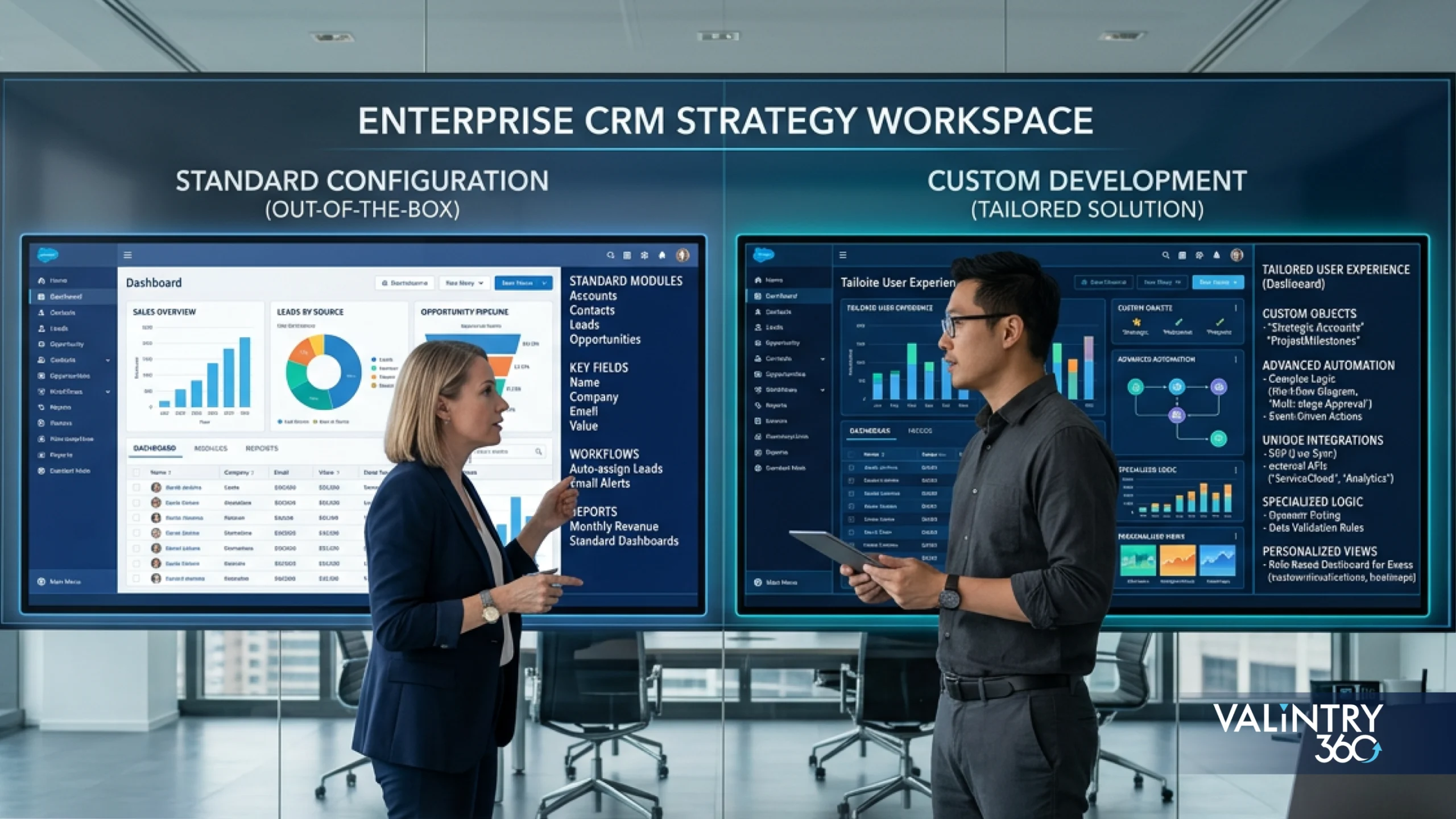
Salesforce is highly configurable before you ever write code. Configuration means point-and-click setup: fields, page layouts, and record types. Declarative automation means building logic with Flow instead of code. Custom development means Apex and custom components. Third-party applications from AppExchange extend the platform, and integrations connect it to other systems. For most SMBs, configuration and declarative automation cover the large majority of needs.
Customization is justified when a real business requirement cannot be met declaratively and the value is clear. It becomes a liability when it is used to recreate a broken process or to add complexity no one asked for. Salesforce’s own Well-Architected guidance frames healthy solutions as trusted, easy, and adaptable, and over-customization works against all three.
Requirement | Use standard configuration | Consider customization | Key risk |
Capture extra data on a record | Add custom fields within reason | Only if a managed structure is needed | Field sprawl makes pages confusing and reports noisy |
Automate a routing or approval step | Build it with Flow | Custom code only for logic Flow cannot handle | Overengineered flows become hard to maintain |
Add a common capability | Install a vetted AppExchange app | Build custom only if no app fits | Unmaintained apps create upgrade and support debt |
Connect another system | Use a native or standard connector | Custom integration for unusual needs | Brittle integrations fail quietly and lack owners |
Tailor the user experience | Configure layouts and Lightning pages | Custom components for genuine gaps | Custom UI raises the cost of every future change |
The risks of over-customization compound over time: technical debt, upgrade friction, user confusion, and dependence on a single developer who understands the build. Favor the simplest option that meets the requirement, and document every exception.
Who You Need on the Implementation Team
Enterprise implementations spread these roles across many people. In an SMB, one person often wears several hats, and that is fine, as long as accountability for each role is explicit. The danger is not combining roles; it is leaving a role unowned.
Role | Main responsibility | Internal or external | Needed during which phase |
Executive sponsor | Owns outcomes, funds the project, drives adoption | Internal | All phases |
Product owner | Prioritizes requirements, decides trade-offs | Internal | All phases |
Project manager | Runs schedule, scope, and communication | Internal or external | All phases |
Salesforce administrator | Configures and maintains the org | Internal or external | Build onward |
Business analyst | Translates process needs into requirements | Internal or external | Discovery and design |
Consultant / solution architect | Designs the solution and guards architecture | External | Discovery through build |
Developer | Builds custom code where justified | External (as needed) | Build |
Data migration specialist | Maps, cleanses, and loads data | Internal or external | Migration |
Integration specialist | Connects external systems | External (as needed) | Integration phases |
QA tester | Validates against requirements | Internal or external | Testing |
Trainer / change lead | Drives training and adoption | Internal or external | Deployment and beyond |
In-House Setup Versus an Implementation Partner
There is no single right answer here. A small team deploying only Sales Cloud with standard processes can succeed largely in-house. As soon as you add multiple clouds, meaningful data migration, or integrations, outside expertise usually pays for itself in speed and avoided rework. Many SMBs land on a hybrid: a partner sets a clean foundation, and an internal admin runs it day to day.
Delivery model | Best suited for | Advantages | Risks |
Internal setup | Very small teams, single cloud, standard processes | Lowest cash cost, deep business context | Slower, easy to build in mistakes that are costly to fix later |
Freelance consultant | Focused, well-defined builds on a budget | Flexible, lower cost than a firm | Single point of failure, thin documentation, limited coverage |
Consulting partner | Multi-cloud, migration, or integration complexity | Certified expertise, proven methodology, broader coverage | Higher cost; requires clear scope and communication |
Hybrid | SMBs wanting a strong start plus internal control | Fast, clean foundation with knowledge transfer | Needs a defined handoff so ownership does not fall through |
Managed services | Teams without a full-time admin post-launch | Ongoing optimization and support without hiring | Ongoing fee; choose a partner who documents and enables you |
If continuity after go-live is your concern, our Salesforce managed services and support model is built around knowledge transfer, so your team gains capability rather than dependence. It is one of the reasons SMBs choose us over a one-and-done build: we stay accountable for outcomes long after launch, not just deployment.
The Implementation Process, Step by Step
A practical SMB implementation follows a clear sequence, and it is the sequence we run on every engagement. Each stage has an owner, a main risk to watch, and an output that lets you move forward with confidence.
- Business discovery. Confirm goals and current processes. Owner: product owner. Risk: skipping to features. Output: agreed objectives and process map.
- Process mapping. Document how work actually flows today. Owner: business analyst. Risk: mapping the ideal instead of the real. Output: current-state maps.
- Requirements prioritization. Sort must-have from nice-to-have. Owner: product owner. Risk: everything becomes must-have. Output: a ranked backlog.
- Solution design. Decide configuration versus customization. Owner: solution architect. Risk: over-designing. Output: a design document.
- Data assessment. Profile sources, duplicates, and gaps. Owner: data specialist. Risk: underestimating cleanup. Output: a migration plan.
- Configuration. Build declaratively first. Owner: administrator. Risk: unmanaged field sprawl. Output: a working org in a sandbox.
- Customization where justified. Add code only for real gaps. Owner: developer. Risk: technical debt. Output: tested components.
- Integration. Connect systems with clear source-of-truth rules. Owner: integration specialist. Risk: silent failures. Output: monitored connections.
- Data migration. Load validated data. Owner: data specialist. Risk: bad data in production. Output: reconciled records.
- Testing. Validate against requirements with real users. Owner: QA. Risk: testing only happy paths. Output: sign-off.
- User training. Train by role on real tasks. Owner: change lead. Risk: generic training. Output: ready users.
- Deployment. Go live with a cutover plan. Owner: project manager. Risk: rushing the switch. Output: a live org.
- Hypercare. Support intensively right after launch. Owner: partner or admin. Risk: withdrawing support too soon. Output: stabilized usage.
- Continuous optimization. Improve on a schedule. Owner: admin or managed services. Risk: treating launch as the end. Output: a living roadmap.
Data Migration: The Most Underestimated Step
Data migration is where SMB timelines slip most often. The work is not just moving records; it is deciding which records deserve to move, fixing them, mapping them correctly, and proving the result. You rarely need every historical record. Migrating active customers, open opportunities, and recent history is usually enough, and archiving the rest keeps your new org clean and fast. Our Salesforce data migration services follow a structured audit, cleanse, map, load, and reconcile sequence for exactly this reason.
A practical migration checklist
☐ Inventory every data source and name an owner for each.
☐ Profile records for duplicates, missing fields, and inconsistent formats.
☐ Decide what to migrate, what to archive, and what to retire.
☐ Define retention rules for historical and regulated data.
☐ Build a field-mapping document from source to Salesforce objects.
☐ Cleanse and de-duplicate before loading, not after.
☐ Test the migration in a sandbox with a representative sample.
☐ Reconcile record counts and spot-check key records after load.
☐ Plan the cutover, including a freeze window and a rollback option.
Integrations With Your Existing Tools
Salesforce becomes far more valuable when it connects cleanly to the tools you already run. The goal is a trustworthy flow of data, not a web of brittle connections. Before building anything, answer a few questions for each integration: which system is the source of truth, whether real-time sync is truly needed, who owns a failure when it happens, how duplicates are prevented, and whether a native connector already meets the need. Our Salesforce integration services start with those questions rather than with middleware.
System type | Common integration purpose | Complexity risk | Key question |
Accounting / ERP | Sync customers, orders, and invoices | High | Which system owns the financial record of truth? |
Email / calendar | Log activity and sync meetings | Low | Do we need two-way sync or one-way logging? |
Marketing automation | Pass leads and engagement to sales | Medium | How are leads scored and handed off? |
Ecommerce | Bring orders and customers into CRM | Medium to high | Is real-time order sync necessary? |
Support / ticketing | Unify cases with customer records | Medium | Should we consolidate into Service Cloud instead? |
Payments | Link transactions to accounts | Medium | Who reconciles failed or partial payments? |
Website forms | Capture leads directly | Low | How do we prevent duplicate and junk leads? |
Phone / telephony | Log calls and enable click-to-dial | Medium | Is a native connector available? |
Data warehouse / BI | Feed analytics and reporting | Medium to high | Do reports need live data or a nightly refresh? |
E-signature | Attach signed documents to records | Low | Is an AppExchange connector sufficient? |
Cost and Total Cost of Ownership
License price is the part everyone sees and the smallest part of the picture. Verified Salesforce small business pricing starts at $0 for the Free tier (two users), $25 per user per month for Starter Suite, and $100 per user per month for Pro Suite, with Sales Cloud and Service Cloud Enterprise at $175 per user per month. Account Engagement Growth starts at $1,250 per month for up to 10,000 contacts. Those are the seats. The total cost of ownership includes everything around them.
Cost category | One-time or ongoing | Why it matters | Common oversight |
Salesforce licenses | Ongoing | Your recurring platform cost | Buying more seats than active users |
Add-ons and AppExchange | Ongoing | Extend capability, add cost | Stacking apps that overlap |
Implementation services | One-time | Getting the foundation right | Choosing on price alone |
Data migration | One-time | Often the most underestimated effort | Assuming a simple export and import |
Integration | One-time and ongoing | Connections need building and upkeep | Ignoring maintenance after launch |
Custom development | One-time and ongoing | Code must be maintained | Underpricing long-term maintenance |
Data storage and messaging | Ongoing | Volume-based charges add up | Storing large files directly in CRM |
Training and change management | One-time and ongoing | Drives adoption and ROI | Cutting training to save budget |
Internal staff time | Ongoing | Real cost even when it is not invoiced | Leaving it out of the business case |
Administration | Ongoing | Someone must run the org | No admin budgeted after go-live |
Premier / managed support | Ongoing | Faster help and optimization | Premier Success runs ~30% of net license fees |
Optimization and technical debt | Ongoing | Systems drift without upkeep | Treating launch as the finish line |
The lowest initial quote rarely produces the lowest long-term cost. A cheap build that skips data cleansing or documentation often costs more within a year in rework and stalled adoption. Budget for the whole picture and compare partners on value, not just rate.
User Adoption and Change Management
A technically flawless launch still fails if people avoid the system. Adoption is earned during the project, not after it. Involve real users in discovery so the system reflects how they work. Simplify processes rather than porting every quirk. Train by role on actual tasks, not generic tours. Give people a super-user to ask, office hours, and clear documentation. Most of all, make sure leadership uses the reports and expects the team to work in the platform.
Measuring adoption honestly
Login counts alone prove nothing. A user can log in daily and still work around the system. Better signals include:
- Active users relative to licensed users
- Record completeness on key objects
- Opportunities and cases updated on time
- Workflow and automation completion rates
- Adoption of the specific features you deployed
- The prevalence of manual workarounds and shadow spreadsheets
- User satisfaction gathered through short, regular check-ins
Reporting and Dashboards That Earn Their Place
Start with a handful of reports that answer real questions, not a wall of dashboards no one reads. Each report should have an owner and tie back to a goal. Build more only when someone will act on them.
Business goal | Recommended Salesforce KPI | Data required | Owner |
Grow pipeline | Pipeline value by stage | Opportunities with stage and amount | Sales leader |
Forecast reliably | Forecast accuracy versus actuals | Close dates and historical outcomes | Sales ops |
Convert more leads | Lead-to-opportunity conversion rate | Lead status and source | Marketing / sales |
Respond faster | Average lead response time | Lead created and first-touch timestamps | Sales ops |
Resolve service faster | Average case resolution time | Case open and close times | Service manager |
Manage service load | Case volume by type and channel | Case records with type | Service manager |
Show marketing impact | Campaign-influenced pipeline | Campaign and opportunity links | Marketing leader |
Retain customers | Renewal or retention rate | Account and renewal data | Revenue owner |
Protect data quality | Record completeness rate | Required-field population | Salesforce admin |
Security, Permissions, and Governance

Even a small org needs governance. It does not have to be heavy, but it must exist. Give users the least access they need through profiles and permission sets, rather than opening everything. Use sharing rules for record visibility. Protect sensitive data, enforce sound login security, and keep a plan for data backups. Control who can change the org, and deactivate departing users promptly. Salesforce’s Well-Architected trust guidance is a useful reference for keeping security proportionate and adaptable as you grow.
- Assign roles and permission sets on a least-privilege basis.
- Define sharing rules so people see what they should and no more.
- Identify sensitive or regulated data and restrict access to it.
- Enforce login security and review integration access regularly.
- Use sandboxes for changes and apply basic change control.
- Document configuration and name a governance owner, even if part time.
If you are unsure whether an existing org is secure and well configured, our Salesforce health check services surface hidden risks across security, automation, data, and integrations before they cause problems.
Salesforce AI and Agentforce for SMBs
AI is now part of the SMB story rather than an enterprise-only luxury. As noted earlier, Salesforce added Agentforce capabilities to its SMB Suites without extra license fees, including record summaries, AI-assisted email drafting, and a prebuilt Employee Agent. Practical SMB use cases include lead prioritization, sales call and record summaries, email assistance, service-agent support, and surfacing data insights.
The requirements and risks matter as much as the features. AI grounded in poor data produces poor output. You still need clean data, appropriate licensing, governance over what agents can do, human review of AI suggestions, and attention to privacy, security, and accuracy. Salesforce governs generative features through the Einstein Trust Layer, but governance on your side is what keeps results reliable. AI amplifies a good process; it will not fix a broken one or repair weak CRM data on its own.
Common Implementation Mistakes and How to Avoid Them
Buying too many licenses or clouds up front. Buy for active users and phase-one scope, then expand.
- Implementing every feature at once. Ship a tight foundation and roadmap the rest.
- Copying broken processes into Salesforce. Simplify first; do not automate dysfunction.
- Skipping data cleansing. Clean before you migrate, not after.
- Over-customizing. Exhaust configuration before writing code.
- Ignoring adoption. Involve users early and train by role.
- Underestimating integrations. Define source-of-truth and ownership before building.
- Leaving the platform unowned. Name an admin, internal or external, before launch.
- Choosing a partner on price alone. Compare methodology, documentation, and knowledge transfer.
- Launching without real testing. Test with users against requirements, not just happy paths.
- Creating too many fields and dashboards. Add only what someone will use or act on.
- Treating go-live as the end. Plan hypercare and continuous optimization.
- Expecting Salesforce to solve strategy. Fix the process and the data; the platform amplifies both.
Measuring Success and ROI
Tie success back to the goals you defined at the start. Avoid borrowed benchmarks; your baseline is the only number that matters for measuring improvement. Capture where you are before launch, then track movement against it.
Success area | KPI | Baseline | Target direction | Review frequency |
Adoption | Active users vs licensed | Measure pre-launch | Increase | Monthly |
Data quality | Record completeness | Measure pre-launch | Increase | Monthly |
Speed | Lead response time | Measure pre-launch | Decrease | Monthly |
Efficiency | Sales-cycle length | Measure pre-launch | Decrease | Quarterly |
Conversion | Lead-to-win rate | Measure pre-launch | Increase | Quarterly |
Forecasting | Forecast accuracy | Measure pre-launch | Improve | Quarterly |
Service | Case resolution time | Measure pre-launch | Decrease | Monthly |
Automation | Manual steps removed | Count current | Decrease | Quarterly |
Cost efficiency | License utilization | Measure pre-launch | Optimize | Quarterly |
Outcomes | Goal-linked business result | Measure pre-launch | Improve | Quarterly |
A 90-Day Implementation Preparation Roadmap
Preparation determines outcomes. This roadmap covers the ninety days before and around your build, so you arrive at configuration ready rather than scrambling. Adjust the pace to your team.
Days 1 to 30: Define
- Confirm three or four measurable business goals
- Map current sales, service, or marketing processes
- Identify user groups and their real needs
- Review existing systems and profile your data
- Set realistic budget expectations across the full TCO
- Assign internal ownership and an executive sponsor
Days 31 to 60: Design
- Prioritize requirements into must-have and nice-to-have
- Select the minimum set of Salesforce products
- Define phase-one scope and the later roadmap
- Choose your delivery model: internal, partner, or hybrid
- Prepare migration and integration plans
- Define the success metrics you will track
Days 61 to 90: Prepare
- Finalize the partner or internal team
- Cleanse data ahead of migration
- Confirm governance, roles, and permissions approach
- Build the role-based training plan
- Approve the rollout roadmap
- Prepare users for the change with clear communication
Bringing It Together
A successful SMB Salesforce implementation is not defined by how many features you switch on. It is defined by clear goals, controlled scope, clean data, genuine user adoption, and someone who owns the platform after launch. Get those right and a modest first phase will outperform an ambitious one that stalls.
This is why we favor phased implementations. A tight foundation proves value, builds trust with users, and gives you a stable base to expand from deliberately. Helping SMBs get this right is what we do best. If you are weighing whether Salesforce fits, sizing your scope, or planning migration and support, our certified team can help you plan a digital transformation roadmap grounded in your goals rather than a generic template. Start with a readiness assessment and a realistic first phase, and let each success fund the next step. When you are ready to move, we are ready to help you do it the right way.
Related Posts
- Salesforce Implementation Services
Salesforce Implementation Cost & Pricing Guide
INTRODUCTION The Real Problem With Salesforce Budgeting There is a story we hear at least once a month. A company signs a Salesforce contract, picks a consulting partner, and agrees on a budget. Six months later, the project is over…
- Salesforce Implementation Services
Best Salesforce Implementation Partners for Mid-Market & Enterprise…
When your company launches a Salesforce initiative, reaching go-live is only the beginning—not the finish line. For IT leaders, RevOps heads, service chiefs and founders at mid-market and enterprise firms, the real challenge lies in sustaining momentum: maintaining adoption, evolving…
- Salesforce Implementation Services
Choosing the Best Salesforce Implementation Partner for Growth
Selecting the Best Salesforce Implementation Partner can determine whether your digital transformation accelerates or stalls. For mid-market and enterprise organizations, the stakes are high: complex integrations, regulatory demands, and adoption hurdles can all derail ROI. The right partner doesn’t just…