
You know how this usually goes. The backlog creeps past some invisible line; somebody in a leadership meeting says, “We need another admin,” and 6 weeks later there’s a job posting live. Sometimes that’s exactly right. A lot of the time it solves a problem you don’t actually have.
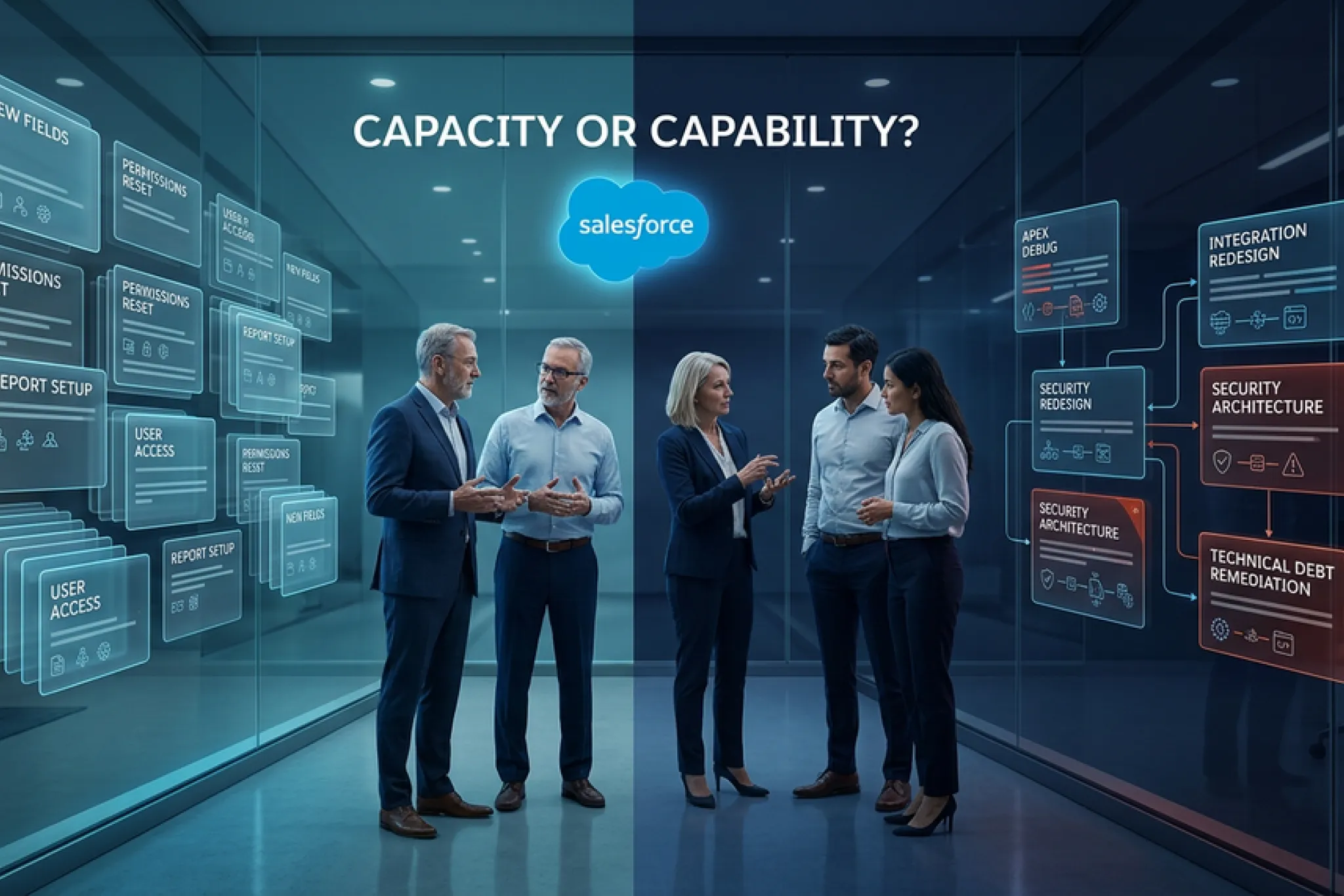
Here’s the thing about a backlog. It’s a symptom, and what it means depends completely on what created it. If 80 field, permission, and report requests are sitting in your queue, that’s a capacity problem and more hands will fix it. If 12 items have been stuck for 4 months because they need Apex, an integration rebuild, and a security model review, that’s a skills problem, and more hands won’t touch it. Those two backlogs look nearly identical on a board. They need completely different answers.
So let’s work out which one you’ve got. In this guide you’ll get a way to read the shape of your backlog, 5 signals that point toward managed Salesforce services, the cost math run honestly in both directions, a straight answer on when hiring still wins, and a set of questions that will tell you whether a provider is worth signing up with.
Quick note on where we’re coming from. We deliver Salesforce managed services to teams sitting at exactly this decision point, so most of what follows comes from watching it play out rather than from theory. We’ve also told plenty of companies to go hire someone, which you’ll see later on.
Why the Requisition Is Usually the Wrong First Move
Hiring feels like the responsible answer, and it’s easy to see why. Headcount is a lever everyone in the room understands. Finance knows how to model it. And at the end of it you get a person whose entire job is your CRM. That’s worth something real.
The problem is that the Salesforce admin role has quietly turned into about 6 jobs wearing one title.
Look at what companies now list under “Salesforce Administrator.” User management. Flow design. Reporting and analytics. Data quality. Integration troubleshooting. Release testing. Security and permission architecture. Change management. And now AI governance for Agentforce and Data Cloud on top of all of it. Salesforce Ben’s 2026 salary research found that expectations attached to the admin title have expanded well past traditional admin work while pay bands have flattened.
So your requisition is asking one human being to cover a spread of disciplines that specialists spend careers in. You’ll get someone strong in 2 or 3 of them. The rest of the backlog sits exactly where it is, and 5 months later you’re back in the same meeting. There’s a timing problem too. The backlog doesn’t pause while you recruit. Work keeps arriving through sourcing, interviews, notice periods, and ramp. For most teams that’s a 4 to 6 month window where the queue only gets longer.
None of this means hiring is wrong. It means the requisition should be where the diagnosis ends up, not where it starts. For plenty of teams that diagnosis lands on managed Salesforce services instead, and the next section is how you find out.
Read the Shape of Your Backlog Before You Read a Resume
Backlog size on its own tells you almost nothing. Two companies with 60 open tickets can be in completely different trouble. What matters is composition. What kinds of work are sitting in there, and why hasn’t each item moved? Nearly every Salesforce backlog breaks into 5 work types. Before you do anything else, sort your open items into these buckets.
Work Type | What It Looks Like | What It Needs | Who Can Clear It |
Routine admin | User setup, permission sets, field additions, page layout tweaks, list views | Time and process more than deep expertise | One competent admin, or a shared support pod |
Reporting and data | Report logic fixes, dashboard rebuilds, duplicate cleanup, validation rules | Data modeling judgment plus admin skill | A strong admin or a data-focused consultant |
Process and automation | Flow rework, approval chains, lead routing, opportunity stages, case assignment | Business analysis plus automation design | A business analyst working with an automation specialist |
Technical and integration | Apex changes, LWC work, API errors, field mapping between Salesforce and ERP or marketing tools | Developer and integration architecture skill | A developer, and sometimes an architect |
Platform and governance | Security model review, release testing, sandbox strategy, technical debt, AI and agent governance | Architecture and platform ownership | An architect or a senior platform owner |
Now count two things. How many of those 5 buckets have items sitting in them? And how old is the oldest item in each one? That exercise alone answers most of the higher question. If your backlog is concentrated in one or two buckets, you have a capacity problem, and a hire will genuinely fix it. If it’s spread across 4 or 5, you have a coverage problem, and no single person covers 5 disciplines at a level you’d want touching production.
5 Signals Your Backlog Is Asking for Managed Salesforce Services
These are the patterns we see most often when a team has decided “we need a person” and the evidence quietly disagrees.
Each one comes with a test you can run against your own queue this week. Work through all 5, keep score, and check your total against the scale at the end.
1. Your Backlog Spans More Than 3 Skill Areas
The test: sort your open items into the 5 work types above. If work is stuck in 4 or more buckets, one hire cannot clear the queue. Full stop.
Why it matters: This is the strongest signal on the list and the one teams misread most often. A spread backlog feels like a volume problem because there are a lot of tickets in it. It isn’t. It’s a coverage problem, and dropping a generalist into a coverage problem gets you a generalist who clears the easy third and escalates the rest.
What to do instead: managed services for Salesforce solve this with a bench rather than a person. Your Salesforce integration consulting work goes to someone who does integrations. Your Flow rework goes to someone who builds automations all day. The blended cost often lands close to a single salary, because you’re buying hours from several specialists instead of a full seat from each one.
2. Your Oldest Tickets Are Blocked, Not Queued
The test: take your 10 oldest open items. For each one ask a simple question. Is it waiting for available time or waiting for someone who knows how?
Why it matters: queued work is a capacity signal. It moves the second you add hours. Blocked work is a skill signal, and adding hours does nothing, because the hours you’re adding can’t do the task either.
The threshold: if more than 4 of your 10 oldest items are blocked on expertise rather than availability, you have a skill gap. Those items have usually been quietly reclassified as “someday” by everyone involved, which is exactly how orgs pile up technical debt without anybody deciding to.
3. One Person Holds Knowledge Nobody Else Has
The test: if your admin resigned tomorrow, how many open items could anyone else pick up without launching a discovery project first?
Why it matters: this is the most expensive problem on the list and the least visible until it goes off. When the person who built your custom quote logic leaves, a documentation gap turns into an outage risk on the very next release weekend.
What to do instead: Hiring a second admin does reduce the risk, but slowly, because knowledge transfer between two internal people is informal and almost never finished. A Salesforce managed services provider has to document your org during onboarding, since nobody can support what they haven’t mapped. That documentation is worth having even if you later decide to hire after all.
4. Your Demand Is Spiky, Not Steady
The test: chart your ticket volume by month for the past 6 months. Look at the gap between your busiest month and your quietest one.
Why it matters: If your peak is roughly double your trough, a full-time hire is sized wrong in both directions at once. You’re overstaffed in February and still drowning in September. Spiky demand usually traces back to something predictable: fiscal year end, a launch cycle, an acquisition, an annual compliance review, or a platform release window.
The calendar you can’t control: Salesforce ships 3 seasonal releases every year, typically Spring in February, Summer in June, and Winter in October, each with a sandbox preview window a few weeks ahead. That’s 3 guaranteed spikes landing on top of whatever else the business is doing that quarter.
What to do instead: a retainer with flexible hours absorbs spikes. Headcount can’t flex, which is the whole issue.
5. The Backlog Grows Back After You Clear It
The test: compare your open item count today against the same count 90 days ago, after accounting for everything you closed in between.
Why it matters: if you closed 40 items and the queue is the same size, you don’t have a throughput problem. You have a production problem. Something inside the org is manufacturing rework: brittle automations, unclear data ownership, missing validation, or processes that stopped matching how people actually work.
What to do instead: adding capacity to a system that generates its own tickets just buys you a faster treadmill. The fix is structural, which is why Salesforce health check services are often a smarter first purchase than a requisition. Find out what’s producing the tickets before you pay for more capacity to absorb them.
How to Score Yourself
Count how many of the 5 signals apply to you.
- 0 to 1 signals. Hire. Your backlog is a capacity problem with a stable shape, and that’s what a full-time admin is built for.
- 2 to 3 signals. Go hybrid. Keep or add an internal owner, and bring in outside coverage for the specialist work.
- 4 to 5 signals. Managed Salesforce services are very likely the better fit, at least until the org settles and you know what role you actually need to write.
Run This Backlog Audit Before Your Next Budget Conversation

This takes about 30 minutes with an export and a spreadsheet. What you get out of it is a conversation about evidence instead of a debate about headcount.
- Export every open Salesforce request, wherever they live. Jira, a ticket queue, a shared inbox, a Slack channel, the spreadsheet somebody maintains. Include the informal ones, because that’s usually where the real demand is hiding.
- Tag each item with one of the 5 work types. Don’t agonize over edge cases. Pick the primary skill the item needs and move on.
- Add the age of each item in days.
- Mark each item queued or blocked. Queued means it needs time. Blocked means it needs a skill nobody available has.
- Count items per bucket and work out the median age in each one.
- Pull your closed-item count for the last 90 days and compare it against the net change in backlog size over the same window.
You now have 4 numbers that actually matter. How many buckets are active. What share of your oldest work is blocked. Your monthly volume swing. And whether the queue shrinks when you clear it. Take those into the budget conversation instead of a headcount request. In our experience the audit flips the decision about half the time. Teams walk in expecting to approve a requisition and walk out scoping managed Salesforce services, or occasionally the other way around.
What Managed Salesforce Services Actually Cover
Let’s define the term properly, because it gets used loosely enough to be almost meaningless in some sales conversations. Managed Salesforce services are an ongoing engagement where an outside partner takes responsibility for operating, supporting, and improving your Salesforce environment under a defined scope and agreed service levels. You pay a recurring fee for access to a team of certified specialists instead of a salary for one person.
Here’s what a mature engagement usually covers.
Workstream | What It Includes |
Daily administration | User access, permissions, page layouts, list views, field and object changes, small configuration updates |
Support and issue resolution | Ticket intake, triage, prioritization, bug fixes, and escalation handling against agreed response times |
Reporting and data quality | Report logic, dashboard rebuilds, duplicate cleanup, validation rules, and data model hygiene |
Process and automation | Flow design and repair, approval processes, routing rules, case and opportunity process improvement |
Integration support | API troubleshooting, field mapping, sync monitoring, and connection repair across ERP, marketing, and service tools |
Release management | Sandbox preview testing, release update review, regression checks on custom logic, and user communication |
Security and governance | Profile and permission set reviews, sharing rules, access audits, and documentation |
Enhancement delivery | Backlog execution, new build work, roadmap planning, and quarterly business reviews |
AI and agent operations | Agentforce workflow monitoring, Einstein feature support, Data Cloud hygiene, prompt and escalation review |
What a Salesforce Managed Services Provider Does Not Do
Three models get mixed up constantly, and that confusion causes most of the bad engagements we’ve seen.
- Staff augmentation places a resource under your direction. You set priorities, review the work, and own delivery quality. It adds hands without adding management capacity, which matters if your bottleneck is actually management capacity.
- Break-fix support responds when something breaks. Nothing improves between incidents, and nobody is watching your org proactively.
- Project consulting delivers a defined scope and then ends. Great for a migration or a new cloud rollout, and it typically leaves you with something new to maintain and nobody assigned to maintain it.
A Salesforce managed service sits apart from all three, because the partner owns outcomes across an ongoing scope, manages its own delivery quality, and stays accountable for the state of your org over time rather than for a list of completed tasks.
The Cost Comparison Most Articles Skip
Comparing a monthly retainer against a monthly salary is the most common mistake in this whole decision, and it makes hiring look a lot cheaper than it is. So let’s do the real math.
What a Salesforce Admin Hire Really Costs
Base salary is where it starts. Salesforce Ben’s 2026 admin salary research, drawn from 2,316 respondents across 76 countries, puts the US senior admin median around $110,100, with the broader US admin median closer to $92,000. Glassdoor and ZipRecruiter both land near $99,000 for the general average. Where you sit in that range depends entirely on the scope you write into the job description. Then come the costs nobody puts in the business case. SHRM’s recruiting benchmarking research tracks cost per hire and time to fill across thousands of member organizations, and recruiting spend alone runs into thousands of dollars per non-executive hire before you count a single day of the seat sitting empty.
Put it all together, and a mid-level Salesforce admin in the US looks like this.
Cost Component | Typical Range | Notes |
Base salary | $92,000 to $110,000 | Higher for senior scope, or Agentforce and Data Cloud skills |
Benefits and payroll burden | 25% to 35% of base | Insurance, taxes, retirement, equipment |
Recruiting cost | $3,000 to $9,000 | Job boards, recruiter time, agency fees where used |
Vacancy cost | 2 to 4 months of unaddressed backlog | Requisition to start date, longer for specialist scope |
Ramp time | 2 to 3 months to full productivity | Learning your org, your processes, and your history |
Training and certification | $1,000 to $3,000 per year | Keeps skills current across 3 annual releases |
Coverage gap | Ongoing | Vacation, sick leave, and every skill the hire doesn’t have |
Add it up, and $100,000 in admin costs is somewhere around $130,000 to $145,000 a year fully loaded and starts producing meaningful output around month 5.
What Managed Services for Salesforce Cost
Market retainers for mid-market Salesforce managed services generally run between $3,000 and $10,000 a month, depending on scope, hours, seniority mix, and how many clouds you’re running. Smaller engagements start below that. Complex multi-cloud environments with heavy integration work sit above it. We go deeper on this in our breakdown of Salesforce consulting costs.
Two differences matter more than the headline number.
First, you’re buying a skill mix instead of a single skill. A $6,000 monthly retainer might cover 20 admin hours, 8 developer hours, 6 business analyst hours, and architect oversight on top. Buying that same coverage as headcount means 3 partial hires you can’t actually make.
Second, delivery starts in weeks instead of months. Most engagements move from discovery into active support inside 2 to 4 weeks, which means your backlog starts shrinking during the exact period when a hiring process would still be scheduling second interviews.
The Two Models Side by Side
Factor | In-House Admin Hire | Managed Salesforce Services |
Annual cost | $130,000 to $145,000 fully loaded | $36,000 to $120,000 depending on scope |
Time to productive output | 4 to 6 months from requisition | 2 to 4 weeks from kickoff |
Skill coverage | Deep in 2 or 3 areas | Spans admin, development, integration, and architecture |
Flexibility | Fixed cost, fixed capacity | Scales with demand, adjustable tiers |
Business context | Excellent, and it compounds over time | Builds across the first quarter, documented as it goes |
Continuity risk | High if the person leaves | Spread across a team |
Coverage during absence | None without a second hire | Built into the model |
Governance and QA | Your responsibility | The provider’s responsibility |
Notice where the hire wins outright. Business context is genuinely better with an internal person and it compounds every month they stay. That advantage is real, and it’s the whole reason the hybrid model exists.
When Hiring Is Still the Right Call
We’d rather you make the correct decision than the one that sends work our way, so here’s the honest other side.
Hire when your backlog sits in one or two buckets and stays there. Steady, predictable admin and reporting demand is precisely what a full-time admin is for. Bringing in an outside team to handle work one capable person could do just adds coordination overhead you don’t need.
Hire when your processes are unusual and change often. Some businesses run workflows so specific to their operation that context beats platform depth. If half of every request needs someone to explain how your business works first, an internal person will outperform any outside team.
Hire when Salesforce is your product surface. If customers touch Salesforce directly as part of what you sell, that’s a core competency, and it belongs on your payroll.
Hire when you need someone in the room. Requirements gathering, stakeholder negotiation, and change management all benefit from presence. Outside teams can do this well. An internal person does it constantly and informally, in hallway conversations you’ll never see on a ticket.
One more thing worth saying plainly. If you decide to hire, the current market may work in your favor. The same Salesforce Ben research found a large majority of surveyed professionals describe the job market as tougher than in previous years, with admin supply up sharply. That means a stronger candidate pool than you’d have seen a few years back. It also means resumes will be plentiful and screening will take longer, so budget the time.
The Hybrid Model Most Mid-Market Teams Land On
If you scored 2 or 3 signals earlier, this is almost certainly where you belong. It’s also the arrangement we recommend most often. You keep one internal Salesforce owner who holds business context, gathers requirements, sets priorities, and handles day-to-day user support. Managed Salesforce services take the specialist work, absorb the volume spikes, and provide backup when your person is out sick or on leave.
Here’s how the split tends to work in practice.
Responsibility | Internal Owner | Managed Services Partner |
Priority setting and roadmap | Owns | Advises |
Requirements gathering | Owns | Supports |
Day-to-day user support | Owns | Overflow and backup |
Reporting and dashboards | Shared | Shared |
Flow and automation rework | Simple changes | Complex redesign |
Apex, LWC, and custom development | Rarely | Owns |
Integrations and API work | Monitors | Owns |
Release testing and regression | Participates | Owns |
Security and permission architecture | Participates | Owns |
Documentation | Shared | Owns the technical layer |
Vacation and absence cover | None | Owns |
What if you don’t have an internal owner yet and you’re not ready to hire one? Virtual Salesforce admin services cover the daily administration layer while you figure it out. That buys you time to make the headcount call with better information instead of under pressure.
The hybrid model fails in one predictable way, so watch for it. Unclear handoffs. If nobody has defined which requests go where, work lands in the gap between the two teams and stalls there. Write the split down before you start, then revisit it after 90 days when you know what actually happens.
How to Evaluate a Salesforce Managed Services Provider
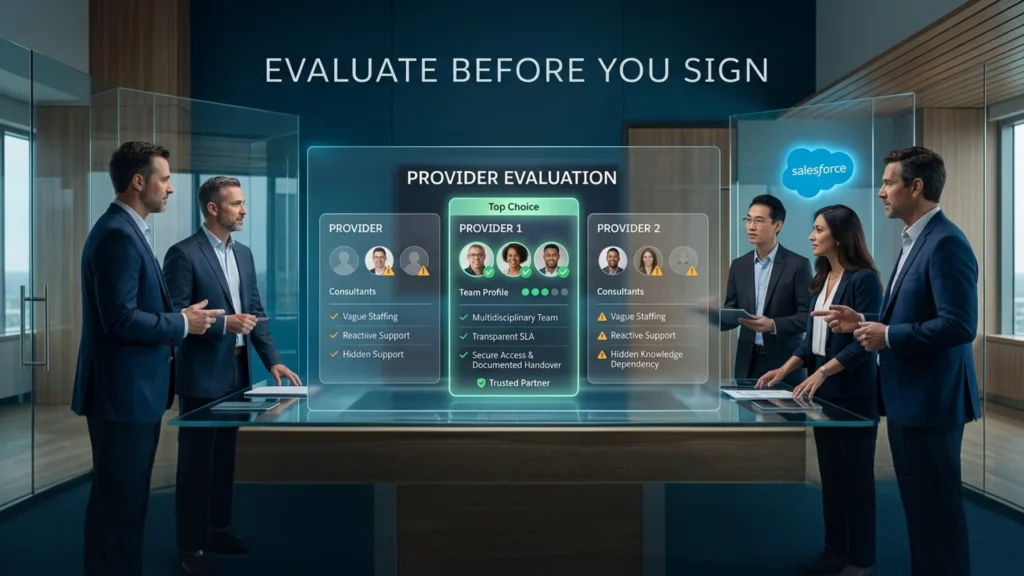
Most provider comparisons stop at certifications and years in business. Those matter, and they won’t tell you whether an engagement will work. Managed Salesforce services live or die on the details below.
These 8 criteria will. Each one comes with the question that gets you a real answer instead of a brochure answer.
What to Evaluate | Ask This | What Should Worry You |
Named delivery team | Who specifically will work on our org, and what are their certifications? | A pitch team you never see again after signing |
Skill mix on the account | What is the blend of admin, developer, BA, and architect hours in our plan? | Everything staffed at a single seniority level |
Response and resolution terms | What are the SLAs by priority level, and what happens when one is missed? | Response times promised with no resolution commitment |
Onboarding and discovery | What happens in the first 30 days, and what do we receive at the end of it? | Support starting immediately with no documented discovery |
Documentation ownership | What documentation do we own, and where does it live? | Knowledge that only exists inside the provider’s systems |
Proactive work | What share of monthly hours goes to improvement rather than tickets? | A model where every hour is reactive |
Exit terms | What is the notice period, and what does handover look like? | Long lock-ins with no defined transition plan |
Compliance and security | How do you handle our regulatory requirements and production access? | Vague answers about data handling or admin credentials |
The 2 Questions That Reveal the Most
“Show me a monthly report from a client like us.” A redacted example tells you whether the provider tracks outcomes or just activity. Reports full of ticket counts with nothing about org health signal a queue-clearing operation, and you can buy that cheaper elsewhere.
“What would you tell us not to do?” Salesforce managed service providers who have never talked a client out of something are selling capacity. A partner who can name a build they recommended against is doing advisory work, and that’s where most of the value in these engagements actually lives.
Recommendations by Situation
Different starting points lead to different answers, and good Salesforce managed service providers will tell you which bucket you fall into before they quote you. Find yours below.
You Just Finished an Implementation and Requests Are Piling Up
Go with managed services first, for at least 2 or 3 quarters. Post-launch demand is inflated and unrepresentative, because it’s full of launch fixes, adoption gaps, and training needs that settle down on their own. Hire against post-launch volume and you’re hiring for a peak that won’t last. Once demand stabilizes, you’ll know exactly what role to write. This is also where Salesforce implementation services and ongoing support work best together, because the team that built it can support it without a discovery gap in between.
Your Only Salesforce Admin Just Resigned
Bring in support immediately, then decide. Backfilling under time pressure produces bad hires, and the notice period is the single window where you can still capture undocumented knowledge from the person leaving. An outside team can map the org before they walk out the door, which turns a crisis into a clean transition.
You Run 3 or More Clouds With Active Integrations
Managed services almost always wins here. Multi-cloud environments generate work across all 5 buckets simultaneously, and the integration layer alone can eat a full-time person. Look for a provider with genuine depth in each cloud you run, plus Salesforce data governance services, because multi-cloud data quality problems compound quietly until a leadership report contradicts itself in a board meeting.
You Operate in a Regulated Industry
Either model works here, but the evaluation criteria shift. Access controls, audit trails, documented change processes, and industry familiarity matter more than raw hours. For healthcare, financial services, and life sciences, ask specifically how a provider handles production access and what their documentation trail looks like when an auditor asks for it.
You Are Rolling Out Agentforce or AI Features
This one has shifted recently. AI-related Salesforce skills carry a meaningful pay premium right now and the specialists are scarce, so hiring for agent design, data readiness, and AI governance is slow and expensive. Agentforce managed services give you that expertise without competing for it in a thin talent market.
Your Demand Is Genuinely Seasonal
A tiered retainer with adjustable hours beats headcount every time. Ask for hour rollover and quarterly usage reviews so you aren’t paying for 40 hours in a month where you only need 15.
How We Approach Managed Salesforce Services at VALiNTRY360
We built our model around the diagnosis-first idea running through this article, because engagements that start with a clear read of the backlog work far better than engagements that start with a support tier and a price.
Every engagement opens with an assessment of your org, current issues, open backlog, integrations, reports, security setup, and business process. You get a clear view of what needs attention first and what should be improved next, whether or not you continue with us. From there we define the support scope, ticket categories, priority levels, response expectations, and escalation path, so your team knows what to submit and where it goes. Most teams move into active support within 2 to 4 weeks depending on how complex the org is.
Our Salesforce managed support services then cover the daily work, the technical fixes, and the improvement backlog together, which is the kind of managed services Salesforce teams actually need once the launch excitement wears off.
We work across 4 engagement models rather than forcing everyone into one.
- Shared support, for smaller teams and lower ticket volume. Covers admin requests, minor fixes, reports, and routine changes.
- Dedicated support, for larger teams and complex orgs that need deeper system knowledge and ongoing planning.
- Hybrid support, for teams with an internal admin who needs overflow capacity, advanced technical work, and backup.
- Project plus support, for teams finishing an implementation who need post-launch fixes, training, and adoption help.
Our team brings more than 200 years of combined Salesforce experience across consulting, implementation, managed support, integrations, automation, and reporting. We work across Sales Cloud, Service Cloud, Marketing Cloud and Account Engagement, Experience Cloud, MuleSoft integrations, and Apex, Flow, and Lightning development. If you want the strategic layer alongside the operational one, our Salesforce managed services consulting covers roadmap planning, org scalability, and industry-specific best practice. You can see how this has played out for other teams in our Salesforce case studies.
Your 30-Day Plan Before You Decide
Still somewhere in the middle and not sure which way to go? Run this before you commit budget in either direction.
- Week 1: Run the backlog audit. Sort every open item into the 5 work types, mark each one queued or blocked, and record the ages.
- Week 2: Score the 5 signals. Chart 6 months of ticket volume. Count how many buckets are active and what share of your oldest work is blocked.
- Week 3: Price both paths honestly. Fully loaded hire cost against 2 or 3 quotes from Salesforce-managed services providers, scoped to your actual bucket mix rather than a generic tier.
- Week 4: Test the assumption. If you’re leaning toward hiring, ask 2 providers what they’d do with your backlog in 90 days. If you’re leaning toward managed services, write the job description you’d post and ask whether one person could realistically cover it.
That last step catches most bad decisions. A job description that reads like 3 jobs is telling you something, and so is a provider quote that can’t articulate what it would fix first. If you’d like a second read on your own backlog, we run a free Salesforce support assessment that produces the same diagnosis whether or not it ends in an engagement.
The Short Version
Your backlog is data. Sort it into work types, check whether the oldest items are queued or blocked, chart your volume swing, and see whether the queue actually shrinks when you clear it. A backlog concentrated in one or two skill areas with steady volume points to a hire. A backlog spread across 4 or more areas, full of blocked items, with demand that spikes, points to managed Salesforce services. Most mid-market teams land somewhere between the two, which is what the hybrid model is for.
Whichever way you go, run the diagnosis before you write the requisition. The audit takes 30 minutes. The wrong hire takes a year to unwind.
Frequently Asked Questions
How Do I Know If My Salesforce Backlog Is Normal?
Backlog size matters less than backlog age and movement. A healthy queue has most items under 30 days old and shrinks when the team clears work. The warning signs are items aging past 90 days, a queue that stays flat no matter how much you close, and requests that stop being submitted because people quietly gave up asking.
Can Managed Salesforce Services Replace a Full-Time Admin?
For a lot of mid-market teams, yes. The model covers daily administration, support, reporting, automation, integrations, and release work, which is the full scope most admin roles actually carry. Where it doesn’t fully replace a hire is deep business context and in-the-room requirements work, which is exactly why the hybrid model is so common.
How Much Do Managed Salesforce Services Cost?
Mid-market retainers typically run $3,000 to $10,000 a month depending on scope, hours, seniority mix, and how many clouds you use. Smaller engagements start lower. Compare that against roughly $130,000 to $145,000 a year fully loaded for a $100,000 admin, and compare on skill coverage rather than hours alone.
How Long Does Onboarding Take With a Managed Salesforce Services Provider?
Most engagements move from kickoff to active support in 2 to 4 weeks, depending on org complexity and how much documentation already exists. That window covers environment review, backlog triage, access setup, stakeholder meetings, and support process definition.
What Happens to Our Institutional Knowledge If We Outsource?
That’s the right question to ask, and the answer lives in the contract. Insist that documentation is a deliverable you own and that it sits in your systems, not the provider’s. Done properly, managed services for Salesforce improve institutional knowledge because an outside team has to write down what an internal team keeps in its head.
Can We Use Managed Services and Keep Our Internal Admin?
Yes, and it’s the most common arrangement we see. Your admin keeps priorities, requirements, and user support. The partner covers development, integrations, release testing, security architecture, and overflow. Just define the handoff in writing before you start.
What SLAs Should We Expect?
Ask any managed Salesforce services provider for response and resolution commitments by priority level, not response times alone. A 1-hour response on a critical issue means very little if resolution has no target attached. Also ask what happens when an SLA is missed, because a commitment without a consequence is really just a preference.
Do Managed Salesforce Services Cover Platform Releases?
They should. Salesforce delivers 3 major releases a year with sandbox preview windows ahead of each one. Proper release coverage means testing your customizations and integrations against the preview instance, reviewing auto-enforced release updates, and communicating changes to users. Ask providers to walk you through their release process specifically, since this is where thin engagements tend to show.
We Tried an Outside Partner Before and It Did Not Work. What Went Wrong?
Usually one of three things. Scope was never defined, so expectations drifted apart. The engagement was staffed entirely at one seniority level. Or nobody on your side owned priorities, so the partner worked on whatever arrived loudest. All three are fixable in the contract and the first 30 days.
Should We Run a Health Check Before Deciding?
If your backlog keeps regenerating after you clear it, yes. A health check identifies what is producing the tickets, which is a different problem from clearing them. Teams that skip this step often buy capacity for a problem capacity doesn’t solve.
Can Managed Salesforce Services Handle Integrations and Custom Development?
Yes, if those capabilities are part of the engagement. A mature team can support APIs, middleware, third-party applications, Apex, Lightning Web Components, Flow, data migrations, and integration troubleshooting alongside routine administration. Check who will actually perform that work, because some providers sell development expertise but route most requests through generalist administrators.
How Do We Protect Salesforce Security When Using an Outside Provider?
Start with least-privilege access instead of handing over unrestricted administrator credentials. Use named accounts, MFA, permission sets, audit trails, sandbox-first development, and documented approval rules for production changes. Your agreement should also define how credentials, customer data, backups, access removal, and offboarding are handled.
How Many Managed Salesforce Support Hours Do We Need?
Start with the workload rather than buying an arbitrary block of hours. Review ticket volume, backlog age, recurring administration, planned projects, release work, integration support, and the amount of technical debt already in the org. A provider should be able to translate that workload into an initial capacity recommendation and then adjust it after the first few months of actual usage data.
What Should We Look for in a Managed Salesforce Services Provider?
Look beyond certifications and hourly rates. Ask who will be assigned to your account, how work is prioritized, how senior specialists are brought in, what documentation you receive, how releases are handled, and how performance is reported. Strong providers should also be comfortable defining what is outside their scope rather than treating every Salesforce request as interchangeable.
What Happens If We Want to Switch Providers or Bring Salesforce Back In-House?
A well-run engagement should make that transition straightforward. Your company should retain ownership of configuration documentation, code, credentials, architecture records, backlog history, test scripts, and operating procedures. Include transition assistance and access-removal requirements in the agreement so leaving the provider does not mean rebuilding your understanding of the org from scratch.
Related Posts
Retainer, Hourly, or Tiered: Which Salesforce Managed Services…
Picking a support partner for your CRM quietly shapes the next three years of your business. Choose well, and your org stays clean, your reports stay trustworthy, and every Salesforce release becomes something your team plans for instead of braces…
Top Salesforce Managed Services Providers: A 2026 Buyer’s…
Picking a support partner for your CRM quietly shapes the next three years of your business. Choose well, and your org stays clean, your reports stay trustworthy, and every Salesforce release becomes something your team plans for instead of braces…
Is Salesforce Consulting Becoming a Business Strategy Function…
Salesforce used to fit neatly inside the IT conversation. A company bought the CRM, an implementation team configured it, developers handled custom requirements, and IT kept the system running after go-live.That boundary is much harder to draw now. Salesforce sits…