
- Salesforce Experience Cloud
Experience Cloud projects touch more than page design. You’re making decisions about external-user licenses, identity, CRM permissions, portal UX, custom Lightning Web Components, connected systems, and who administers all of it after launch. The consulting firm you hire shapes choices that stay with the portal for years after the build itself wraps up.
This guide compares Salesforce Experience Cloud consulting partners using verifiable evidence rather than self-written “best partner” claims, including each firm’s current standing under Salesforce’s own 2026 partner program, which moved from a four-tier system to a leaner two-tier structure this year. You’ll also find the technical, delivery, cost, and support questions worth asking before you sign an engagement, so the shortlist below turns into a decision you can actually stand behind.
What Does a Salesforce Experience Cloud Consulting Partner Do?
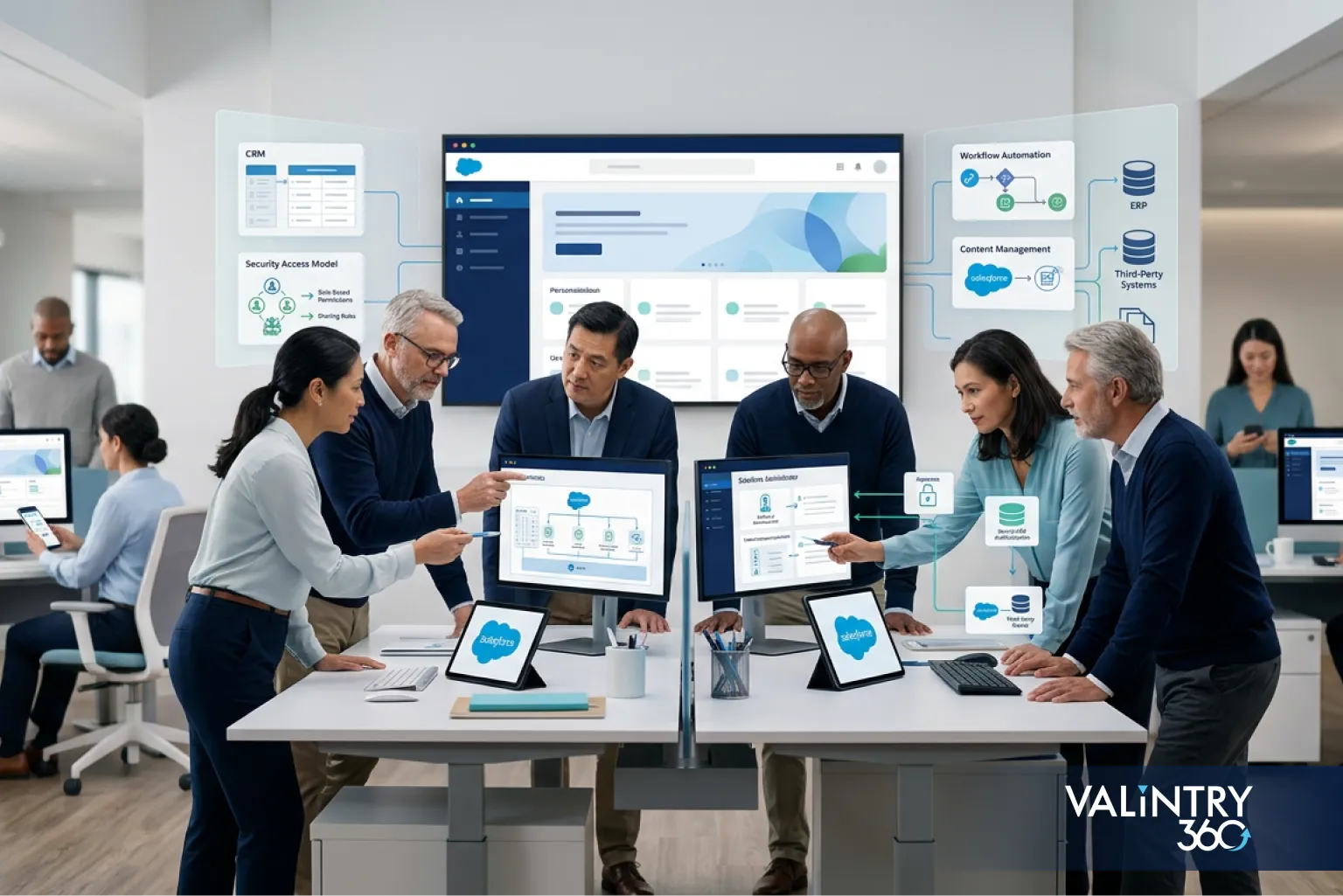
An Experience Cloud engagement usually covers five kinds of work: discovery and portal requirements, Experience Builder and front-end development, external-user access and identity configuration, connections between Experience Cloud and outside business systems, and testing, deployment, and ongoing administration.
That’s a different skill set than general Salesforce administration. A consultant who’s spent years configuring Sales Cloud pipelines hasn’t necessarily built a guest-accessible portal, wired up a Lightning Web Runtime site, or designed sharing rules for thousands of external users. Experience Cloud sits at the intersection of CRM data, public-facing UX, and security architecture, and that combination is what separates general Salesforce experience from Experience Cloud experience specifically.
A firm offering Salesforce Experience Cloud services should be able to point to the specific portal types they’ve delivered. A list of general Salesforce certifications tells you far less, since none of the core Salesforce certification tracks test Experience Builder, guest-user sharing design, or LWR-specific development the way an actual project does.
Why Experience Cloud Experience Matters When Choosing a Salesforce Partner
A large Salesforce certification count doesn’t prove Experience Cloud depth. Certifications like Administrator or Platform Developer cover the core platform; they don’t test whether someone has designed guest-user sharing rules or picked the right framework for a customer portal that needs to scale.
The table below connects the project decisions an Experience Cloud partner handles with what goes wrong when a team lacks the specific background to handle them well.
Project area | What the consulting team needs to understand |
|---|---|
External-user access | Sharing rules, permissions, identity, and guest access |
Portal architecture | LWR and Aura templates, plus when custom LWC work is required |
Business-system connections | CRM, ERP, billing, identity, and middleware dependencies |
Long-term ownership | Release testing, support, content changes, and technical debt |
A partner should have evidence that resembles the portal you’re planning to build. A generic Salesforce track record is a starting point, not proof. If you’re building a partner portal, ask about partner portals specifically, and press for the same specificity if you’re building a customer or public-facing site instead. General Salesforce consulting services are a reasonable entry point for broad platform work, but Experience Cloud calls for narrower proof than that.
How We Evaluated Salesforce Experience Cloud Consulting Partners
We didn’t assign arbitrary scores. Instead, we checked each firm against publicly verifiable evidence, primarily each firm’s current listing on Salesforce’s own Salesforce Partner Finder, since that’s a common, independently maintained source rather than a claim any firm wrote about itself.
Each candidate was checked against eight fields:
- Current Salesforce marketplace presence
- Public Experience Cloud capability
- Customer or partner portal experience
- LWR and Lightning Web Component capability
- Identity and external-user security experience
- System connection and migration work
- Post-launch support
- Suitability for the type and size of project
Records were checked in late September 2026, so treat rating, review, and certification figures as a snapshot rather than a permanent standing. Firms whose public evidence didn’t clear this bar, even with a large general Salesforce practice and thousands of certified staff, were left off the list below rather than included on scale alone. A few well-known global systems integrators fell into that category during this research, and their absence here reflects a gap in published Experience Cloud proof, not a judgment on their broader Salesforce work.
Salesforce Experience Cloud Consulting Partners at a Glance
Use this table for a fast scan before reading the full profiles below. “EC” stands for Experience Cloud throughout.
Partner | Project fit | EC evidence | Delivery reach | Support | Verify |
|---|---|---|---|---|---|
VALiNTRY360 | Mid-market, US-based | Named service line | United States | EC support offering | Fields built for similar portals |
Slalom | Mid-size to large enterprise | Named “Experience” competency, awards | North America, global | Enterprise model | Scale of awarded projects |
OSF Digital | Retail, commerce | Named service, case study | Global, Québec City | Managed services | Reference outside retail |
CloudMasonry | Small to mid-size | Named “Experience Cloud” service | US, Chicago | Boutique model | Named EC client |
Noltic | EU-based specialist buyers | Dedicated page, not on listing | EMEA, remote | Ongoing support | Direct EC work history |
Persistent Systems | Enterprise, integration-heavy | Case study, EC plus MuleSoft | Global, Santa Clara | Enterprise model | Case-study team availability |
Cognizant | Large enterprise, AI-forward | “AI-native experience” positioning | Global | Enterprise model | Named EC delivery evidence |
Mphasis Silverline | Financial services | Named StoneX case study | Global | Managed services | Fit for your data sources |
XCC | EC-only specialists | Firm name and listing both EC | EU, international | Specialist model | Time-zone overlap |
VRP Consulting | Multi-region Summit-tier | Named “Experience” competency | NA, EMEA, LATAM, APAC | Managed and outsourcing | Which projects were public-facing |
Certification counts, review totals, and office locations change over time. Verify current figures directly on each firm’s Salesforce marketplace listing before you shortlist.
10 Salesforce Experience Cloud Consulting Partners to Consider in 2026
VALiNTRY360
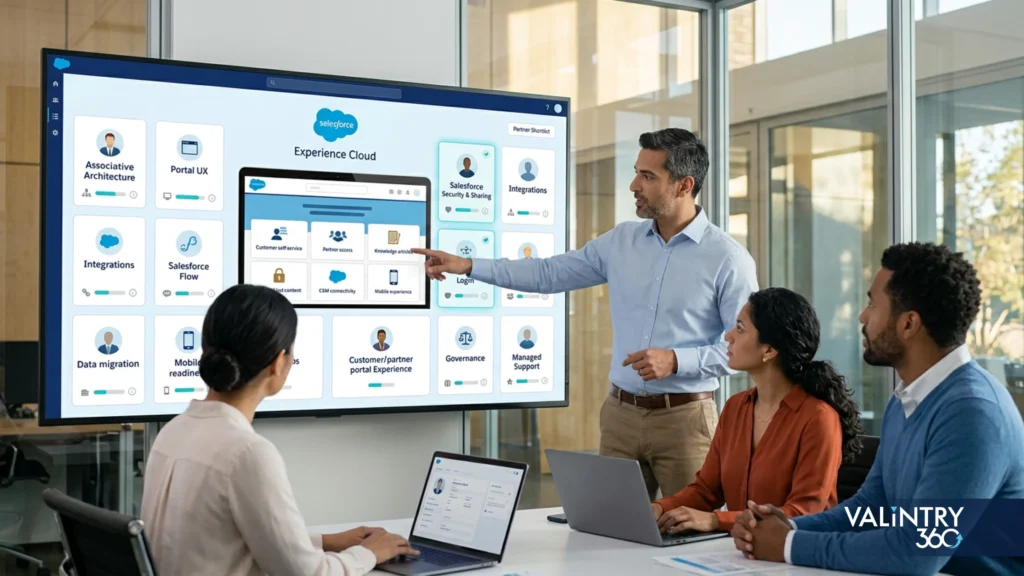
VALiNTRY360 holds a current Salesforce marketplace listing and maintains dedicated Experience Cloud implementation and support pages.
Project fit: mid-market buyers who want a US-based team with a named Experience Cloud service line already in production.
Experience Cloud evidence: the marketplace listing shows a 4.85 rating across 26 reviews, with 8 certified people and 32 certifications tied to its competencies. Its descriptive copy separately references “100+ consultant certifications,” a figure that measures something different from the structured field. Treat the two as separate metrics rather than interchangeable.
Check before hiring: ask to see the specific fields and workflows the team has built for a portal like yours.
Slalom
Slalom’s Salesforce marketplace listing shows 155 reviews and 2,609 certified staff across 605 verified projects, with “Experience” named as a core competency.
Project fit: mid-size to large enterprise buyers who want a consultancy with a documented, awarded Experience practice.
Experience Cloud evidence: Slalom has won Salesforce Partner Innovation Awards in the Experience category across multiple recent years, plus a 2024 award in Healthcare and Non-Profit.
Check before hiring: ask which awarded Experience projects are closest in scale to yours, since a large practice can still staff a project with a team unfamiliar with your specific use case.
OSF Digital
OSF Digital’s marketplace listing (312 reviews, 1,129 certified staff, 934 verified projects) names Experience Cloud directly in its service list.
Project fit: retail, commerce, and omnichannel-heavy buyers building customer-facing portals as part of a broader digital-commerce program.
Experience Cloud evidence: OSF Digital publishes a dedicated Experience Cloud service page and a Marks & Spencer omnichannel case study built on the platform.
Check before hiring: ask for a reference client outside retail and commerce if your project sits in a different industry.
CloudMasonry
CloudMasonry is a boutique firm with 40 reviews, 59 certified staff, and 100 verified projects on its marketplace listing.
Project fit: small to mid-size buyers who want a firm with Experience Cloud named as a core service rather than one line among many.
Experience Cloud evidence: “Salesforce Experience Cloud Consulting” appears as a named service line on a dedicated page, backed by a 4.9 customer satisfaction score.
Check before hiring: ask for a specific, named Experience Cloud client reference, since the public service page doesn’t list one.
Noltic
Noltic is an Estonia-headquartered Summit-tier partner with 104 reviews and 91 certified staff on its marketplace listing.
Project fit: buyers comfortable working with a smaller, EU-headquartered specialist team across time zones.
Experience Cloud evidence: Noltic publishes a dedicated Experience Cloud page on its own site, though Experience Cloud isn’t listed as a named competency on the marketplace listing itself.
Check before hiring: ask the team to walk through actual Experience Cloud delivery work directly, rather than relying on the marketing page alone.
Persistent Systems
Persistent Systems has been a Salesforce partner since 2003, with 69 reviews and 2,429 certified staff on its marketplace listing.
Project fit: enterprise buyers with a complex, integration-heavy portal, the kind that needs system connections at MuleSoft scale.
Experience Cloud evidence: the firm publishes a client case study describing a consumer-electronics partner portal built on Experience Cloud alongside MuleSoft integrations, which is a useful reference point if your own project needs to connect several backend systems.
Check before hiring: ask whether the team behind that published case study is the one available for your project, since a case study written by one delivery team doesn’t guarantee the same depth from another.
Cognizant
Cognizant’s Salesforce practice, listed under “Cognizant Moment,” shows 157 reviews and 11,422 certified staff across 972 verified projects.
Project fit: large enterprise buyers who want AI-forward experience design bundled with broad program capacity.
Experience Cloud evidence: Cognizant positions itself as an “AI-native experience practice on Salesforce” and has won a Healthcare Partner Innovation Award tied to experience work, though its public materials describe broad CX capability more than named Experience Cloud case studies.
Check before hiring: ask for delivery evidence specific to Experience Cloud, not general experience-design positioning.
Mphasis Silverline
Mphasis Silverline holds a current Salesforce marketplace listing and a dedicated Experience Cloud service page.
Project fit: buyers in financial services or other industries where the portal depends heavily on real-time data integration.
Experience Cloud evidence: the firm publishes a named case study with StoneX, a global financial services firm, describing API-driven, real-time integrations built into an Experience Cloud self-service portal.
Check before hiring: ask how that integration pattern would adapt to your own data sources.
XCC (eXperience Cloud Consulting)
XCC is a Salesforce-specialist boutique named specifically around Experience Cloud work, with a current marketplace listing.
Project fit: buyers who want a firm that treats Experience Cloud as its singular specialty rather than one service among several clouds.
Experience Cloud evidence: both the firm’s name and its marketplace listing center on Experience Cloud consulting specifically, which is a narrower and more consistent focus than most firms on this list.
Check before hiring: confirm delivery-team location and time-zone overlap up front, since the firm is based in the EU.
VRP Consulting
VRP Consulting is a Summit-tier partner with a marketplace listing showing a 4.82 rating, 193 reviews, and 213 certified people.
Project fit: buyers who want multi-region delivery (North America, EMEA, LATAM, and APAC) from a Summit-tier partner.
Experience Cloud evidence: the listing names “Experience” among its core competencies alongside Sales, Service, and Marketing, backed by a dedicated Experience Cloud implementation page on its own site describing configuration, integration, and ongoing optimization work.
Check before hiring: ask which “Experience” competency projects were public-facing or partner portals specifically, since that competency can cover several different portal types.
Which Salesforce Partner Delivery Model Fits Your Experience Cloud Project?
Firm size isn’t the deciding factor. Delivery model is. A massive global systems integrator and a five-person boutique can both fail the same project if the model doesn’t match what you actually need.
Delivery model | Project scale fit | Specialist role access | Governance | Buyer involvement needed |
|---|---|---|---|---|
Large global systems integrator | Enterprise, multi-region programs | Broad, but Experience Cloud specialists may be shared across accounts | Formal, structured | Moderate, with dedicated program oversight |
Salesforce specialist consultancy | Mid-size to complex single-region projects | Deep, often the firm’s core focus | Lighter, more direct | Higher, more hands-on collaboration |
Regional Salesforce partner | Smaller to mid-size, single-market projects | Narrower bench, but often Experience Cloud-focused | Informal, relationship-driven | High, close working relationship |
Staff augmentation | Ongoing or in-house-led projects needing extra hands | Depends entirely on the individuals placed | Buyer-led | Highest, buyer owns architecture decisions |
The “Salesforce specialist consultancy” row is where a boutique or specialist Salesforce consulting services provider tends to sit, positioned between the scale of a global integrator and the narrower bench of a small regional shop.
A large Salesforce implementation services provider makes sense for a multi-region rollout with heavy governance needs, formal change control, and stakeholders across several business units who all need visibility into the same program. That same scale can be a poor match for a single-market portal where a specialist Salesforce consultancy would move faster, communicate more directly, and cost less. Match the model to your project’s actual shape, not to whichever firm has the biggest name on its homepage.
Experience Cloud Partner Selection Checklist
The section above explains how we scored the ten firms on this list. Use these ten points differently: as a live script for your own vendor calls with any firm you’re considering, and write down the actual answers rather than relying on the proposal alone.
- Ask for Experience Cloud project evidence, not general Salesforce evidence.
- Check the specific portal type they’ve worked on: customer, partner, or public site.
- Verify current information on the firm’s Salesforce marketplace listing yourself, and read the most recent reviews rather than only the aggregate rating.
- Ask who will actually work on the project, not who’s named in the pitch.
- Review their LWR and Lightning Web Component experience specifically.
- Check their identity and guest-user security experience.
- Review their system connection and data migration capability, since this is where timelines usually slip.
- Ask how they handle testing and accessibility, and reference the current W3C WCAG 2.2 standard if they can’t answer clearly.
- Ask for a live demo of a comparable portal rather than screenshots in a slide deck, and define post-launch ownership before you sign anything, including who fixes a bug found in month three.
- Confirm the assumptions behind their cost and timeline estimates in writing, so a verbal proposal walkthrough isn’t the only record of what was agreed.
A firm that can answer all ten without hedging has likely done this work before. A Salesforce development services provider that can’t speak to items 5 through 7 specifically probably hasn’t built an Experience Cloud site recently.
Architecture Decisions Your Experience Cloud Partner Should Be Able to Explain
LWR and Aura
Experience Cloud sites run on one of three supported frameworks: LWR, Aura, or the older Visualforce. LWR uses Lightning Web Components and needs developer resources for custom work. Aura is the more established option, and it supports named templates including Customer Service, Partner Central, Help Center, Customer Account Portal, and Build Your Own. Visualforce is worth asking about only if you have a legacy requirement tied to it.
Templates
Template choice depends on what the portal needs to do. A partner should be able to explain why they’d recommend a Customer Service template over a Build Your Own approach for your specific use case, including how that choice affects a related build like Salesforce Service Cloud implementation work if your portal ties into case management. Partner Central and Help Center templates carry their own tradeoffs too, and a partner who defaults to the same template on every project regardless of the use case is a warning sign worth noting.
Lightning Web Components
Ask when custom LWC development becomes necessary versus when a standard template component will do. Custom components add flexibility, but they also add code your team, or your partner, has to maintain long after launch. That maintenance burden rarely shows up in an initial proposal, which is exactly why it’s worth asking about directly rather than assuming it’s included.
Long-term maintainability
Before development starts, get clear on who owns code standards, documentation, release testing, and future changes. A partner who can’t answer this clearly is setting you up to relearn their decisions from scratch later.
Security and Identity Questions to Ask Before an Experience Cloud Build
A public or authenticated Experience Cloud portal changes your access model compared with an internal Salesforce deployment. Guest users and external users need narrower, more deliberate permissions than employees do, and getting this wrong has real consequences: Salesforce reported increased scanning activity targeting overly permissive guest-user configurations in March 2026, alongside updated guest-user access guidance recommending private sharing defaults, tightly controlled guest access, and restricted Apex and Flow permissions for external users.
Risk area | Question to ask your partner |
|---|---|
Guest-user access | What data can an unauthenticated visitor actually reach? |
Sharing defaults | Are org-wide defaults private for anything that isn’t meant to be public? |
Permission sets | Are external-user permissions scoped narrowly, or copied from an internal profile? |
Apex and Flow access | Which Apex methods and Flows are exposed to guest users, and why? |
SSO and identity | How is external-user authentication handled, and does it support your existing identity provider? |
Security testing | What security testing happens before launch, and does it repeat after changes? |
Bring these questions to every proposal conversation. A partner who treats “secure portal” as a one-line claim instead of a specific answer to each row above hasn’t thought through the access model yet, and that gap tends to surface only after the portal is public and something goes wrong.
Integration and Data Migration Planning for Experience Cloud
Most Experience Cloud portals sit in the middle of a longer chain: portal user, then Experience Cloud, then Salesforce CRM, then whatever connected business systems sit behind it. That chain typically includes ERP, billing, identity providers, document systems, Service Cloud, and middleware, and each connection point is a place where a poorly scoped project can stall.
Before development begins, a capable Salesforce integration services partner should define system ownership and data flow for every connection in that chain, including the harder ones that tend to get pushed to the end of a project. An ERP connection that only gets scoped in week ten of a twelve-week build usually means someone underestimated it at kickoff.
Migration planning needs the same discipline: users, accounts, contacts, knowledge articles, portal content, and access relationships all need a plan for how they move, in what order, and who verifies the result once it’s done. A firm offering Salesforce data migration services as a distinct capability, rather than folding it into general implementation work, is a reasonable signal that they’ve done this planning before and know where the risk actually sits.
What Does Salesforce Experience Cloud Implementation Cost?
Keep two costs separate: what Salesforce charges for licenses, and what your consulting partner charges to build and support the portal. Vendors that quote one number covering both make it hard to know what you’re actually paying for.
Salesforce’s published pricing for common external-user license types, billed annually and subject to change:
License | Login-based pricing | Member-based pricing |
|---|---|---|
Customer Community | $2/login/month | $5/member/month |
Customer Community Plus | $6/login/month | $15/member/month |
Partner Relationship Management | Available, confirm current rate | $25/member/month |
Partner Ecosystem Management | Available, confirm current rate | $50/member/month |
These license types fall under what Salesforce calls the Partner Community license family; Partner Relationship Management and Partner Ecosystem Management are the commercial product names built on top of it, not separate license types. Login-based pricing suits infrequent visitors who check in occasionally. Member-based pricing suits users who log in daily. Getting this choice wrong can materially change your annual license cost, so model actual expected usage before you pick one, and confirm Salesforce’s published PRM pricing directly with Salesforce before you budget, since prices are subject to change.
Consulting fees are harder to generalize, since they vary by firm size, staffing model, geography, and project complexity. Rather than quote a single number that won’t fit most projects, focus on the drivers that actually move the price: the number and type of external users, custom LWC development, identity and SSO work, connected systems, data and content migration, security requirements, accessibility testing, multilingual requirements, Agentforce scope, and ongoing support needs. Two projects with the same headline license cost can land in very different consulting-fee ranges once you account for how many of these drivers actually apply.
Salesforce managed services covering that last item are frequently priced separately from the initial build, so ask about both phases before you compare quotes. A proposal that looks cheaper up front can end up costing more once post-launch support gets added on later at a higher rate than if it had been scoped from the start.
How Agentforce Affects Experience Cloud Partner Selection in 2026
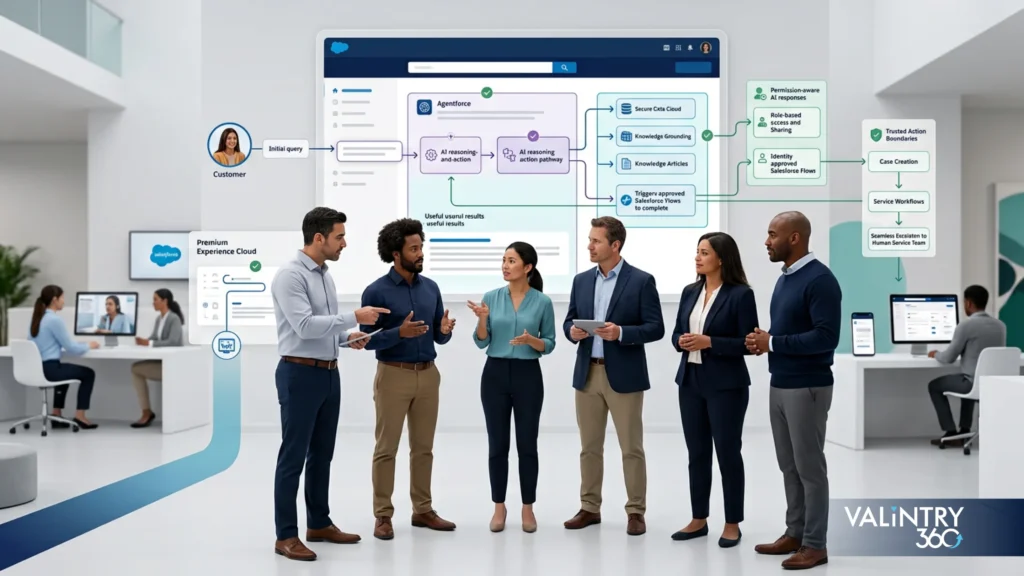
Salesforce’s Agentforce Service Agent can now deploy directly inside an Experience Cloud site, on both LWR and Aura frameworks, turning static self-service into something closer to a conversation. That capability sits under what Salesforce calls agentic self-service: AI agents that search for real-time answers and surface relevant actions inside the portal instead of routing every question to a static FAQ page or a live queue.
Ask a prospective partner four questions to gauge whether they’re ready to work with this:
Can they deploy an Agentforce agent inside your Experience Cloud site specifically, on the framework your site actually runs, rather than describing Agentforce in general Service Cloud terms?
Can they connect the Knowledge and CRM data the agent needs to give accurate, specific answers rather than generic ones?
Can they configure user verification and action permissions so the agent doesn’t expose more than an authenticated or guest user should see?
Can they explain the provisioning prerequisites, including the Agentforce Service Agent template and Digital Engagement setup, before they quote a timeline?
This is still a young capability, and most consulting firms are earlier on this learning curve than their marketing suggests. A partner with real, specific answers to all four questions, rather than a rehash of Salesforce’s own release notes, is genuinely ahead of most of the market right now. Pairing it with Agentforce for Service work and a clear Data 360 strategy for the data behind it tends to separate a working deployment from a stalled one, since an agent is only as useful as the data it can actually see.
Experience Cloud Delivery Stages and Post-Launch Ownership
A well-run Experience Cloud engagement moves through six stages: discovery and requirements, architecture and access design, build and system connections, testing and user acceptance, launch and adoption, and release management with ongoing support.
At each stage, expect your partner to produce something concrete rather than a status update. Discovery should end with a documented requirements set that goes well beyond meeting notes. Architecture should produce an access-control design you can review line by line before development starts. Build should come with a running list of what’s connected and what’s still pending, not a single end-of-phase summary. Launch and adoption should include a check on public-site discoverability, including whether Experience Builder’s SEO settings and its AI-crawler visibility options are configured the way your organization actually wants them.
What happens after go-live matters just as much as the build itself. Someone needs to own Salesforce release testing, security reviews, bug fixes, portal content changes, and day-to-day user support once the project team moves on. Experience Cloud support services exist precisely because most in-house teams don’t have spare capacity for this, and a portal that goes eighteen months without a security review is a portal with a growing, unmanaged risk. If you’re weighing whether to bring this in-house or keep a partner engaged after launch, that’s worth a direct conversation with your Experience Cloud team before the project wraps, not after something breaks.
Related Case Studies from VALiNTRY360
Everything above is about evaluating any Experience Cloud partner, VALiNTRY360 included, on public, verifiable evidence. If you want to see what that evidence looks like in practice, here are five closely related VALiNTRY360 case studies worth checking out before you shortlist a partner.
- How a Salesforce Health Cloud EMR Replacement Helped AthenaPsych Schedule 80% of Patients on the First Call
AthenaPsych, a New York State mental health provider, needed to replace an EMR system that couldn’t keep pace with rising patient demand, statewide provider recruitment, or hybrid care delivery. VALiNTRY360 built a custom Salesforce Health Cloud platform that included Salesforce Scheduler for appointment booking, Salesforce Shield for data protection, Experience Cloud for cross-organizational information exchange, and integrations with Change Healthcare and Vonage. Within six months of the Phase 1 rollout, AthenaPsych was scheduling 80% of patients on the first call, completing 68% of intakes within seven days, and cutting CPT coding errors by 69% and clinical compliance errors by 75%.
Key takeaway: When Experience Cloud access is built in from day one instead of bolted on later, the speed and accuracy gains from the rest of the platform compound instead of stalling on a second rebuild.
Read the full case study: How a Salesforce Health Cloud EMR Replacement Helped AthenaPsych Schedule 80% of Patients on the First Call
- How Salesforce for Clinical Trial Patient Operations Helped TrialSpark Reach 85% Patient Engagement in the First Month
TrialSpark needed a system to manage high-volume clinical trial enrollment and support cases while keeping individual patient visibility across several studies running at once. VALiNTRY360 delivered a multi-cloud Salesforce build combining Service Cloud with Shield, AWS Connect for telephony, Omnichannel routing by study stage, Marketing Cloud journeys for milestone communication, and a public-facing patient community with study-specific knowledge articles for self-service and case deflection. In the first month of the new deployment, TrialSpark reached 85% patient engagement, cut time to resolve study-related cases by 77%, and saved 20 hours of staff time per newly enrolled participant.
Key takeaway: A self-service community only pays off when it’s paired with the routing and case-management work behind it; the deflection gains here came from Omnichannel and Service Cloud doing the triage, not the portal on its own.
Read the full case study: How Salesforce for Clinical Trial Patient Operations Helped TrialSpark Reach 85% Patient Engagement in the First Month
- How a Salesforce Sales Cloud and Service Cloud Implementation Cut BIC Graphic’s Average Handle Time by 7 Minutes
BIC Graphic, a consumer products company, was running without a CRM at all: no pipeline visibility, no sales automation, high customer service handle times from fragmented data, and a disjointed customer experience caused by siloed information across sales, marketing, and service. VALiNTRY360 implemented Salesforce Sales Cloud with a Sales Performance System for field sales, inside sales, and quoting, paired with Service Cloud to give every rep a single 360-degree account view, and integrated the environment with BIC Graphic’s ERP for order and fulfillment visibility. The result was a 7-minute cut in average handle time and 27%+ growth in new pipeline opportunities.
Key takeaway: A unified 360-degree customer view is what actually shortens handle time; connecting the CRM to the ERP data reps were missing matters as much as the CRM build itself.
Read the full case study: How a Salesforce Sales Cloud and Service Cloud Implementation Cut BIC Graphic’s Average Handle Time by 7 Minutes
- How a Salesforce Marketing Cloud Implementation Helped BIC Graphic Cut Its Sales Cycle by 44%
In a separate engagement, BIC Graphic needed to modernize how it engaged its promotional-products distributor network, a B2B2C model its marketing setup wasn’t built to support: no automation, no centralized customer insight, and no personalization across the distributor relationship. VALiNTRY360 built out Salesforce Marketing Cloud with Contact Builder, Email Studio, Journey Builder, and Automation Studio, creating three distinct journey types for internal sales enablement, distributor enablement, and customer retention. Within four weeks, new online orders were up 10%; within eight weeks, new pipeline opportunities had grown 25%+; and BIC Graphic’s average distributor sales cycle dropped 44%.
Key takeaway: In a B2B2C model, treat the distributor layer as its own audience with its own journeys, not an extension of the direct-customer marketing plan.
Read the full case study: How a Salesforce Marketing Cloud Implementation Helped BIC Graphic Cut Its Sales Cycle by 44%
- How a Salesforce Health Cloud Implementation Helped Tri-County Hearing Services Reach Every Patient Seven Times in Sixty Days
Tri-County Hearing Services, an audiology practice, had patient follow-up depending on staff memory rather than a system, so leads and existing patients fell through the cracks. VALiNTRY360 layered Salesforce Health Cloud, customized for the hearing aid and audiology vertical with Patient Relationship Management functionality, underneath High Velocity Sales to create structured follow-up cadences with automatic lead assignment to care coordinators. The configuration-based build required minimal custom development and got every patient touched seven times within 60 days, with president Kevin Reiser reporting the business is “now growing much faster.”
Key takeaway: Consistent, automated follow-up cadences often move the needle more than any single feature purchase, especially when they don’t rely on staff remembering to make the call.
Read the full case study: How a Salesforce Health Cloud Implementation Helped Tri-County Hearing Services Reach Every Patient Seven Times in Sixty Days
Frequently Asked Questions
What does a Salesforce Experience Cloud consulting partner do?
They handle discovery, Experience Builder development, external-user access and identity, connections to other business systems, and testing through to launch and ongoing support.
How do I choose a Salesforce Experience Cloud implementation partner?
Check their public Experience Cloud evidence, verify their current Salesforce marketplace listing, and match their delivery model to your project’s scale and complexity.
What should I ask an Experience Cloud consultant before hiring them?
Ask about their LWR and LWC experience, guest-user security practices, system integration capability, and who owns the portal after launch.
How much does Salesforce Experience Cloud cost?
License costs depend on the license type and whether you choose login-based or member-based pricing; published Salesforce pricing starts at $2 per login per month for Customer Community.
How much does an Experience Cloud implementation cost?
It varies by user count, custom development, integrations, and security scope; ask your partner to break down these specific cost drivers rather than quoting a flat number.
What is the difference between login-based and member-based Experience Cloud pricing?
Login-based pricing charges per visit and suits infrequent users, while member-based pricing charges a flat monthly rate per user and suits frequent, daily visitors.
What is the difference between Customer Community and Customer Community Plus?
Customer Community Plus costs more per user and includes broader object access and reporting capability than the standard Customer Community license.
How long does a Salesforce Experience Cloud implementation take?
Timelines depend heavily on scope, custom development needs, and integration complexity; ask your partner for a timeline tied to your specific requirements rather than an industry average.
Should an Experience Cloud site use LWR or Aura?
LWR suits sites needing modern performance and Lightning Web Components, while Aura offers more mature templates; a partner should recommend one based on your specific use case.
Can Experience Cloud connect with ERP, billing, identity, and other business systems?
Yes, through Salesforce integrations and middleware, though each connection needs its own data-flow and ownership plan before development starts.
How should guest-user access be secured in Experience Cloud?
Through private sharing defaults, narrowly scoped permission sets, restricted Apex and Flow access, and security testing before and after launch.
Can Agentforce be used with Salesforce Experience Cloud?
Yes, the Agentforce Service Agent can deploy directly inside Experience Cloud sites on both LWR and Aura frameworks.
What is agentic self-service, and how does it apply to Experience Cloud?
It’s Salesforce’s term for AI agents handling self-service in real time; inside an Experience Cloud site, that capability is delivered through the Agentforce Service Agent.
What support does an Experience Cloud site need after launch?
Ongoing release testing, security reviews, bug fixes, content updates, and user support, typically owned by either an in-house team or a managed services partner.
How can I verify a Salesforce Experience Cloud consulting partner’s credentials?
Check their current listing on Salesforce’s own consultant marketplace directly, rather than relying on a claim made on the firm’s own website.
Related Posts
- Salesforce Experience Cloud
Why You Need Salesforce Experience Cloud: 8 Key…
Salesforce Experience Cloud (SEC) stands out as a robust platform for building branded online communities and portals. It's unique in its ability to connect and enable digital communication among employees, customers, and partners. This platform not only enhances collaboration but…
- Salesforce Experience Cloud
Driving Business Growth with Salesforce Experience Cloud: Tips…
Companies are always on the lookout for solutions to drive growth and enhance the customer experience. One solution that is gaining popularity is Salesforce Experience Cloud. In this blog post, we will explore Experience Cloud and how businesses can utilize…
- Salesforce Experience Cloud
Maximize Customer Satisfaction with Salesforce Experience Cloud
Customer Relationship Management is crucial for any business. A key component of customer relationship management is driving high customer satisfaction. In this post, we will focus on driving customer satisfaction through the realm of technology. In today's competitive landscape, understanding…