
Salesforce Integration Consulting
Decide how every system talks to Salesforce before anyone writes code.
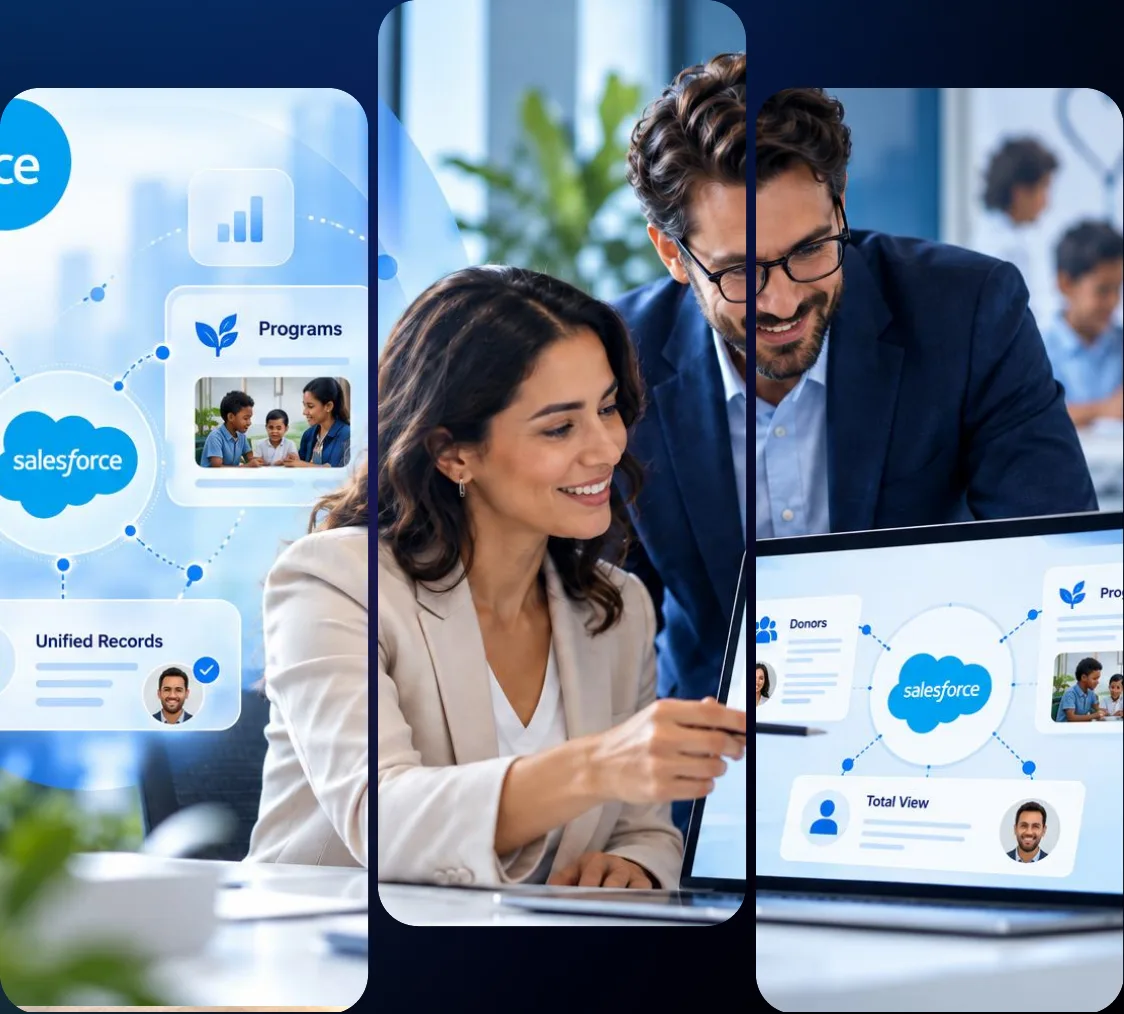
450+
projects delivered
150+
customers served
4.85/5•
AppExchange rating
500+
engagements
Who Owns Each Record and How Each System Connects to Salesforce

Salesforce integration consulting is the planning work that decides how Salesforce connects to your ERP, marketing, finance and service systems before anyone writes code. VALiNTRY360 maps which system owns each record and which pattern and API each data flow should use. Each connection then gets the right tool for its volume and a named owner after launch.
Teams bring us in for 2 jobs. Some need a new system connected to Salesforce without adding to the API load and custom code they already carry, and others have integrations that keep dropping records after Salesforce releases. For the second job, a Salesforce integration audit comes first, so the fix plan starts from what is actually running.
Every decision is written down with the reason behind it, including the options we ruled out and why. That gives your team or another Salesforce integration partner one set of documents to build from, and it lets a later review check each flow against its original intent.
What Our Salesforce Integration Consulting Covers
These 6 services set your Salesforce integration strategy before a build. When the build is ours, it runs through our Salesforce integration services team.
Salesforce integration audit
We review each running integration against the system inventory and record where and how it fails today. Those findings shape the next design and any rescue plan that follows from it.
Architecture and pattern design
Each data flow gets a pattern and an API that fit its volume and timing needs. Your Salesforce integration architecture arrives as data-flow diagrams and API mappings you keep.
Middleware and tool selection
We match each flow to the lightest tool that meets its volume and reuse needs, from native features up to middleware. You get one documented tool choice per flow, with its reason.
API limits and security design
We size your volumes against your edition’s API allocations, then design integration users and OAuth flows for each connection. Capacity problems show up in the written plan first.
AI and agent integration readiness
We plan how Agentforce agents reach your systems and which data each one can use. The readiness plan sets every agent’s access and scopes before any agent build work begins.
Rescue plans for failing integrations
For integrations that drop records or break after a Salesforce release, we set the order of repairs flow by flow. The flows that carry the most business risk get fixed first.
Why We Plan Your Integration Before Anyone Builds It
957
applications run in the average organization, up from 897
27%
of those 957 applications are connected to one another
36%
of IT team time goes to creating new custom integrations
96%
of IT leaders tie AI agent success to data integration
82%
of IT leaders call data integration a top AI challenge
27%
of all APIs inside these organizations remain ungoverned
Source: Connectivity Benchmark Report 2026, published by Salesforce and MuleSoft on February 5, 2026
Survey: 1,050 IT leaders, interviewed in October and November 2025
Each new connection adds to custom work that already takes over a third of IT time, and AI agents depend on those same connections. Salesforce integration consulting puts shared rules in place first, so every new connection follows them. The work starts with the system inventory, before any tool or vendor is chosen for a single flow.
Integration Scenarios We Plan For
Salesforce integration consulting starts with what sits on the other end of each connection.
Scenario
What we decide
ERP account and order sync
Which system owns account and order records, and which pattern moves them, with our ERP integration with Salesforce team
NetSuite connection
Which system owns each record Sales Cloud and NetSuite share, before our Salesforce integration with NetSuite team builds
Event-driven updates
Whether each flow uses Platform Events or Change Data Capture, and how Pub/Sub API delivers those events to every subscriber
Contact center data
How telephony and internal operations apps feed Service Cloud, and which system keeps the official log of each customer call
Lead capture and routing
Where form tools and the Pardot connector create leads in Salesforce, and which routing rules assign each new lead to an owner
Email and phone activity
Which email and phone activity gets written to Salesforce records, and which records each logged conversation attaches to
Contracts and online orders
Which system holds the signed agreement and the order record, and how each one links back to the right Salesforce account
Legacy CRM retirement
How records leave the old CRM for Sales Cloud, and which recurring data work moves to ETL automations after the cutover
During the system inventory, a Salesforce integration consultant checks every system’s API and auth options, including systems this table doesn’t list, before any pattern is chosen.
Salesforce Integration Patterns We Design Around
Salesforce Architects publishes 6 Salesforce integration patterns. Each flow in your Salesforce integration architecture gets one of them, and the pattern sets its timing and direction, which in turn decides the APIs it can use.
The pattern you choose also decides which limits each flow consumes. A Remote Call-In flow spends API requests every time the outside system writes, and a batch flow spends Bulk API allocations on a schedule. Choosing the pattern before the tool keeps your Salesforce integration architecture independent of any one vendor.
Pattern
Use it when
Typical Salesforce tools
Remote Process Invocation, Request and Reply
A user action needs an immediate answer, like a payment authorization
External Services, Apex callouts with Named Credentials
Remote Process Invocation, Fire and Forget
A record change should trigger downstream work without waiting for it
Platform Events, Pub/Sub API, Change Data Capture
Batch Data Synchronization
Large scheduled volumes move between systems in either direction
ETL tools with Bulk API 2.0
Remote Call-In
An external system must create or update records inside Salesforce
REST API, Composite API, Bulk API 2.0
UI Update Based on Data Changes
Users must see a change on screen without refreshing their page
Platform Events with Lightning components
Data Virtualization
Users need live external data without copying it into Salesforce
Salesforce Connect, Data 360 Zero Copy
Our Salesforce Integration Consulting Process
A VALiNTRY360 Salesforce integration consultant runs 5 steps, and each step ends with a deliverable.
Inventory every system.
We record the key details of every system in scope, including connected apps already authorized in your org:
Owner, system of record and auth method for each object
API version plus data volume and frequency for each flow
Deliverable: a system inventory covering every connection
Size volumes against Salesforce limits.
Daily API allocations depend on your edition, and long-running calls have a cap:
Enterprise: 100,000 requests per 24 hours, plus 1,000 per license
Unlimited and Performance: 100,000, plus 5,000 per license
Deliverable: a capacity plan that also covers the 25-call cap
Map each flow to a pattern and a tool.
Every flow gets a pattern and an approach, which sets your Salesforce integration architecture on paper:
One pattern and one approach recorded for every data flow
The options ruled out for each flow, with the reason why
Deliverable: data-flow diagrams and API mappings
Design security and failure handling.
We set the OAuth flow and the integration user, then design how each flow handles a failure:
Retries and idempotency built on External IDs, so repeats stay safe
Error logging and alerts that reach a named owner
Deliverable: a security and error handling design
Hand off the build and support.
The build goes to our team or yours, and support can sit with our Salesforce managed services team:
The runbook becomes the handover point for support
Monitoring checks and a named owner are set for every flow
Deliverable: a support runbook your own team can follow
Every deliverable stays with you, whoever builds, and each one is written for a team that wasn’t in the room.
Get Your System Inventory Before You Commit to an Integration Build
We inventory every system in scope and size your data volumes against your Salesforce edition’s limits, then hand you a written capacity plan to keep.
Choosing the Right Integration Approach for Your Org
Your Salesforce integration strategy can mix approaches, with one chosen for each data flow once its Salesforce integration pattern is set.
Approach
Typical tools
Fits when
Watch-outs
Point-to-point
Apex, Flow HTTP Callout, direct API calls
1 to 3 systems with stable contracts, low volume
Tight coupling, and retries are built by hand
AppExchange connector
Prebuilt connectors such as the Pardot connector
Common software pairs working on standard objects
Third-party token risk and limited customization
API-led middleware
Many systems that reuse the same APIs over time
Licensing cost and the specialist skills needed
Low-code integration tools
Admin-built automation tools
Simple flows between a small set of business apps
Task limits and connector caps on each plan tier
ETL
ETL tools with Bulk API 2.0
Scheduled bulk loads and regular warehouse feeds
Data arrives in scheduled batches, so it lags
Data 360 Zero Copy
Data 360 with Zero Copy connectors
Analytics and AI grounding on warehouse data sets
Read-only access, plus a cost for each query run
Point-to-point covers simple, stable flows well, and low-code tools suit admin-owned flows between a few apps. Once several systems share data and ERP or legacy software is in scope, MuleSoft earns its licensing cost.
VALiNTRY360 records why each flow uses its tool, so the next team or Salesforce integration partner can maintain it. Each recorded choice also lists the tools we ruled out for that flow. Connector choices also go through the same security review as every other connection.
AI and Agentforce Integration Readiness
Agents act through your integrations, so our Salesforce integration consulting plans their access as well. Salesforce Architects publishes 12 agentic integration patterns beside the 6 classic Salesforce integration patterns, covering MCP tools and agent-to-agent calls.

MCP servers
Salesforce Hosted MCP Servers became generally available on April 29, 2026 for Enterprise Edition and above, as an Agentforce access route.
Every MCP call runs as the authenticated user, so the Salesforce integration architecture must account for each user’s own permissions.
Agent API
Agent API lets an outside system call an Agentforce agent directly, as one step inside that system’s own process or customer workflow.
We plan Agent API access like any other integration, with its own app registration and a named owner for each of those connections.
External Client Apps
Hosted MCP Servers and Agent API both connect through an External Client App, and MCP servers use the mcp_api scope for their access.
External Client Apps are Salesforce’s preferred integration framework, so we plan each app’s registration and scopes before agent work.
Data 360
Data 360, formerly Data Cloud, can ground agent answers in warehouse data through Zero Copy, which leaves that data where it already lives.
Each Zero Copy query carries a cost, so we size those queries during planning and set a query limit for each agent before it goes live.
Once access and data are planned, the agent build moves to our Agentforce integration services team, with the access plan and scopes attached.
Integration Security and Access Controls
What the 2025 token thefts changed. In August 2025, attackers used stolen OAuth tokens from third-party connected apps to pull Salesforce data from hundreds of organizations. Threat researchers then recommended 6 controls, and a Salesforce integration audit checks each one on every connection it finds in your org:
Minimum OAuth scopes
IP restrictions on each connected app
API access only through permission sets
Regular token rotation
Event Monitoring review
Universal MFA
Who each integration logs in as. Each integration gets its own integration user on the Salesforce Integration user license, which is API-only and can’t log in through the Salesforce browser interface. Named Credentials and External Credentials hold every secret, and each integration user gets access only through permission sets. Admin-connected tools follow the same rules, so read what admins should check before connecting Zapier before linking one to your production org.
What’s retiring. Salesforce is deprecating connected apps in favor of the newer External Client Apps, and these 4 changes affect integrations you already run in production today:
•New connected apps: disabled by default since Spring ’26
•Uninstalled connected apps: blocked for most users in your org since September 2025
•Username-password OAuth flow: retiring for connected apps in early 2027
•SOAP login call: retiring in Summer ’27 for API versions 31.0 to 64.0
Checklist to Run Before Your Integration Project
Run these checks before Salesforce integration consulting starts, or go through them with us.
The system inventory covers every system in project scope
Daily volumes are sized against your org’s API allocations
Every synced object has an External ID field already set up
Duplicate records are cleaned before the very first sync
Each integration runs as its own dedicated integration user
Every app uses an approved OAuth flow, not username-password
Named and External Credentials hold every integration secret
Error handling and alerts are designed for every single flow
API usage alerts fire at 50%, 80% and 90% of the daily limit
Event Monitoring is switched on and reviewed in production
BAA coverage is confirmed for every system with health data
GDPR data flows are mapped across every connected system
Sandbox load tests have passed at your expected peak volumes
The API version enforcement test has passed in a sandbox
Every unchecked box is a gap in your Salesforce integration strategy, and it’s where a Salesforce integration audit starts, with each gap ranked by risk.
Salesforce Integration Consulting Costs and Estimates
Some integration costs are published before a Salesforce integration consultant sees your systems:
MuleSoft Anypoint Platform packages start at $2,000 per month, billed annually
The MuleSoft Pre-Commit option needs a $50,000 minimum annual commitment
Extra Salesforce API capacity is sold as an add-on
Enterprise, Unlimited and Performance orgs include 5 integration user licenses
The consulting fee depends on how many systems and data flows your Salesforce integration strategy covers. VALiNTRY360 writes the build estimate after discovery, with a timeline, from these 8 cost drivers, so each line of the estimate traces back to a driver.
What drives the build cost
What it changes
Number of systems and fields
More mappings to design and test per flow
Real-time or two-way sync compared with batch
Adds event handling and idempotency design
Tooling choice per flow
Changes licensing and the skills required
Data cleanup
Adds External ID setup before the build
Volume against API limits
Needs Bulk API 2.0 or add-on API capacity
Legacy systems
Pushes the design toward middleware tools
Security and compliance
Adds BAA checks and GDPR data flow maps
Testing and ongoing support
Load tests, plus monitoring after go-live
Get a Written Estimate Built From Your Systems and Data Volumes
Tell us which systems connect to Salesforce and how much data moves between them each day. After discovery, you get a written estimate with a timeline.
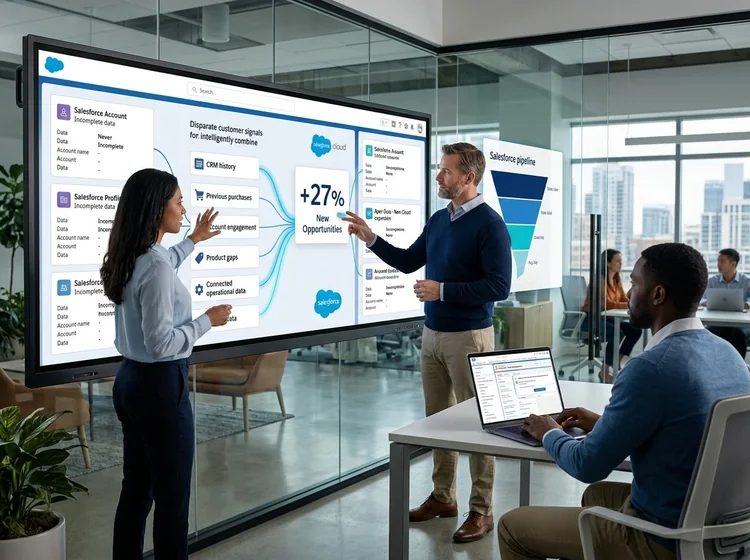
BIC Graphic
Decision: connect new Sales Cloud and Service Cloud orgs to BIC Graphic’s existing ERP, since the company had no CRM.
Result: average service handle time dropped by 7 minutes
Result: new pipeline opportunities rose by more than 27%
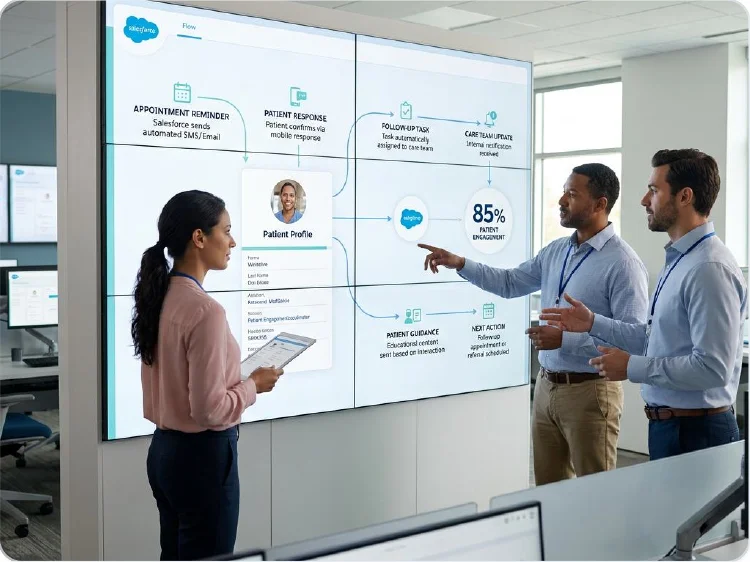
TrialSpark
Decision: run study support through Service Cloud, with AWS Connect and an internal operations app connected to it.
Result: time to resolve study support tickets fell 77%
Result: enrolling each participant took 20 fewer hours
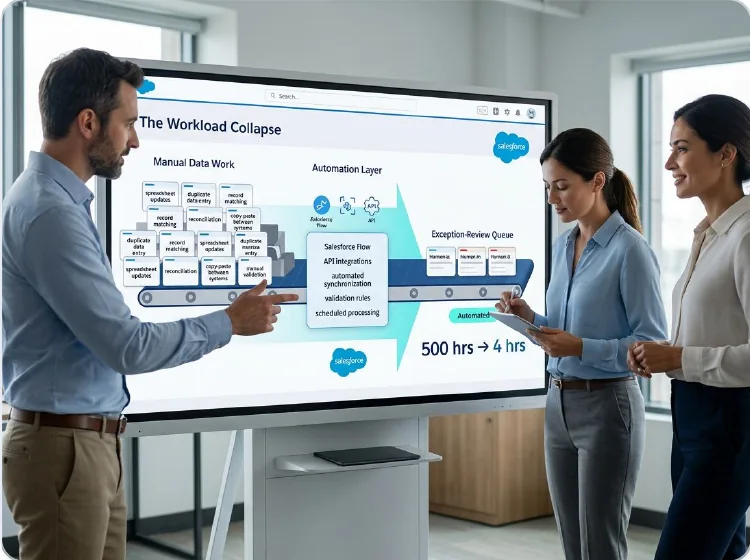
Real California Milk
Decision: replace SugarCRM with Sales Cloud and move the data updates its team did by hand to scripted ETL automations.
Result: annual manual data hours dropped from 500 to 4
Result: the team got back 496 hours of work every year
What Clients Say About Working With VALiNTRY360
Agentforce for Healthcare builds on Salesforce work we already deliver in healthcare settings. Add a relevant healthcare client testimonial here that highlights VALiNTRY360’s Salesforce expertise, responsiveness, implementation quality or ongoing support.
Nathan Louque
Director of Global Sales Operation, Aviat Networks
“They ask the ‘why’ behind some of the requests we’ve made and help us to understand where to customize Salesforce and where to adjust our process.”
Lisa Hubbard
VP Sales and Marketing, The Vernon Company
“They really listen to your needs and take the time to help you learn and also gives you the foundation for continuous learning.”
Demetria Giles
@drosewritings
Playing around with @reflectnotes. I’m back logging key thoughts, details and soundbites from episodes, books, meetings, articles, etc from the past week. So far, it’s a knowledge worker’s dream come true.
Fabrizio Rinaldi
@linuz90
I’m keeping @reflectnotes open *all* the time, and I’m using both for simple journaling, and long form writing. It’s rare to see a single app work so well for both.
Jeremy McPeak
@jwmcpeak
I just received an invite to @reflectnotes, and holy crap! It is well thought out, and I can see this being my note- taking platform going forward. Well done! I’m looking forward to seeing how the app progresses.
Jonathan Simcoe
@jdsimcoe
All righty. I have to give a massive shout-out to @maccaw for pioneering @reflectnotes. It has already matured to a point where it is a daily driver for me. The speed, focus, and attention to detail (especially perfect bits of structured data) is superb.
Include the client’s name, job title, company and the testimonial where approval is available.
The Certified Team and Leadership Behind Your Plan
VALiNTRY360 brings 20+ years of delivery experience, and our consultants hold 100+ Salesforce certifications. Our VP of Project Delivery leads project delivery. Your Salesforce integration consultant works inside that delivery team on every Salesforce integration consulting project.
Four executives run the company: the CEO, the Managing Partner, the Senior VP of Sales and the COO. The first three co-founded VALiNTRY360.
VALiNTRY360 is based in Winter Park, Florida, and has been a Salesforce partner since 2018. Learn more about VALiNTRY360
Salesforce Integration Consulting
FAQ by VALiNTRY 360
A consultant decides how each system connects to Salesforce and writes those decisions down before anyone starts coding. Whichever team builds then starts from settled choices, with the reason for each choice recorded beside it in the documents you keep.
Consulting produces the decisions and documents a build needs. Integration services is the build itself, delivered by our team or your developers. You can also split planning and delivery between VALiNTRY360 and another Salesforce integration partner.
You receive 7 documents, and each one records the reasons behind the decisions it contains, so a new team can maintain each flow: System inventory; Capacity plan; Data-flow diagrams; API mappings; Tool choice per flow; Security and error handling design; Support runbook.
Yes. The system inventory documents what the previous partner left, including any gaps in the documentation they handed over. The rescue plan then sets the order of repairs for each flow, so your team knows what gets fixed first and who owns each fix.
Salesforce integration patterns split by timing and direction: Request and Reply: a user waits for an answer; Fire and Forget: a record change triggers later work; Batch Data Synchronization: large scheduled loads; Data Virtualization: live data stays in place.
They can when daily volume outgrows your edition's allocation. Only 25 requests of 20 seconds or longer can run at once in production, so long-running calls face a second limit. Our capacity plan checks your volumes against both limits before the build.
It reviews each running integration against the system inventory and records the gaps it finds in these areas: Owner and auth method; API version and OAuth scopes; Error handling and monitoring; The 6 controls recommended after the 2025 token thefts.
Integrations need new auth methods before 2 deadlines: early 2027 for the username-password flow on connected apps, and Summer '27 for the SOAP login call. We plan the move to External Client Apps and supported OAuth flows ahead of both dates, flow by flow.
Give each integration its own user. Enterprise, Unlimited and Performance orgs include 5 Salesforce Integration user licenses at no charge, each API-only with the Minimum Access - API Only Integrations profile. Grant access through permission sets.
Yes. We plan each of these items before the agent build starts with our team: External Client App registration and scopes; Hosted MCP Server access with the mcp_api scope; Agent API access for outside systems; The Data 360 data each agent can ground answers in.
We plan a sandbox run of the API version enforcement test before each release, so version problems surface in testing before they reach production. The runbook then names who acts when a flow fails, which gives every release issue an owner on your side or ours.
Your team can own it with the runbook, or our managed services team can take it over. Either way, the runbook names the monitoring and alerts for each flow and the person who acts on each one, so ownership never sits with an unnamed team after launch.
The consulting fee depends on how many systems and data flows we plan, and you get it in writing after discovery. MuleSoft and Salesforce licensing are priced separately by their publishers, so those costs appear as separate lines from their own quotes.
It should cover each of these points before regulated data moves: BAA coverage for every system with protected health information; GDPR data flows mapped across systems; A dedicated user for each integration; Event Monitoring switched on in production.
Ask any partner for each of these before you sign a statement of work: The named deliverables; The pattern each of your flows would use; Integration case studies with metrics; A client reference you can call; How they apply the 2025 token-theft controls.