
Salesforce Support
Certified, U.S.-based Salesforce support with real SLAs, named consultants, and release management that runs before things break, not after.
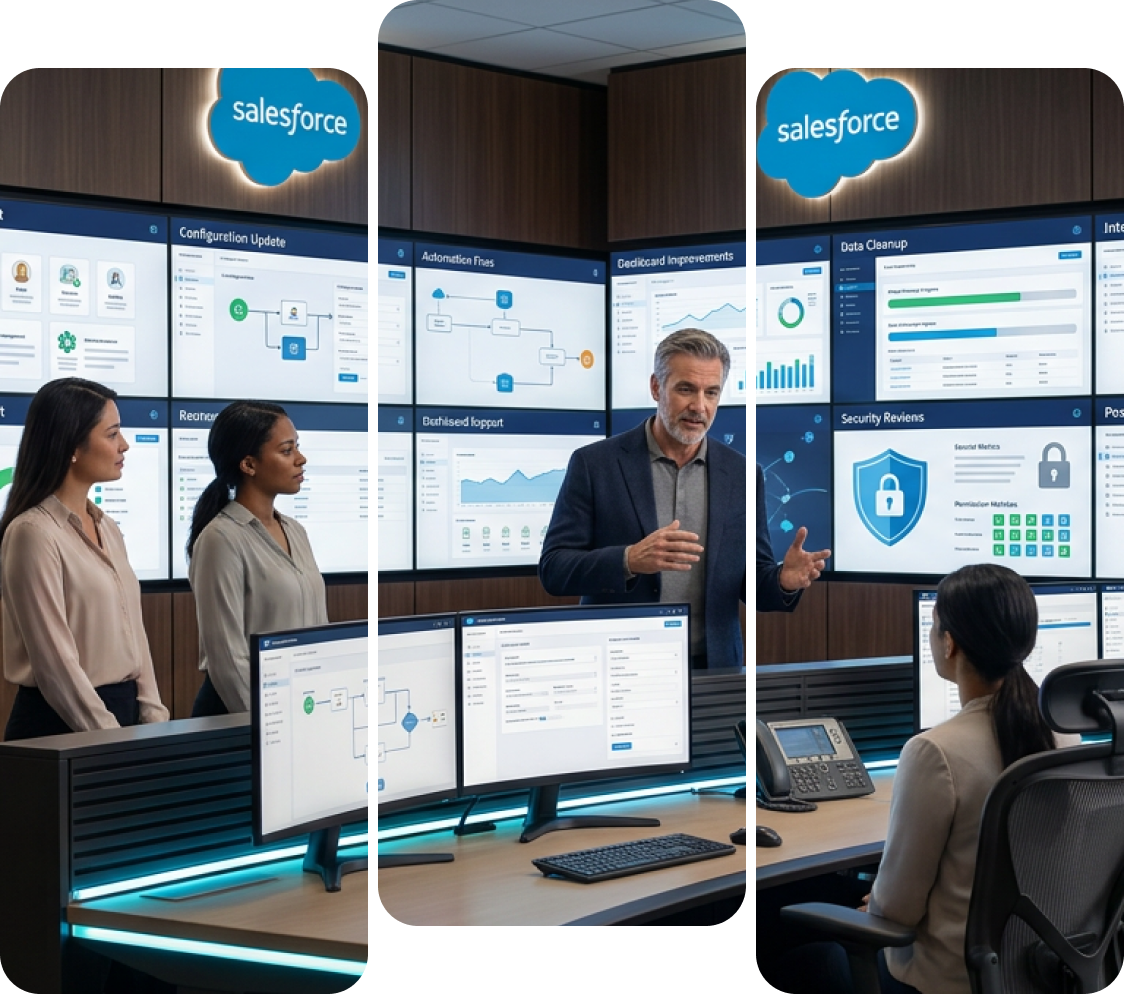

What happens after go-live? Salesforce Support keeps your CRM on track
Most organizations do not lose value from Salesforce during implementation. The decline often begins after go-live, when an experienced administrator leaves, integrations fail without clear ownership, enhancement requests accumulate, and the platform backlog stops moving. Ongoing Salesforce Support closes this operational gap by keeping the system stable, secure, and aligned with changing business needs.
Our Salesforce support and maintenance covers Sales Cloud, Service Cloud, Marketing Cloud, Experience Cloud, Data 360, and Agentforce. We handle routine administration, incident resolution, custom development, integration monitoring, security and access reviews, backlog management, and preparation for Salesforce’s three annual releases. Engagements can include a named senior consultant, documented service levels, and a client-prioritized list. Organizations that need broader platform ownership can extend this coverage through our Salesforce managed services, adding roadmap planning, strategic guidance, and quarterly governance.
What Does Salesforce Support Actually Include?
Here is the thing most vendors will not tell you upfront: the phrase “Salesforce Support” gets used for three completely different things, and mixing them up is the single biggest reason support engagements disappoint.
- Salesforce’s own product support
- 01
This is the case portal, phone line, and chat you reach through Salesforce Help under your Success Plan. That team supports the platform. They will confirm whether something is a known issue, whether a feature is behaving as designed, and whether an outage sits on their side. They will not touch your configuration.
- Internal support
- 02
Your admin fielding password resets, report requests, and a steady drip of “can Salesforce do this?” questions from the business. Valuable, and usually overloaded.
- Partner-delivered Salesforce Support
- 03
We own the org itself: the configuration, the automation, the Apex, the integrations, the data model, the security posture, and the roadmap. Salesforce will tell you their platform is working correctly. We tell you why your flow is firing twice, why the ERP sync dropped 400 records last Tuesday, and what to do about both.
In practice, mature Salesforce support services run four streams of work at the same time:
Reactive — break-fix, incident response, anything blocking users right now
Administrative — users, profiles, permission sets, layouts, reports, dashboards, data hygiene
Proactive — monitoring, release readiness, technical debt reduction, security review, license optimization
Evolutionary — enhancements, automation, new release features, roadmap execution
Providers who only deliver the first two are running a helpdesk with a Salesforce badge on it. That is where most organizations end up frustrated, the org stops breaking, but it never actually gets better. We structure our Salesforce support and maintenance engagements so proactive and evolutionary work is ring-fenced in scope and cannot be eaten by ticket volume.
How Do You Know If You Actually Need Salesforce Support?
Honestly? Not every organization does. If you run near-vanilla Sales Cloud with fewer than 25 users, no custom code, and one competent internal admin, you may genuinely be fine as you are. We will tell you that. The picture changes quickly once complexity or headcount grows, and these are the signals we see most often.
- Your only Salesforce admin has resigned, gone part-time, or is now covering three other systems
- Requests from the business sit in somebody’s inbox for weeks with no visible queue
- Seasonal Salesforce releases arrive unplanned and something breaks afterwards
- There is no sandbox strategy, and changes get made straight into production
- Nobody can produce current documentation of your automations or integrations
- Sales and finance report different revenue numbers out of the same system
- Duplicate accounts and contacts are visible to end users
- Dashboards have quietly stopped being trusted and teams have drifted back to spreadsheets
- You are hitting data storage limits with no archiving plan in place
- Integrations fail silently and you find out from a customer, not an alert
- Apex tests fail, coverage sits near the deployment minimum, or deployments get avoided entirely
- Overlapping workflow rules, process builders, and flows are doing similar jobs
- Governor limit errors, CPU timeouts, or slow list views show up at peak hours
- Adoption dropped after go-live and never recovered
- You are paying for licenses, add-ons, or storage nobody can map to active users
- Your implementation partner has disengaged and nobody picked up ownership
- Leadership is asking what the CRM investment has actually returned
Three or more boxes ticked in any one column usually means the org needs structured Salesforce support rather than ad-hoc help. Five or more spread across columns usually means remediation should come before a ticket queue, which is why most of our engagements start with Salesforce health check services rather than an immediate support retainer. Diagnose first, then price.
Here’s Everything We Cover
Our Salesforce support services span twelve capability areas. Most clients use eight to ten of them in any given quarter.
| Capability | What We Actually Do |
|---|---|
| Administration and user management | Profiles, roles, permission sets, sharing rules, license assignment and reclamation, MFA and SSO troubleshooting, onboarding and offboarding, and record reassignment when people leave. The unglamorous Salesforce administration support that eats internal admins alive. |
| Break-fix and incident resolution | Triage, root-cause analysis, and resolution for broken automations, failed validations, permission errors, and platform faults. Where the fault is genuinely Salesforce’s, we open and drive the case through our partner escalation channels on your behalf. |
| Configuration and declarative build | Flows, validation rules, approval processes, record types, custom objects and fields, dynamic forms, layouts, list views, and Lightning app configurations are built into the sandbox and tested, not clicked into production on a Friday afternoon. |
| Custom development | Apex classes and triggers, Lightning Web Components, Visualforce maintenance, batch and scheduled jobs, API work, and test coverage — including inherited code you did not write and cannot read. |
| Integration support and monitoring | Maintenance and failure alerting across ERP, finance, marketing, e-commerce, and support systems, so you hear about a broken sync from a monitor rather than a customer. |
| Data quality and governance | Deduplication, validation design, import and export controls, field usage audits, storage management, and archiving strategy run as a standing discipline, not a one-off cleanup. |
| Release management | Salesforce ships three major releases a year. We read preview notes against your specific config, test in a preview sandbox, flag what will break, and brief your users before it lands. |
| Reporting, dashboards, analytics | Report types, exec and frontline dashboards, forecast configuration, and CRM analytics support are built so numbers reconcile across departments. |
| Security, access, and compliance | Health Check remediation, sharing model review, field-level security audits, login and session policy, Shield configuration where licensed, and audit-trail readiness for regulated environments. |
| Automation optimization | Consolidating legacy workflow rules and process builders into maintainable flows, stripping redundant automation, and resolving recursion and order-of-execution conflicts. |
| Training and enablement | Role-specific user training, admin coaching, in-app guidance, and living documentation so knowledge does not live in one person's head. |
| Advisory and roadmap | Quarterly business reviews, technical debt planning, license and edition advisory, and roadmap sequencing. |
A few of those deserve a closer look, because they are where cheaper providers quietly stop.
Code-level work.
Plenty of Salesforce support partners are clicks-only, fine for configuration, and useless the moment a trigger misbehaves. Our Salesforce Lightning development services team handles Apex, LWC, and API work as part of standard support scope, including code we inherited from somebody else.
Integration reliability
Every connected system is a standing maintenance obligation. We support ERP, middleware, and finance connections, and when you run Salesforce integration with NetSuite, we monitor the sync rather than waiting for someone to report missing records.
Data that stays clean
One-off cleanups decay within a quarter. We run deduplication and validation under the same framework as our Salesforce data governance services, so hygiene holds between reviews instead of resetting.
Automation you can maintain
Orgs accumulate automation the way houses accumulate wiring. Our Salesforce automation services practice consolidates overlapping logic into flows a future admin can actually read.
Which Salesforce Clouds Do We Support?
All the core ones, plus the industry clouds our clients run most often. Each has a dedicated page if you want details.
| Cloud or Product | What Salesforce Support Covers |
|---|---|
| Sales Cloud | Lead and opportunity management, forecasting, territory and quota configuration, sales automation, and activity capture. |
| Service Cloud | Case management, omni-channel routing, entitlements and milestones, knowledge, console configuration, and CTI support. |
| Marketing Cloud & Account Engagement | Journeys, automations, deliverability, data extensions, scoring and grading, and campaign attribution. |
| Experience Cloud | Portal and community configuration, guest access and sharing, licensing, branding, and self-service deflection. |
| Data 360 | Ingestion pipelines, identity resolution, calculated insights, activation targets, and data harmonization. |
| Agentforce | Topics and actions, grounding, guardrails, escalation design, and performance tuning. |
| Einstein / Generative AI | Prediction Builder, scoring models, generative field and email assistance, and prompt template maintenance. |
| Revenue Cloud & CPQ | Product and price rules, bundle configuration, quote templates, approvals, renewals, and amendments. |
| Field Service | Scheduling policies, work order flows, mobile configuration, and resource optimization. |
| Health Cloud | Patient and provider data models, care plans, and HIPAA-aligned configuration. |
| Financial Services Cloud | Household and relationship models, referral workflows, and compliance workflows. |
| Platform and Integrations | Apex, Lightning Web Components (LWC), APIs, MuleSoft, middleware, ERP integrations, and third-party connectors. |
Cloud-level detail lives on these pages:
Salesforce Sales Cloud support service
pipeline, forecasting, and sales process support
Salesforce Service Cloud support
case management, routing, and console support
Salesforce Marketing Cloud support
journeys, deliverability, and campaign operations
Salesforce Experience Cloud support
portals, communities, and partner self-service

If a cloud is not listed, that normally means we scope it individually rather than package it. Ask us directly and we will give you a straight answer either way.
But Who Looks After Agentforce Once It’s Live?
Salesforce has been unusually blunt about this: messy or incomplete data is the single biggest reason AI agents underperform. That is a support problem, not a launch problem. An agent grounded on a knowledge base that was accurate in March will confidently give wrong answers by September unless somebody owns it.
Deployment and tuning both sit with our Agentforce managed services team, while the data foundation underneath, unification, identity resolution, harmonization runs through Data360. That matters more than it sounds. An agent is only ever as reliable as the data it reasons over.
Here is what ongoing AI support actually involves in practice:
Knowledge maintenance
auditing, retiring, and rewriting the articles the agent grounds on, because agent accuracy is downstream of content accuracy
Topic and action tuning
expanding coverage as new question types show up in transcripts, and narrowing topics that trigger when they should not
Escalation design
making sure handoff to a human carries full context, and that thresholds match your service standards
Performance monitoring
tracking resolution rate, escalation rate, abandonment, and sentiment rather than assuming deployment equals success
Guardrail and permission review
confirming the agent cannot surface data the requesting user should not see
How Do You Want to Work With Us?
Six engagement models. Most clients start with one and move as they grow.
| Model | Best For | What It Includes | Commitment |
|---|---|---|---|
| Fixed monthly retainer | Teams wanting budget certainty and a steady improvement cadence | Defined hour allocation, named consultant, SLA coverage, proactive work protected in scope, quarterly reviews | Monthly, no long lock-in required |
| Tiered support plans | Organizations whose needs shift by season or growth stage | Basic, Standard, or Premium tiers differentiated by response times, coverage hours, and seniority mix | Monthly, tier change at review points |
| Dedicated resource / outsourced Salesforce admin | Companies replacing or backfilling an internal admin | A consistent named admin or developer on your queue, with our wider bench behind them for escalation | Ongoing |
| Project-plus-support | Post-implementation stabilization | A defined remediation or build phase, then transition into ongoing Salesforce support | Fixed phase, then monthly |
| Hypercare | The 30 to 90 days after go-live | Elevated coverage, faster response targets, daily standups, rapid defect turnaround | Fixed term |
| Escalation-only / on-call | Mature internal teams needing depth rather than volume | Architect and senior developer access for issues your admin cannot resolve alone | Retainer with drawdown |
On hours: our retainers include a defined monthly allocation, and we tell you before you sign how unused hours are treated, how overages are billed, and what sits outside scope. You should get those three answers in writing from every provider you evaluate. Including us.
What Happens After You Send Us a Ticket?
01. Onboarding — weeks one to four
- 01
- Week 1
- Discovery and documentation
We map your org, users, clouds, integrations, and live automations and interview stakeholders about what actually hurts day to day.
- Week 2
- 02
- Assessment and planning
A technical review across security, data model, automation conflicts, code coverage, and integration health, producing a prioritized findings list.
- Week 3
- 03
- Knowledge transfer and setup
Intake channels, sandbox access, escalation paths, SLA definitions, and reporting cadence are configured and agreed upon.
- Week 4
- 04
- Activation and stabilization
Support goes live, and we deliver a visible early win from the findings list rather than waiting for the first quarterly review.
We invest properly in this phase because rushed onboarding is exactly what produces slow resolution six months later.
Most transitions complete in two to four weeks, depending on complexity.
02. The ticket lifecycle, step by step
- 05
- Intake
Requests arrive by email, portal, or your own system if you prefer. Everything is logged — nothing lives in a private inbox.
- 06
- Triage
Classified against agreed definitions inside the response window, with impact confirmed and expectations set in the ticket.
- 07
- Diagnosis
Root cause investigated in sandbox or through read-only inspection. Platform-level faults get raised with Salesforce and driven by us.
- 08
- Solution design
For anything beyond a trivial fix, we confirm approach and effort with you before building. No surprise scope.
- 09
- Build and test
Completed in sandbox with regression consideration for dependent automation and integrations.
- 10
- Deployment
Released through a controlled path with a rollback position, scheduled around your business calendar rather than ours.
- 11
- Verification and closure
You confirm resolution. We close, document, and tag the ticket for trend analysis.
- 12
- Trend review
Recurring ticket categories escalate into the improvement backlog, so the same problem does not get solved forty separate times.
03. Governance cadence
Weekly
backlog review and prioritization with your owner
Monthly
ticket volume, SLA attainment, and resolution reporting
Quarterly
business review covering roadmap, technical debt, adoption, license position, and release readiness
Let’s Talk About SLAs Properly
| Severity | Definition | Example | Target Response | Target Resolution or Workaround |
|---|---|---|---|---|
| Critical | Business stopped, no workaround, revenue or compliance exposure | Production login failure, integration outage blocking order flow, data exposure | 1 hour, 24/7 | Continuous effort until a workaround is in place |
| High | Major function impaired, workaround exists but is costly | Case routing broken, forecast failing, key automation not firing | 4 business hours | 1–2 business days |
| Medium | Limited impact, single team or process | Report error, layout fault, permission issue for one group | 1 business day | 3–5 business days |
| Low | Minor or cosmetic, no operational impact | Field label change, list view tweak, minor UI request | 2 business days | Next planned release window |
| Enhancement | New capability request | New automation, new object, new dashboard | 2 business days to acknowledge and scope | Scheduled into the backlog by your priority |
For context on how that compares: Salesforce’s own Standard Success Plan typically targets around two business days on high-severity cases. Premier targets one hour for Severity 1 with 24/7 availability. Signature targets 15 minutes or less on the highest-priority issues. Your partner SLA should be read alongside those, not instead of them.
What we put in writing
If you are comparing providers, ask each of them for the severity table before you ask for the price. The ones who cannot produce it quickly are telling you something useful.
The most common issues include:
- Severity definitions with worked examples, so classification is not a debate in the middle of an outage
- Response and resolution targets stated separately — "we will respond in an hour" tells you nothing about when it gets fixed
- Coverage hours by time zone, with after-hours and weekend terms spelled out
- A named senior consultant and a named escalation contact, not a shared queue
- A documented escalation ladder with timeframes at every rung
- Monthly SLA attainment reporting, published to you whether or not the numbers flatter us
So What Does Salesforce Support Cost?
Published market data is a reasonable sanity check. Independent analysis puts mid-market Salesforce managed services broadly in the $4,000 to $10,000 per month band, with enterprise scope running past $10,000, and the honest full-market range described elsewhere as roughly $2,500 to $20,000 monthly. Post-launch hypercare is usually quoted separately, commonly $10,000 to $45,000 for a one-to-three-month window.
What actually moves the number
| Cost Driver | Why It Matters |
|---|---|
| Org complexity | Custom Apex, multiple clouds, CPQ, and heavy automation cost materially more to support than clean out-of-the-box Sales Cloud. |
| Ticket volume | A 200-person sales and service organization generates a very different load than a 15-person team, whatever the license count says. |
| Rate of change | Orgs that build weekly cost more to support than orgs that build quarterly. |
| Response commitments | 24/7 Severity 1 coverage carries genuine standby cost. Business-hours-only does not. |
| Seniority mix | Architect and senior developer time prices differently from junior admin time. A suspiciously low quote almost always resolves to the latter. |
| Integration surface | Every connected system is a standing maintenance and monitoring obligation. |
| Compliance requirements | HIPAA, SOC 2, and audit-trail obligations add process overhead that has to be priced honestly rather than absorbed and resented. |
What we will not do on pricing
We will not quote a monthly figure before seeing the org. Two companies with identical user counts can differ fourfold in real Salesforce support cost, and a number given before assessment is a guess that gets corrected later through change orders nobody enjoys. We assess first, then price against defined scope and a defined SLA.
We also state plainly in the agreement what falls outside scope, typically net-new implementations, full data migrations, third-party product licensing, and major architectural rebuilds, so those arrive as planned projects rather than disputed invoices.
You Already Pay for Premier. Do You Still Need Us?
| What You Need | Salesforce Success Plans | Partner-delivered Salesforce Support |
|---|---|---|
| Scope of coverage | The Salesforce platform and its standard products | Your specific org, configuration, code, data, integrations |
| Fixes your custom Apex | No, limited code review assistance only | Yes, including code you inherited |
| Builds enhancements | No | Yes |
| Owns your backlog | No | Yes |
| Manages users and permissions | No | Yes |
| Tests seasonal releases against your config | No | Yes |
| Maintains third-party integrations | No | Yes |
| Knows your business processes | No | Yes, by design |
| Cost basis | Standard included; Premier at 30% of net license fees. Signature custom-priced | Monthly retainer scoped to your org |
| Severity 1 response | Premier: 1 hour, 24/7; Signature: 15 minutes or less | Defined in your partner SLA |
The practical read: Premier earns its cost when downtime has a calculable price, when you deploy code regularly, when you run multiple interdependent clouds, or when your business spans time zones and next-business-day is unacceptable. It has never been a substitute for someone owning your org. We work alongside your success plan and use partner escalation channels to move platform cases faster when the fault genuinely is Salesforce’s, the same way we do inside our broader Salesforce consulting services engagements.
Admin, Freelancer, or Support Partner — Which One’s Right?
| Factor | In-house Admin | Freelancer | Support Partner |
|---|---|---|---|
| True annual cost | $110K–$140K all-in | Variable, hourly | Monthly retainer, typically a fraction of an FTE |
| Time to productive | 3–4 months to hire and ramp | 1–2 weeks | 2–4 weeks structured onboarding |
| Skill coverage | One person, one skill set | One person, one skill set | Admin, developer, architect, integration, data |
| Cover during leave | None | None | Continuous, no single point of failure |
| Code and integration depth | Usually limited | Depends entirely on the individual | Full-stack by design |
| Business context | Deepest | Moderate | Built at onboarding, retained in documentation |
| Accountability | Employment relationship | Informal | Contractual SLA |
| Key-person risk | High | Very high | Low, knowledge held by the team |
| Scales up or down | Slowly | Somewhat | Yes, by tier |
The honest answer is that this is rarely binary. The structure that works best in our experience is hybrid: one internal admin owning business relationships and daily triage, with us behind them for development, integrations, architecture, releases, and overflow. Your admin stops drowning in tickets and starts doing the strategic work you hired them for. We are not trying to replace your admin, more often than not, we are the reason they stay.
How Many Hours Will a Company Like Yours Actually Need?
| Profile | Typical Users | Common Needs | Indicative Monthly Hours |
|---|---|---|---|
| Small business / startup | Under 50 | Admin coverage, reporting, adoption, light automation | 10–20 |
| Growth stage | 50–200 | Multi-cloud configuration, integrations, release management, enhancement backlog | 20–60 |
| Mid-market | 200–750 | Development, CPQ or Field Service, governance, security review, roadmap | 60–120 |
| Enterprise | 750+ | Architecture, multi-org strategy, compliance, Data 360, AI operations | Custom scope |
| Post-implementation hypercare | Any | Elevated coverage, defect burn-down, adoption push | Fixed-term elevated allocation |
We recalibrate at the first quarterly review. If you are consistently under-consuming, we will tell you and reduce the retainer rather than quietly banking the difference. That is a small thing, and it is also why our clients stay past four years.
How does Salesforce Support change by industry?
Salesforce Support should reflect the compliance requirements, operating model, data structure, and business processes of your industry. We adapt our support approach to the way your organization uses Salesforce, including the controls, integrations, workflows, and reporting standards that determine how the platform must perform in day-to-day operations.
Healthcare and Life Sciences
We support HIPAA-aligned configurations, PHI access controls, consent management, case management, and Health Cloud data models across provider, payer, and life sciences environments.
Manufacturing
Our support covers order-to-cash continuity, ERP synchronization, distributor visibility, channel workflows, production-related integrations, and Salesforce CPQ where quoting complexity is high.
Financial Services
We help maintain relationship and household data models, referral workflows, audit trails, role-based access controls, and Financial Services Cloud processes that must remain consistent and examination-ready.
Insurance
Support includes policy and claims data structures, producer management, renewal automation, customer service workflows, and integrations between Salesforce and core insurance systems.
Aerospace and Defense
We support controlled-access environments, long sales cycles, complex account structures, documentation requirements, and governance processes that demand careful change management.
Logistics and Supply Chain
Our team helps manage high-volume records, integration reliability, shipment and account visibility, workflow automation, and real-time data exchange across connected platforms.
SaaS and High Tech
We support subscription workflows, renewals, churn management, product-usage signals, customer success processes, and frequent Salesforce changes driven by fast product and go-to-market cycles.
Private Equity and Professional Services
Support priorities include multi-entity reporting, portfolio visibility, engagement tracking, pipeline management, resource coordination, and consistent data across business units.
Real Estate and Energy
We help maintain pipeline and property data models, agent and territory structures, asset records, field operations, and integrations that support location-based or asset-intensive workflows.
Why Companies Stay With Us Four Years and Up
We are a U.S.-based Salesforce consulting partner headquartered in Winter Park, Florida, with more than twenty years of delivery experience, 500-plus engagements, and over 100 Salesforce certifications across the team. Our consultants average more than a decade in the ecosystem.
- Senior people, named to you
You get a specific consultant who learns your business, not a rotating queue. When the Director of Global Sales Operations at Aviat Networks described working with us, the thing he singled out was that our team asks the “why” behind a request and helps decide where to customize Salesforce and where to adjust the process instead. That judgment is the difference between a support partner and a ticket vendor.
- Full-stack coverage on one contract
Admin, developer, architect, integration, and data specialists in one engagement. Your inherited Apex, your ERP sync, and your permission model do not need three separate vendors and a coordination meeting.
- Industry depth where it actually counts
Healthcare and life sciences, financial services, manufacturing, aerospace and defense, insurance, logistics, SaaS, and professional services, including HIPAA-aligned environments for clients such as AdventHealth and athenahealth.
- Delivery discipline instead of heroics
Sandbox-first development, controlled deployment, release testing against your specific configuration, and documentation that survives staff changes on either side of the relationship.
Start With an Honest Look at Your Org
Before you commit to any Salesforce support engagement ours or anybody else’s, you should know what condition your org is genuinely in. We will review it and tell you what is working, what is at risk, and what it will realistically take to support properly.
If the assessment shows you do not need ongoing support, we will tell you that too. It costs us a proposal and buys us a reputation. Earlier in the journey and still building? Our Salesforce implementation services team handles the build, then transitions you into support without the usual handover gap.
You will walk away with:
- A technical assessment covering security, data model, automation conflicts, code health, and integration reliability
- A prioritized findings list that separates urgent risks from nice-to-have improvements
- A recommended support model and hour allocation sized to your actual needs
- A clear scope and SLA proposal, with out-of-scope items stated upfront
Salesforce Support
FAQ’s by VALiNTRY360
Access depends on the work involved. We typically recommend named user accounts, MFA, least-privilege permissions, and time-bound production access. Initial assessments can begin with read-only access, while approved fixes may require sandbox and deployment permissions.
Yes. We can reconstruct the current state by reviewing metadata, automations, code, integrations, permissions, release history, and stakeholder workflows. The onboarding process should produce updated documentation so future support decisions do not depend on undocumented institutional knowledge.
A controlled transition starts with access review, open-ticket transfer, backlog validation, documentation collection, and technical discovery. We also identify unresolved risks and confirm ownership boundaries before taking over, which helps prevent requests, credentials, or integration knowledge from being lost.
It should not. Most provider transitions happen behind the scenes while users continue working normally. We sequence access changes, preserve active ticket channels, review scheduled deployments, and avoid high-risk production changes until the incoming team understands the environment.
Support can include backup monitoring, recovery planning, restore testing, and coordination with your chosen backup product. Native platform capabilities and third-party tools vary, so backup frequency, retention, recovery objectives, and restore responsibilities should be defined separately in scope.
Yes, where the engagement scope includes them. We can troubleshoot configuration, permissions, data flow, automation conflicts, and upgrade impacts for AppExchange products. Product defects or licensing issues may still require coordination with the application vendor.
Yes. Support intake can usually align with your existing ticketing and approval tools rather than forcing another portal. We define required fields, severity mapping, ownership, escalation rules, and reporting so Salesforce work remains visible within your established operating process.
It can. We can work within established deployment processes using source control, change sets, DevOps platforms, automated testing, and release approvals. The exact responsibility for pipelines, repositories, credentials, and failed deployments should be documented during onboarding.
Ownership should be stated clearly in the agreement. Clients should retain access to source code, metadata, documentation, deployment history, and repositories created for their org. Any reusable provider assets or third-party components should be identified before work begins.
We first document the root issue, dependencies, expected outcome, and estimated effort. If the request exceeds the support scope, it should move into a separately approved project or change order instead of consuming hours without clear delivery expectations.
Yes. Support can help assess overlapping orgs, users, integrations, security models, data ownership, reporting, and license usage. We can stabilize immediate operations and define whether consolidation, coexistence, selective migration, or a broader transformation project is appropriate.
Yes, provided those capabilities are included in scope. Support may cover currency settings, dated exchange rates, translations, locale behavior, regional permissions, reporting differences, and automation that behaves differently across countries, business units, or legal entities.
We plan refreshes around release schedules, testing needs, integration dependencies, and active development. Before refreshing, we identify data, credentials, configurations, and work in progress that must be preserved, then restore required settings and validate connected systems afterward.
Yes. We can review active users, feature adoption, permission assignments, storage consumption, add-on usage, and future roadmap needs before renewal discussions. Commercial decisions remain yours, but the analysis helps separate required licenses from unused or poorly allocated capacity.
Yes. We can define ownership boundaries, review dependencies, maintain a shared change calendar, and coordinate testing across implementation partners, application vendors, and internal teams. Clear responsibility mapping prevents duplicated effort and reduces the risk of conflicting production changes.