
Salesforce Consulting Engagement Models Compared: Hourly, Fixed Fee, Retainer, or Outcome-Based
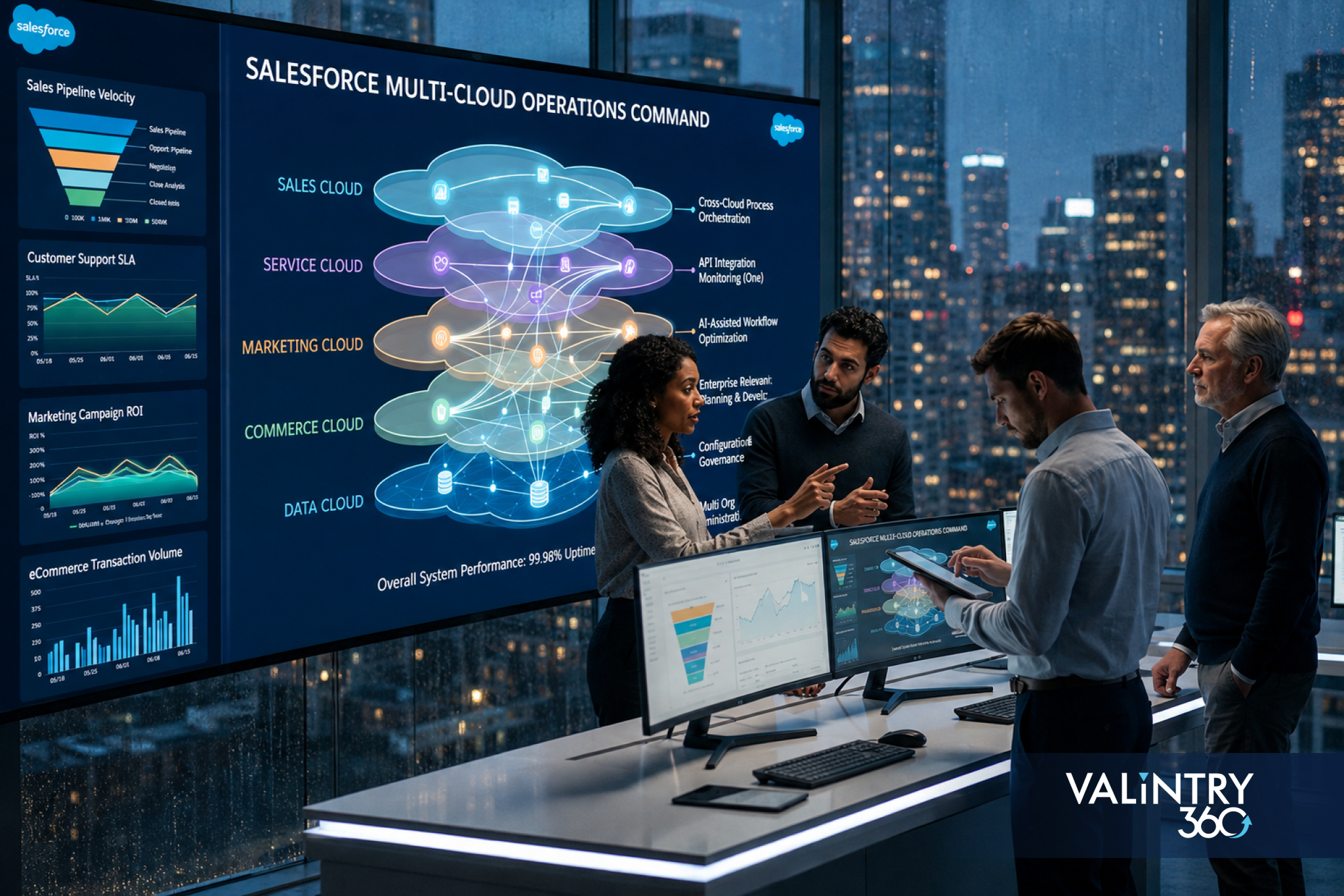
A Sales Cloud opportunity changes stage at 4:02 p.m. A Service Cloud case opens against the same account 20 seconds later. Marketing Cloud receives an audience update. Data Cloud resolves the customer against two identities. A Flow then updates a shared field that another automation also watches. Each component can be configured correctly and the full transaction can still produce duplicate actions, stale context, or a reporting mismatch.
That is the point where Salesforce multi-cloud consulting becomes a different kind of engagement. A single-cloud project can stay close to one object model, one admin team, and one release queue. A multi-cloud program has to manage shared records, cross-cloud events, permission boundaries, integration traffic, deployment dependencies, and business ownership at the same time. The work moves upstream into architecture and operating rules because decisions made in one cloud can change behavior elsewhere.
The practical question is therefore wider than which Salesforce products a company owns. It is whether Sales Cloud, Service Cloud, Marketing Cloud, Data Cloud, Experience Cloud, Commerce Cloud, Field Service, MuleSoft, and outside systems can exchange data and trigger work without creating conflicting sources of truth. This guide explains what changes in Salesforce multi-cloud architecture, how consulting scope expands, where common failure points appear, and what buyers should require before a Salesforce multi-cloud implementation reaches production.
TL;DR: the 8 Changes that Matter First
- Data ownership has to be explicit. Every shared field, identity key, consent value, status, and calculated measure needs a named system of record and an approved update path.
- Cross-cloud automation needs one dependency map. Flows, journeys, events, Apex, MuleSoft routes, Data Cloud activations, and outside automations can trigger each other in ways that are hard to see from one admin console.
- Integration design becomes part of product design. Salesforce multi-cloud integration has to account for event volume, retry behavior, API limits, latency, duplicate handling, and failure recovery.
- Security moves from profiles to transaction paths. Human users, integration users, service accounts, connected apps, APIs, and AI agents can all cross cloud boundaries.
- Testing has to follow business threads. A complete test should trace one customer or transaction across every cloud that touches it, including the failure path.
- Release management becomes dependency management. A safe change in Service Cloud can still break a Marketing Cloud journey, a Data Cloud segment, or an integration contract downstream.
- Governance needs business owners beside platform owners. Shared definitions such as customer status, consent, account tier, case severity, and revenue attribution cannot be owned by administrators alone.
- Multi-cloud value depends on the seams. The individual clouds already provide strong functions. Consulting value appears in the rules that make those functions behave as one operating environment.
One Customer Record Can Have Five Different Meanings
A multi-cloud program usually starts with a familiar assumption: the same Account, Contact, customer, subscriber, patient, member, or buyer should look consistent everywhere. The problem is that each cloud often needs a different representation of that entity. Sales Cloud cares about opportunity ownership, stage, forecast category, and account hierarchy. Service Cloud cares about entitlements, cases, service history, and escalation. Marketing Cloud cares about addressability, channel consent, audience membership, and engagement. Data Cloud cares about identity resolution, source records, calculated measures, and activation. Commerce may care about orders, carts, products, loyalty, and returns.
Salesforce cross-cloud data management begins by documenting those meanings before data is moved. A customer identifier that works for Sales Cloud may be too broad for householding. A contact status used by sales may be unsuitable as a marketing suppression rule. A service entitlement can be time-bound while the account relationship remains open. The consultant has to separate shared identity from cloud-specific state, then decide which facts can be copied, referenced, calculated, or derived.
Enterprise Salesforce data architecture planning covers system-of-record decisions, identity resolution, data sharing, event design, and cross-system architecture. Those decisions should exist in writing before a Salesforce multi-cloud strategy moves into detailed configuration.
Map the Seams Before Anyone Configures the Clouds
The first architecture workshop should produce a seam map. The map shows where data crosses a cloud boundary, what initiates the movement, which system can write back, how quickly the target needs the update, and what happens if the transfer fails. This creates one place to inspect dependencies that otherwise sit across several admin consoles and project teams.
Business thread | Clouds involved | Shared record or event | Architecture question | Failure to test |
Lead to opportunity | Marketing Cloud, Sales Cloud, Data Cloud | Person, account, campaign response, qualification state | Which system can change the lifecycle stage and source fields? | Duplicate lead, overwritten source, late assignment |
Sale to onboarding | Sales Cloud, Service Cloud, Experience Cloud | Closed opportunity, account, entitlement, portal access | What event creates service access and who can reverse it? | Access before contract start, missing entitlement |
Case to retention | Service Cloud, Data Cloud, Marketing Cloud | Case severity, customer identity, audience status | Which service events can change outbound messaging? | Promotion sent during active escalation |
Order to service | Commerce Cloud, Service Cloud, Data Cloud | Order, product, customer, return status | How are order updates exposed without copying unnecessary data? | Stale order state, duplicate return action |
Field visit to account | Field Service, Service Cloud, Sales Cloud | Work order, asset, case, account | Which updates belong to service history versus account planning? | Conflicting asset status or ownership |
Agent action | Agentforce, Data Cloud, Sales or Service Cloud | Context, instruction, action, audit event | Which actions can an agent execute across clouds? | Action beyond approved scope or stale context |
The scale of enterprise connectivity explains why this map matters. MuleSoft’s 2026 Connectivity Benchmark Report says the average organization manages 957 applications while only 27% are connected. The same research found 71% of respondents believe their infrastructure makes systems overly dependent on one another, and 82% cite data integration as a major AI challenge. A Salesforce program sits inside that wider estate, so cross-cloud dependencies should be treated as first-class architecture objects.
The Data Model Becomes a Contract Between Teams
Record authority
Each shared field needs a single authority rule. The rule can be simple, such as Sales Cloud owns account owner while Service Cloud can read it. It can also be conditional, such as a service process can update a risk flag while finance remains the source for billing status. The dangerous state is shared write access with no precedence. Two automations can both be logically correct and still create a loop or a silent overwrite.
Identity resolution
Identity is harder than field ownership because several records can represent one person or organization. Data Cloud can resolve profiles across sources, yet the consulting team still needs match rules, survivorship rules, source priority, consent handling, and exception review. Salesforce Customer 360 architecture works only when teams agree on what counts as the same customer and which cloud can act on that conclusion.
Definition control
Terms such as active customer, churn risk, service priority, marketing consent, and partner can carry different meanings by department. A multi-cloud data dictionary should record the business definition, technical field, owner, source, downstream consumers, and review date. This keeps Salesforce cross-cloud data management under recurring ownership after the first mapping workshop.
The 2026 State of Data Integrity and AI Readiness study from Precisely and Drexel University found 71% of organizations with both a data strategy and governance program reported high trust in their data, compared with 50% among organizations without that foundation. The same study found skills remain a top need for 51% of respondents, while only 38% feel very prepared in staff skills and AI training. Multi-cloud Salesforce work therefore needs data stewardship and operating knowledge beside platform configuration.
Salesforce Multi-Cloud Integration Has Four Traffic Patterns
Salesforce integration decisions are easier when the team classifies traffic before choosing tools. A useful Salesforce enterprise integration architecture usually separates synchronous requests, asynchronous events, scheduled movement, and shared access. Each pattern carries different expectations for latency, reliability, user experience, and recovery.
- Request and response. A user or process needs an answer before it can continue. Examples include pricing, eligibility, inventory, or account validation. Timeouts, API limits, and fallback behavior need explicit design.
- Business events. One system publishes that something happened, and one or more consumers respond. Closed-won, case escalated, return received, consent changed, and work order completed are common examples. Event versioning and duplicate handling matter here.
- Scheduled movement. Large sets of records move on a timetable for analytics, reconciliation, or lower-urgency processes. The team needs cutoffs, late-arriving data rules, and reconciliation totals.
- Shared or zero-copy access. A cloud queries data where it already lives. This can reduce duplicate storage, though access policy, query behavior, source availability, and performance still need ownership.
At VALiNTRY360, our Salesforce integration consulting for connected systems focuses on integration strategy, system assessment, architecture, and data exchange across Salesforce and outside platforms. In a Salesforce multi-cloud implementation, that work should include cloud-to-cloud contracts as well as ERP, warehouse, support, finance, and industry-system connections.
The Hardest Automation Bug is Often Outside the Cloud Where it Appears

A service manager may report that a case escalation Flow fired twice. The visible symptom sits in Service Cloud, while the cause may be a Marketing Cloud update that wrote a field back through an API, which triggered a record update, which re-published an event, which caused the case process to run again. Multi-cloud automation makes root-cause analysis dependent on the full event chain.
The consulting team should maintain an automation register that records trigger object, initiating event, execution mode, downstream write, integration dependency, retry behavior, owner, and monitoring location. This register should include Flow, Apex, platform events, change data capture, MuleSoft routes, Marketing Cloud journeys, Data Cloud activations, scheduled jobs, connected apps, and agent actions. The register becomes a change-impact tool during releases and an incident map during production support.
A useful rule is to test idempotency wherever a message or event can be retried. If the same event arrives twice, the second execution should either have no effect or produce an explicitly approved result. This matters in Salesforce cross-cloud integration because retries are normal behavior in distributed systems, and duplicate processing can create extra cases, tasks, messages, orders, or entitlement changes.
Permissions Now Follow the Transaction Path
Single-cloud security reviews often start with profiles, permission sets, roles, sharing, and field access. Salesforce multi-cloud architecture adds integration users, connected apps, API scopes, marketing business units, Data Cloud spaces, external identities, service accounts, certificate-based connections, and AI agents. A user may have narrow access in one cloud while an integration running on that user’s behalf can reach a wider dataset somewhere else.
Use a transaction-path review for every high-risk workflow:
- Identify the human, system, or agent that starts the action.
- Record every identity used as the transaction crosses systems.
- Document what each identity can read, create, update, delete, or trigger.
- Check whether one credential has permissions that exceed the workflow requirement.
- Record token, certificate, secret, and connected-app ownership.
- Test deprovisioning so disabled users and retired integrations lose access as expected.
- Confirm audit records can reconstruct the action across cloud boundaries.
- Review privileged integration identities on a fixed schedule.
The Cloud Security Alliance’s State of SaaS Security Report found 58% of organizations struggle to enforce privileges, 54% lack automation for identity lifecycle management, 46% struggle to monitor non-human identities, and 56% report concern about overprivileged API access. Those issues map directly to Salesforce multi-cloud governance because cloud-to-cloud work depends heavily on APIs and non-human identities.
Release Management Becomes a Dependency Graph
A multi-cloud release calendar cannot be a list of tickets grouped by team. It needs dependency information. A new field in Sales Cloud may feed Data Cloud. A Data Cloud calculation may control a Marketing Cloud audience. A Marketing Cloud response may update campaign or lead data. A Service Cloud process may read the same field during case routing. One small schema change can therefore create several downstream test obligations.
Change type | Primary owner | Downstream checks | Release control |
Shared field or object | CRM/data owner | Data Cloud mapping, journeys, APIs, reports, Flows | Contract review and regression set |
Event schema | Integration owner | All subscribers, retries, monitoring, replay | Versioned event and consumer sign-off |
Permission change | Security owner | Integration users, agents, portal users, automation | Access test with named personas |
Data Cloud rule | Data owner | Segments, activations, AI grounding, reports | Sample reconciliation and exception review |
Marketing journey | Marketing owner | CRM updates, consent, service suppression, attribution | Cross-cloud test customer |
Agent action | AI/product owner | Action scope, data access, audit, fallback | Scenario test and policy review |
DORA’s 2025 State of AI-assisted Software Development describes AI as an amplifier of an organization’s existing strengths and weaknesses and places the organizational system at the center of delivery performance. The same lesson applies to multi-cloud release work. Faster build capacity increases the need for clear contracts, test ownership, and dependency visibility because change can move across several clouds before anyone sees the final effect.
Data Cloud Changes Where the Center of Truth Sits
Data Cloud can become the place where identities are resolved, events are combined, measures are calculated, audiences are created, and data is made available to several Salesforce products. That changes the architecture discussion. Teams that once synchronized data directly between Sales Cloud, Service Cloud, and marketing systems may now use Data Cloud as a shared data layer for selected use cases.
A Data Cloud integration strategy still needs precise boundaries. Some operational fields belong in the transactional cloud because users and automations need immediate write access. Some behavioral or analytical data can remain outside Salesforce and be accessed through zero-copy patterns. Some derived measures belong in Data Cloud because several clouds need the same calculation. The consultant should classify data by authority, latency, volume, privacy, activation need, and update direction before choosing the path.
The Salesforce Data 360 services framework covers connectivity, identity resolution, governance, zero-copy access, activation, and data sharing across Salesforce and outside systems. In a Salesforce multi-cloud strategy, that layer can reduce duplicate pipelines when the design keeps transactional ownership clear.
Real-Time Needs a Business Reason
Teams often request real-time synchronization because it sounds safer than scheduled data movement. Real-time traffic adds event volume, operational monitoring, retry logic, and incident sensitivity. The right latency target depends on the decision a user or system must make with the data.
Latency class | Good use cases | Common mechanism | Consulting question |
Seconds or near-real-time | Fraud signal, case escalation, inventory check, high-intent handoff | Platform Events, CDC, APIs, streaming | What breaks if the update arrives 30 seconds late? |
Minutes | Audience refresh, operational score, account status propagation | Event or scheduled micro-batch | How much staleness can the process tolerate? |
Hourly | Management reporting, non-urgent enrichment, reconciliation | Scheduled integration | Which consumers need a fresher copy? |
Daily | Historical rollups, archive movement, broad warehouse loads | Batch movement | How will late data be reconciled? |
Real-time Salesforce data access services cover Change Data Capture, Platform Events, streaming, Data Cloud, zero-copy access, event-driven workflows, and monitoring across connected systems. The key design output should be a latency policy by business thread, so Salesforce multi-cloud integration uses real-time patterns where timing changes the outcome.
Governance Needs One Council and Several Owners
Salesforce multi-cloud governance becomes difficult when each cloud has a separate backlog, naming system, security review, release schedule, and definition of success. Central control over every configuration decision can slow delivery, while fully independent cloud teams can create duplicate data, competing automations, and inconsistent policy. The operating model needs shared standards with local ownership.
Flexera’s 2026 State of the Cloud Report found 73% of organizations operate hybrid cloud estates and 71% have a Cloud Center of Excellence. The report concerns broader cloud infrastructure, yet the governance pattern is relevant to multi-cloud Salesforce programs: central standards become more common as technical estates spread across platforms, teams, and business units.
Decision area | Enterprise owner | Cloud owner | Required artifact |
Customer identity | Data governance lead | Cloud data steward | Identity and survivorship rules |
Shared object definitions | Business process owner | Salesforce product owner | Data dictionary and change record |
Integration contracts | Architecture lead | Integration owner | Interface specification and failure policy |
Access policy | Security lead | Cloud admin | Permission model and review log |
Release dependencies | Platform lead | Delivery lead | Dependency map and regression pack |
KPI definitions | Business owner | Analytics owner | Metric dictionary and source mapping |
Salesforce data governance services across clouds cover stewardship, data quality, access governance, metadata, and cross-system policy. A Salesforce multi-cloud consulting engagement should connect those controls to the release process so governance decisions change build behavior, testing, and production monitoring.
Consulting Scope Expands Before Configuration Starts
Discovery becomes cross-functional
A single-cloud discovery can often work with one business unit and a Salesforce admin. Multi-cloud discovery needs process owners from every cloud that touches the same customer thread. The consulting team should trace major business scenarios from start to finish and identify every system that reads, writes, calculates, routes, or reports on the record. This is where hidden dependencies surface before they become change requests.
Architecture needs decision records
Important architecture choices should be written as decision records with the problem, options considered, chosen approach, owner, constraints, and review trigger. Examples include customer identity keys, event versus API decisions, whether Data Cloud should calculate a measure, how consent is shared, and which cloud owns a lifecycle state. The record helps new team members understand why the design exists when the program changes later.
Testing shifts to business threads
Cloud-level unit tests remain necessary. Acceptance testing should also follow complete scenarios: prospect becomes customer, customer opens case, customer changes consent, order is returned, asset changes owner, agent takes an action, or account is merged. Each scenario should validate data, automation, permissions, messages, reporting, audit trail, and failure recovery across every participating cloud.
Multi-Cloud Testing Needs a Golden Record Set
A small, carefully designed record set can expose more defects than a large random sample. Create named test personas and accounts that cover the states most likely to break cross-cloud rules. Keep their expected values documented so the team can run the same regression set after every major release.
A practical golden record set can include:
- A new prospect with no existing CRM match and a clean marketing consent state.
- An existing contact with an open opportunity and a prior service case.
- A customer with multiple identities that should resolve to one Data Cloud profile.
- A customer who has opted out of one channel while remaining contactable through another approved channel.
- A partner or reseller contact who follows different sharing and routing rules.
- A high-value account with a critical service escalation that should suppress selected marketing activity.
- A merged account with historical opportunities, cases, campaign activity, and portal access.
- A deleted or deactivated user whose integration and delegated access must no longer work.
- An API retry scenario that sends the same event twice.
- A late-arriving data scenario where a downstream record is newer than the source payload.
The expected output should cover every cloud touched by the scenario. This gives Salesforce multi-cloud implementation teams a repeatable regression pack and reduces reliance on testers remembering what happened in the previous release.
Agentforce Makes Cross-Cloud Boundaries More Visible
Agentforce can call actions, read data, trigger Flow, work through APIs, and use Data Cloud context. As agents begin operating across sales, service, marketing, and outside systems, weak boundaries that were tolerable for human workflows become harder to ignore. An agent can act faster than a person and can repeat an error at a larger volume if the action scope or grounding data is wrong.
Salesforce Headless 360 architecture guide examines API-first access across CRM, Agentforce, Data Cloud, and collaboration tools. For multi-cloud programs, the main consulting question is which actions are exposed, which identity performs them, what context is required, how results are checked, and where a human review is mandatory.
IBM’s 2026 Cost of a Data Breach research found one in four malicious breaches in its study were AI-enabled, and those incidents cost an average of $6 million compared with a $4.99 million global breach average. The Salesforce lesson is operational: agent permissions, API scopes, connected apps, and audit records belong in the architecture review before autonomous actions span several clouds.
A Multi-Cloud Operating Model Should Answer 12 Questions
A buyer can learn a great deal about a Salesforce multi-cloud consulting partner by asking for written answers to the questions below before build work begins.
- Which system owns each shared customer, account, consent, product, and transaction field?
- What event or API contract connects each cloud boundary?
- Which integrations are synchronous, event-based, scheduled, or shared-access patterns?
- What happens when a message is duplicated, delayed, rejected, or delivered out of order?
- Which identities perform cross-cloud actions, and who reviews their access?
- How are Data Cloud identity rules, calculations, and activations tested against source records?
- Which automations can trigger downstream automations in another cloud?
- How are release dependencies recorded and tested before production deployment?
- Which business owner approves shared definitions and lifecycle rules?
- Which logs, event histories, or monitoring tools can reconstruct a failed transaction?
- What is the rollback path when one cloud is ready and another cloud is not?
- Who owns the operating model after the consulting team leaves?
A partner that can answer these questions with artifacts, owners, and test methods is prepared for Salesforce multi-cloud solutions. A proposal that mainly lists cloud features leaves the hardest work undefined.
The Cost Model Changes Because Coordination Becomes Deliverable Work
Salesforce multi-cloud consulting costs rise for reasons that are easy to miss in a license comparison. More clouds create more interfaces, shared definitions, security paths, test scenarios, deployment dependencies, and owner decisions. The consulting effort sits in discovery workshops, architecture records, interface specifications, automation mapping, regression design, data reconciliation, incident monitoring, and operating documentation.
The cost discussion should therefore separate cloud configuration from cross-cloud work. Ask the partner to price architecture, integration, data migration, shared security, testing, cutover, training, and production support as named workstreams. This makes it easier to see where a Salesforce multi-cloud implementation is carrying complexity and where scope can be phased.
For long-running estates, Salesforce multi-cloud managed services should be scoped around dependencies, with ticket volume treated as a secondary measure. The support team needs event monitoring, integration errors, data quality checks, release calendars, permission reviews, and regression packs. Change triage should include dependency review before work is estimated.
Choose the First Multi-Cloud Release by Dependency Count

The first release should prove the architecture with a manageable dependency set. Launching 6 clouds, several outside systems, a new identity model, consent rules, and agent actions at once creates too many failure paths. A stronger first phase follows one or two important business threads through the required systems, then expands after ownership and monitoring work in production.
A useful sequence starts with customer identity and the shared data contract, then proves one revenue or service thread with event handling, release controls, and monitoring. Each later phase should name the new dependency it introduces and the regression tests that cover it.
Salesforce multi-cloud strategy also needs an exit rule for complexity. Some data can stay in its source system, some automation should stay local, and some reporting belongs in a warehouse. Cross-cloud dependencies should earn their operational cost through a clear business outcome.
Conclusion
Managing several Salesforce clouds changes the consulting job because the important work happens between product boundaries. Shared data needs authority rules. Cross-cloud automation needs a dependency map. Integration traffic needs a failure policy. Security needs transaction-path review. Releases need regression across downstream consumers. Governance needs business ownership that survives beyond the project.
Salesforce multi-cloud consulting works best when these decisions are made before individual teams start building. The result is a Salesforce multi-cloud architecture that can explain where data comes from, how it moves, who can change it, what triggers downstream behavior, and how the business recovers when part of the chain fails.
The goal for a Salesforce multi-cloud implementation is consistent behavior across sales, service, marketing, data, commerce, portals, field operations, and AI use cases. Documented contracts and repeatable tests keep each new cloud addition tied to known dependencies and named owners.
Frequently Asked Questions
1.What is Salesforce multi-cloud consulting?
Salesforce multi-cloud consulting helps organizations design, connect, test, and operate several Salesforce clouds as one coordinated environment. It covers shared data, identity, automation, integration, security, release dependencies, reporting, and governance across the products in scope.
2.When does a Salesforce project become multi-cloud?
A project becomes multi-cloud when processes, data, users, or automation span several Salesforce products and those products depend on each other through shared records, events, permissions, or business decisions.
3.What changes in a Salesforce multi-cloud implementation?
Teams must define record authority, integration contracts, identity rules, data movement, cross-cloud automation, security paths, release dependencies, regression tests, and operating ownership before detailed configuration. Testing should follow complete business scenarios across participating clouds.
4.What is Salesforce multi-cloud integration?
Salesforce multi-cloud integration is the movement or shared access of data, events, and actions between Salesforce products and connected systems. Common patterns include APIs, Platform Events, Change Data Capture, MuleSoft, scheduled jobs, Data Cloud ingestion, activation, and zero-copy access.
5.How is Salesforce cross-cloud integration different from normal integration?
Salesforce cross-cloud integration connects products that may share identities and business processes, which can hide dependencies. The design still needs interface contracts, error handling, retry rules, ownership, monitoring, and downstream tests.
6.Does Data Cloud replace direct cloud-to-cloud integration?
Data Cloud can reduce some duplicate movement by resolving identities, combining data, calculating shared measures, and making data available to several Salesforce products. Operational transactions may still require direct APIs, events, or native platform updates. The choice depends on authority, latency, volume, privacy, and action requirements.
7.What is Salesforce multi-cloud architecture?
Salesforce multi-cloud architecture defines how several Salesforce products share identity, data, automation, integrations, security, reporting, and operational ownership. A useful architecture shows cloud boundaries and the contracts between them, with each cloud documented in that shared context.
8.How should Sales Cloud and Service Cloud integration be designed?
Sales Cloud and Service Cloud integration should define shared account and contact data, ownership rules, opportunity-to-service handoffs, case visibility, entitlements, customer status, and downstream effects of updates made by either team.
9.What does Salesforce multi-cloud governance cover?
Salesforce multi-cloud governance covers shared definitions, data ownership, access policy, integration standards, automation review, release dependencies, testing requirements, metric definitions, and production accountability. Each cloud can retain a product owner while enterprise rules remain consistent across the shared platform.
10.How should permissions be reviewed across several Salesforce clouds?
Trace high-risk transactions through every human and non-human identity, connected app, API scope, cloud permission, downstream action, deprovisioning step, and audit record. Include periodic access recertification.
- What is a Data Cloud integration strategy in a multi-cloud program?
A Data Cloud integration strategy decides which sources feed Data Cloud, how identities are resolved, which measures are calculated there, what data remains in source systems, how activations reach other clouds, and where zero-copy access is appropriate. It should also define governance, latency, and exception handling.
12.How do you test a Salesforce multi-cloud solution?
Use cloud-level tests plus end-to-end business threads. A golden record set should cover identity, consent, service, merge, access, retry, and late-arriving data scenarios, with expected results documented for every cloud touched.
13.Why does release management get harder with multiple clouds?
A change in one cloud can affect fields, events, segments, journeys, reports, permissions, or automations elsewhere. Release planning therefore needs a dependency graph and a regression pack that follows downstream consumers. Teams also need a rollback plan when connected components are released on different schedules.
14.What should Salesforce multi-cloud managed services include?
Salesforce multi-cloud managed services should cover configuration support, integration monitoring, automation review, data quality checks, permission reviews, release coordination, regression testing, incident analysis, documentation, and dependency-aware change triage. Ticket closure alone does not show whether the shared environment remains healthy.
15.How do we choose a Salesforce multi-cloud consulting partner?
Ask the partner to show its system-of-record rules, cloud boundaries, integration contracts, identity model, automation dependencies, security controls, testing method, release process, and post-launch ownership. Test the approach with one real business thread.
Related Posts
Top 10 Salesforce Implementation Rescue Partners in 2026:…
Your Salesforce project is already in trouble. Maybe it stalled before go-live and the partner stopped returning calls. Maybe it's live, but reps quietly went back to spreadsheets months ago. Maybe every new Flow breaks something that used to work,…
How Salesforce Consulting Helps Integrate Acquired Businesses Into…
An acquisition can close while the systems remain divided for months. The buyer may already run Sales Cloud and Service Cloud, while the acquired company brings a separate Salesforce org, HubSpot, another commercial CRM, a homegrown system, several spreadsheets, and…
Why Do Real Estate Developers Need Salesforce Consulting…
A real estate developer can route every new inquiry correctly and still run the rest of the customer lifecycle through disconnected systems. The CRM may know that a buyer visited a project while the inventory sheet shows an outdated unit…