

Salesforce Headless 360: The Leader’s Guide to Headless Code and Agent-First Architecture

post_thumbnail
Apr 29, 2026
  • Agentforce
  • Change Leadership
  • Digital Transformation
  • Salesforce Consulting Services
  • Salesforce CRM
  • Salesforce Data Cloud
  • Salesforce Development Services
  • Salesforce Implementation Services
  • Salesforce Integration services
  • Salesforce Managed Services

IN SHORT

Salesforce Headless 360 exposes your entire platform, including CRM, Agentforce, Data Cloud, and Slack, as APIs, MCP tools, and CLI commands. Instead of logging into a browser, AI agents built using headless code access data, trigger workflows, and deliver results directly to Slack, Teams, or voice. Your team stops clicking. Agents start orchestrating. The result: 40% faster development cycles, 300% growth in agent deployment, and IT leaders maintaining control through governance layers like Session Tracing and Testing Center.

IN THIS GUIDE

  1. What Is Salesforce Headless 360?
  2. Salesforce Headless Agents in Production
  3. Headless Code for Marketing Operations
  4. Salesforce Headless Agent Architecture
  5. Salesforce Headless API Licensing
  6. Writing Headless Code
  7. Salesforce Headless CMS Integration
  8. Deploying Salesforce Headless Agents
  9. Headless Agent Governance
  10. Enterprise Headless Solutions
  11. Frequently Asked Questions

What Is Salesforce Headless 360? (And Why It Actually Matters)

For 25 years, Salesforce meant opening a browser. You logged in, clicked through screens, and manually updated records. That model is now obsolete.

Announced at TrailblazerDX in April 2026, Salesforce Headless 360 decouples Salesforce’s backend from its interface . Data, workflows, and business logic are now accessible as APIs, MCP (Model Context Protocol) tools, and CLI commands. Agents call them directly. Humans see the results in Slack or Teams without ever entering the traditional Salesforce UI.

The term “headless” comes from web architecture, where it describes separating the back end (data, logic) from the front end (visual interface). Salesforce just made that separation structural across its entire platform.

Here’s what changed: APIs have existed since 2006. What’s new is intent and packaging. Salesforce shipped 60+ MCP tools purpose-built for agents, 30+ preconfigured coding skills, and explicit agent-first documentation. You can now build agent workflows without custom integration code.

That’s the technical shift. But the real story is organizational. When agents do the work humans used to do, everything downstream changes: job roles, team structure, governance models, and how you measure value.


Salesforce Headless Agents in Production: Real-World Results

Most Salesforce coverage is hype. Here’s what’s actually happening.

SaaStr, a B2B SaaS platform, has been running a headless code stack for six months with 20+ agents and three humans. Zero daily Salesforce UI logins. Their AI VP of Marketing (“10K”) reads the Salesforce API in real time, leads Monday standups in Slack, assigns weekly GTM tasks, and autonomously launches outbound campaigns. Their AI VP of Customer Success manages 100+ event sponsors, sending personalized emails to all of them in 10 minutes.

Notion’s average sales cycle dropped from four months to three weeks after listing on Salesforce’s AgentExchange. Docusign processed 200 private offers in Q4 2025 with 60% faster signature time. These aren’t pilots. They’re production workflows.

The pattern is clear: early movers will have 12 to 18 months of compounding advantage. Agents improve with use. Data gets cleaner. Orchestration tightens. Output compounds exponentially. By 2027, the companies that waited will be competing against teams that already learned the architecture and came out the other side.


Headless Code for Marketing Operations: What Changes When Agents Execute

If you’re a marketing ops manager, here’s what this looks like in practice.

Today: You log in, check lead scores, manually review escalations, run reports for leadership. Then you wait for developers to build workflows or you move requests into a queue.

With Headless 360: An agent monitors leads in real time and flags anomalies in Slack (no login). It pushes campaign performance to your dashboard automatically. The headless code runs reports and surfaces insights without you asking. It triggers workflows based on business rules you define in plain language, not code.

Time spent: 40% less in browser, 80% more in strategy.

Concrete examples:

Lead Scoring & Routing. Agent monitors Data Cloud for lead quality changes. Automatically escalates high-intent leads to sales in Slack with context. No ops intervention needed until exception.

Campaign Performance Optimization. Agent reads Marketing Cloud performance data via API. Identifies underperforming segments. Pauses low-ROI campaigns. Surfaces recommendations in Slack with an approval card. Ops manager clicks approve or deny.

Monthly Reporting. Agent pulls pipeline, revenue, and attribution data from Salesforce. Generates executive summary automatically. Flags anomalies before leadership asks.

The democratization piece is real but conditional. Agentforce Vibes 2.0 lets ops managers adjust agent behavior in plain language. Governance still enforced. You still need someone who understands your data model and workflows. It’s not zero-skill. It’s low-skill for adjustments, medium-skill for building new agents.


Salesforce Headless Agent Architecture: How Job Roles Are Evolving

Everyone’s thinking about this. Let’s name it.

Traditional Salesforce Admin Role: Less clicking. Less routine maintenance. More workflow design. More session tracing (understanding why agents made decisions). New skill required: Agentforce Vibes 2.0 plain-language agent definition.

Short term (2026-2027), the admin role transforms. Long term, it becomes “Agent Orchestrator” or “Business Automation Architect.” Fewer admins per 100 users. Higher skill floor. Higher pay.

Marketing Operations Manager Role: If you’re tactical today, this role is at risk. Agents do the clicking. If you’re strategic today, this role accelerates. You go from executing plans to designing them.

The practical advice: Lean into strategy. Learn Agentforce Vibes 2.0 in Q2/Q3 2026. The tactical work disappears. The strategic work explodes.

New roles emerging: Agentforce Behavior Designer ($90-120K), Agent Evaluation Specialist ($95-130K), and Headless Experience Architect ($110-150K).


Salesforce Headless API Licensing: Costs, Hidden Fees & ROI

Here’s the straight answer: Headless 360 is not separately priced.

Features are accessible through existing Salesforce and Agentforce licensing. No separate “Headless 360 SKU” charge. MCP tools, APIs, and CLI commands are included in Agentforce pricing.

But there are hidden costs:

Agentforce Licensing. This is the real spend. Agentforce agents require separate seats at approximately $50-75 per agent per month. Build seven agents for a typical marketing ops stack. Math: 7 agents × $60/month = $420/month in new spend.

Development Time. Building and tuning agents isn’t free. Professional services or internal dev time required. Ballpark: $20-50K for small team setup. Enterprise: $100K+.

Data Cloud Readiness. Headless 360 shines when Data Cloud is mature. If not, plan for $50-150K in data architecture work first.

DevOps Licensing (Optional). DevOps Center MCP requires additional DevOps Center licensing.

The real ROI: SaaStr reduced team from 20 to 3 humans and increased agents from 0 to 20. Cost savings: ~$500K per year in labor. New costs: ~$30K in agent licensing plus dev time. Net ROI: Strong positive in year one.


Writing Headless Code: No-Code vs. Low-Code vs. Custom Development
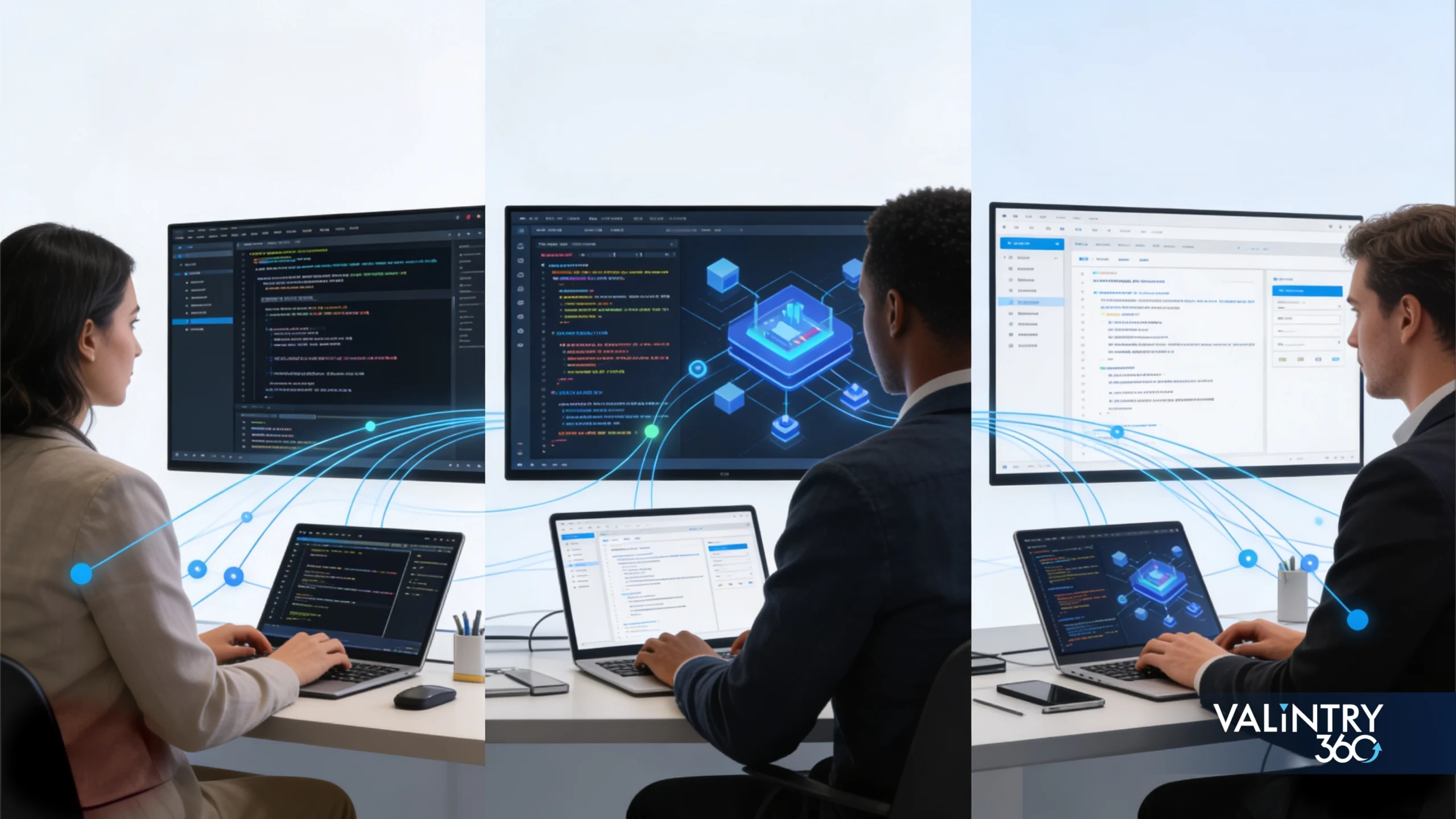
Salesforce says non-programmers can now build headless code. This is true. It’s also conditional.

There are three tiers:

Tier 1 (True No-Code). Adjust existing agent behavior. Plain-language rules. No coding. Works for 30-40% of use cases. Audience: any ops manager.

Tier 2 (Low-Code). Build simple agents with headless code templates. Requires understanding your data model and workflows. Works for 40-50% of use cases. Audience: technical-minded ops managers, junior developers.

Tier 3 (Code Required). Custom agents with complex logic. Agent Script or custom code in Claude Code with MCP tools. Works for 10-20% of use cases. Audience: developers.

The builder problem is real. Vibe coding means builders may not fully understand what they’re creating. Plain-language prompts don’t always produce clean, auditable code. Security and compliance teams get nervous.

Here’s the practical translation: Can you adjust a rule without coding? Yes. Can you build a sophisticated five-agent stack by yourself? Probably not. Do you need a full development team? No. You need one to two technical people who understand your business and can speak plain language to agents.

Start with Tier 1. Graduate to Tier 2 as your team gets comfortable. Hire or outsource Tier 3 if needed.


CRM director, marketing ops manager, and VALINTRY360 Salesforce architect discussing implementation strategy
IT security leader monitoring headless agent governance and control systems built by VALINTRY360

Salesforce Headless CMS Integration: Marketing Cloud & Journey Builder

This matters if you’re a Marketing Cloud customer.

Headless 360 lets agents trigger and adjust Journey Builder workflows via headless code API. Before, only people and APIs could trigger. Now agents can orchestrate intelligently. High-intent lead detected by agent? Triggers account-based journey with personalized content automatically.

Agent reads engagement data in real time and adjusts send times, content variants, and cadence based on behavior. Before: static sends. Now: dynamic optimization.

Segment updates move from manual daily/weekly task to continuous. Agent monitors Data Cloud for segment changes and automatically updates Marketing Cloud audience filters.

Agent ties Marketing Cloud campaign to Salesforce opportunity to closed deal. Agentforce Intelligence shows which campaigns actually closed deals. Before: attribution required Tableau or external tool. Now: native to Salesforce.

The integration that matters: your Data Cloud must be clean and connected. Journey Builder workflows must be designed for API triggering. Agent needs data context—knowing customer’s journey history, engagement, and firmographic data.

Real workflow: Lead fills form. Marketing Cloud captures, syncs to Data Cloud. Agent monitors for lead score changes. High-intent lead detected (>80 score). Agent triggers “Sales Hand-Off” journey automatically. Updates CRM lead status. Notifies sales in Slack with context card. Result: lead routed to sales in two minutes instead of the daily 20-minute report cycle.


Deploying Salesforce Headless Agents: Your Implementation Roadmap

Everyone talks about the destination. Nobody talks about the journey.

Phase 0: Assess

Is your Data Cloud clean? Do you have data governance in place? What percentage of daily ops work is manual? Do you have internal Salesforce expertise or work with a consultant?

Output: Gap analysis. Cost-benefit projection. Decision: build in-house or hire partner.

Phase 1: Pilot

Start small. One agent. One use case. Real value.

Recommended first agent: Lead Scoring & Routing. Why: clear ROI, low complexity, high visibility. What it does: monitors leads, escalates hot leads to sales in Slack. Success metric: 80% of hot leads flagged by agent versus 20% flagged manually today.

Phase 1 success criteria: Agent runs without major issues. Ops team confident in agent decisions. Business sees measurable time savings (minimum 5 hours per week).

Phase 2: Expand

Build 2-3 more agents. Document patterns. Begin training ops team on Agentforce Vibes 2.0.

Phase 3: Optimize

Refine agent decision logic. Integrate with more surfaces. Begin consolidating.

Budget & Typical Timeline (Mid-Market, 50-200 Salesforce Users):

Phase 0: 2-3 weeks, $0-5K. Phase 1: 4-6 weeks, $20-30K. Phase 2: 6-8 weeks, $15-25K. Phase 3: 8+ weeks, $10-20K. Total investment: $45-80K over a typical implementation cycle.

Compare to cost of two FTE ops managers at $120K per year. Payback period: 3-4 months.


Headless Agent Governance, Security & Compliance: IT Control Framework

This is where IT gets nervous. Here’s what you actually get.

Session Tracing logs every headless code agent action with its reasoning chain. IT can replay what the agent did and why it made each decision. Helps with audits and debugging.

Testing Center validates agent logic before it goes live. Define test cases. Run them. Pass or fail. Catches edge cases before agents touch production data.

Custom Scoring Evals define “good” versus “bad” agent decisions. Automatically score agent outputs. Identify when quality drops below threshold.

Agent Fabric provides centralized governance over all agents. See all agents, all tools, all LLMs in one place. Audit trail shows who deployed what, when, and by whom.

Agents inherit existing Salesforce permissions. No need to rebuild access controls. Agents can’t see data users can’t see.

Session tracing logs all agent actions. Satisfies SOC 2, HIPAA, GDPR audit requirements. Better than human audit trails because humans don’t log every click.

Real IT concerns: What if an agent makes a bad decision? Session Tracing shows exactly what happened. Testing Center catches most edge cases before production. Workflow guardrails prevent out-of-bounds behavior.

How do we know the agent’s reasoning is correct? Custom Scoring Evals matter. Define “correct,” score outputs automatically, and adjust if quality drops.

What about data leakage? Agents operate within Salesforce’s existing security boundary. Data goes to agents via APIs. No worse than Salesforce plus marketing automation integration you already have.

IT Leader’s Deployment Checklist: Assign Agent Governance Owner. Define approval process for new agents. Set up Session Tracing monitoring (quarterly audit review). Document guardrails for each agent. Plan for agent failures (escalation rules). Verify compliance stance with Legal/Security.


Enterprise Headless Solutions: When Salesforce Agentforce Fits Mid-Market

Be honest: Do you actually need Headless 360?

Good fit: 100+ Salesforce users. Mature Data Cloud. 40%+ of daily work is manual/clicking. Structured IT governance. Estimated ROI payback: 3-4 months.

Medium fit: 50-100 users. Partial Data Cloud. 20-40% manual work. Developing governance. Payback: 6-8 months.

Poor fit: <50 users. No Data Cloud. <20% manual work. Ad-hoc governance. Payback: 12+ months.

When Headless 360 makes sense: You have enough Salesforce users doing repetitive, data-driven tasks. Your Data Cloud is already mature. You have budget for a six-month build. Your IT team has capacity.

Example: Mid-market SaaS company with 150 Salesforce users, mature Data Cloud, ops team spending 20 hours per week on lead scoring and reporting, $50-80K budget. Payback: 3.5 months. ROI: Strong.

When you should wait: Data Cloud isn’t clean. <50 Salesforce users. Workflows undocumented. IT/ops team already stretched. Business in major transition.

Example: Early-stage startup with 20 Salesforce users, no Data Cloud, too busy selling. Better move: Get your foundations solid first. Headless 360 in 2027 when you’re 100+ users.

Hybrid approach if you’re on the fence: Do Phase 0 assessment. Build one pilot agent. Measure ROI. If real, move to Phase 1. If not, revisit when ready. Key metric: Can you save 10+ hours per week with one agent? If yes, you can scale.


The Path Forward

Salesforce Headless 360 isn’t a future state. It’s happening now. Companies are running headless code production workflows with 20+ agents and three humans. Notion cut sales cycles from four months to three weeks. Docusign accelerated signature time by 60%.

The question isn’t whether Headless 360 works. The question is when your organization moves. Moving early builds compounding advantage. Moving late means catching up to a standard.


Bringing It Together: The Real Question

This isn’t about Headless 360. It’s about choosing your role in the Agentic Enterprise.

For IT leaders: Your job is changing. Agents are the new users. You can own this transition through governance and trust, or it happens to you. The IT teams that embrace agents now will be trusted advisors in 2027.

For marketing leaders: Your ops team is shrinking (routine work disappears). Your strategy team is growing (defining what agents do, measuring what matters). The marketing leaders who redirect their teams to strategy will win.

The competitive pressure is real. By 2027, agent-first architecture becomes table stakes. The companies that move fast will have 12 to 18 months of compounding advantage. The companies that wait will be catching up.

The next step: Answer the assessment questions from Phase 0. Run a competitive check. Make a decision: Pilot now or revisit when more case studies exist?

If you pilot: Start small. One agent. Measure ROI. Decide to expand.

If you wait: Revisit when your organization is ready.


Ready to Navigate Headless 360?

Learn how VALiNTRY360 helps Salesforce leaders navigate Headless 360 implementation and select the right consulting partner for your Agentforce strategy.  Explore Our System Integration Services

For specific guidance on your organization’s readiness, data architecture, and implementation timeline, our Salesforce consulting team can run a Phase 0 assessment and build a business case tailored to your situation.

Contact VALiNTRY360 today or call 800-360-1407

Frequently Asked Questions About Headless Code

How much does Headless 360 cost?

Headless 360 itself is not separately priced. You access it through existing Salesforce and Agentforce licensing. However, building agents requires Agentforce licenses ($50-75 per agent per month), development time ($20-50K for small team setup, $100K+ for enterprise), and potentially Data Cloud architecture work ($50-150K if your data foundation isn’t mature).

What is headless browsing?

Headless browsing refers to interacting with software systems without a traditional user interface or web browser. Instead of clicking through screens, agents access data and trigger workflows via APIs, MCP tools, or CLI commands. With Salesforce Headless 360, agents perform CRM work directly—updating records, running workflows, retrieving data—and return results to Slack, Teams, or voice without anyone logging into Salesforce.

What’s the difference between Headless 360 and traditional Salesforce?

Traditional Salesforce requires human interaction with a UI. You log in, navigate screens, and manually update records. Headless 360 exposes your platform as APIs and MCP tools, so agents can perform work without a UI. Humans see results in Slack or Teams. This means faster workflow execution, less manual clicking, and more time spent on strategy.

Do we need a dedicated agent architect?

Not necessarily. Small implementations can start with existing Salesforce admins learning Agentforce Vibes 2.0. However, sophisticated multi-agent setups benefit from someone who understands your data model, business workflows, and can translate both into plain-language agent definitions. That person might be internal or hired as a consultant.

Can we implement Headless 360 if our data is messy?

Agents are only as good as the data they read. If your Data Cloud isn’t clean or mature, implement data governance before building agents. Plan 2-4 weeks for a data cleanup sprint. After that, agents can operate reliably.


Does Headless 360 require additional Salesforce licenses?

Headless 360 is accessible through your existing Salesforce license. Building agents requires Agentforce licenses. If you already have Agentforce deployed, you’re not buying new base licenses for Headless 360 itself. You may need additional agent seats depending on the number of agents you plan to build.

What if an agent makes a bad decision?

Session Tracing logs every agent action with its reasoning. Your IT team can replay exactly what happened and why. Testing Center validates agent logic before production. Custom Scoring Evals measure agent decision quality automatically. If quality drops, you’ll know and can tune the agent.

Is this really non-technical?

Tier 1 agents (adjusting existing behavior) are truly non-technical. Tier 2 agents (building simple agents) require technical mindset but not programming skill. Tier 3 agents (custom logic) require either Agent Script or traditional code. Most teams operate primarily in Tier 1 and Tier 2.

Claim Your Free Implementation Checklist

Claim Your Free Implementation Checklist

Claim Your Free Implementation Checklist

Connect With Us

Need Urgent Help with your Salesforce